Birthdays have been celebrated and traced back to ancient Egypt, where pharaohs celebrated their coronation as their divine birth. Then, Greeks celebrated the birthdays of gods and goddesses with candles and cakes to represent moon glows. In the ever-expanding media platforms we have today, sharing birthday videos with your social media friends and followers is common. We use different editing tools built into our mobile devices. Yet, did you know that there are birthday video makers that you can use to improve the project video you wanted to create? If not, then reading the entire article is a must for you to be able to see the list of software to create memorable birthday videos.
Part 1. Before You Choose a Birthday Video Maker
"How can I make a birthday video? Where to start?" That is the question you are always searching for, right? Well, first thing, figure out who it's for. Is it for yourself or for someone else? Is this person a bestie, a work friend, or someone you just talk to sometimes? You may want to base how fancy the video is on who you will send it to. In addition, creating birthday videos may be easy, but not that fastly. Think about how much time you have to get this done. If it is within a week or less, then you may need to compile the clips that you have. For fewer days to prepare, we recommend creating simple yet memorable birthday videos. Gather your clips and videos to compile and edit them into one birthday greeting. Nonetheless, there are birthday video clip makers that you can use to accomplish the project video before the birthday celebrant. We have compiled them here for you to check their features that suited you the most.
Part 2. 3 User-Friendly Birthday Video Makers
1. AVAide Video Converter
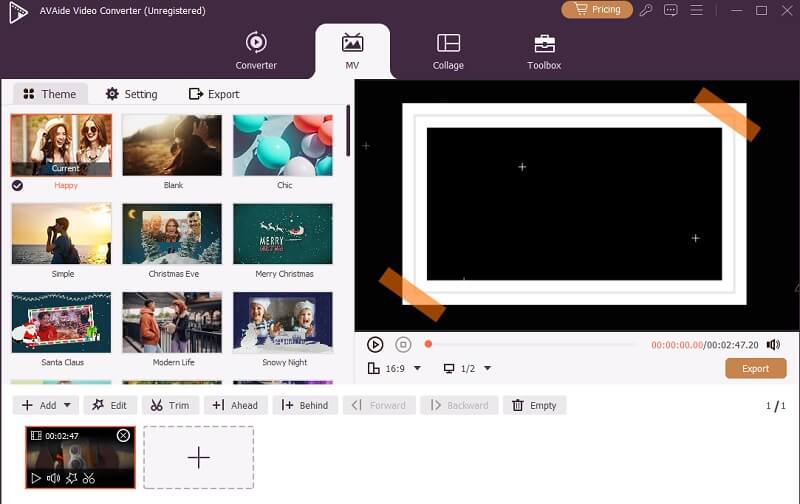
When it comes to how to make a happy birthday video for acquaintances, you may need a reliable video-making tool like AVAide Video Converter. This computer program is not only a video compressing and converting tool, but also comes with video creation and editing functions. It has a dedicated tab for creating music videos, which is favorable for making birthday videos and other celebratory events that require a video presentation. It comes with different templated themes that you can choose from. It has, for Christmas, a romantic setup, fashion, and most especially for birthdays. You can select the birthday template to apply the effects and filters across your project video. What is more, it has a timeline panel where you can edit and adjust your clips according to your liking.

FREE DOWNLOAD For Windows 7 or later
 Secure Download
FREE DOWNLOAD For Mac OS X 10.13 or later
Secure Download
2. FlexClip
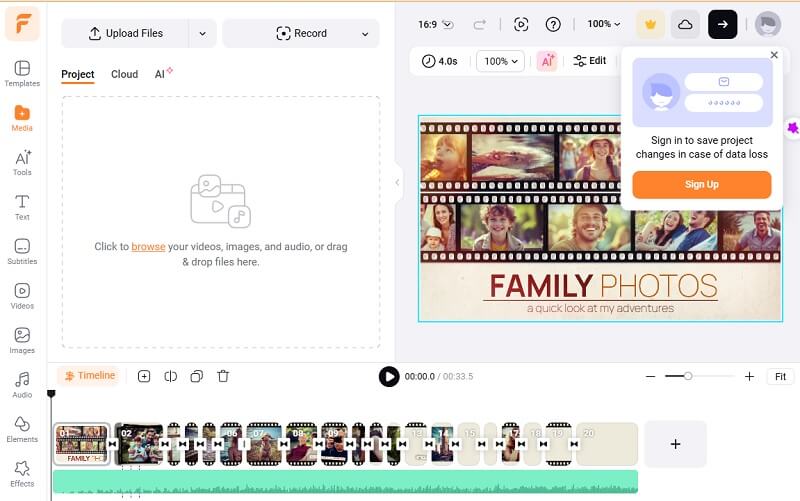
Do you need an online birthday video maker with photos free to use? FlexClip is the solution you need to access. It is a web-based platform allowing users to create fancy videos without the need to install any program. It also comes with different templates that you can choose from, especially for birthday videos. In addition, the platform is powered by AI to create different imagery and animations. FlexClip also enables users to choose from its pre-installed aspect ratios, such as 1:1, 16:9, and 9:16 resolution. Moreover, it enables users to utilize its online timeline editor to edit and customize birthday videos.
3. Vidday
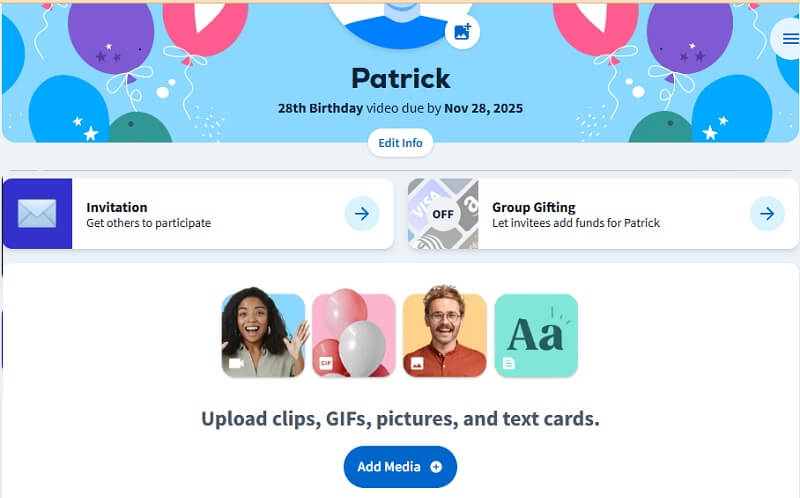
If you want to compile birthday wishes in one fancy tribute to the celebrant, Vidday is the free online birthday video maker with the photos you need. As it does not need apps to function, you and the invitees at the party can effortlessly submit birthday greetings and videos from any devices and browsers. The group videos will be compiled in a single output, and you can use the platform's pre-installed theme to merge and edit the video. You can also add music & effects, and cast to the TV screen to present the project video you have created easily. Additionally, you can use an RSVP to collect video greetings with the invitees prior to the celebration date to prepare and create your project video.
Part 3. 3 Professional Birthday Video Makers
1. Filmora
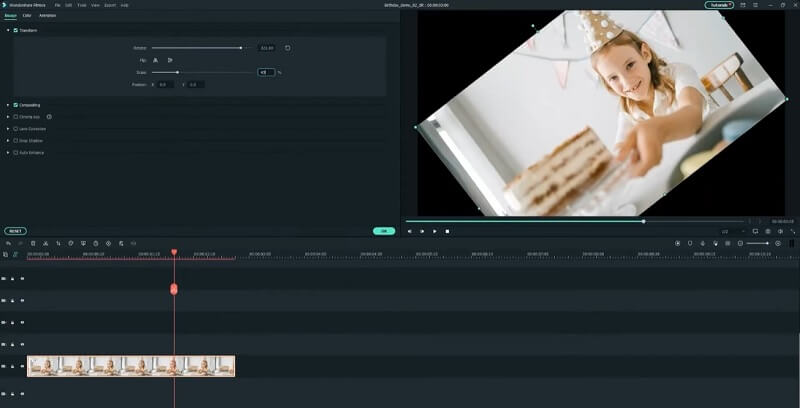
Filmora is a video editing platform or software where thousands of generated videos are available. From birthdays, Christmas, and other occasions, this platform will come in handy. It has AI stack videos, images, and audio generation suitable for your birthday videos. The platform does not require any plugins, but it is equipped with different advanced editing functions. Just like other premium video editors, Filmora comes with a timeline video editing panel where you can drag and drop videos to edit each clip efficiently. It can extract audio from your greetings, enhance them, or even add different background music. The app's color grading, color correction, and adjustment are suitable for your project videos.
2. Canva
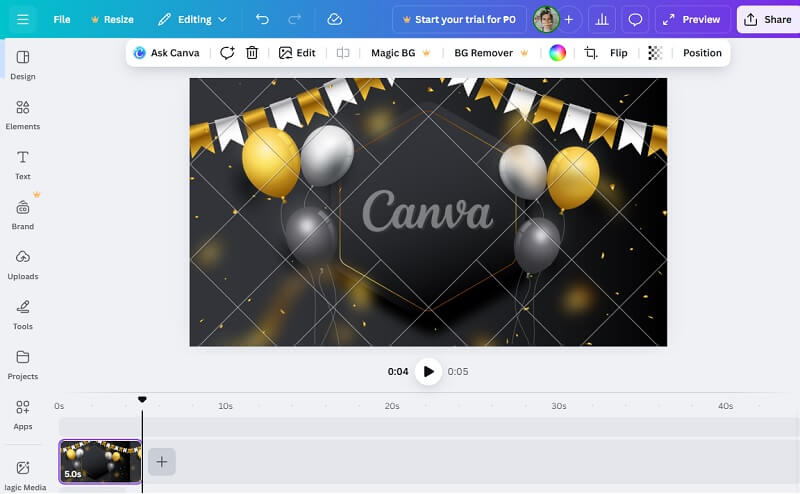
Canva is a premium online movie maker for Android and PC that allows users to create videos using its built-in features. It comes with a plethora of templates, videos, effects, brands, logos, and symbols. This is useful when creating birthday videos, as Canva comes with an AI feature that you can use to generate your own template and design. You can also use its content planner to have a timeline for your project's birthday video, which is useful to remind you to finish certain parts and editing tasks. The online platform is mostly used by professionals to generate videos and use its in-built apps. However, you may need to activate its premium service to enjoy different templates without watermarks.
3. Lightworks
The final professional birthday video maker that we can suggest is Lightworks. With its promising Hollywood-style editing output, this application can surely suffice for all the tasks you need to perform to create memorable birthday videos. The app's timeline panel can manage footage of any frame rate, quality, and size. It comes with stronger accelerated processes, which allow you to have uninterrupted video rendering. What is more, its intuitive timeline panel allows you to drag-and-drop files and swiftly access its advanced features. If you need a tool that can create videos similar to those that paid for professional video editors, Lightworks is a suitable solution for you.
Part 4. Practice Making an Easy Birthday Video Now
In this section, we will teach you how you create memorable and touching birthday wishes for girls, boys, colleagues, and friends.
Step 1Install Your Birthday Video Maker
As we provided the suitable happy birthday video maker above, you can start to download or access your chosen platform. For the sake of this step, we will be using AVAide Video Converter to teach you how to edit birthday videos. You can install the app by clicking the download buttons below to begin the process.
FREE DOWNLOAD For Windows 7 or later
Secure DownloadFREE DOWNLOAD For Mac OS X 10.13 or later
Secure DownloadStep 2Access the MV Tab
In the interface of the application, access the MV tab to access the video maker tool. You can see the list of video templates that you can use. Select one of the templates suitable for the occasion. Also, use its built-in editing features to enhance and beautify the project video. Add more clips by clicking the Add button and arranging them on the timeline panel.
Step 3Export and Save Birthday Video
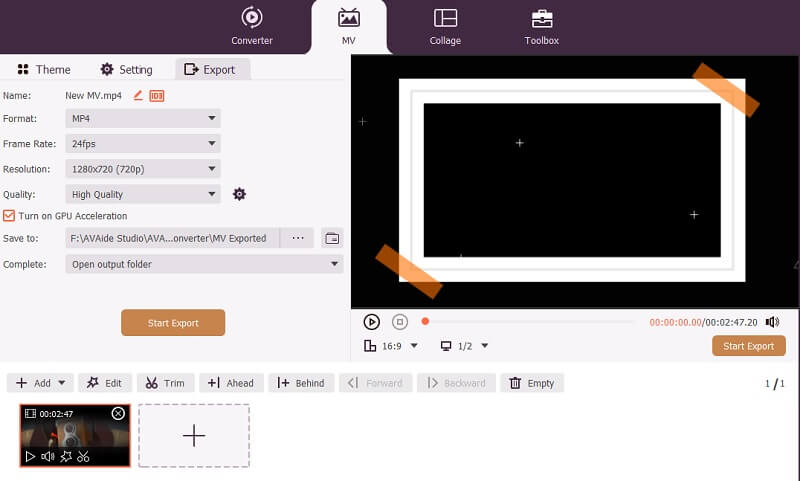
The final step is to click the Export button to save the changes you have made to your birthday videos. You can select and modify its output settings and choose the Start Export button. Wait for the process to complete and preview the exported file.
In conclusion, creating a memorable birthday video is now easier and more enjoyable thanks to the wide range of user-friendly and professional tools available today. By personalizing your video with heartfelt messages, photos, and music, you can make someone's special day even more unforgettable. Don't hesitate to try out the birthday video clip maker apps shared in this guide. Each can help you turn cherished moments into lasting memories.
Your complete video toolbox that supports 350+ formats for conversion in lossless quality.