Editing videos on your phone saves time and gives you more freedom. You can fix clips wherever you are. You can create and share videos right away. If you are an Android user, many movie maker apps can help with your editing needs. Below, we cover 8 top picks with their features, pros, cons, and pricing.
Part 1: Key Factors to Consider in a Movie Maker App
What should you look for in a movie maker app? Is it easy to use? Does it have the tools you need? Check these key factors before you pick one.
1. Ease of Use
The app should be easy to learn. Simple controls make editing faster.
2. Features
Check what editing tools the app offers. Useful tools may include trimming, filters, text, music, and other basic options.
3. AI Capability
AI tools can save time when editing. They may help you add captions, apply effects, improve videos, and do other tasks.
4. Watermark
Check if the app adds a watermark. Some apps let you remove it for free.
5. Export Quality
A good app should keep your video clear after saving. HD and 4K support are useful options to look for.
6. Ads
Too many ads can slow you down. Check how often they appear.
7. Price
Check the app's cost before you start. Some tools are free. Others need a paid plan.
8. Performance
A good app should run smoothly. It should not freeze or crash often.
Part 2: Best Movie Maker Apps at a Glance
| Best Movie Makers Apps | Best for | Watermark | AI Features | Export Quality | Price |
| CapCut | All-around video creation | Free exports may vary. Pro removes it | AI captions, AI generation, background removal, and text-to-speech | Up to 4K at 60fps | Free. The price varies by region |
| InShot | Quick social media edits | Removed with Pro | AI Blend, AI captions, and AI editing tools | Up to 4K at 60fps | Free. Pro subscription available |
| KineMaster | Detailed video projects | Removed with Premium | AI captions, AI voice, AI tracking, AI style, and AI noise removal | Up to 4K at 60fps | Free. Premium is $7.99 per month |
| VN Video Editor | Vloggers and short videos | No watermark | AI captions, AI cutout, text-to-speech, and AI generation | Up to 4K at 60fps | Free. Optional in-app purchases |
| YouCut | YouTube videos and slideshows | No watermark | AI captions, AI cutout, and AI enhancement. | Up to 4K | Free. Pro subscription available |
| Mi Video | Simple video viewing and management | No watermark | Limited AI editing tools | Depends on the source video | Free. In-app purchases available |
| Filmigo AI Video Maker | AI-powered video creation | Removed with VIP | AI video generation, AI cutout, AI transitions, AI subtitles, and AI music | Up to 1080p | Free. VIP features available |
| Node Video | Advanced mobile creators | Generally watermark-free | AI-powered editing and enhancement tools | High-resolution export | Free. Optional in-app purchases |
Part 3: Detailed Reviews for the Best Video Makers
1. CapCut - Best Overall Video Maker App
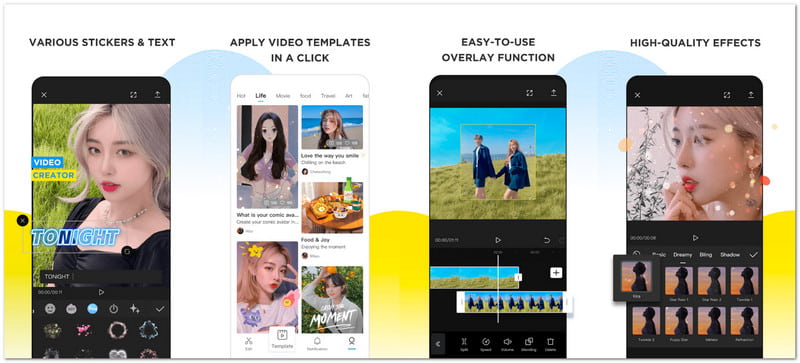
CapCut is a movie-making app that combines fast editing with smart tools. It can create polished clips with auto-captions, background removal, keyframes, effects, and smooth slow motion.
Platforms: Android, iOS, Windows, Mac, and web.
Key Features:
- Auto captions and text-to-speech.
- Keyframe animation and chroma key.
- 4K 60fps export.
- Pros
- Large music and effect library.
- Supports high-quality exports.
- Cons
- Many advanced tools need more learning.
Ratings: 3.6/5 on Google Play.
2. InShot - Best for Quick Social Media Edits
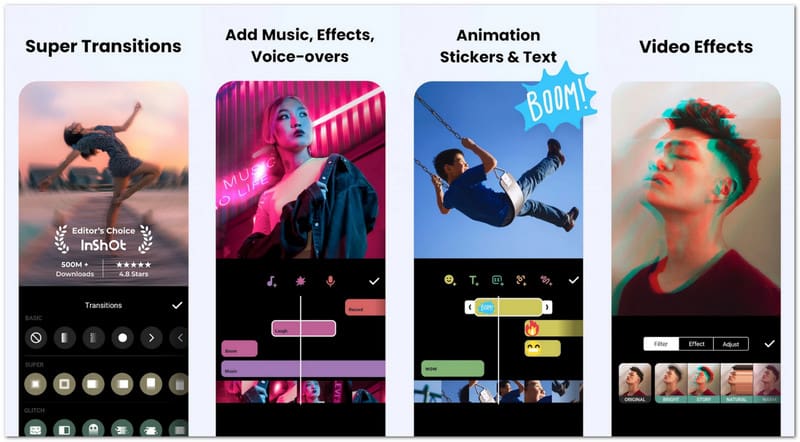
Need a quick social video? This free video maker app keeps the process simple. It adds music, stickers, text, transitions, and keyframes, and supports popular video sizes for social posts.
Platforms: Android and iOS.
Key Features:
- Easy trim, crop, and merge tools.
- Music, stickers, and voice-over.
- 4K 60fps export.
- Pros
- Many social video ratios.
- Includes photo editing tools.
- Cons
- The large feature set may feel busy.
Ratings: 4.8/5 on Google Play.
3. KineMaster - Best for Professional-Level Editing
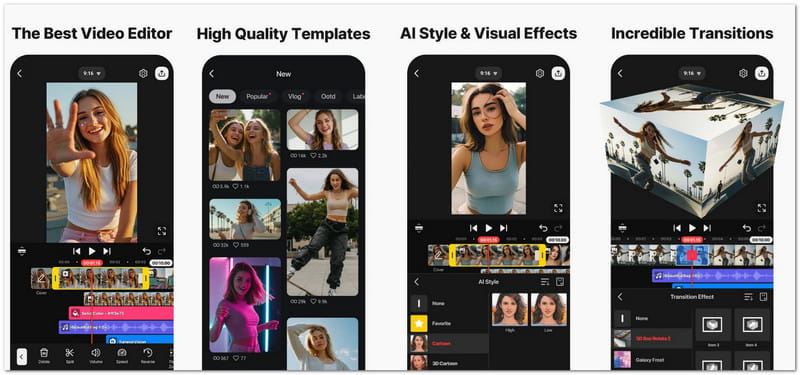
For more control, KineMaster goes deeper. It supports multiple layers, green-screen edits, keyframes, AI tools, and 4K 60 fps output for detailed video projects.
Platforms: Android and iOS.
Key Features:
- Multi-layer video editing.
- AI editing tools.
- 4K 60fps export.
- Pros
- Large asset library.
- Supports portrait and landscape projects.
- Cons
- Advanced tools may feel complex.
Ratings: 4.4/5 on Google Play.
4. VN Video Editor - Best Free Editor for Vloggers
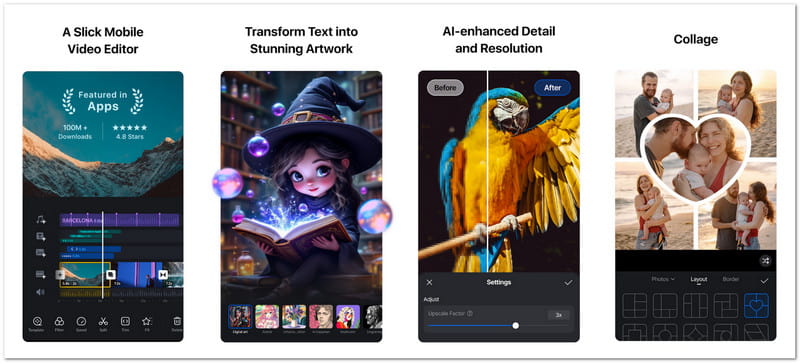
VN gives vloggers a flexible editing space without making the workflow hard. This free movie maker app supports keyframes, beat editing, captions, LUTs, templates, and slow-motion video.
Platforms: Android, iOS, Windows, and Mac.
Key Features:
- Multi-track timeline.
- AutoCut and beat editing.
- 4K 60fps export.
- Pros
- Strong free editing tools.
- Includes useful AI tools.
- Cons
- AI features may not suit every project.
Ratings: 4.7/5 on Google Play.
5. YouCut - Best Free Editor for YouTube
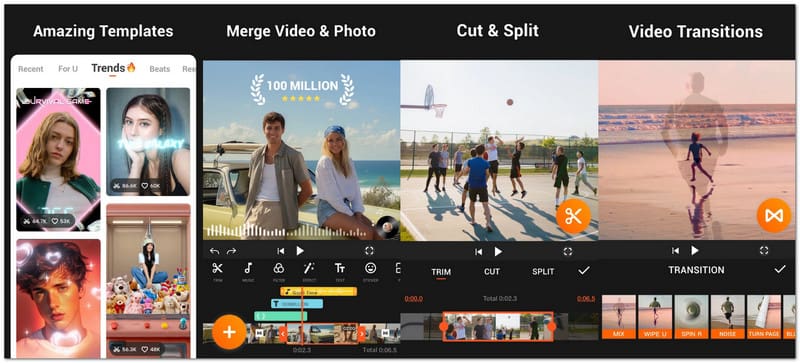
YouCut puts useful YouTube tools in one simple app. It is also a free app for making videos with pictures and music. It can merge clips, remove backgrounds, add music, create slideshows, and export videos without a watermark.
Platforms: Android and iOS.
Key Features:
- No-watermark video editing.
- AI captions and background removal.
- Video compression and 4K export.
- Pros
- No watermark.
- Useful compression tool.
- Cons
- Some AI tools may need payment.
Ratings: 4.8/5 on Google Play.
6. MiVideo - Simple Free Video Maker
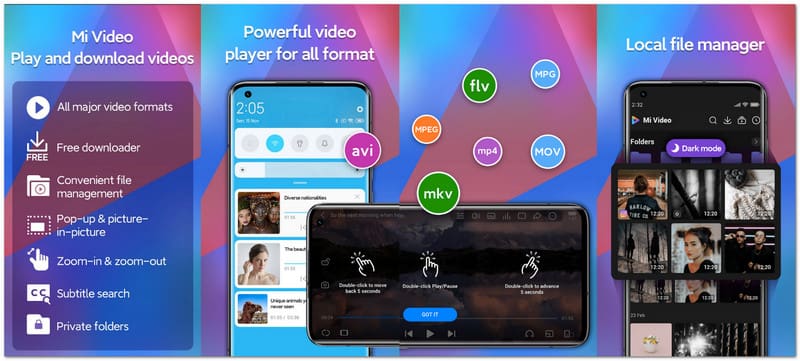
Unlike full editing apps, Mi Video focuses more on simple video use. It combines video playback, downloads, file management, and basic viewing tools into a single free video maker app for Android.
Platforms: Android only.
Key Features:
- Supports many video formats.
- Background and pop-up playback.
- Built-in video downloads.
- Pros
- Supports MKV, MP4, MOV, and AVI.
- Includes password-protected folders.
- Cons
- Not a full video editor.
Ratings: 4.5/5 on Google Play.
7. Filmigo AI Video Maker - Best AI-Powered Free Editor
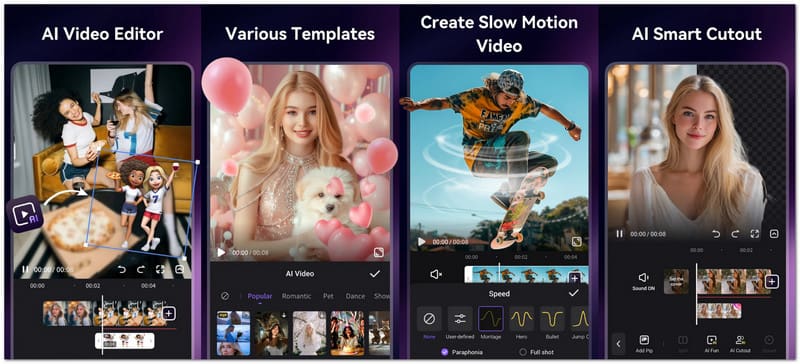
Filmigo can be one of the best AI apps to make videos for free. It can turn photos or text into video ideas. It also offers AI cutouts, smart edits, subtitle translation, music generation, and creative effects.
Platforms: Android only.
Key Features:
- AI text-to-video and image-to-video.
- AI cutout and background replacement.
- AI music and subtitle tools.
- Pros
- Quick template-based editing.
- Supports 1080p export.
- Cons
- Some effects focus more on trendy content.
Ratings: 4.4/5 on Google Play.
8. Node Video - Best for Advanced Creators
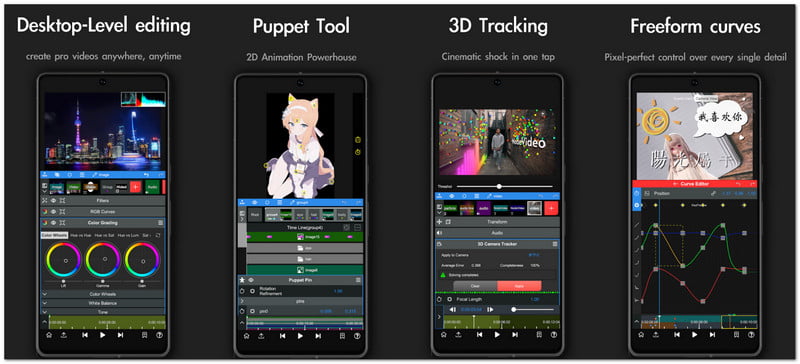
Node Video takes mobile editing to a higher level. It offers 3D camera tracking, optical flow, advanced effects, and offline editing for creators who want deeper control.
Platforms: Android and iOS.
Key Features:
- 3D camera tracking.
- Optical flow frame interpolation.
- Advanced video effects.
- Pros
- Works offline.
- Most features are free.
- Cons
- Better suited to skilled editors.
Ratings: 4.5/5 on Google Play.
Part 4: AVAide Video Converter - A Versatile Tool for Video Creation
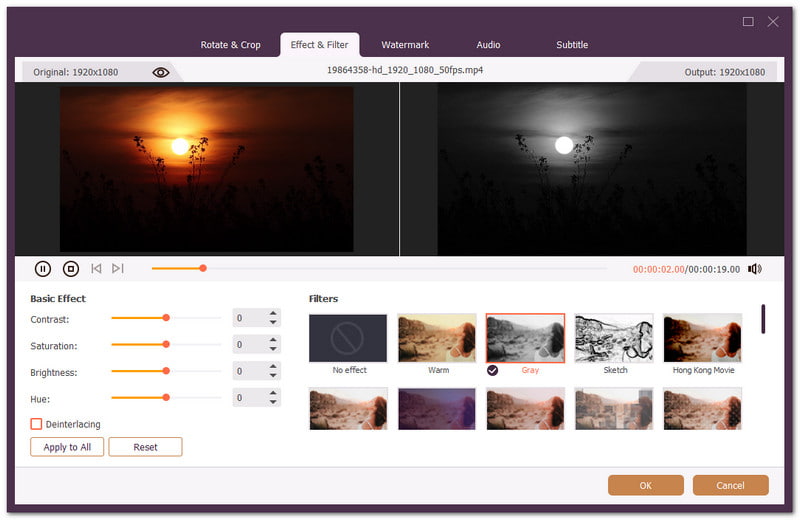
Yes, AVAide Video Converter is a desktop tool for Windows and Mac. But it can also be a powerful companion for Android users who work on a computer. You get a bigger screen for editing. That can make your work much easier.

FREE DOWNLOAD For Windows 7 or later
 Secure Download
FREE DOWNLOAD For Mac OS X 10.13 or later
Secure DownloadAVAide is more than a video converter. It is an all-in-one video program. You can load one file or process many files at once. You can trim, crop, rotate, and apply filters. You can also add effects, watermarks, audio, and subtitles.
Need a different file type? No problem. You can pick the output format before you save. You can convert videos to file formats like MP4, MOV, AVI, and MKV. It also supports high-quality output up to 4K, 5K, and 8 K resolution.
Other things that make it useful:
- Make mini-movies with photos, clips, and music.
- Speed up batch processing with GPU support.
- Upscale, compress, and stabilize videos.
- Edit metadata, remove watermarks, and more.
Part 5: How to Choose the Right Movie Maker App
Movie maker apps can work in different ways. Some are best for making quick videos for social media. Others give you more tools to change and edit each clip. Check what you plan to create. Next, select the app that best suits your style.
- Need an all-around video maker? CapCut is a great pick. It gives you AI tools, effects, captions, and 4K export.
- Want to make a quick social media video? Try InShot. It makes it easy to add music, text, stickers, and effects.
- Need more control over your edits? KineMaster is a good choice. It supports layers, keyframes, green screen, and AI tools.
- Want to make vlogs or creative videos? VN Video Editor can help. Its multi-track timeline gives you more editing control.
- Need a simple editor for everyday videos? Go with YouCut. You can cut clips, add music, use effects, and export without a watermark.
- Mostly need a way to handle your video files? Mi Video is a handy choice. It can play, download, and manage videos.
- Want AI to help create your videos? Filmigo is worth trying. It offers AI effects, captions, music, and smart editing tools.
- Ready for more advanced editing? Node Video is the one to try. It offers 3D tracking, optical flow, and other advanced tools.
There is really a video maker app that fits what you need. It can be for quick edits or creative projects. But if you use a desktop, try AVAide Video Converter. Its converter, editing features, and wider screen make editing easier.
ABOUT THE AUTHOR

Your complete video toolbox that supports 350+ formats for conversion in lossless quality.