Combining multiple clips into a single video is a great way to tell a story from different angles and create a video collage. But how do you know which video collage maker is best for arranging videos in different layouts, adjusting their sizes and positions, adding music, and applying other effects? Mastering all of these things takes time, but it does not have to be that way. As you continue reading, you will discover desktop tools, online platforms, and mobile apps that can help you combine multiple clips into a single video that tells a story.
Part 1. What Is a Video Collage?
A video collage is usually used to combine two or more clips into a single frame or screen. Instead of showing each clip one after another, as in a transition, multiple videos can appear simultaneously across different sections of the screen. It is useful for telling a story with multiple moments in a single video.
Key Elements of a Video Collage:
- Two or more videos are combined into a single frame or screen
- Determines how the video clips are arranged, such as side by side, in a grid, or different shapes, depending on your template.
- Control how much space each video takes and where it appears on your screen.
- Background music or the original sound from the clips can be included in the final video.
- Add a title, captions, and other text to provide context or highlight important details.
- Apply filters, animations, and transitions to make the collage more appealing and help connect the clips smoothly.
Part 2. Best Video Collage Makers at a Glance
| Top Video Collage Maker | Ready-made collage available | Easy to use for First Timers | Collage Type | Audio Support | Video Compression |
| AVAide Video Converter | Supported | Very Easy | Preset layouts and custom video grids | Supported | Supported |
| Adobe Premiere Pro | Limited | Moderate | Custom multi-video composition | Supported | Limited |
| DaVinci Resolve | Limited | Moderate | Custom multi-video composition | Supported | Limited |
| Canva | Supported | Easy | Templates and grid layouts | Supported | Limited |
| Kapwing | Supported | Easy | Templates and split-screen layouts | Supported | Supported |
| VEED.io | Supported | Easy | Templates and custom layouts | Supported | Supported |
| CapCut | Supported | Easy | Templates and split-screen layouts | Supported | Limited |
| InShot | Supported | Easy | Templates and custom arrangements | Supported | Supported |
| Video Collage Maker & Editor | Supported | Easy | Preset collage layouts | Supported | Limited |
Part 3. Desktop Video Collage Makers for PC & Mac
1. AVAide Video Converter
If you are looking for the best overall free video collage maker on Windows and Mac, AVAide Video Converter is always a top contender. It features a well-rounded Collage Maker that lets you place two videos side by side, create split-screen using ready-made layouts or multi-video composition, all without hassle. As a beginner, you strive to produce an almost perfect output for the collage you are making, especially if you are using it for a presentation, posting on social media, or preserving your best memories, and so on.

FREE DOWNLOAD For Windows 7 or later
 Secure Download
FREE DOWNLOAD For Mac OS X 10.13 or later
Secure DownloadThat is why AVAide provides a more direct collage workflow, similar to what you usually find in professional tools, but in a simpler form. With it, you can also edit and enhance the clips you have added before exporting, improving the polish of your collage. Plus, you can export the video at up to 4K resolution with crystal-clear audio and select video output formats. If you want the best overall option, choose this as your video collage maker.
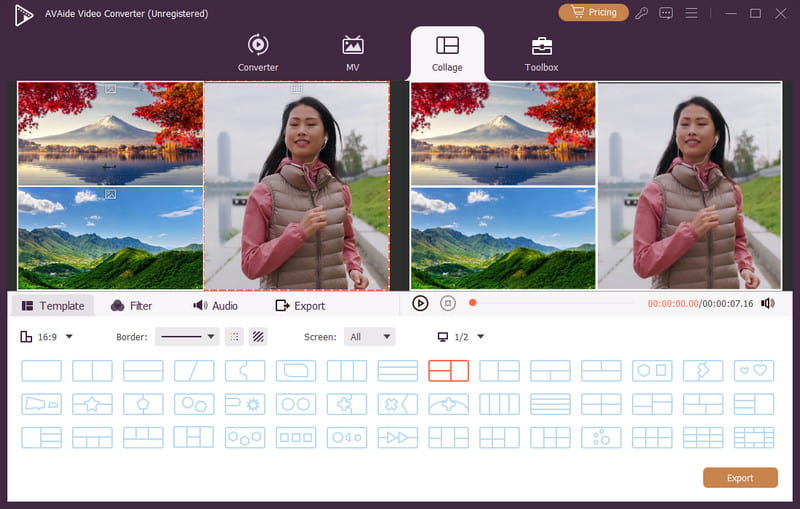
Platform Available: Windows and Mac
Pricing: Free to use, and the plan starts at $18 for a month
2. Adobe Premiere Pro
Adobe Premiere Pro is a dedicated video editor powered by Adobe, and now it can be used to create a collage with precise control over every element of the composition you need. With it, you can build a custom collage, giving you more creative freedom than a basic collage maker usually does.
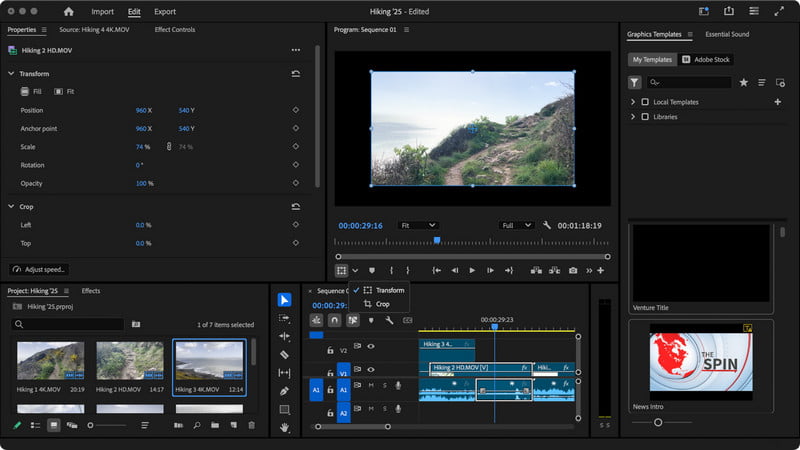
With Premiere Pro, you will have advanced color tools, audio mixing, motion graphics, animations, and effects, making it a professional tool at best. However, given the level of control it offers, there is a drawback: it is difficult to handle because you start in a blank workspace. Therefore, an experienced editor should handle this photo collage maker.
Platform Available: Windows and Mac
Pricing: 30-day free trial, and the plan starts at $22 for a month
3. DaVinci Resolve
If you are looking for better color grading than Premiere Pro, DaVinci Resolve is highly recommended. With its extensive features, you can easily create highly customized video collages. What's more, the depth of its complete post-production workflow is impressive. You can arrange multiple video clips on the timeline, edit them, and prepare them for use in the collage you are working on.
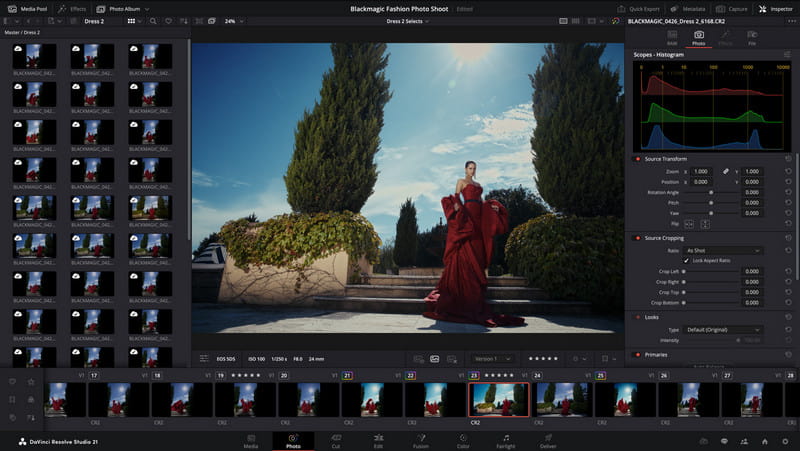
With the free version, you can get almost all the tools you need to create a collage. Just like Premiere Pro, this tool is designed to be a full professional editing suite rather than a dedicated collage maker like the AVAide. For professional needs, this is a highly recommended video collage app, especially its pro version.
Platform Available: Windows and Mac
Pricing: Free, and a plan of $295 for a lifetime
Part 4. Online Video Collage Makers (Free & Browser-Based)
1. Canva
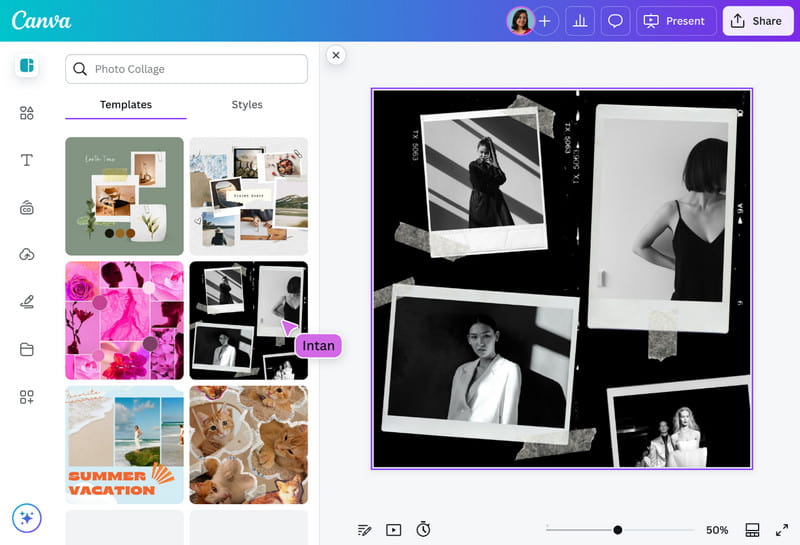
Canva is a beginner-friendly option with a more user-friendly interface for those who want to create a photo collage video maker project directly in a web browser. You can drag and drop the videos you are editing into their workspace to combine them, add text, and add animations. Like the AVAide, it has a ready-made video template to make your job easier and your collage simpler, but it also lets you build a custom layout using grids and frames. If you are looking for a tool with timeline editing, advanced controls, and professional effects, this is less flexible but overall a great pick for your collage creation.
Platform Available: Online
Pricing: Free, and starts at $18 per month
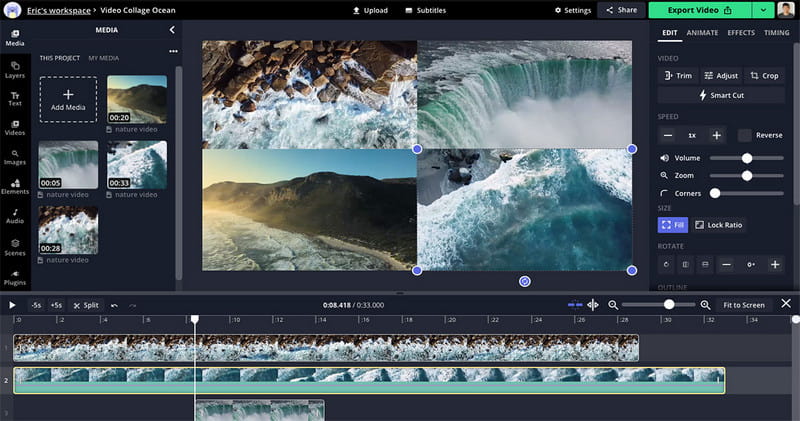
2. Kapwing
Kapwing is a multi-purpose video editor, and it also has a Kapwing video collage maker you can use to create a collage instantly. You can upload as many as needed and arrange them as you see fit, then use the available elements to make the output as good as possible. Though it is a great tool overall, uploading multiple large files here takes time, and processing a long collage can cause it to fail due to network issues, as with the other online tools we have here.
Platform Available: Online
Pricing: Free, and starts at $24 per month
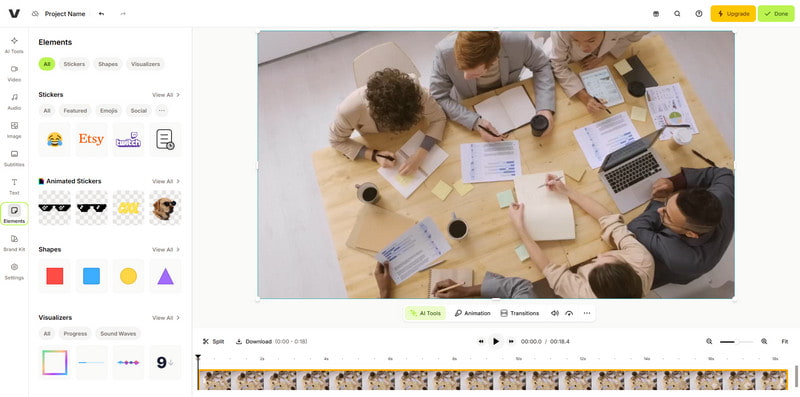
3. VEED.io
VEED.io is an online video editor for those who do not want to install an app on their devices. It works well as a collage app for pics and videos, allowing users to combine multiple visuals into a single video. With that, you add text, subtitles, music, transitions, filters, and other effects that turn your video collage creative and attractive. Despite having all those features, it still barely makes the top list, especially for sophisticated college students who need to do a collage, since it is limited compared to the dedicated video editing software you can download.
Platform Available: Online
Pricing: Free, and starts at $10 per month
Part 5. Video Collage Apps for Mobile (iPhone & Android)
1. CapCut
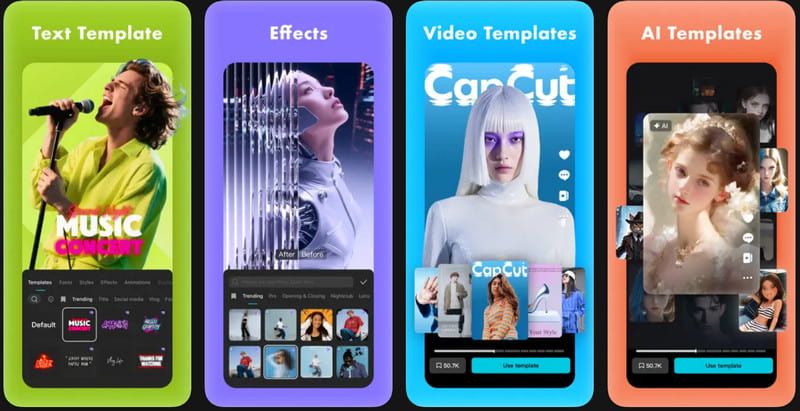
CapCut is known as the best versatile video editor, but now it can help you create collages on Android and iOS easily. It lets you arrange and combine multiple videos on a single screen and prepare them for social media content. More features such as keyframes, speed controls, background removal, and other creative effects surely make your collage dynamic and original. However, other users feel that the interface is too overwhelming due to its many features, and it also adds a CapCut watermark to the end of the exported video when using the free version.
Platform Available: Android, iOS, Windows, Mac, and Online
Pricing: Free, and starts at $5.99 per month
2. InShot
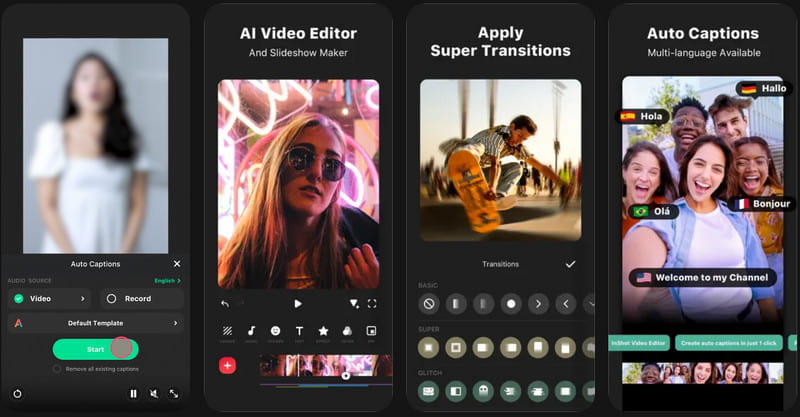
InShot is a simpler version of CapCut thanks to its straightforward interface, yet it produces high-quality collages. This auto video editor app has simple controls and can be the best choice for beginners who want to start strong in creating collages without having to understand complicated editing. Though it is simple, it also includes adjusting video speed and changing the canvas size to meet social media platform standards. But to use its full potential, you need to purchase the pro version.
Platform Available: Android and iOS
Pricing: Free, and starts at $3.99 per month
3. Video Collage Maker & Editor
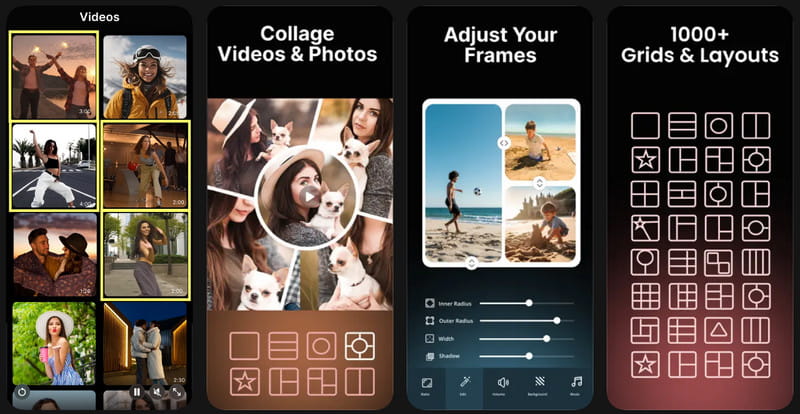
Video Collage Maker & Editor is the more specialized option for users whose main goal is to combine videos and photos into a single collage. Instead of offering extensive editing features, this video collage app is straightforward, with all its features focused on collage creation and editing. So, if you are looking for an app dedicated to collage making, this is the tool for you. Despite having all the features, users find it lacks the extensive capabilities of CapCut and is best only for college creation.
Platform Available: Android and iOS
Pricing: Free, and starts at $2.99 per month
Searching for the best video collage app can be a hassle since there are already thousands available on the market. But now it's easier, as we handpicked the 9 best software and apps you can use to create magnificent collages. If you are a beginner but want a professional-looking video collage, use the AVAide product we have here.
ABOUT THE AUTHOR

Your complete video toolbox that supports 350+ formats for conversion in lossless quality.