When you have an eventful day, you can't help but make a video for a compilation of memories. But everyone knows that video editing takes a lot of time – from selecting the best clips, sound, transition, and so on. The good thing is, there are auto video makers you can find everywhere, but it takes you a long list of options just to get the best one for your needs. So, this article has reviewed the best video makers for your PC or phone, helping you create a high-grade video instantly.
Part 1. What Can an Auto Video Maker Do
An auto video clip maker is like the usual video editor with the proper features to trim, merge, split, and help to create a video from scratch. The twist is, an auto video clip maker can automatically edit videos by cutting, trimming, and even applying transitions and effects. This is through software and apps using AI, helping to easily locate the highlights of raw footage and turning it into a masterpiece instantly. It is a great help for beginners or simply for people who do not have the time to edit. With that said, you can check some of the best auto video makers, convenient for PC, mobile, and online.
Part 2. Desktop Auto Video Makers [Versatile]
1. AVAide Video Converter
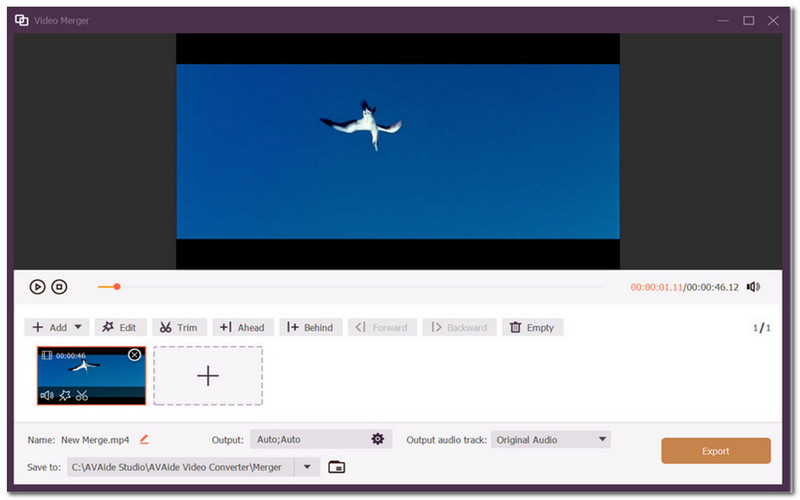
If you are looking for an all-in-one auto video clip maker, then AVAide Video Converter is for you. It is designed with a clean interface where you can create a video collage, music video and other forms of media without hassle. The tool is multifunctional, so it is convenient for adjusting speed, applying noise cancellation, and even video enhancement. It takes your worry away regarding compiling different video types, as AVAide supports over 300 formats, allowing you to compile MP4, MOV, etc., with different audio and image formats. While it provides an easier way to edit with the same features as well-known pro video editors, please be reminded that the Video Converter is not free, and will require you to buy the pro version. Moreover, you can try this alternative on Windows and macOS for free by clicking the button.

FREE DOWNLOAD For Windows 7 or later
 Secure Download
FREE DOWNLOAD For Mac OS X 10.13 or later
Secure Download2. Quik
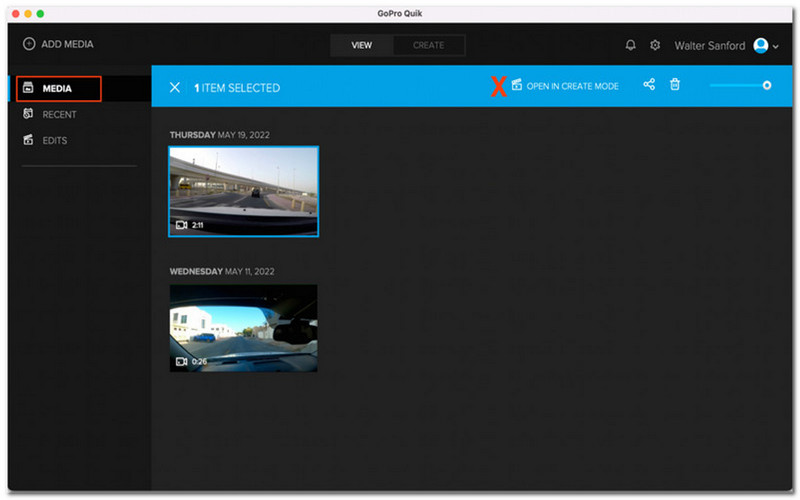
Quik is one of the most prominent tools you can try for your photos. It is considered the best auto highlight video maker as it uses AI technology to get the best images for your videos. While it can create videos automatically, it still offers users full control, especially with the transitions, music, and effects. Suppose your project includes adventure like surfing or skating with a GoPro. In that case, Quik is an essential tool for editing as it adds pro-level effects to enhance and stabilize video. Moreover, it supports exporting videos in different resolutions, including 720p and 1080p. With that said, Quik is promoted for free, but only a few limited features can be used for editing. Its premium version includes a one-month subscription for $1.99 and $9.99 subscription for a whole year.
3. PowerDirector
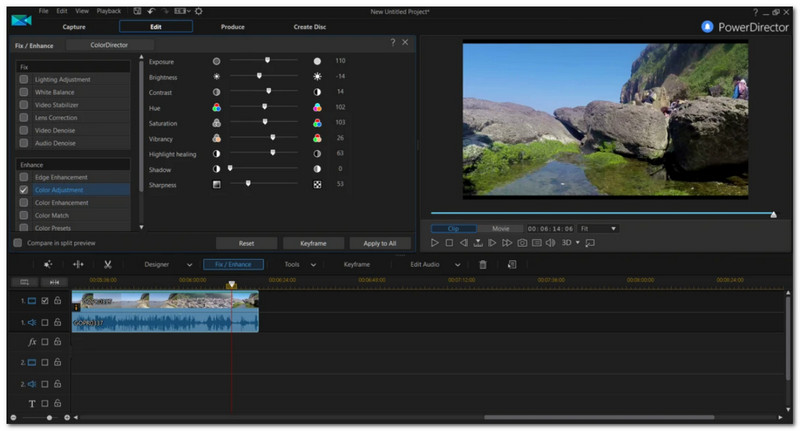
PowerDirector is considered an auto video collage maker with its manual and auto timeline editing. Its AI technology helps to analyze clips and find the highlights to create a project. It assures endless editing options, including presets, templates, and styles. You can even rely on its Magic Movie Wizard to automatically create a movie from various clips in just a few clicks. These are only a few of PowerDirector’s functions, but it still has a steep learning curve, as even its Auto Mode requires user input to effectively execute the desired outcome.
Part 3. Online Auto Video Makers [Easy]
1. Kapwing
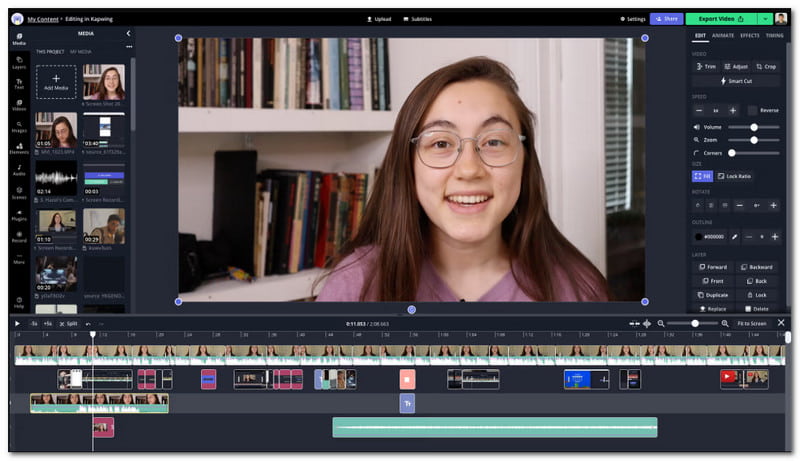
Looking for an auto short video maker online? Then, Kapwing is a good alternative. The online tool is designed with a simple interface, allowing beginners to save time learning its functions and jump to creating videos out of images like JPEGs and GIFs. It is also equipped with the best line of editing features so that you can crop, merge, and enhance your pictures instantly. Or, you can also add text, subtitles and music to your video with Kapwing's built-in element options. It does not lack other advanced options, especially if you need different video resolutions and sizes for posting or sharing via different devices. However, this auto video maker still has room for improvement because it falls short in video exportation, and it limits you from using most of its features.
2. VEED.IO
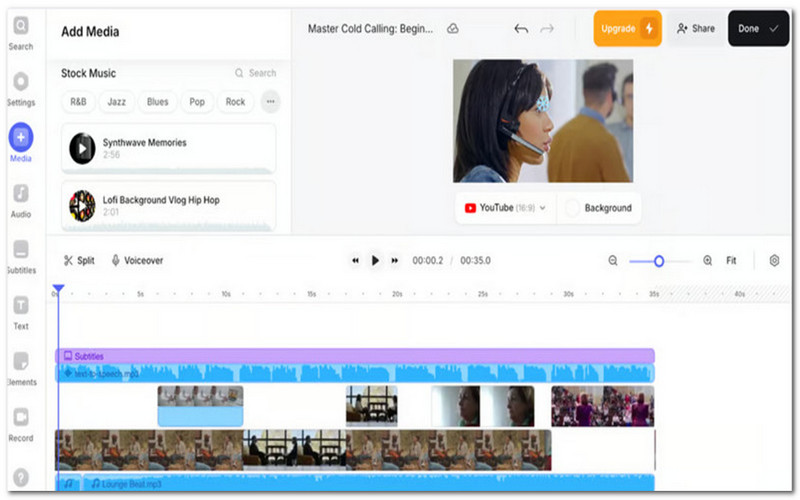
You can regard VEED as an auto lyric-video maker with its awesome features for video making. The alternative tool provides a sleek interface online without the need to download software to start editing. Meanwhile, it offers AI technology for video enhancement, and it also works with different photos like SVG, JPG, PNG, and such. The online tool is great for creating a short music video because it offers adding subtitles with transcription, AI voiceovers, noise removal, and many more. VEED is ideal if you are looking for an easy way to create video, but it is still not a good fit, as the videos it produces are not professional, even after subscribing to its premium version.
Part 4. iOS/Android Auto Video Makers [Convenient]
1. CapCut
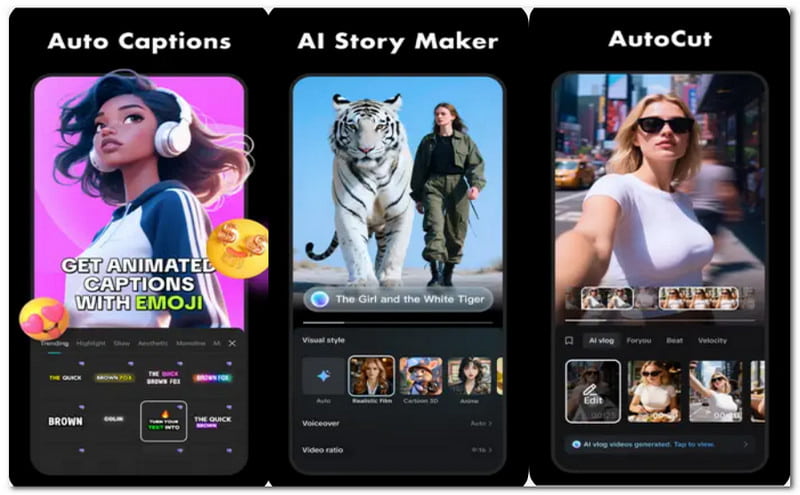
Most people would like to use their phones for creating a birthday video, so an auto birthday video maker is a must. CapCut will be the best pick, and it is well-known across social media platforms like TikTok and Instagram. This is because the mobile app provides an endless option of filters, effects, transitions, trendy music, and sound effects. Not only that, but it also allows you to adjust speed control, background noise, animation, visual colors, and even fix blurry pictures. If you want to go professional, CapCut also offers 3D zoom effects, speed-to-text captions, and stabilization of your video. Moreover, the app is not only available on mobile devices, but also on PC and tablets, even allowing users to integrate their accounts to edit photos and videos on different devices.
2. LightCut
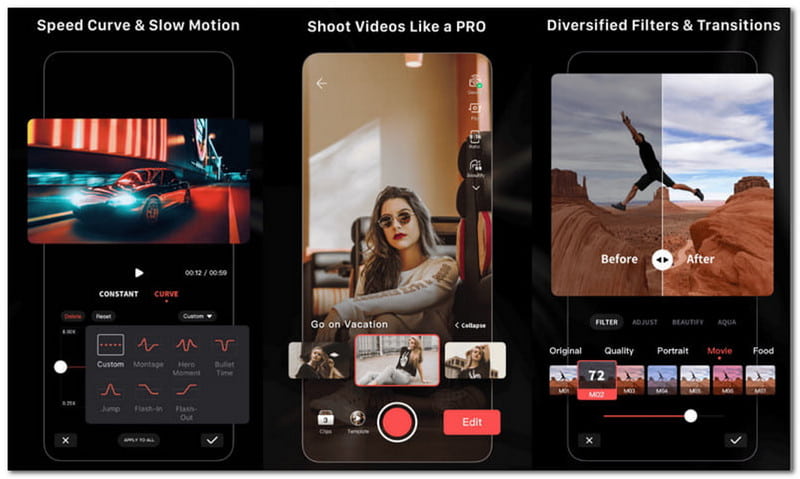
LightCut is an auto-highlight video maker that you can download on any Android or iOS device. It is designed with an intuitive interface, where you can edit videos and photos with ease. Of course, it is rich with various editing tools, allowing you to create a video out of your photos with transitions, templates, and effects. The mobile app encourages users to maximize its full potential by using its Inspire Cam shooting modes to capture astonishing videos on mobile phones. LightCut has great potential even from its free version; however, there are a huge number of reviews that it freezes videos halfway through its editing. If you think LightCut is not for you, check the other best auto video makers on this list.
This article helps you find the best auto short video makers, whether you need online, PC software, or a mobile app. The key is to find one that suits your ideal functions for editing, specifically one that is easy to use but guarantees a great result. One of the greatest AI software you should try is AVAide Video Converter because not only is it conveniently beginner-friendly, it is also abundant with professional-grade editing tools for video making. Get the free version on Windows or macOS to experience its greatness in real time.
Your complete video toolbox that supports 350+ formats for conversion in lossless quality.