PlayerFab is a media player that can help you watch movies, TV shows, and videos easily. It is known for its smooth playback and support for many formats, including Blu-rays and DVDs. This post will give you a thorough PlayerFab review, covering all its main features. You will also find some alternatives to consider when choosing the best player for your needs. Keep reading to find out more!
Part 1: Brief Introduction to PlayerFab
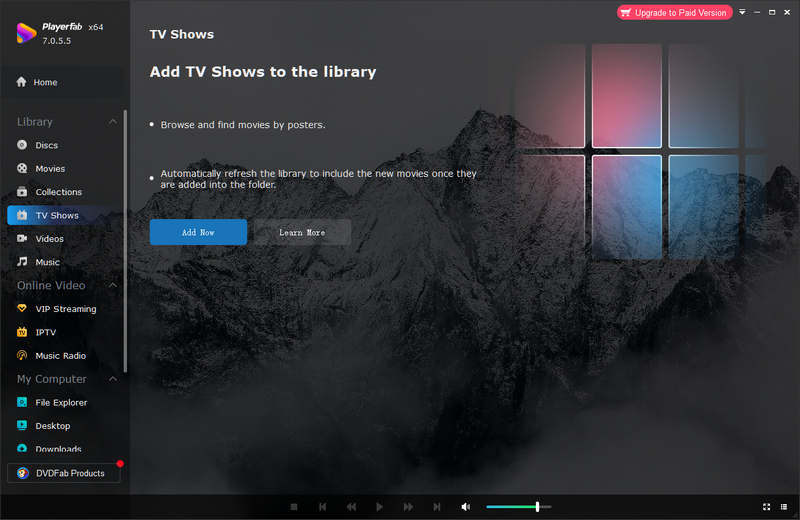
DVDFab PlayerFab is a top-notch media player that lets you watch Blu-ray, DVD, and many other types of videos. Its easy-to-use interface is designed to meet all your playback needs. PlayerFab offers two modes: PC Mode and TV Mode. It gives you the flexibility to enjoy videos on different screen sizes. With its simple menu, you can quickly switch between chapters. PlayerFab makes it easy to find the content you want to watch.
Part 2: Main Features of PlayerFab
Let us dive into the main features that make DVDFab PlayerFab an excellent choice for your media needs.
- Plays Virtually Anything: PlayerFab can play almost any file format at it, whether it’s local MP4s, MKVs, FLVs, or physical DVDs, Blu-rays, and demanding 4K UHD discs.
- Dual View Optimization: PlayerFab can instantly switch between PC Mode for your desk setup and TV Mode to get a lean-back, cinema-style experience on huge screens.
- Theater-Grade Audio & Video: Fully supports breathtaking 4K UHD resolution paired with immersive surround sound formats like Dolby Atmos, DTS-HD, and Dolby TrueHD.
- Smart Hardware Acceleration: DVDFab PlayerFab supports NVIDIA, AMD, and Intel hardware decoding to ensure buttery-smooth 4K and 8K playback without overheating your computer.
- Instant Intro Skipping: PlayerFab can save you time by automatically bypassing tedious intros and recaps so you can get straight to the movie or next episode.
- Fluid Speed Controls: It lets you speed up or slow down playback seamlessly—perfect for breezing through tutorials or catching fast dialogue.
- Effortless Audio & Subtitle Toggles: You can pick your preferred audio tracks and internal or external subtitles with a single click during playback.
- Immersive 3D Playback: PlaerFab can bring your 3D videos and 3D Blu-rays to life with multiple output modes, including Side-by-Side (SBS) and top-bottom formats.
- Full Blu-ray & DVD Menu Navigation: You can get the authentic disc experience with complete support for interactive navigation menus, chapters, and bonus features.
Part 3: Detailed Review of PlayerFab
Now that you have learned its main features, let us proceed to a detailed PlayerFab review. We will focus on its benefits, advantages, pricing, and user experience.
Benefits
- PlayerFab supports a wide range of media. These include Blu-ray discs, DVDs, and various popular video formats.
- It also has a handy feature that skips ads automatically, so you do not waste time during playback.
- The video quality is impressive. It offers resolutions up to 4K for a sharp and clear viewing experience. On top of that, it supports high-quality, lossless audio output. These include Dolby Atmos, Dolby TrueHD, and DTS-HD.
Drawbacks
- DVDFab PlayerFab shows reduced performance on older Windows 7 systems. It might crash occasionally on these systems.
- PlayerFab is only on Windows. The Mac version is called DVDFab Player 6 Ultra for Mac, and the Mac version has a more limited feature set compared to Windows.
- PlayerFab provides numerous features, but its premium upgrade costs more money.
PlayerFab Pricing
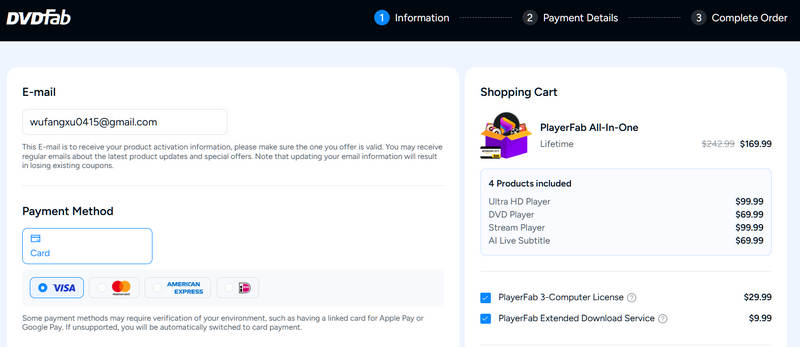
PlayerFab All-in-one offers a single premium plan priced at $169.99. You can pay for it using seven different payment methods. While the plan includes everything, some users consider the cost high. Also, there are concerns that some add-ons are misleading and come with extra charges. It makes the total cost higher than expected.
User experience
When you open PlayerFab, you will see that the interface is simple and easy to navigate. Everything is laid out. It makes it quick to find what you need. You can easily add your videos and start watching right away. You will enjoy high-quality videos because it supports 4K resolution. You can enjoy better sound quality through Dolby Atmos technology during your playback.
One feature you will appreciate is the auto-skip for ads. It saves time and makes watching content smoother. You can enjoy your videos without any interruptions. The controls are simple, too. You can effortlessly change the playback speed and select new subtitle options. Most people find PlayerFab operates without problems. However, there are moments when it might slow down slightly.
Part 4: 3 Alternatives to PlayerFab on Windows and Mac
1. AVAide Blu-ray Player

If you find PlayerFab too pricey, slow, or prone to crashing and are limited to Windows, it is time to consider AVAide Blu-ray Player as an excellent alternative. Unlike PlayerFab, AVAide Blu-ray Player works on Windows and Mac, making it more versatile. It supports higher video quality, including 8K resolution, while PlayerFab only offers 4K.

FREE DOWNLOAD For Windows 7 or later
 Secure Download
FREE DOWNLOAD For Mac OS X 10.13 or later
Secure DownloadAVAide Blu-ray Player plays every media type, including Blu-ray discs, DVDs, and ISO files and folders. It delivers flawless video and advanced audio output, including Dolby Digital and DTS, when you watch Blu-ray or DVD content. You can personalize your video display by changing brightness, contrast, hue, and saturation. You can easily control playback functions such as pausing, fast forwarding, rewinding, and adjusting volume through simple mouse clicks.
2. Leawo Blu-ray Player
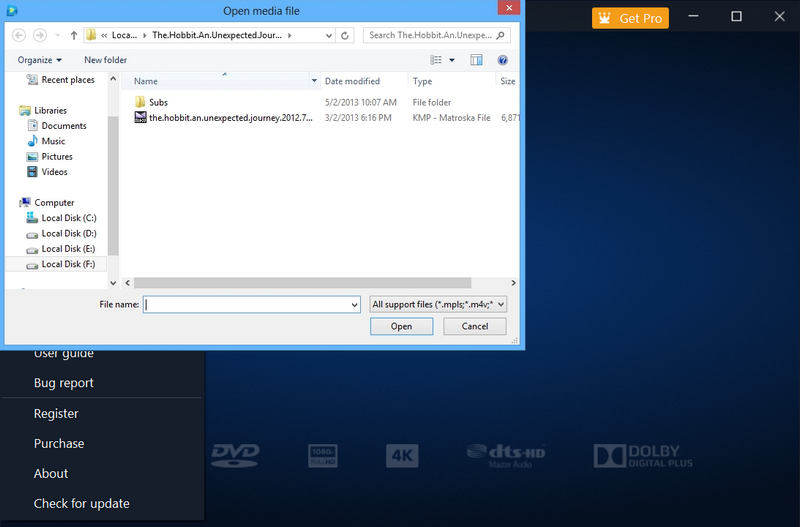
Leawo Blu-ray Player is an excellent alternative to PlayerFab. It supports all types of Blu-rays and provides lossless playback quality. It also has Dolby, TrueHD, AAC, and DTS-HD audio for fantastic sound. Unlike PlayerFab, which is only available on Windows, Leawo Blu-ray Player works on Windows and Mac.
Leawo Blu-ray Player has a clean, easy-to-use interface. It does not require a high-end computer. You can also add subtitles and customize backgrounds. The free trial comes with ads, and the playback controls are more limited than those of PlayerFab. But overall, Leawo Blu-ray Player is a solid choice at a better price.
3. CyberLink PowerDVD 24
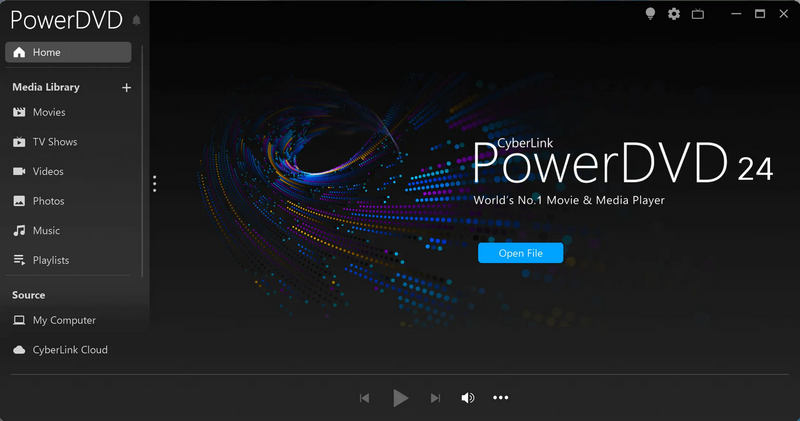
CyberLink PowerDVD 24 Ultra is a strong alternative to PlayerFab. It supports 8K video and stream videos. Unlike PlayerFab, which only supports 4K, it lets you store your movies in the cloud with 100GB of space to share them easily. The platform offers a basic design that anyone can use without difficulty. Plus, it provides tools that work well for all types of media content, including movies, music, and photos.
Now that you have reached this part, we hope you have learned much about PlayerFab, especially its main features. Is it the one you need for your media? You have also discovered its alternative: AVAide Blu-ray Player, which is also a great option. It is easy to use and offers smooth playback for your favorite Blu-rays and other media files. Make the most of your media experience with the right player for you!
ABOUT THE AUTHOR

Full-featured multimedia player to play Blu-rays, DVDs, 4K UHDs, and other video/audio files.