Before, you could only enjoy watching three-dimensional content when going to Cinema. But now, with the help of various 3D Blu-ray players, you can already enjoy watching content in your home. So, to discover the most powerful and effective 3D Blu-ray players, you must check the information from this article. We will give you all the best software you can download on your computers. We will also give you some of the best Blu-ray models you can use for an effective Blu-ray playback. Thus, to discover the best 3D Blu-ray players, read all the details from this content.
- Quick Review the Features of These Blu-ray Players
- 1. AVAide Blu-ray Player: Best Player with Best Video/Audio Quality
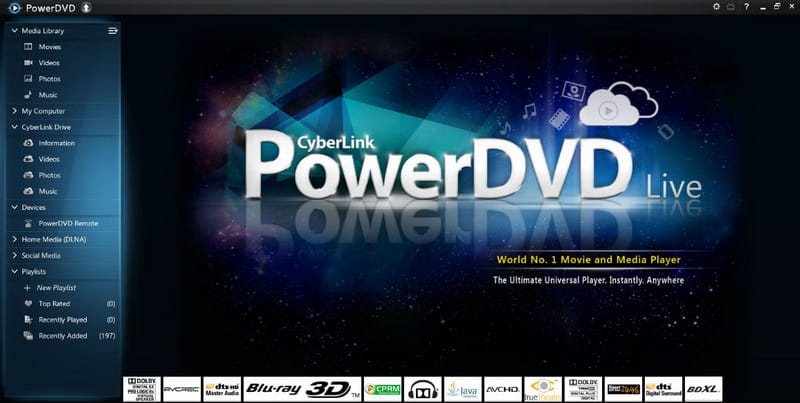
- 2. CyberLink PowerDVD: An Ideal 3D Blu-ray Player
- 3. Leawo Blu-ray Player: Perfect for All Formats
- 4. AnyDVD HD: 3D Blu-ray Player to Deal Encryption
- Preparation and Tips for Watching 3D Blu-ray Movies
- Bonus Recommendation: Top Physical 3D Blu-ray Player Models
Quick Review the Features of These Blu-ray Players
| Software | 3D Blu-ray Support | Ease of Use | Loading Speed | Other Features |
| AVAide Blu-ray Player | Yes | Easy | Medium | Supports standard Blu-ray discs and multiple video formats |
| CyberLink PowerDVD | Older versions support 3D | Moderate | Medium | Comprehensive features, UHD support, menu navigation, video enhancement |
| Leawo Blu-ray Player | Yes | Easy | Fast | Region-free playback, supports 4K and ISO files |
| AnyDVD HD | No | Difficult | Slow | Removes region codes and disc protections; works with third-party players |
1. AVAide Blu-ray Player: Best Player with Best Video/Audio Quality

Platform: Windows and Mac
Finding the best 3D Blu-ray disc player on your Windows and Mac computers? We would like to introduce the AVAide Blu-ray Player. It is an all-for-one software capable of handling various 3B Blu-ray contents. Plus, it has a simple Blu-ray playing process. You can already play your 3D Blu-ray without hassle in just a few steps. It also has an easy-to-navigate interface, which allows you to operate all the functions smoothly. Additionally, you can ensure a satisfying viewing interface since the software can provide astonishing video and audio quality. With that, you can tell that AVAide Blu-ray Player is one of the most powerful multimedia players you can access on your device. Besides Blu-ray, It can also play 3D DVDs and other digital formats, such as MP4, MKV, M4V, FLV, AVI, MOV, WMV, VOB, and more.

FREE DOWNLOAD For Windows 7 or later
 Secure Download
FREE DOWNLOAD For Mac OS X 10.13 or later
Secure DownloadCore Features:
• It can play various 3D Blu-ray content.
• It can provide high-end video and audio quality.
• The media player can offer an easy layout for simple navigation.
• It can also support various digital formats.
• It has a Snapshot feature for taking screenshots.
2. CyberLink PowerDVD: An Ideal 3D Blu-ray Player
Platform: Windows
The next 3D Blu-ray player we can recommend is CyberLink PowerDVD software. With this software, you can play your Blu-ray content effectively. Plus, the program is perfect for playing 4K Blu-ray content. With that, it is an ideal Blu-ray player on your computer. Moreover, you can also get amazing audio quality, making it a fully-packed media player. What we like here is that you can also play various videos in different formats. You can play MP4, MKV, MOV, AVI, etc. It is also capable of dealing with DVDs. It can also offer various playback controls, such as play, stop, next, backward, volume adjuster, etc. The only drawback here is that the layout is confusing. It also has a pricey subscription plan.
Core Features:
• It can play 3D Blu-ray content effectively and smoothly.
• The software can provide various playback controls to users.
• It can deal with various video content.
• The program is capable of playing great-quality audio.
3. Leawo Blu-ray Player: Perfect for All Formats
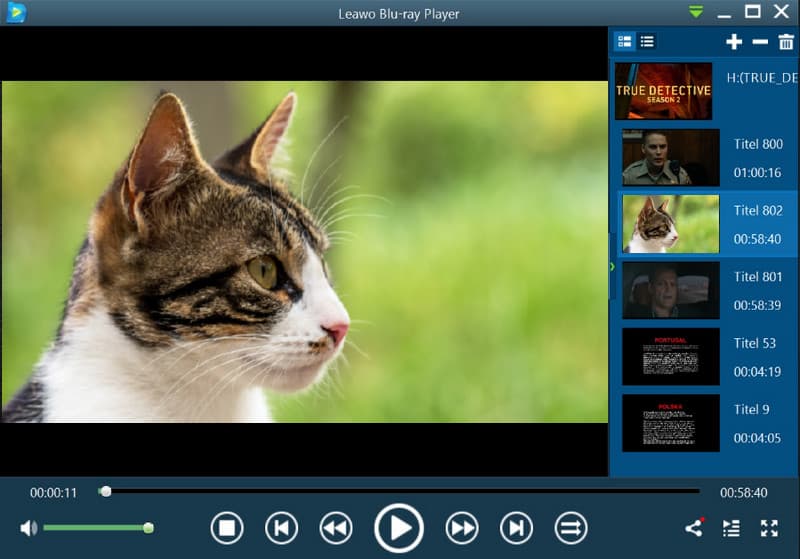
Platform: Windows and Mac
Do you want a 4K 3D Blu-ray player? If so, you must try using Leawo Blu-ray Player. When it comes to playing various Blu-ray content, including 3Ds, you can ensure you have an excellent experience. It is because the program can give you great video quality. You can also navigate all the features easily due to its simplicity. In addition to that, the software was recognized as perfect for playing almost all formats. Besides Blu-rays, it can also play DVDs, MP4, MKV, AVI, M4V, MP3, FLAC, AAC, ALAC, etc. So, if you are searching for a reliable multimedia player, there is no doubt that the Leawo Blu-ray Player is among the software that stands out. However, there are times when you might encounter glitches in the software. Also, ensure you have a high-spec computer since the software is resource-intensive.
Core Features:
• The program can have a smooth 3D Blu-ray playback.
• It supports subtitles.
• The media player can give various playback controls.
• It can deal with various formats.
4. AnyDVD HD: 3D Blu-ray Player to Deal Encryption
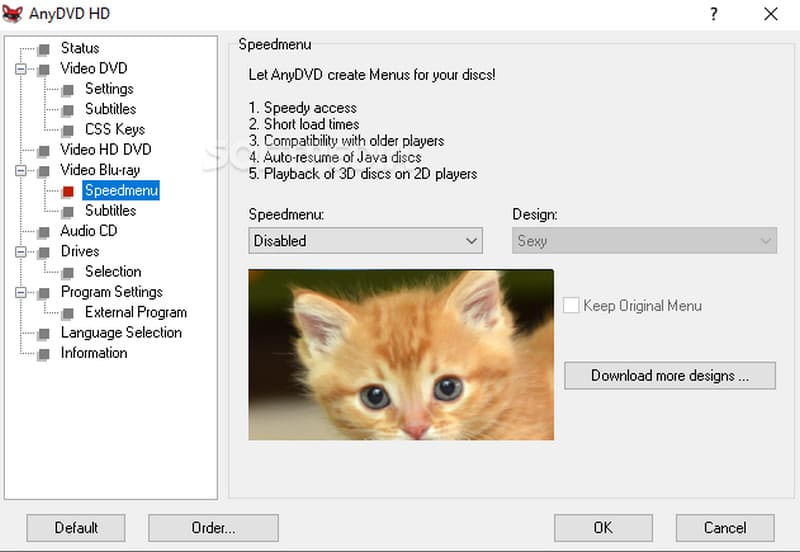
Platform: Windows
If you want to deal with encryption, we suggest using the AnyDVD HD software. This software is perfect for playing encrypted 3D Blu-ray content. With that, the software promises a smooth playback, no matter the content restrictions. The only problem is that the software's user interface is dull and plain. It might not be engaging for some users. Plus, it can only give users a 21-day free trial. After that, you must get the program's premium version to use its overall capabilities continuously.
Core Features:
• The software can play 3D Blu-rays smoothly.
• It can handle videos with great quality.
• The program can offer a free trial version to test its overall potential.
• It can provide basic editing functions for a better viewing experience.
Preparation and Tips for Watching 3D Blu-ray Movies
Compatible 3D Display Devices
Requires a 3D monitor or 3D TV supporting 3D display, along with active or passive 3D glasses.
Graphics Card Supporting 3D Output
The graphics card must support the 3D output standard via HDMI 1.4 or higher. A dedicated graphics card supporting 3D video decoding (e.g., newer NVIDIA/AMD models) is recommended.
Compatible Blu-ray Drive
A Blu-ray drive is required; standard DVD drives cannot read Blu-ray discs. For physical 3D Blu-ray discs, the drive must support BD playback.
HDMI Connection and Resolution Settings
Use HDMI 1.4 or higher cables to connect to display devices. Enable 3D mode in system display settings and ensure resolution and refresh rate meet 3D standards.
Performance and System Requirements
3D Blu-ray files are large, typically 30GB–50GB. Reserve at least 8GB of additional memory. Using an SSD improves 3D Blu-ray disc loading speeds.
Bonus Recommendation: Top Physical 3D Blu-ray Player Models
In this part, we will give you one of the best 3D Blu-ray player models you can use for an effective Blu-ray playback. Read more below to discover the best hardware for you.
1. Sony UBP-X700U
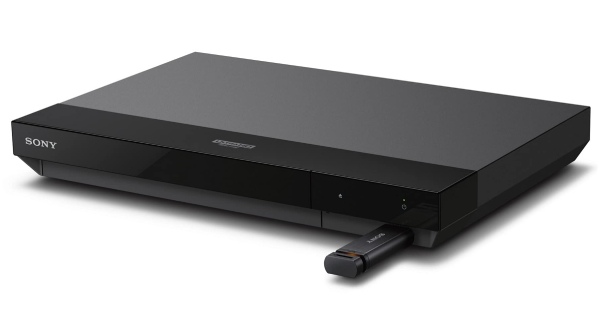
Price: ~$298.00
This Sony player supports 4K UHD playback with HDR and Dolby Vision, and also handles 3D Blu-ray content. It delivers vibrant pictures and high-resolution audio formats, making it a strong choice for both modern TVs and classic 3D discs.
2. Panasonic DP-UB154P-K
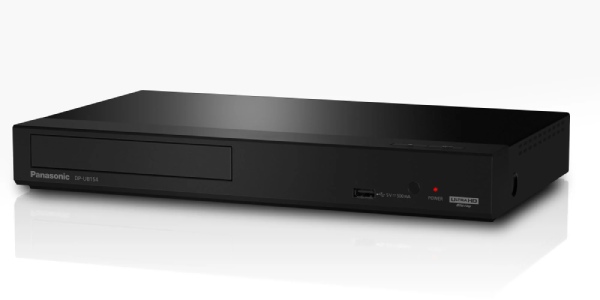
Price: ~$237.99
Panasonic’s 3D-capable Ultra HD player offers deep-color HDMI output, HDR10+ compatibility, and immersive visuals while supporting 3D Blu-ray playback.
3. Samsung UBD-M8500
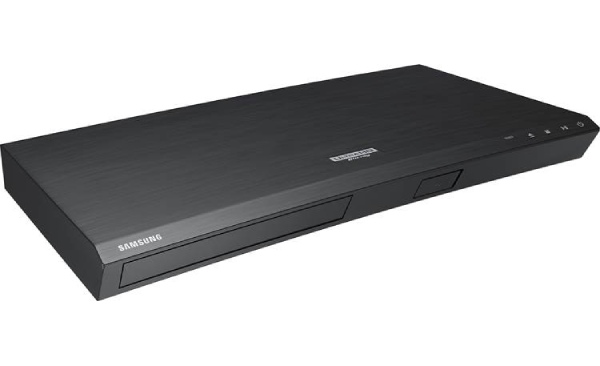
Price: ~$250.00
A recent Samsung 4K Ultra HD player that also supports 3D Blu-ray discs, built-in Wi-Fi for streaming, and HDR upscaling. It’s positioned as a good value pick with modern connectivity and solid playback performance.
Choosing an excellent 3D Blu-ray disc player is crucial. They can be vital, especially for a smooth and satisfying 3D Blu-ray playback. If you are looking for an excellent media player that can play 3D Blu-ray content without hassle, you can pick from the software we have introduced in this post. You can also try using the Blu-ray models if you want hardware to play your video content. Lastly, if you want a powerful 3D Blu-ray player for your Windows and Mac, use AVAide Blu-ray Player. With its great features, you can enjoy playing your content.
Full-featured multimedia player to play Blu-rays, DVDs, 4K UHDs, and other video/audio files.