YouTube is the go-to platform for watching videos, from funny clips to full-length movies. Nowadays, you can watch almost anything on it. Why not try creating your own? Or are you already planning to make a movie for YouTube? That is a great idea!
You will get many views, likes, and comments if you rely on the best YouTube movie maker in this write-up. You will get to know each tool, what it can do, so you can decide which one is perfect for your movie-making needs.
Top 1: AVAide Video Converter
Made for: It is made for beginners and YouTube creators who want an all-in-one, easy-to-use video editing tool.
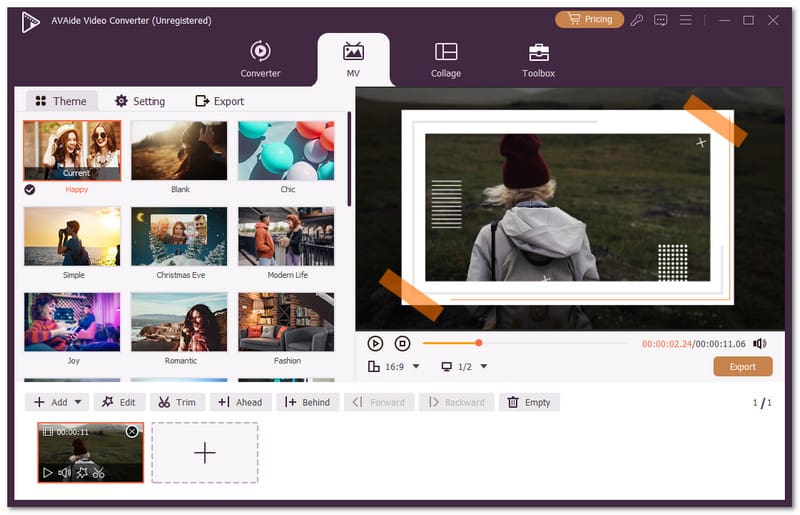
AVAide Video Converter is the top YouTube movie maker on this list. It is designed to be beginner-friendly, making video editing simple and easy to start. It is a video converter with a built-in movie maker that enables you to upload many videos or pictures and arrange them in the order you like. You can also trim, crop, rotate, tweak basic effects, add text or image watermark, and add audio.

FREE DOWNLOAD For Windows 7 or later
 Secure Download
FREE DOWNLOAD For Mac OS X 10.13 or later
Secure DownloadIt does not end there, AVAide Video Converter also offers forty-one movie effects, including Warm, Gray, Sketch, Hong Kong Movie, Orange dots, and many more. In addition, you can save your YouTube movie in resolutions up to ultra high definition (4K) for high-clarity playback. Do not worry, it works both on Windows and Mac, giving you the flexibility to create and edit YouTube videos anywhere.
Price: Offers a free version, with a 1-year license for $39.00 and a lifetime license for $59.00.
- Benefits
- Add start and end titles to your videos.
- 25 ready-to-use themes for quick styling.
- Keep the original audio or add your own.
- Adjust the volume up to 200% for clearer sound.
- Export in popular formats like MP4, MOV, AVI, MKV, and more.
- Drawbacks
- Some themes add a watermark to your video, which requires a purchase to remove.
Top 2: DaVinci Resolve
Made for: Amateurs and professional video editors looking for a powerful, free YouTube movie maker.
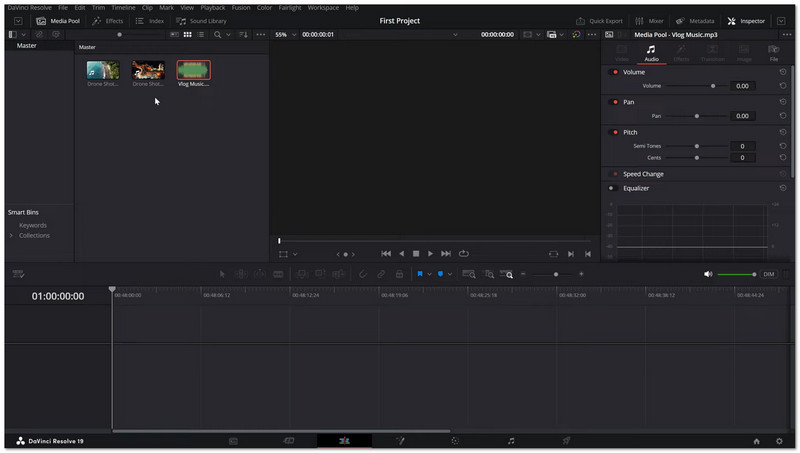
DaVinci Resolve is a powerhouse for anyone who wants total control over their YouTube videos. This movie maker for YouTube provides everything from cutting and trimming clips to advanced color grading, motion graphics, and audio editing. Its AI tools can auto-generate captions and analyze faces in your videos. Even the free version is strong, letting you edit, add effects, and export straight to YouTube.
Price: Free, and offers a paid version, which costs $295.
- Benefits
- Deep color-grading tools.
- Fast rendering performance.
- AI features to automate editing.
- Motion graphics and audio editing included.
- Drawbacks
- Needs strong computer hardware.
- Takes time to learn all the features.
- It can be intimidating for beginners.
Top 3: iMovie
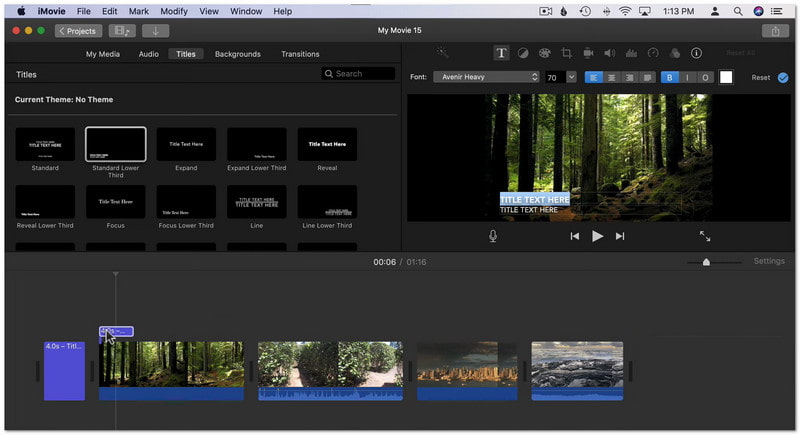
Made for: Apple users who want a simple and easy YouTube movie maker.
If you are planning to produce videos on an iPhone or Mac, iMovie is a friendly starting point. The buttons are easy to understand and control, which first-time users like. It allows you to rotate, trim, and crop videos, which are basic editing. The best thing about it is that you can use the storyboards and trailers to plan your movie. In addition, it keeps Apple Cinematic mode effects and integrates smoothly with iCloud.
Price: It is completely free for all Apple users.
- Benefits
- Supports Apple-specific video features.
- Chroma key and video stabilization included.
- Storyboards and trailers make planning easier.
- Drawbacks
- Limited to 16:9 aspect ratio.
- Only two video tracks, no multicam.
- Lacks motion tracking and advanced media tagging.
Top 4: Adobe Premiere Pro
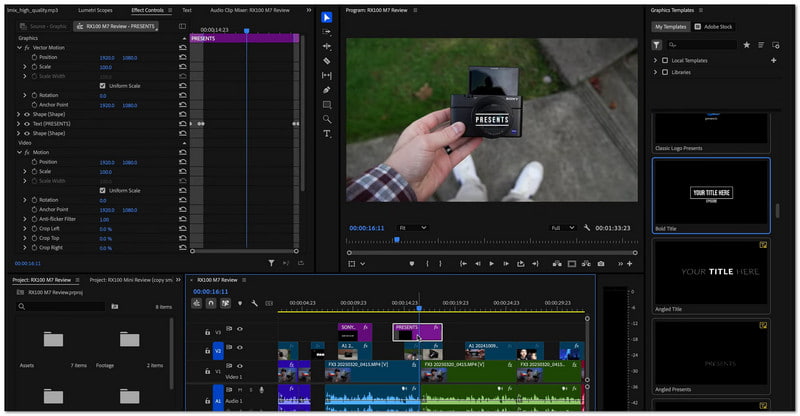
Made for: Professional and semi-professional YouTubers needing full-featured editing tools.
There is no doubt that Adobe Premiere Pro is one of the best movie-making programs for YouTube. It is recommended for those who want precise editing and advanced AI tools. With the help of AI, it can auto-generate captions and match colors.
You can also trim clips, apply effects, use motion tracking, and color grade like a professional. In addition, it allows smooth collaboration through Frame.io and supports unlimited multicam angles.
Price: It costs $24.67 per month.
- Benefits
- Flexible and customizable interface.
- Fast rendering and responsive performance.
- AI features for captions, color matching, and stabilization.
- Drawbacks
- Some tools need other Adobe apps to work.
- Subscription-based, which can be expensive over time.
Top 5: Final Cut Pro
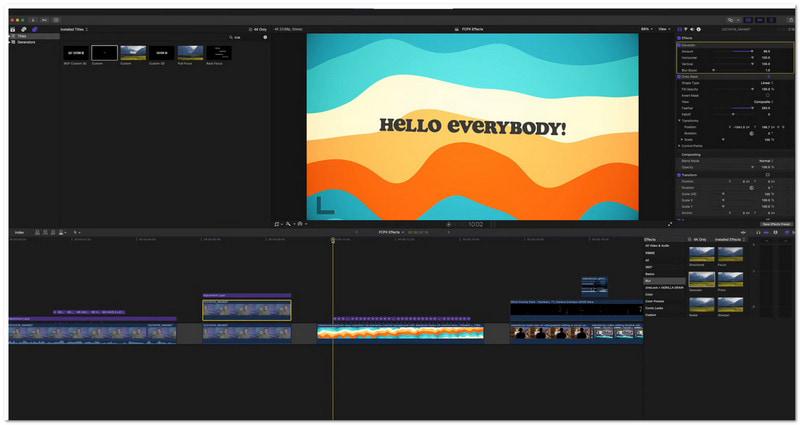
Made for: Apple users seeking professional video editing with a one-time purchase instead of a subscription.
This program offers a "trackless" timeline for flexible editing. It includes multicam support, masking, AI scene analysis, and wide color space handling. You can also incorporate titles, effects, audio, and flip videos. First-time users upgrading from iMovie will find it easy to use, while professionals can access advanced features to create polished videos easily.
Price: It costs $299.99, and all future updates are included for free.
- Benefits
- Supports wide color spaces.
- Fast performance for large projects.
- Powerful masking and chroma keying.
- Multicam editing and 360-degree support.
- Drawbacks
- Only available on Apple devices.
- Some effects need Motion or Compressor apps.
- Limited collaboration and AI features compared to Premiere Pro.
Top 6: Clipchamp
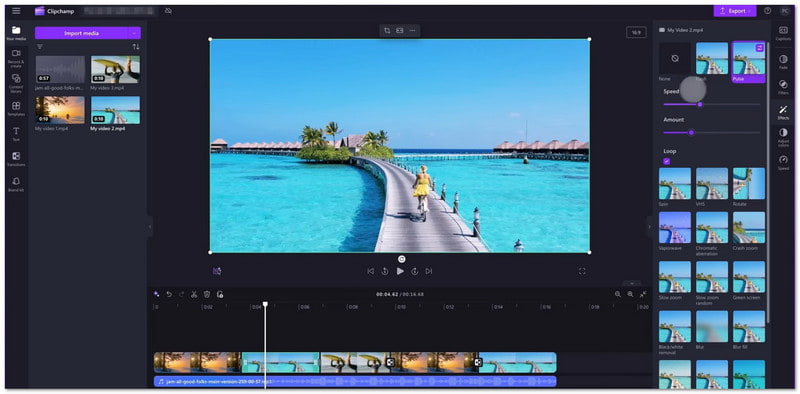
Made for: Windows users who want an easy, web-based YouTube movie maker.
Clipchamp is a web editor that works well on Chrome or Edge. Despite being online, it lets you do multi-track editing, add effects, transitions, and AI captions. You can even export videos up to 1080p and share directly to social platforms. It is great for beginners who want templates and AI tools to make videos fast without installing a heavy program.
Pricing: Clipchamp is free for basic editing and 1080p exports, but advanced features like 4K export, extra stock content, and brand tools require a paid subscription.
- Benefits
- Cloud-based syncing and social sharing.
- AI tools for speech-to-text and text-to-speech.
- Free templates, stock media, and effects included.
- Drawbacks
- Export speed can be slow.
- Some features need a subscription.
- Web-based editing requires a strong internet connection.
Top 7: CapCut
Made for: Beginners and intermediate YouTubers wanting quick, intuitive editing with AI tools.
You can also use CapCut to make YouTube movies, which offers drag-and-drop editing with text-based edits, LUTs, keyframing, and chroma keying. One great thing about it is that even the free version allows exports up to 8K. Amazing, right? Moreover, CapCut includes AI-powered avatars, stylish effects, and smooth transitions to make your footage stand out.
Price: Free to use, but offers a subscription for advanced features. The monthly subscription costs $9.99, and the yearly subscription costs $89.99.
- Benefits
- Limited to highly professional workflows.
- Some features require a paid subscription.
- Drawbacks
- Drag-and-drop effects and transitions.
- Supports 8K exports in multiple formats.
- Advanced free features like keyframing and chroma keying.
We want you to have the most impressive YouTube movie, since many people will watch it on the platform. The movie makers for YouTube above are truly dependable, but they differ in ease of use, pricing, and features.
From all of them, we recommend AVAide Video Converter. Why? It is easy to use, designed with beginners in mind, and lets you make and edit videos and export them that meet YouTube requirements.
Your complete video toolbox that supports 350+ formats for conversion in lossless quality.