The advantage of using Blu-ray players is clear: they give better picture clarity, sharper video, and richer sound than regular players. They can also play many formats like Blu-ray discs, DVDs, ISO files, and HD videos.
Do you need one, or are you looking for the best option? We have some best Blu-ray players prepared for you! Please get to know each one, with advantages and disadvantages included, and a comparison table.
Part 1: What to Consider When Choosing Blu-ray Players
Discovering what to consider when choosing Blu-ray players can affect how much you enjoy your movies.
- Check if the player can handle Blu-ray discs, DVDs, ISO files, and folders. Some players only play discs, while others can play many file formats like MP4, VOB, or WMV.
- Make sure the player allows you to pause, skip, rewind, and choose subtitles or audio tracks. Flexible control makes watching movies easier and more enjoyable.
- A clean interface helps you find what you need quickly. Also, fast load times let you start movies without waiting.
- Some players let you create custom playlists, take screenshots, or cast to TVs. These features can make your movie time more fun and convenient.
- Look for players that support Dolby Digital, DTS, or high-definition video like 4K or 1080p. Choosing the best 4K Blu-ray players ensures clear sound and sharp images for a better viewing experience.
- Consider whether you want a free or paid player and whether it works on Windows or Mac. Paid versions often have more features, but check if the cost matches what you need.
This simple checklist helps you pick a Blu-ray player that fits your needs and gives the best experience.
Part 2: 5 Best Blu-ray Players for Your Reference
You have learned what to consider when choosing Blu-ray players. Now, it is time to apply that knowledge and explore the best Blu-ray players. See which player checks all the boxes and fits your needs.
1. AVAide Blu-ray Player
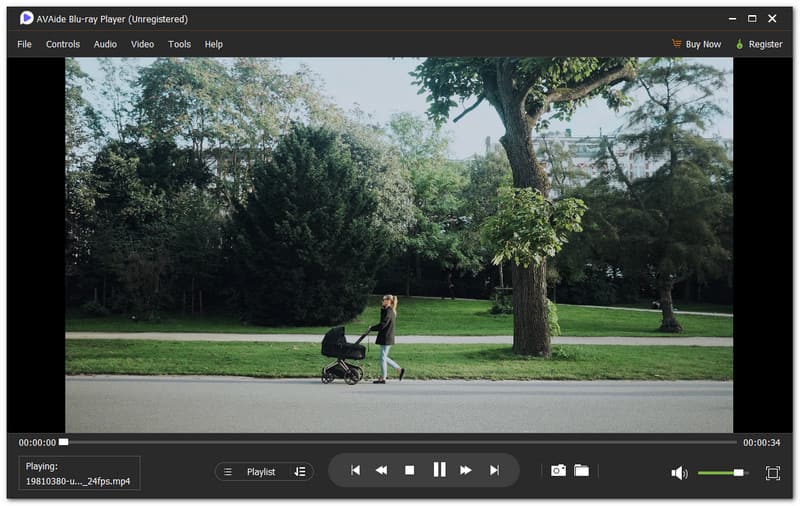
When one player does everything right, it sets the standard. That is what the best 4K Ultra HD Blu-ray player should feel like. AVAide Blu-ray Player delivers that experience cleanly and simply. It lets you play Blu-ray discs, ISO files, and folders with ease. It also supports many media formats like MP4, VOB, WMV, MP3, and more.

FREE DOWNLOAD For Windows 7 or later
 Secure Download
FREE DOWNLOAD For Mac OS X 10.13 or later
Secure DownloadIt allows you to customize the playlist yourself to manage movies your way. Plus, the playback control is fully flexible, including pause, skip, speed, and subtitles. On top of that, it provides high-quality video and clear sound. Its main goal is to let you enjoy Blu-ray movies the way they are meant to be watched.
- Pros
- Audio track and subtitle selection.
- Flexible and smooth playback control.
- Dolby Digital and DTS audio support.
- Instant screenshot capture during playback.
- Hardware acceleration by AMD, Intel, and NVIDIA.
- Cons
- Full features require a paid plan, with a 30-day money-back guarantee to try it risk-free.
2. Leawo Blu-ray Player
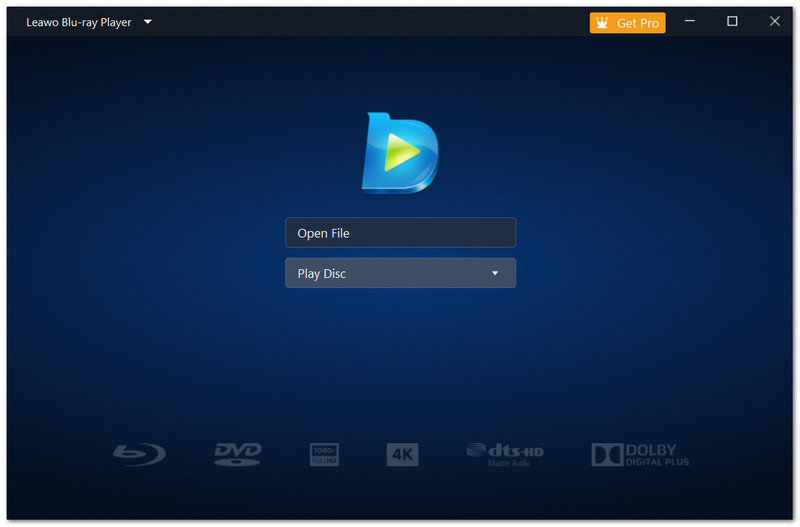
Watching Blu-ray movies at home feels better when the player works without trouble. That is where Leawo Blu-ray Player fits well. It is built for smooth disc playback on many Windows versions, even older ones.
It handles Blu-ray, DVD, folders, and ISO files in one place. This player also supports HD and 4K videos, which helps when switching between discs and files. Best of all, it is free, making it one of the best budget Blu-ray players.
- Pros
- Strong audio output with stable clarity.
- Can remove Blu-ray region restrictions.
- Supports Blu-ray, DVD, ISO, and BDMV folders
- Cons
- Language options are limited.
- The Blu-ray menu may fail to show at times.
3. Aurora Blu-ray Media Player
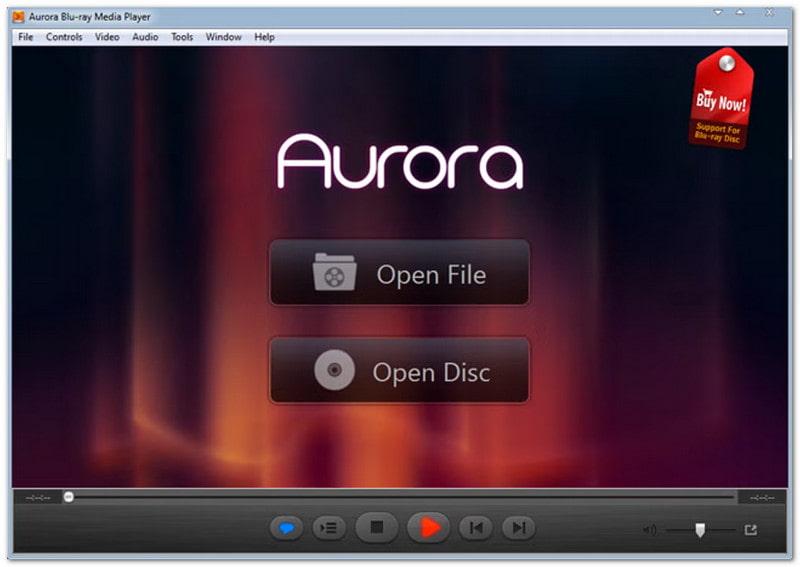
Unlike some complex Blu-ray players, the Aurora Blu-ray Media Player focuses on ease of use. Aurora Blu-ray Media Player keeps things simple while still delivering clear Blu-ray playback. It supports Blu-ray discs, folders, and ISO files on both Windows and Mac. The layout is clean, so new users feel comfortable right away. It also allows subtitle control and chapter navigation, which helps during long movies.
- Pros
- Clean and user-friendly interface.
- Allows subtitle adding and bookmarking.
- Supports Blu-ray discs and common formats.
- Cons
- The interface looks outdated.
- Paid program with a higher price.
4. PowerDVD
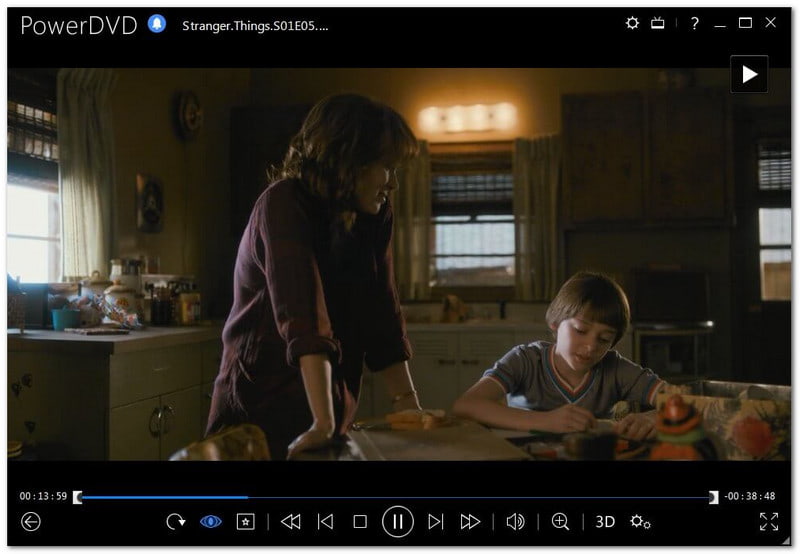
If you want more than basic Blu-ray playback, PowerDVD stands out. It is built as a full media center, not just a disc player. It plays Blu-ray, DVD, and many video formats in one library, making it one of the best Blu-ray DVD players for home use.
It also supports high resolutions, including 4K and 8K. Streaming to smart TVs is another strong point. With video enhancements and strong surround sound support, it delivers a theater-like experience at home on Windows systems.
- Pros
- Casts media to TVs and streaming devices.
- TrueTheater video enhancement features.
- Strong audio with DTS-HD and Dolby support.
- Supports Blu-ray, DVD, 4K, 8K, and VR videos.
- Cons
- Uses more system resources
- The paid version is expensive.
5. Macgo Blu-ray Player
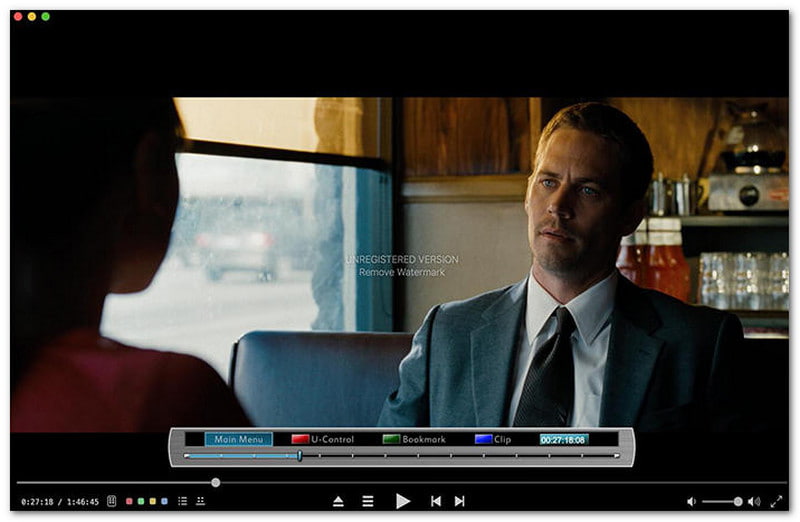
Mac users often struggle to find a stable Blu-ray player, but this one fills the gap. Macgo Blu-ray Player is designed mainly for the Mac operating system and supports smooth Blu-ray playback, even for commercial discs. It makes it one of the best region-free Blu-ray players for Mac users.
It includes menu navigation, subtitles, and audio track control. This player also supports many video formats beyond Blu-ray. While the playback clarity is strong, the free version adds a visible watermark.
- Pros
- Supports many video formats.
- Play BDMV and ISO files.
- Supports Blu-ray menus and BD-Live.
- Cons
- Limited technical support.
- Occasional bugs reported.
- Watermark appears in the free version.
Part 3: Comparison Table of the Best Blu-ray Players
If you want to find the best Blu-ray player, it helps to see them all side by side. The comparison table below shows how each player is different and what they do best. Take a look and find out which Blu-ray player stands out for you!
| Factors | AVAide Blu-ray Player | Leawo Blu-ray Player | Aurora Blu-ray Media Player | PowerDVD | Macgo Blu-ray Player |
| User Interface | Clean and simple to use. | Simple and practical layout. | Easy and beginner-friendly design. | Rich features, but feels complex. | Simple and clear on Mac. |
| Disc Type Support | Supports Blu‑ray and DVDs smoothly. | Supports Blu‑ray and DVD. | Supports Blu‑ray and DVDs well. | Supports Blu‑ray and DVD on Windows. | Supports Blu‑ray and DVD on Mac. |
| ISO & Folder Support | ✓ | ✓ | ✓ | ✓ | ✓ |
| Load Times | Loads discs and files quickly. | Loads playback with little delay. | Loads Blu‑ray at normal speed. | May load more slowly due to many features. | Loads discs smoothly on Mac. |
| Resolution Support | Supports up to 4K playback. | Supports up to 4K Blu‑ray. | Supports high‑definition playback. | Supports 4K and advanced enhancements. | Supports up to 1080p HD. |
| Audio Support | Supports Dolby Digital and DTS audio. | Supports Dolby and DTS decoding. | Supports DTS and common audio formats. | Supports Dolby, DTS, and surround sound. | Supports common audio formats clearly. |
| Playback Control | Full control, like pause, fast forward, rewind, volume, etc. | Basic playback controls are available. | Basic controls with chapter and bookmark. | Advanced playback and library tools. | Basic controls with screenshot tools. |
| Price | Paid with a free version and a 30‑day money‑back guarantee. | Free to use. | Paid version required. | Paid premium program. | Paid with a trial offer. |
If you want a budget-friendly, full-featured, or the best 4K Blu-ray players, you can choose from the tools mentioned above.
But among them, AVAide Blu-ray Player stands out as the best. That is why it earns the number one spot. It can play Blu-ray discs, ISO files, and folders smoothly. Plus, it delivers high-quality 4K visuals and rich sound.
Full-featured multimedia player to play Blu-rays, DVDs, 4K UHDs, and other video/audio files.