Can a Blu-ray player play 4K, or does it totally depend on what is inside the whole machine behind the disc tray? Honestly, it gets a lot more complicated once you drag in HDR, upscaling, audio formats, region codes, and yep, even gaming consoles. This guide sorta compares the best 4K players and also looks at the smarter ways to watch, without turning it into a headache.
Part 1. Quick Comparison: Best 4K Blu-ray Players at a Glance
- Player
- Panasonic DP-UB820
- Panasonic DP-UB9000
- Sony UBP-X800M2
- Sony UBP-X700
- LG UBK90
- Reavon UBR-X110
- Magnetar UDP800
| Main Strength | Disc Collection Focus | Media Playback | Size | Approx. Price |
| Well-rounded home cinema | 4K UHD + Blu-ray + DVD | Strong | Standard | $400-$500 |
| Luxury home theater | Extensive physical media | Advanced | Large | $900-$1,000 |
| Versatile entertainment | Discs + digital media | Extensive | Standard | $330 |
| Compact 4K playback | 4K UHD + Blu-ray + DVD | Good | Compact | $200-$250 |
| Straightforward 4K viewing | 4K UHD + Blu-ray + DVD | Basic | Compact | $200-$300 |
| Physical-media enthusiasts | Extensive disc libraries | Advanced | Large | $800-$1,000 |
| High-end universal playback | Extensive disc libraries | Advanced | Large | $1,500-$1,800 |
Part 2. Top 4K Blu-ray Player Reviews
1. Panasonic DP-UB820
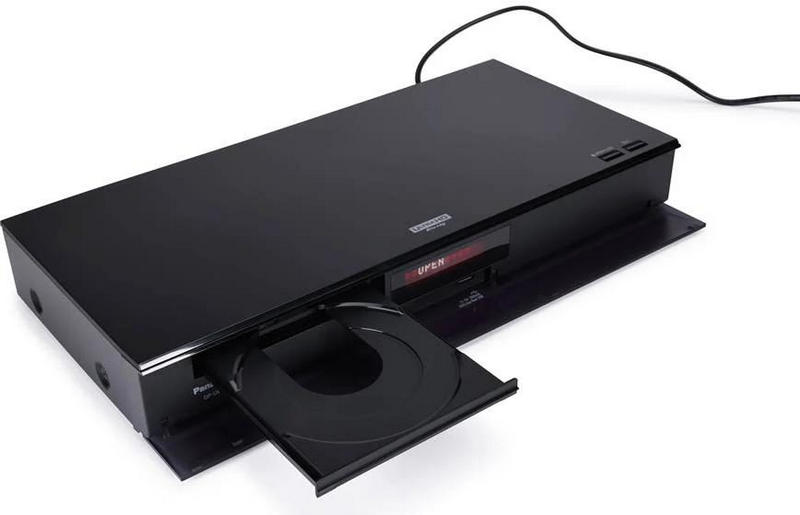
The Panasonic DP-UB820 is a pretty balanced 4K Ultra HD Blu-ray player for living room setups. It brings solid HDR performance, crisp image processing, and broad audio support, so it is a practical pick for people who want top-tier disc playback, without jumping straight into the most expensive territory.
Key Features:
- 4K Ultra HD Blu-ray playback.
- Dolby Vision, HDR10+, and HDR10 support.
- HCX image processing.
- HDR Optimizer.
- Dolby Atmos and DTS.
- High-resolution audio support.
Best For:
Home theater viewers who want that nice middle ground: excellent picture quality, useful HDR features, and good overall value.
2. Panasonic DP-UB9000
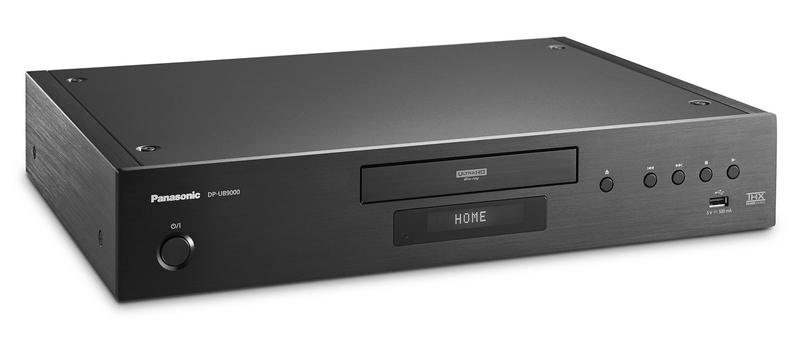
The Panasonic DP-UB9000 goes for a more premium, serious physical media vibe. It mixes advanced video processing with well-chosen audio internals and a heavy, sturdy build, so it tends to appeal to anyone running a dedicated theater system where both performance and construction matter.
Key Features:
- 4K Ultra HD Blu-ray playback.
- Dolby Vision, HDR10+, and HDR10 support.
- HCX image processing.
- HDR Optimizer.
- Dolby Atmos and DTS.
- Premium audio components.
- High-quality chassis construction.
Best For:
Dedicated home theater fans who want a premium player, for both video clarity and audio oomph, too.
3. Sony UBP-X800M2
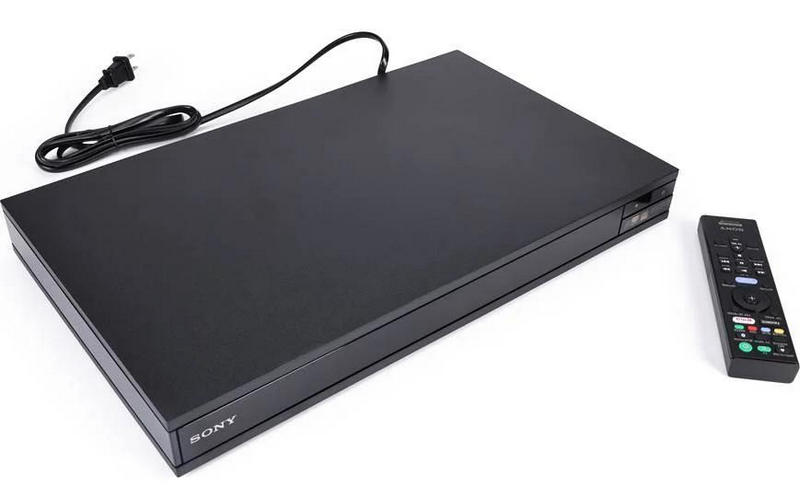
The Sony UBP-X800M2 feels made for homes where people actually keep physical media around, like the kind that sort of grows over time. It does 4K Ultra HD Blu-ray playback as the headline thing, but it also moves through standard Blu-rays, DVDs, CDs, plus a lot of digital media formats, so it ends up feeling wider than just 4K movies.
Key Features:
- 4K Ultra HD Blu-ray playback with an H265 player.
- Dolby Vision and HDR10 support.
- Dolby Atmos and DTS.
- Wide media-format compatibility.
- Built-in Wi-Fi.
- 4K HDR playback.
Best For:
People who want one player that can cover a broad physical and digital collection without too much fuss.
4. Sony UBP-X700
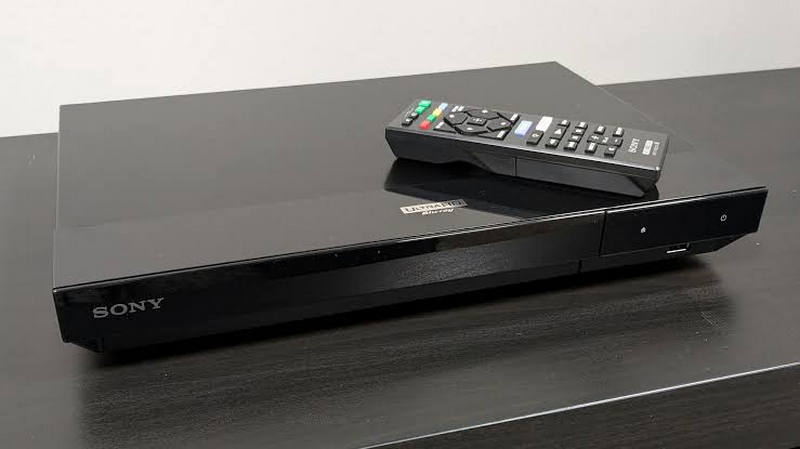
Sony UBP-X700 brings 4K Blu-ray playback together with modern HDR features in a design that is, you know, smaller and less dramatic. It gives you a pretty direct path into a 4K disc setup, without stepping up into the big, premium-player spending zone.
Key Features:
- 4K Ultra HD Blu-ray playback.
- Dolby Vision and HDR10 support.
- Dolby Atmos and DTS.
- 4K upscaling.
- Built-in Wi-Fi.
- Compact design.
Best For:
Smaller entertainment rooms and shoppers who want a real 4K Blu-ray player at a price that does not sting quite as much.
5. LG UBK90
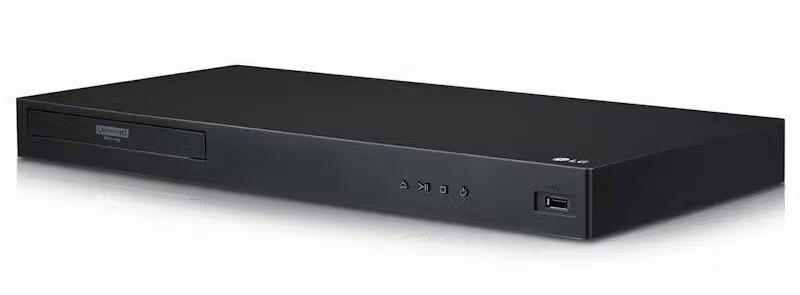
LG UBK90 leans into the key stuff for modern 4K disc watching. You get Dolby Vision, HDR10, and immersive audio support, so it comes off as a calm choice for anyone wanting solid HDR and 4K performance, while skipping a huge list of enthusiast extras that most people rarely touch.
Key Features:
- 4K Ultra HD Blu-ray playback.
- Dolby Vision and HDR10 support.
- Dolby Atmos and DTS.
- 4K upscaling.
- Wi-Fi connectivity.
- HDR playback.
Best For:
Viewers on a tighter budget who mostly want trustworthy 4K Blu-ray playback with modern HDR and audio coverage.
6. Reavon UBR-X110
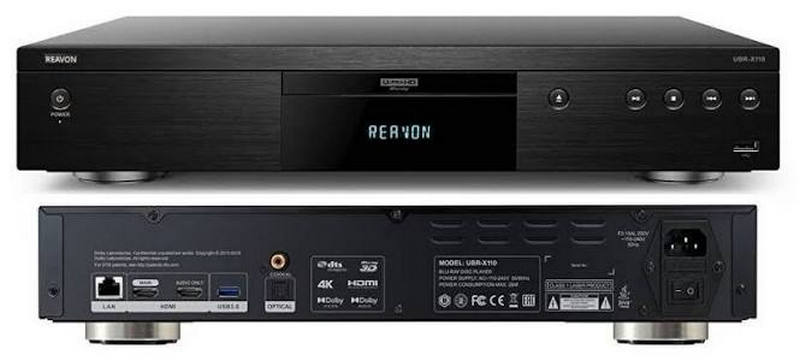
Reavon UBR-X110 targets physical-media loyalists more than casual movie watchers. It has premium build quality, broad disc coverage, and a strong emphasis on clean video and audio, so it reads like a better fit for a dedicated home theater setup.
Key Features:
- 4K Ultra HD Blu-ray playback.
- Blu-ray, DVD, and CD playback.
- Dolby Vision and HDR10 support.
- High-quality video processing.
- Premium chassis construction.
- Advanced audio support.
Best For:
Serious collectors, plus home theater folks who care about premium construction and flexible disc playback.
7. Magnetar UDP800
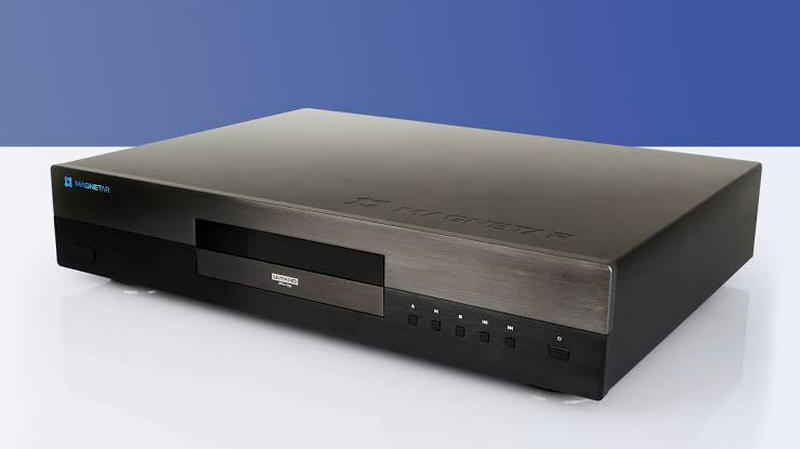
Magnetar UDP800 is a high-end universal disc player built for enthusiasts who want more than just basic 4K Blu-ray playback. With its heavy build, wide physical-media compatibility, and extra focus on audio and video output, it is definitely in the top-tier category.
Key Features:
- 4K Ultra HD Blu-ray playback.
- Blu-ray, DVD, and CD playback.
- Dolby Vision and HDR10 support.
- High-quality audio components.
- Premium construction.
- Extensive physical-media compatibility.
Best For:
High-end home theater systems and serious collectors who want a premium universal player for a big physical-media library, not a compromise device.
Part 3. What to Look for in a 4K Blu-ray Player
A 4K Blu-ray player is sorta more than just a disc reader, because HDR, upscaling, audio, build quality, connectivity, and even region support can totally change how things look and sound on your TV. So yeah, do not treat it like it is only a spinner.
1. HDR Support: HDR can boost contrast, brightness, and color on supported 4K material. Before you buy, double-check which HDR types the player handles, because not all of them do the same stuff.
Try to find support for:
- HDR10
- Dolby Vision
- HDR10+
2. Upscaling: Upscaling helps low-res Blu-rays and DVDs look better on a 4K TV. With a decent processor, older titles can look cleaner and a bit sharper too, even when they were not meant for 4K screens in the first place.
3. Audio Support: Audio support matters a lot if you are routing sound into a soundbar, an AV receiver, or a surround system where formats actually matter.
Look for:
- Dolby Atmos
- DTS
- Dolby TrueHD
- DTS-HD Master Audio
4. Build Quality: Most basic players lean toward affordability and small footprints, while premium models often feel heavier and may use better internal parts. Not always, but commonly.
5. Connectivity: Check whether the ports on the player match what you already have at home. Otherwise, you end up doing adapters or using a worse cable setup, which is annoying.
Look for:
- HDMI
- Dual HDMI
- Ethernet
- Wi-Fi
- USB
- Digital audio outputs
6. Region-Free Options: Most 4K Ultra HD Blu-ray discs are region-free, but regular Blu-rays and DVDs can still be region-locked. So a region-free player can end up being pretty handy if your library is international.
Part 4. Region-Free 4K Blu-ray Players
Region compatibility can feel confusing because 4K Ultra HD Blu-rays and standard Blu-rays do not really obey the same rules. Still, there are a few key points worth checking, especially if you are collecting discs from outside your own country.
Important Note
All 4K Ultra HD Blu-ray discs are region-free, so a 4K disc bought from elsewhere can generally be played on a compatible 4K Blu-ray player.
But standard Blu-rays and DVDs can remain region-locked.
Quick example: A 4K Ultra HD Blu-ray from Japan usually plays on a compatible player; however, a standard Blu-ray from that release might need a particular region to play Blu-ray on a PC.
What Region-Free Means
A region-free player can skip certain regional limitations on supported standard Blu-rays and DVDs. This helps collectors who snag physical media from multiple countries, since the original encoding rules do not box you in.
Just remember this: region-free is mostly useful for standard Blu-rays and DVDs. 4K Ultra HD Blu-rays usually do not need the extra region flexibility.
Popular Region-Free Options
Region-free versions might exist for well-known models, for example:
- Panasonic DP-UB820: solid, do-it-all option.
- Panasonic DP-UB9000: premium home theater pick.
- Sony UBP-X800M2: flexible physical-media player.
- Sony UBP-X700: more compact option.
Best For
- Region-free players: Great for collectors with Blu-rays and DVDs from different countries.
- Standard players: Better if you mostly watch locally purchased discs, or mostly just 4K Ultra HD Blu-rays.
Part 5. Is There 4K Blu-ray Player Software?
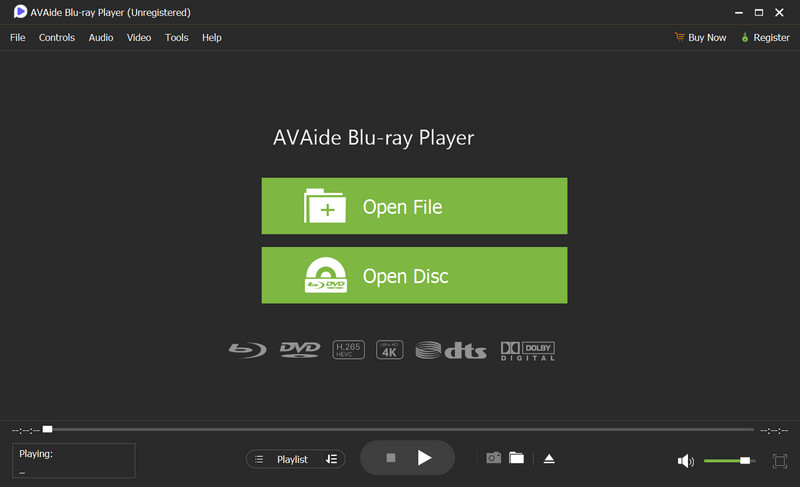
AVAide Blu-ray Player helps you with Blu-ray discs, DVDs, ISO files, folders, and those everyday 4K video formats, so it works for both the physical stuff and the digital side too.
AVAide Blu-ray Player is sort of an all-in-one media player for Blu-ray, DVD, and 4K video playback, and it also keeps the original disc menus. You can use it with ISO files, plus it supports Dolby Digital and DTS-HD, and it leans on hardware-accelerated playback, so the whole watching experience stays smooth.
- Smooth playback for 4K UHD plus 1080p videos, (mostly) without stuttering.
- Plays discs, folders, and ISO files while keeping the original menus.
- Delivers crisp visuals for supported high-resolution content.
- Supports Dolby Digital and DTS-HD, along with 5.1 and 7.1 surround sound.
- Uses NVIDIA, Intel, and AMD hardware acceleration for steadier viewing.

 Secure Download

- Pros
- Lets you play ISO files directly, no extra fuss.
- Handles multiple video formats without too much hassle.
- Offers a more immersive surround sound feel.
- Hardware acceleration really helps 4K playback.
- Works on Windows and Mac.
- Cons
- Not a standalone box, it depends on what you are pairing it with.
Best For:
People who want a 4K Blu-ray player software for Windows or Mac that can manage Blu-ray discs, DVDs, ISO files, folders, and regular video files all in one app, instead of juggling tools, make it easier to play DVDs on a laptop.
Part 6. 4K Blu-ray Player vs. Gaming Console
Can't I Just Use My PS5 or Xbox Series X to Play 4K Blu-rays?
Yes, the PlayStation 5 and Xbox Series X can play 4K Ultra HD Blu-ray discs, so in the basics, you do not really need a separate player just to watch 4K movies. Still, if you want a smoother fit for your home theater setup, a dedicated 4K Blu-ray player can feel more like a specialist; basically, it was made for that job only.
- Feature
- 4K Blu-ray Playback
- HDR Support
- Dolby Atmos
- Gaming
- Blu-ray Menu Support
- Dedicated Home Theater Features
- Extra Hardware Needed
| Dedicated 4K Blu-ray Player | PS5 / Xbox Series X |
| ✓ | ✓ |
| ✓ | ✓ |
| ✓ | ✓ |
| ✗ | ✓ |
| ✓ | ✓ |
| More options | More limited |
| No | No |
Why Use a Gaming Console?
A console can be a handy option when you care about gaming and movie nights at the same time. It saves you from getting another box, and it can manage 4K Blu-ray discs, streaming apps, and all the other entertainment stuff in one place.
Why Choose a Dedicated 4K Blu-ray Player?
A dedicated player usually makes more sense when physical media playback is the main event. Some models bring along richer HDR options, cleaner upscaling, tuned audio features, and extra home theater connections you might actually use.
A 4K UHD Blu-ray player can deliver a very strong picture and sound, but the best path depends on your setup, your disc library, and how you usually watch. Dedicated models lean into playback performance, while consoles or software options tend to be more flexible for everyday viewing.
ABOUT THE AUTHOR

Full-featured multimedia player to play Blu-rays, DVDs, 4K UHDs, and other video/audio files.