Noise is everywhere, and it can be a hindrance when you are trying to record a video or in an online meeting. It will be another challenge to remove noise from a video that is already recorded. In this case, you are in the right place because this article gathered the recommended noise removers that are available on various platforms. Without further ado, let's get started.
- Part 1. Quick Comparison – Which Method Should You Choose?
- Part 2. Free Online AI Tools – Remove Noise Without Installing Anything
- Part 3. Chrome Extensions – Remove Noise Directly in Your Browser
- Part 4. How to Remove Background Noise from Video on iPhone
- Part 5. How to Remove Background Noise from Video on Android
- Part 6. Desktop Software – For Professional Editing
- Part 7. How to Remove Specific Types of Noise
Part 1. Quick Comparison – Which Method Should You Choose?
Here is the full list of all solutions for noise reduction in video to weigh your choices as per your needs.
| Tools | Availability | Features | Price |
| AVAide Video Converter | Windows, Mac | Upgraded noise removal with more tools to offer | Free trial |
| VEED | Online | Easily remove sound and audio online | Free trial |
| Kapwing | Online | Offer manual and auto noise removal | Free trial |
| iMovie App | iPhone | Audio enhancement is pre-installed on iPhones | Free |
| Galaxy App | Android | Free but offers more noise and audio settings | Free |
| Noise Filter | Chrome Extension | Improve the quality of video watching and recording | Free |
| AI Noise-Canceling | Chrome Extension | Enhance microphone quality | Free |
Part 2. Free Online AI Tools – Remove Noise Without Installing Anything
How to remove background noise from videos if you don't want to install software? The best suggestion is to use free online tools, such as VEED and Kapwing. Read below to learn more.
VEED
VEED is a classic online video editor that supports various formats like MP4, MOV, and others. With its extensive and advanced features, you can easily find and use its video noise reduction option.
Step 1Go to the online video noise reducer and upload your video.
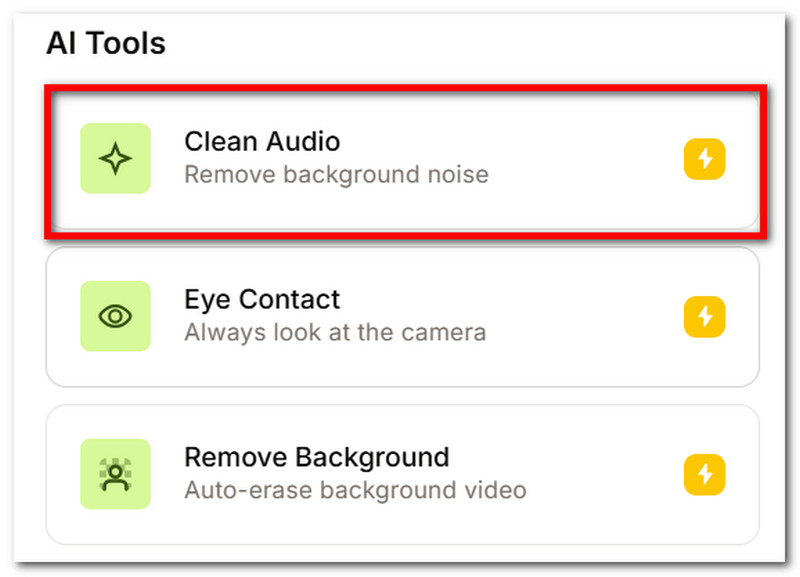
Step 2Go to Video, and under AI Tools, toggle on the Clean Audio option. Preview and save the edit.
Kapwing
Kapwing is an alternative to consider as it shows an amazing user interface, equipped with high-grade tools like the Kapwing Watermark Remover. It can remove noise from video online for free and without installing anything, but it requires you to create an account.
Step 1To remove background noise from a video for free, visit Kapwing and upload the file.
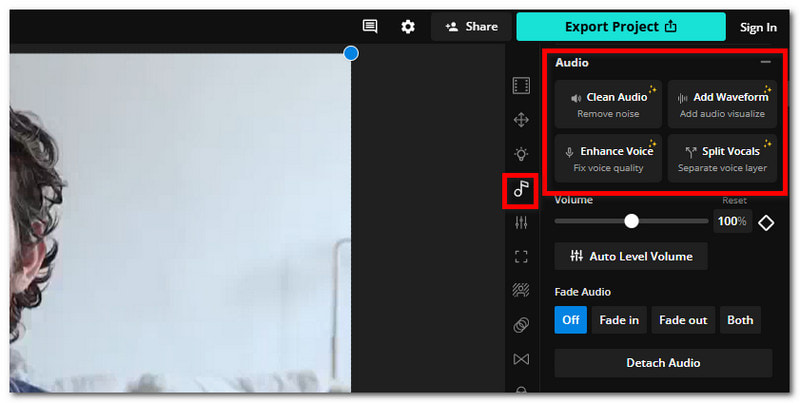
Step 2From the Audio menu, select Clean Audio to remove noise. Preview and export the video.
Part 3. Chrome Extensions – Remove Noise Directly in Your Browser
Chrome extensions are a great help for online tutorials or meetings, especially if your location is crowded and noisy. Check the following options to remove noise via Google Chrome.
Noise Filter
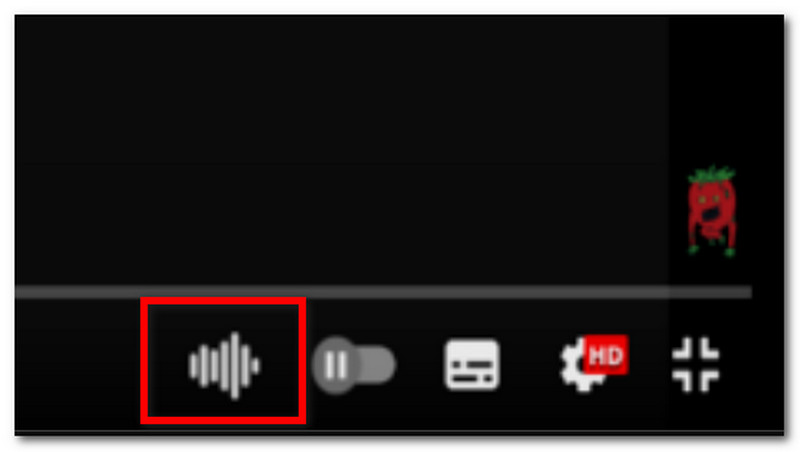
You can remove ambient noise from video using the Noise Filter extension. Not only is it best for removing unwanted noise, but it can also improve the audio quality of video watching. Check how to use this solution with the following steps:
Step 1Install the noise filter for video on the Chrome browser. Once done, start recording a video or open a platform like YouTube.
Step 2Click the extension icon of the software you use to record to clean the background noise.
Noise-Canceling App
While it is an app, it also offers a Chrome extension alternative that helps reduce the background noise. It also promotes removing other sounds, including keyboard clicks, hardware hiss, and traffic noise. Follow the steps on how to get rid of background noise in a video:
Step 1Install and open the background video noise removal on Chrome. You have to go to the audio settings to activate the Background Noise Remover.
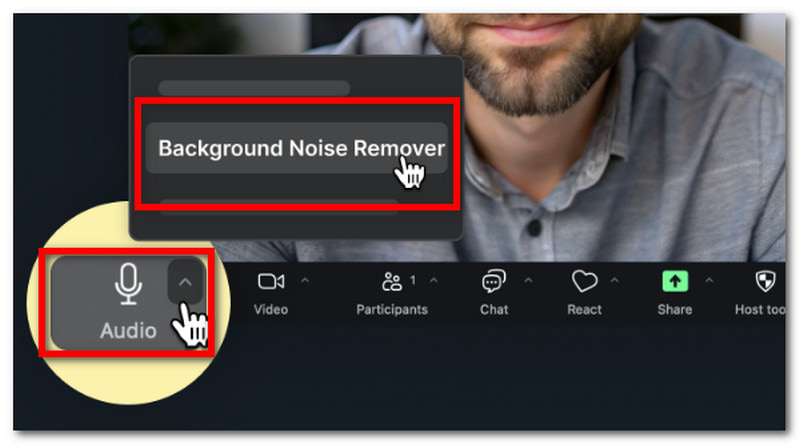
Step 2Reload the page to apply the changes, then start recording.
Part 4. How to Remove Background Noise from Video on iPhone
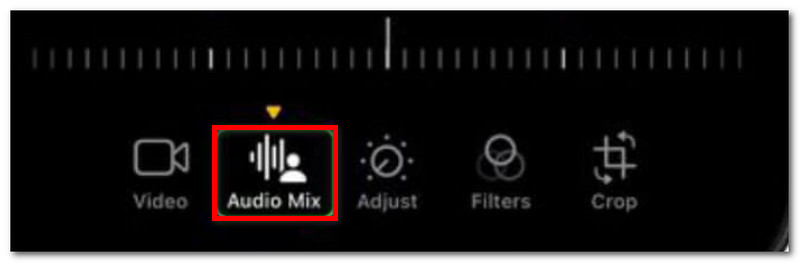
Did you know that you have a video noise reducer on your iPhone? It is the Photos app that is pre-installed on your iPhone. It is free and easy to navigate, and even offers to denoise video and photos. With only a few taps to achieve the clean audio, your video is set to go. Here's how:
Step 1Open the app on your phone and select the video with background noise.
Step 2Find Audio Mix, then choose In-Frame to reduce background noise in the video. Preview the video, then save it.
Part 5. How to Remove Background Noise from Video on Android
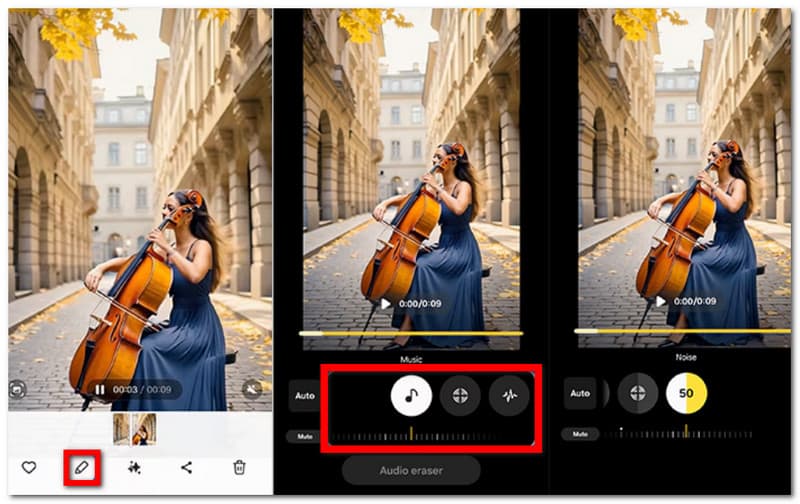
Android has a lot to offer these days. And just like the iPhone, you can also find a way to remove noise from your video. However, keep in mind that not all Android phones have this solution, so it is recommended to use a third-party app to clean video sound. Here's how to take background noise out of a video on an Android phone.
Step 1Go to the Gallery app and choose a video you want to edit. Tap the Pencil button to access the editing tools.
Step 2Choose the Audio option, then tap the Audio Eraser button. Adjust the parameters until you remove background noise from the video.
Part 6. Desktop Software – For Professional Editing
Want an easier but professional-grade video noise removal software? Introducing AVAide Video Converter, a multi-solution choice for various editing tasks like noise-canceling, video converting, compressing, and more. Supporting a wide range of formats, you can easily remove noise from video files like MP4, MKV, VOB, MOV, and others. It also offers advanced configurations to select the output format, resolution, sample rate, and bitrate of your choice. Moreover, it is designed with a sleek interface, making it simple to navigate while aiming for the best quality. AVAide Video Converter is available for a free trial on Windows and Mac.
Step 1Download the AI video noise remover and complete the installation. Launch the software and choose Noise Remover from the Toolbox menu.

FREE DOWNLOAD For Windows 7 or later
 Secure Download
FREE DOWNLOAD For Mac OS X 10.13 or later
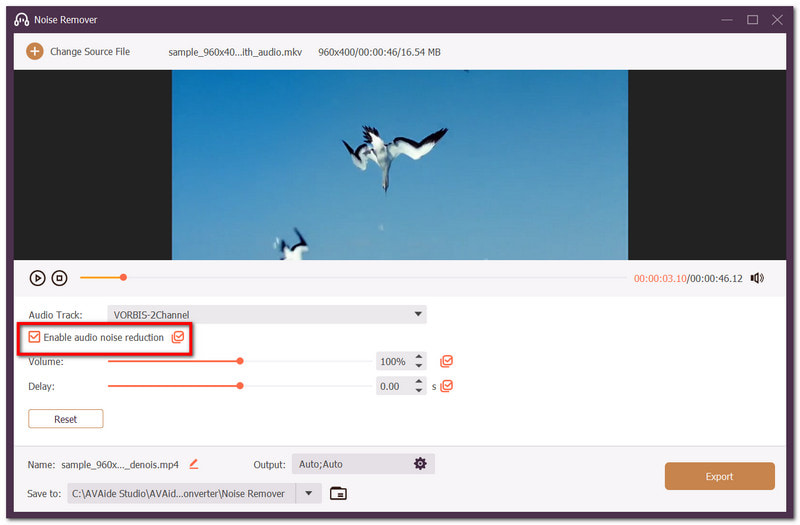
Secure DownloadStep 2Upload a video you want to edit, then tick the Enable audio noise reduction option.
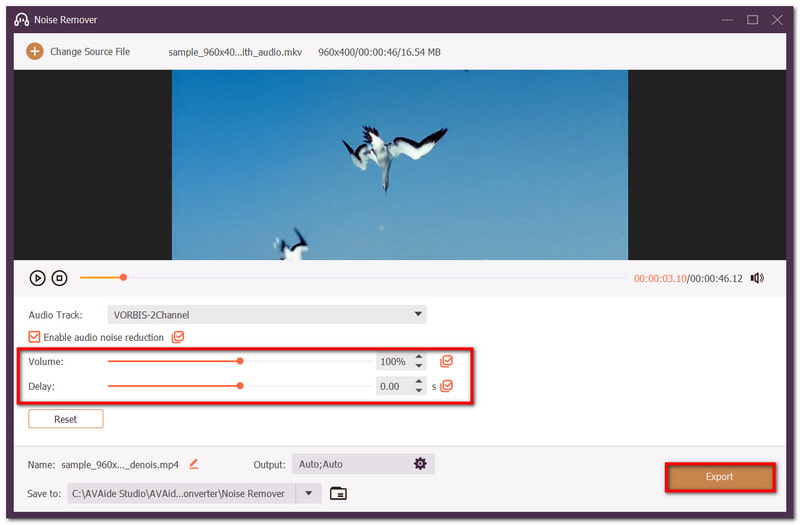
Step 3Optionally, you can also adjust the volume and delay of the video. Click Export to save the changes.
Part 7. How to Remove Specific Types of Noise
Noise comes from different sources, and it is important to know how to differentiate which sound you want to remove from your videos. This part shows solutions on how to remove various noises through several ways.
1. How to Remove Wind Noise from Video
To remove wind noise from video, you will find a good number of tools dedicated to this. However, removing one specific noise can be challenging, and even with AI tools provided, there is still no guarantee of a good result. You may consider getting a professional-grade tool like Adobe Audition to remove the heavy bass rumble on your video. Keep in mind that it might take some time to get familiar with this tool, but it will be a good investment in the long run.
2. How to Remove Background Noise but Keep Voice
A BG noise remover from video helps to reduce the unnecessary noises in the background. It is a common problem in shooting videos, but it is easier to solve because you can find a lot of tools that can help you with it. There are a couple of AI voice isolators, such as Adobe Podcast and Cleanvoice AI. If you want to take your time learning more about the sound parameters without paying, using Audacity will be a good deal since it is a free tool.
3. How to Remove Ambient Noise from Video
Ambient noises are not difficult to remove from videos, and it is even easier to do so with built-in tools. If you are a Windows user, Microsoft Clipchamp has an AI voice enhancer to upscale the main sound of the video and lessen background noise. If you want a more upgraded tool, DaVinci Resolve offers Voice Isolator to easily enhance the main audio.
You discovered more possibilities to remove background noise from video in this article. Through online tools, Chrome extensions, and pre-installed apps, you can freely eliminate sounds on your video. Moreover, AVAide Video Converter will be a special alternative with its appealing way of noise reduction. Get your hands on the free version by clicking the Download button.
ABOUT THE AUTHOR

Your complete video toolbox that supports 350+ formats for conversion in lossless quality.