Freemake Video Converter still feels like a familiar option for handling everyday media files. In this review, I look at what it does, its pricing, the limits, what people say about it, and how well it performs overall, so you can judge if it is actually worth using now.
- Part 1. Freemake Video Converter - What Is It?
- Part 2. Key Features Breakdown
- Part 3. Pricing & Free Version Limitations
- Part 4. Pros & Cons
- Part 5. User Reviews & Ratings
- Part 6. Should You Use an Old Version of Freemake?
- Part 7. Freemake Video Converter vs AVAide Video Converter [The Better Choice]
Part 1. Freemake Video Converter - What Is It?
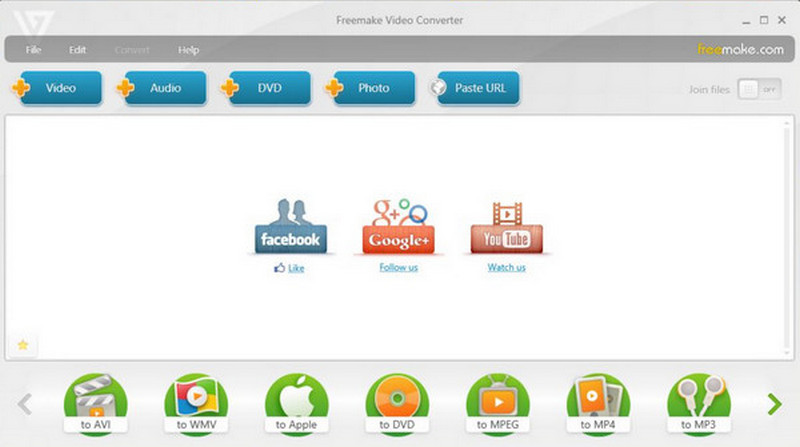
Freemake Video Converter is a Windows-based multimedia program for converting video and audio files to different formats. It handles common formats such as MP4, AVI, MKV, MOV, and WMV. It also includes extra features for straightforward video editing, DVD authoring, subtitle support, and presets for specific devices.
In other words, it goes beyond mere conversion; Freemake tries to keep the whole workflow simple for most beginners and casual users, who do not want tangled encoding controls or too many knobs to adjust. It includes a free version for straightforward jobs, but some advanced features require a paid upgrade. In other words, this part covers why it is there, what it can do, which kinds of media it handles, and how easy it is to live with.
Part 2. Key Features Breakdown
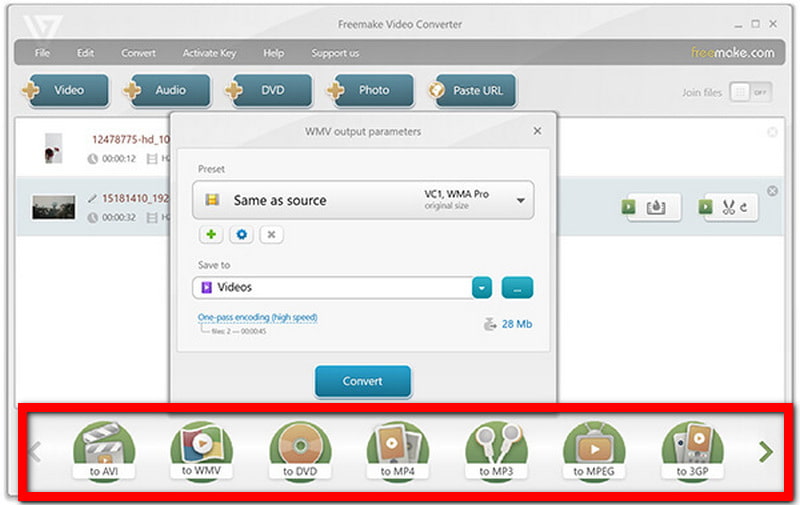
- 1.Multiple format support: Lets you handle a range of well-known video and audio formats, making it easier to switch files across devices, apps, and platforms, even when they do not agree with each other.
- 2.Fast video + audio conversion: Changes video or audio from one format to another, and also gives you presets for typical output needs, you know, the usual ones.
- 3.Batch conversion: You can drop several files in at once and convert them together. That is handy for bigger media collections, when you want it done without babysitting everything.
- 4.Basic video editing: Includes simple stuff like trimming, rotating, merging or joining, plus quick edits, basically small fixes right before converting tasks.
- 5.DVD and subtitle options: Includes tools for DVD-related content and lets you add, adjust, or manage subtitles during conversion.
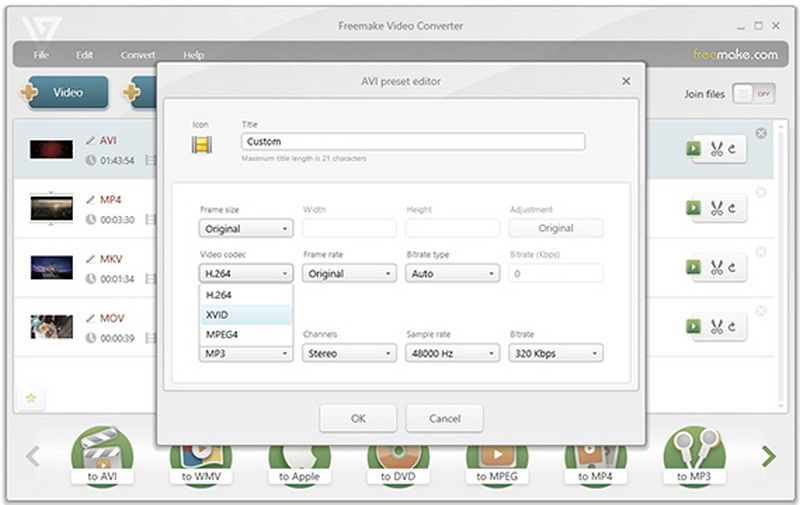
- 6.Device presets and output controls: Provide ready-made device profiles while still letting you tweak the chosen video and audio output settings so you can dial it in a bit.
Part 3. Pricing & Free Version Limitations
- Plan
- Free Version
- 1-Week Trial
- Subscription
- Lifetime License
| Price | Billing | Best For |
| $0 | Free | Basic personal and educational use. |
| $0.95 | One-time trial | Try premium features before committing. |
| $39.95 | Per month | Short-term access to premium features. |
| $59.95 | One-time payment | Long-term use with permanent access. |
Free Version Limitations
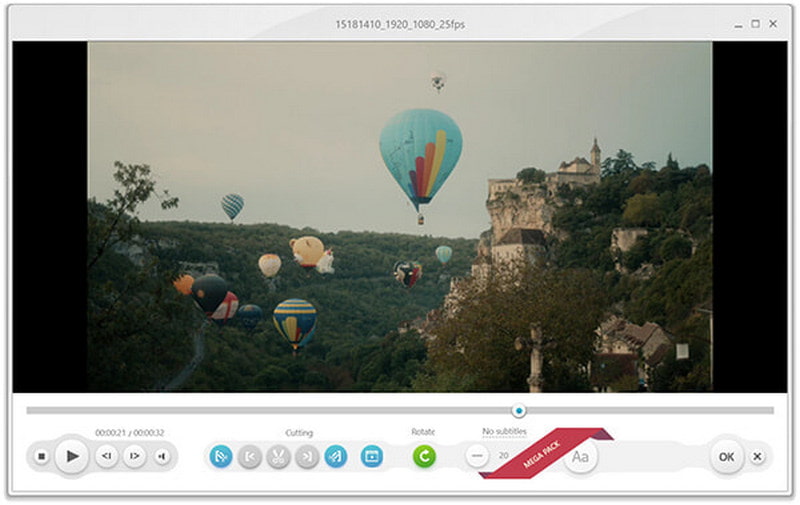
- 1.Watermark on Converted Videos: Freemake might place a branding watermark on the exported clips in the free edition, and you can only remove it by upgrading to the premium edition, kinda like that.
- 2.Slower Processing: The entire conversion queue can feel slower, especially when using a video resolution converter, as free users often notice a slight lag compared to paid options.
- 3.Restricted Premium Tools: A couple of the advanced tools, or the premium bits, are kept for folks who grab the extra feature packages.
- 4.Limited Customization: More fine-tuned controls and customization settings may require a paid upgrade, though not always.
- 5.Personal Use Only: The free edition is mostly for personal or school-type tasks; it is not meant for business use, really.
- 6.Separate Paid Packages: You can grab them one by one rather than assuming everything is already bundled into the free version, which is the default.
Part 4. Pros & Cons
- Pros
- Simple interface: Even new folks can start with it, and it feels pretty straightforward.
- Wide-format support: It can handle most video and audio formats.
- Basic editing: Subtitle, DVD, and device options are in the built-in tools.
- Batch conversion: Convert multiple files in one go to save time.
- Cons
- Security: It is made with security in mind, so it only runs on Windows, period.
- Limits in the free version: Some features are just not accessible unless you upgrade.
- Watermarks: Watermarks can appear in free conversions and may even carry the Freemake name.
- Basic editing: The editing functions are not much more advanced than in a basic setup; that is the vibe.
Part 5. User Reviews & Ratings
User feedback on Freemake Video Converter is mixed; you know, people don't really agree. Some folks like how simple it feels, and they mention conversion tools and a few editing options. Others say there are performance issues, feature limits, and a messy support side.
Lena W. on Capterra ⭐⭐⭐⭐⭐ (5/5)
Lena W. praised Freemake Video Converter for its straightforward interface and conversion and editing tools; she said it is easy to navigate for everyday media tasks.
Richard B. on Capterra ⭐⭐⭐ (3/5)
Richard B. liked the speed and reliability, especially after the upgrade. Still, he pointed out that some other features did not really fit, and that customer support was a bit disappointing.
Greg G. on Capterra ⭐⭐ (2/5)
Greg G. said that the basic version being free was a good thing, but he also reported slow performance and occasional freezing. Hence, the overall experience ends up feeling less pleasant than it should be.
BP on Trustpilot ⭐ (1/5)
BP complained that video downloads stop midway, before completion, and he was not happy with how support handled the problem once it was raised.
Part 6. Should You Use an Old Version of Freemake?
Still, going with an older version of Freemake Video Converter is a good idea if a prior release worked more smoothly or had the features you liked most. But those older builds can miss newer enhancements, compatibility updates, and security fixes, too.
So before you grab an older release, really think it through, pros and cons, like how well it behaves with the present Windows builds, whether it deals with newer container formats and codecs, and also the danger of downloading a stale installer from sketchy unofficial places.
Part 7. Freemake Video Converter vs AVAide Video Converter [The Better Choice]
- Feature
- Format Support
- Video Quality
- Batch Conversion
- Editing Tools
- Hardware Acceleration
- Platform
- Free Version
- Best For
| Freemake Video Converter | AVAide Video Converter |
| 500+ formats | 1000+ formats |
| HD and high-resolution support | Up to 8K output |
| ✓ | ✓ |
| Basic editing | More extensive editing options |
| Supported | NVIDIA, AMD, and Intel |
| Windows | Windows and Mac |
| ✓ | ✓ |
| Simple conversion tasks | Conversion, editing, and enhancement |
AVAide Video Converter Review
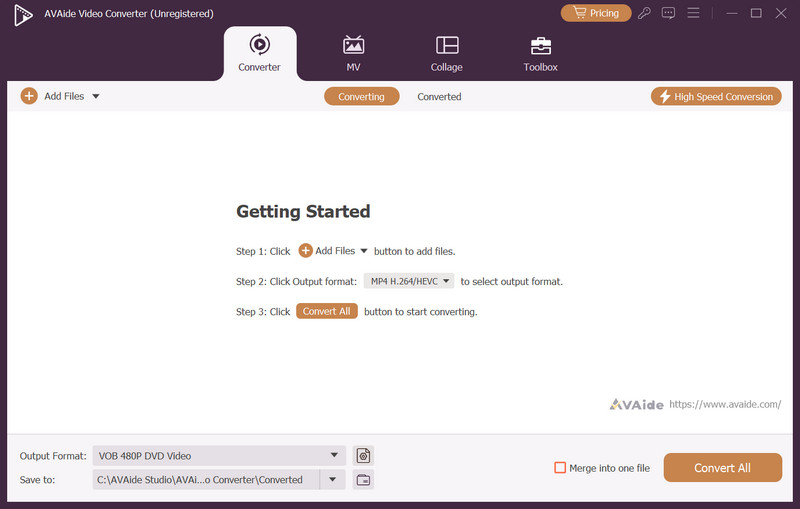
AVAide Video Converter is this kinda flexible media program where file conversion gets mixed in with editing, compression, and video enhancement, in one go, really. It is aimed at people who want broader format coverage, faster processing, and greater control over their media files, all in a single application rather than scattered across multiple ones.

FREE DOWNLOAD For Windows 7 or later
 Secure Download
FREE DOWNLOAD For Mac OS X 10.13 or later
Secure Download- Pros
- Includes AI-powered tools to upgrade video quality, making it a popular frame rate converter.
- Includes a built-in compressor for reducing large file sizes.
- Includes creative extras like an MV maker and a collage maker.
- Also throws in extra utilities, like a watermark remover and a metadata editor.
- Lets you adjust playback speed and even do reverse playback.
- Basically, bundles combine multiple media tools into a single program.
- Cons
- The huge amount of features might be more than casual users actually need.
Why Select It?
AVAide Video Converter makes more sense if you are after more than only simple format conversion. With broader format support, 8K capability, batch processing, hardware acceleration, editing functions, and enhancement options, it ends up feeling like a more complete solution than Freemake, especially when your media tasks are varied or kinda demanding.
Freemake software is good for basic video conversion, but its limits can be annoying depending on what you want to do. For broader format support, faster performance, and advanced features, AVAide Video Converter provides a stronger alternative.
ABOUT THE AUTHOR

Your complete video toolbox that supports 350+ formats for conversion in lossless quality.