This guide identifies and reviews the top 8 best DVD decrypters for PCs and Mac computers. A DVD decryption application is a tool that enables you to decrypt and copy a commercial DVD to your hard disk. It is indispensable if you intend to digitize DVD movies, back up your disc collection, or copy DVD videos to a portable device. Generally speaking, you have to decrypt an encrypted DVD before ripping movies on either a PC or a Mac.
Part 1: Top 8 DVD Decrypters
Top 1: AVAide DVD Ripper
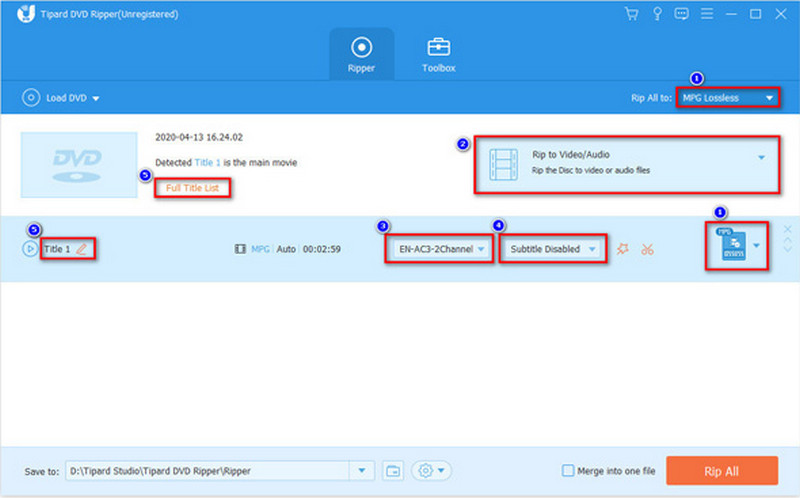
There are many concerns when doing DVD decryption, such as the decryption ability, output quality, ease of use, and more. AVAide DVD Ripper lets you do the job without any trouble. For beginners, the user-friendly interface is easy to navigate. Advanced users can decrypt advanced encrypted DVDs, even including APS, ACCS, and CPRM, and produce the desired effect with custom format, device, and resolution options. Overall, this is a comprehensive DVD decrypter, and now every reader of his post can download and use it for free using the following links.

FREE DOWNLOAD For Windows 7 or later
 Secure Download
FREE DOWNLOAD For Mac OS X 10.13 or later
Secure Download- Pros
- Decrypt any DVDs and Blu-ray discs.
- Rip DVDs to digital videos up to 4K.
- Extract audio tracks from DVDs easily.
- Convert DVDs for playing on portable devices.
- Offer lots of bonus features, like video editing.
- Cons
- It may take a while if you upscale DVD videos.
Top 2: DVDFab HD Decrypter
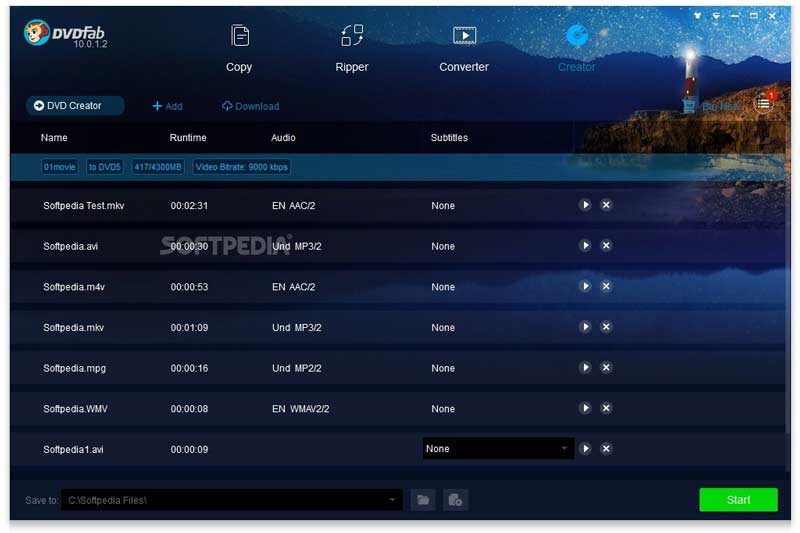
If you need an all-in-one solution, DVDFab HD Decrypter is a good choice since this DVD decryption tool is one part of DVDFab 11, which is a professional DVD solution. The software can process nearly all DVDs and Blu-rays.
- Pros
- Easy and quick to use.
- Available for Mac computers and PCs.
- Keep the video quality while decryption.
- Copy an entire DVD or rip specific titles.
- Cons
- You have to purchase the whole software.
- It is not available for all DVD protection.
Top 3: DVD Decrypter
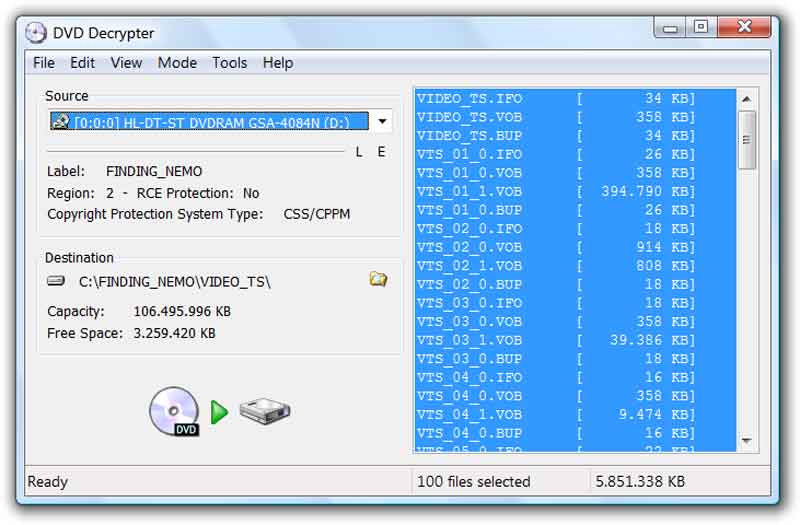
As its name indicated, DVD Decrypter is a free DVD decryption program for PCs. Although it has not been updated for years the program still works fine. More importantly, the software is open-source and free to everyone.
- Pros
- Completely free to use.
- Decrypt commercial DVDs effectively.
- Lightweight and run fast on PCs.
- Not require you to install anything on your desktop.
- Cons
- You need another tool to rip decrypted DVDs.
- It is not available on Mac.
Top 4: DVD Shrink
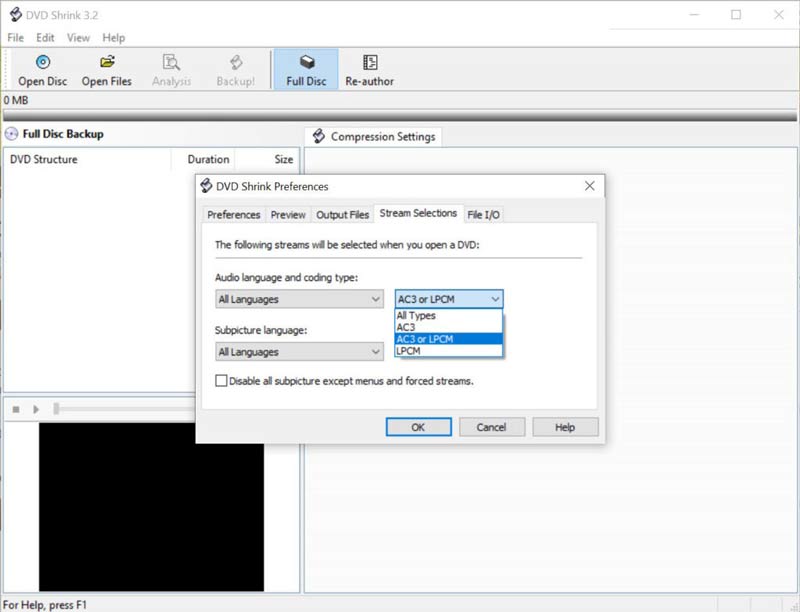
DVD Shrink is another free DVD decryption program for PCs. Unlike DVD Decrypter, it copies the entire optical disc to another DVD or a digital file while compressing the file size efficiently. It is a good way to save space.
- Pros
- Free of charge without restrictions.
- Copy and rip encrypted DVDs.
- Preserve DVD content, like subtitles, menus, etc.
- Convert DVDs to digital videos.
- Cons
- It impacts a lot on the video quality.
- The developer has stopped releasing updates for years.
Top 5: WinX DVD Ripper
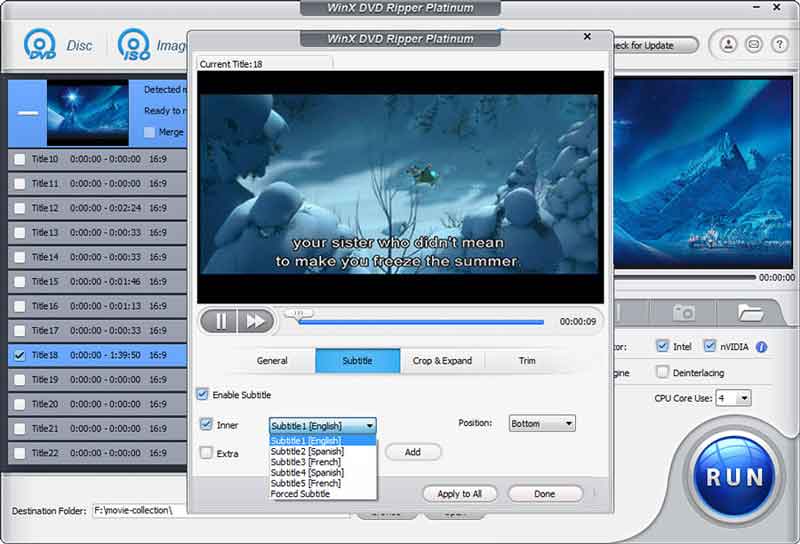
WinX DVD Ripper is a powerful DVD decryption program. It converts your commercial DVDs to digital video or audio files quickly. It comes with a free and a pro version. You have to purchase the pro version if you really want to do something.
- Pros
- Decrypt and rip commercial DVDs.
- Support lots of video and audio formats.
- Transcode DVDs to high-quality videos.
- Integrate the hardware acceleration.
- Cons
- It lacks video editing features.
- The free version is pretty limited.
Top 6. Handbrake with libdvdcss
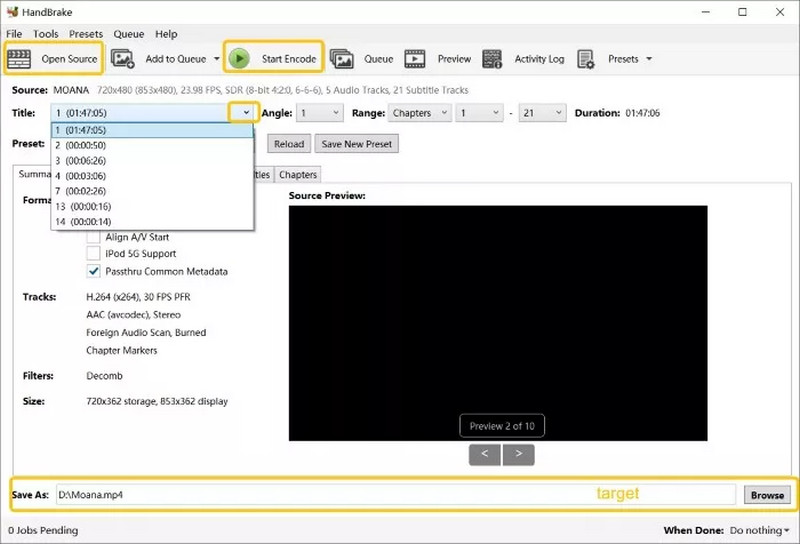
Handbrake is a DVD ripper without the DVD decryption feature. However, you can download the libadvcss, which is developed by VideoLAN, and encrypte DVDs protected with CSS. To encrypt DVDs with this best free DVD decrypter, you need to download libadvcss to the Handbrake installation folder. After decrypting, you can set the output format as MKV, MP4, and WebM.
- Pros
- Remove encryption from DVDs.
- Support most CSS-DVD discs.
- Totally free.
- Cons
- It must work with extra software to rip DVDs.
- It is only available for CSS encryptions.
Top 7. AnyDVD HD
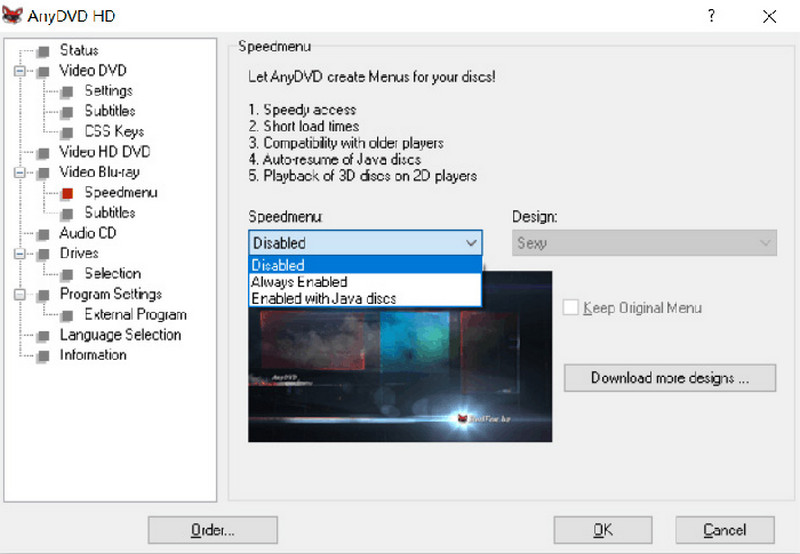
AnyDVD HD's DVD decryption feature automatically removes copy protections and region locks as soon as a disc is inserted. It operates in the background, allowing any program on the computer to access the decrypted content without additional steps. Therefore, it is super easy to use for any beginners. Moreover, after the protection is removed, any program can visit the video without any limitation. However, it primarily outputs DVDs as Video_TS folders rather than converting them into formats like MKV, MP4, and WMV.
- Pros
- Support a wide range of DVDs and Blu-rays, as well as encryptions.
- Automatically processed and easy to use.
- Free trial is available.
- Cons
- The only output format is Video_TS folder and this makes it unavailable with other devices. You must use another tool to convert them to the format you want.
- Only available for Windows.
Top 8: MakeMKV
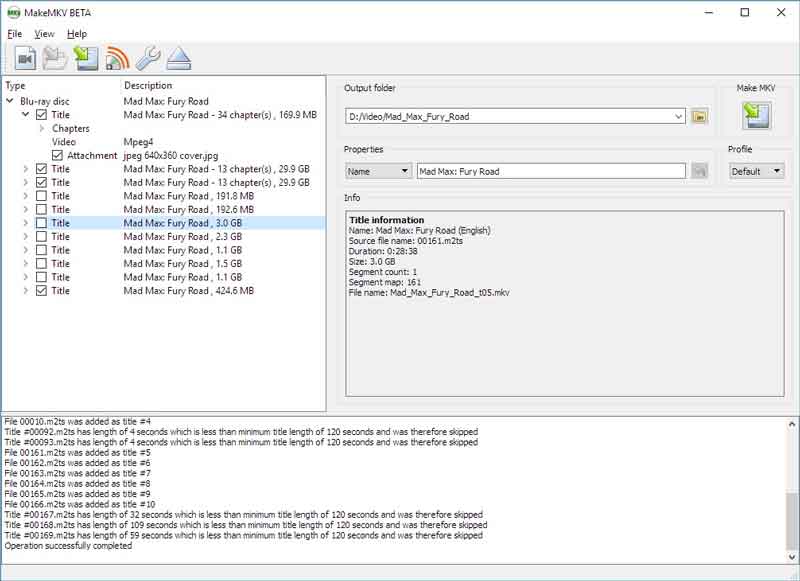
MakeMKV is another DVD decrypting software for Windows, macOS, and Linux. It not only removes encryption from DVDs but also rips them to MKV video files without asking for any fee.
- Pros
- Simple to use.
- Completely free for now.
- Rip encrypted DVDs and Blu-ray discs.
- Rip encrypted DVDs and Blu-ray discs.
- Cons
- It lacks hardware acceleration.
- The output file size is very large.
Part 2: How to Decrypt a DVD without Quality Loss
In addition to an appropriate DVD decryption software, you also need to follow the correct workflow in order to produce the best output quality. Therefore, we use AVAide DVD Ripper as an example to show you the procedure.
FREE DOWNLOAD For Windows 7 or later
Secure DownloadFREE DOWNLOAD For Mac OS X 10.13 or later
Secure DownloadStep 1Load a DVD
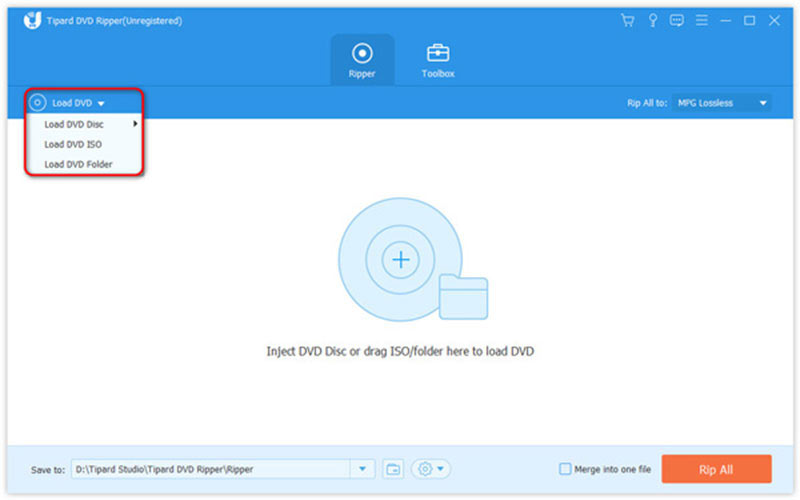
Run the best DVD decryption software once you install it on your desktop. Insert the desired DVD into your computer. Go to the Load DVD, choose Load DVD Disc, and select the disc.
Step 2Select the output format
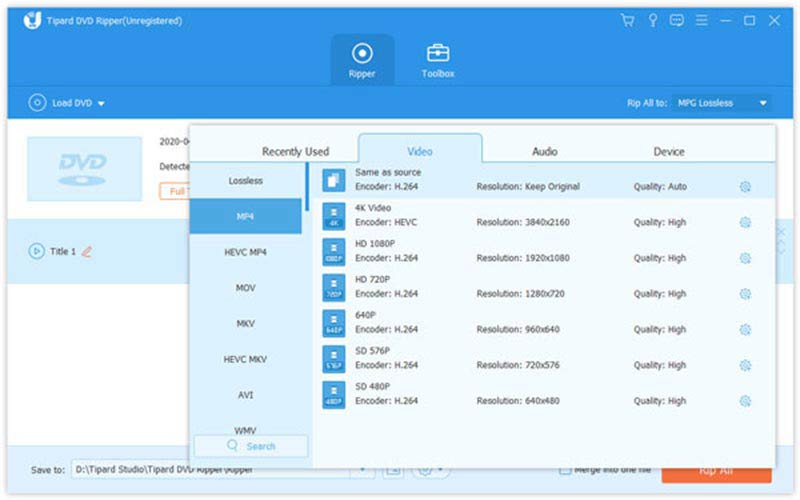
After the disc loads, click the Full Title List button and select the chapters that you want to decrypt and rip. Then click the Rip All to menu to open the profile dialog. Go to the Video tab and select an output format. If you wish to view the video on your mobile phone, switch to the Device tab, and select your phone model.
Step 3Decrypt and rip a DVD
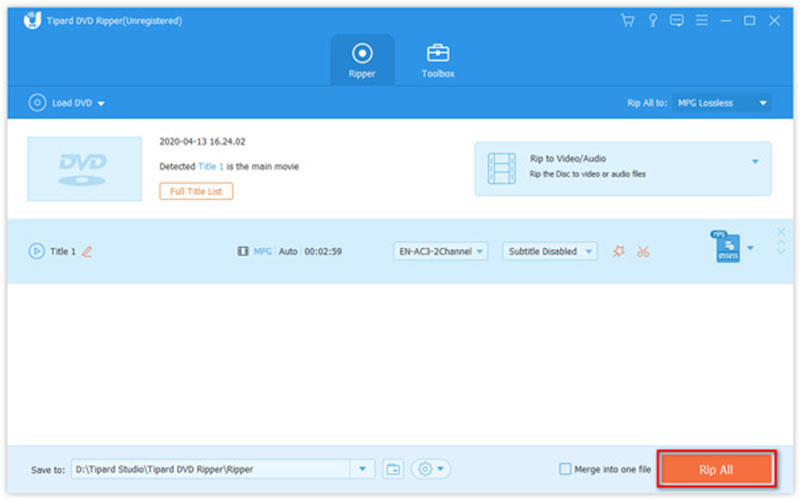
At last, locate the bottom area in the main interface. Hit the Folder icon and set a specific folder to save the results. Next, click on the Rip All button to begin decrypting and ripping the DVD. Due to the hardware acceleration, you can get the digital video files on your hard drive a few minutes later.
Part 3. Comparison of the 8 Top DVD Decrypters
We have estimated all the eight best DVD decrypters from all perspectives. To make their pros and cons clearer, we summarize this comparison table and you can see all the essential aspects that impact you in choosing the DVD decrypter.
- Software
- AVAide DVD Ripper
- DVDFab HD Decrypter
- DVD Decrypter
- DVD Shrink
- WinX DVD Ripper
- Handbrake + libdvdcss
- AnyDVD HD
- MakeMKV
| Decryption Capabilities | Input | Output | Easy to Use | Video Editing | Price | Operating System |
| CSS, RC, RCE, APS, UOPs, CPRM, AACS, UOPS, etc. | DVD, ISO, Folder | All popular video formats, device-compatible formats | Yes | Yes | Free trial available | Windows & Mac |
| CSS, RC, RCE, APS, UOPs, BD-Live, Sony ARccOS, AACS, UOPS, etc. | DVD/Blu-ray disc, ISO, Folder | DVD/Blu-ray disc, ISO, Folder, MP4, MKV | Yes | Yes | Free | Windows & Mac |
| RC, CSS, Macrovision content protection | DVD | ISO, IFO image file | No | No | Free | Windows |
| CSS, RC, RCE | DVD, Folder | Image file, Folder | No | No | Free | Windows |
| CSS, RC | DVD disc, ISO, Folder | AVI, WMV, MP4, MOV | No | Available in paid version | Free | Windows 11/10 or lower & Mac Ventura or lower |
| CSS | DVD and Blu-ray discs | MP4, MKV, WebM | No | No | Free | Windows / Mac / Linux |
| CSS, ARccOS, Uops, RC, RCE, AACS, BD+ | DVD/Blu-ray disc, ISO, Folder | DVD, Blu-ray disc, ISO, MKV, MP4 | Yes | No | Paid | Windows |
| CSS, AACS, BD+ | DVD, Blu-ray disc, ISO, Folder | MKV | Yes | No | Free (Beta) | Windows / Mac / Linux |
Part 4: FAQs about DVD Decrypter
Can HandBrake decrypt movie DVDs?
According to our research, HandBrake cannot decrypt any protected DVD. In other words, you have to decrypt it with a DVD decryption program, and then rip it to digital videos with HandBrake.
Is DVD decryption legal?
There are free DVD decryption programs on the market, such as DVD Decrypter. They are legal and widely used to remove encryption from movie DVDs. However, you'd better not use this software for commercial purposes.
Does DVD Decrypter work with Blu-ray?
No. DVD Decrypter had stopped updating before Blu-ray became popular. Therefore, the software does not support Blu-ray discs or the latest systems. You can use MakeMKV or other freeware to decrypt your Blu-ray discs.
With our review, you should learn at least the top 8 best DVD decrypter software for Windows, macOS, and Linux. Some of them are completely free to use, like DVD Decrypter. Others require some kind of payment to unlock all functions but provide powerful tools. AVAide DVD Ripper, for example, enables you to remove encryption from DVDs, convert them to digital videos, and edit videos easily.
Best tool for ripping and converting DVD Disc/Folder/ISO image file into over various formats.