You get out an old DVD, thinking that you will watch a favorite movie, but you can not do it because your laptop cannot read it. Decoding DVD has the potential to convert such frustration into the fluency of playing digital versions. The trick to unlocking old disks and retaining every scene of the movie is being aware of the workings of DVD decoders and the ability to select the correct tools to use with Windows or Mac. This guide walks you through decoding, converting, and playing DVDs without the usual headaches.
Part 1: What Is a DVD Decoder and How It Works
A DVD decoder is a program or hardware device that converts the information in a DVD to video and audio that can be played out on your device. DVDs contain data in compressed electronic form, and the decoder decompresses this data, aligning soundtrack and visuals to play with a fluid flow.
Knowing the mechanism of a DVD decoder will allow you to make the necessary choice of tools and guarantee their compatibility with Windows, Mac, or other gadgets. It fills the void between the unprocessed disc data and what you see on the screen.
Part 2: Best DVD Decoders for Windows/Mac
Finding the right DVD decoder ensures smooth playback and reliable DVD decoding on your Windows or Mac device. With so many options available, choosing the right software can feel overwhelming. Here are some of the top tools to simplify the process:
1. HandBrake
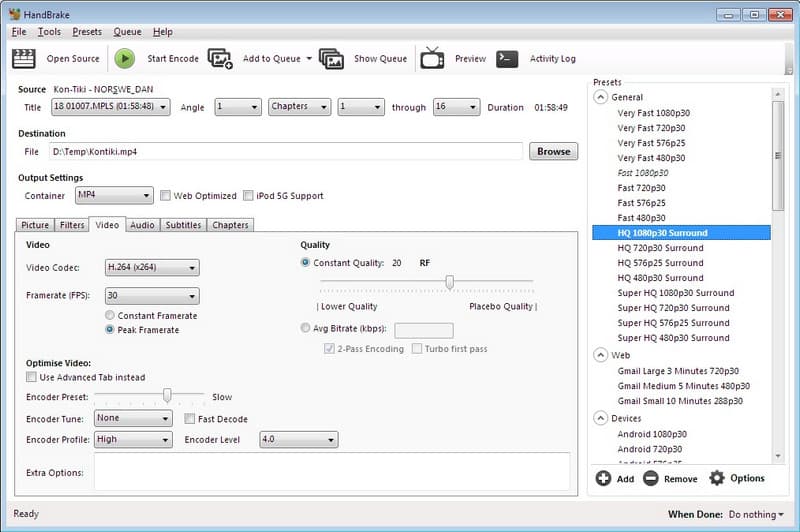
HandBrake is widely regarded as the best DVD decoder for high-quality digital conversions. Its open source platform that allows a variety of formats and gives in-depth control of video settings, such as resolution, bitrate, and subtitles. HandBrake provides a uniform level of performance and supports batch conversions, which make it popular among users who require strict control over DVD playback and digital outputs while preserving original quality.
2. VLC Media Player
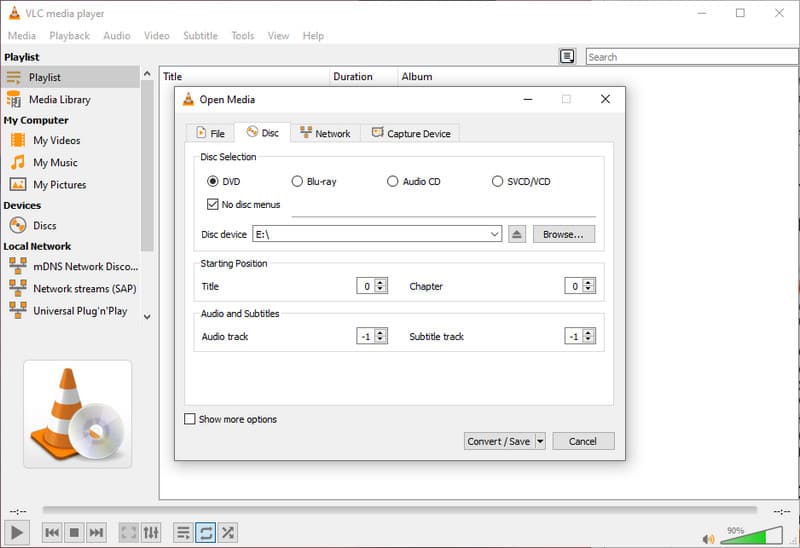
VLC is not just a media player; it also serves as a simple DVD decoder. It has the ability to read the majority of discs without the use of other codecs, as well as basic conversion of the same, making it a convenient choice among casual users. Its cross-platform compatibility with Windows, Mac, and even Linux has provided wide accessibility, and its intuitive interface has eased DVD decoding without any technical expertise being required.
3. WinX DVD Ripper Platinum
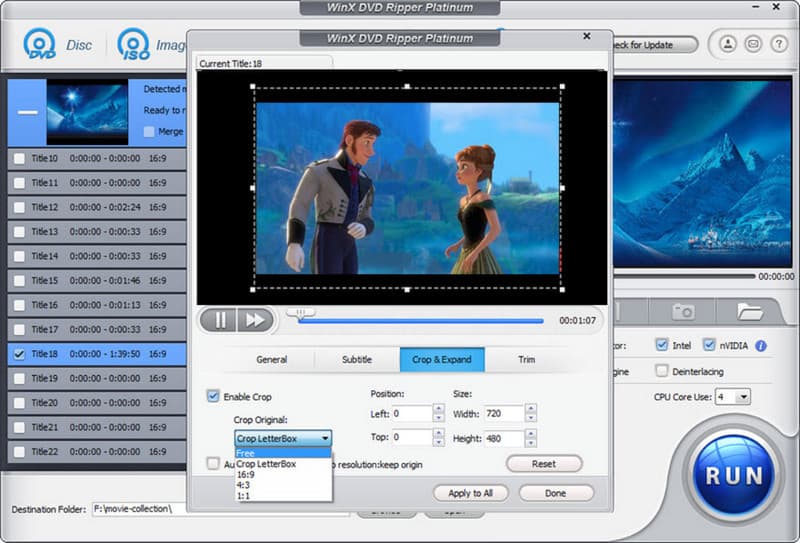
WinX DVD Ripper Platinum excels at fast and accurate DVD decoding on both Windows and Mac. It preserves original video resolution, subtitles, and audio tracks while supporting a wide range of output formats. The software also features hardware acceleration for faster ripping, making it perfect for users who want both speed and high-quality digital copies of their DVDs.
4. DVDFab DVD Ripper
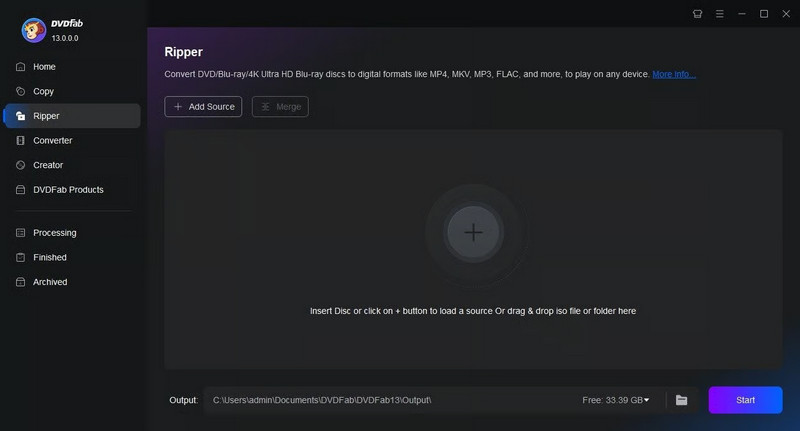
DVDFab combines speed, flexibility, and advanced features for batch conversions. It is recognized as one of the best DVD decoders, allowing users to select formats, maintain quality, and decode discs efficiently on both Windows and Mac systems.
5. MakeMKV
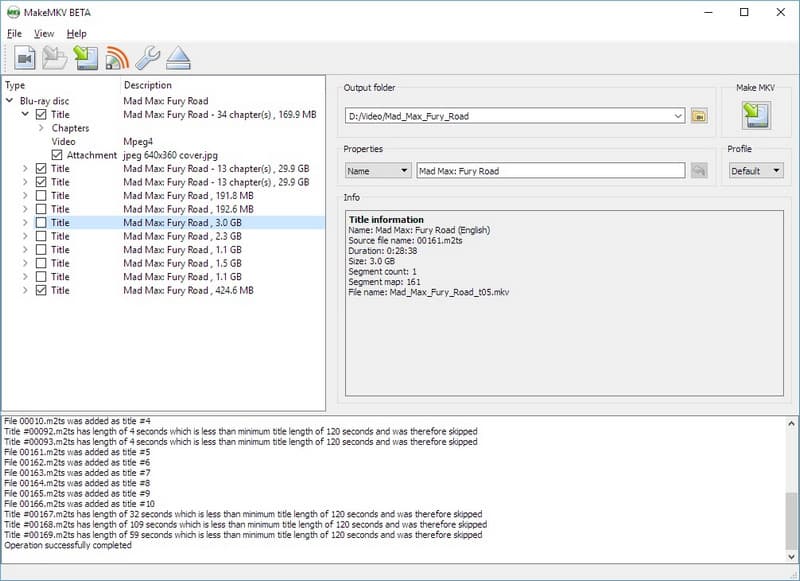
MakeMKV Platinum focuses on converting DVDs into MKV files and functions as a reliable DVD decoder. Its simple interface and lossless output render it a perfect alternative to those users who desire to preserve all the video, audio, and subtitle tracks without compression. MakeMKV is also effective where one wants to preserve a collection or develop discs that can be played by any of the many devices without compromising the quality of the content.
A good DVD player can play DVDs, its DVD can be decrypted without error, and it can be compatible across different devices over the years. The appropriate program stores the quality of your movie collection, and the process of DVD conversion is easy and dependable.
Part 3: Decode DVD to Digital for Playback
AVAide Blu-ray Player is a trusted and multifunctional device that is able to play DVD and Blu-ray files and provide high-definition video, audio stream, and a user-friendly interface. AVAide also reads well and analyzes your DVDs to play perfectly, whereas the decoder DVD Windows Media Player neither converts nor decompresses them. Compatible with both Windows and Mac, it preserves original video quality and makes navigation simple, intuitive, and professional. For anyone looking to enjoy DVDs without the limitations of Windows Media Player, AVAide Blu-ray Player is an excellent choice.
Step 1Download AVAide Blu-ray Player, follow the installation process, and tick the Start Now button to open the program.

FREE DOWNLOAD For Windows 7 or later
 Secure Download
FREE DOWNLOAD For Mac OS X 10.13 or later
Secure DownloadStep 2Place your DVD into the optical drive of your computer and tick Open Disc to load the content. The software will automatically read and analyze the disc.
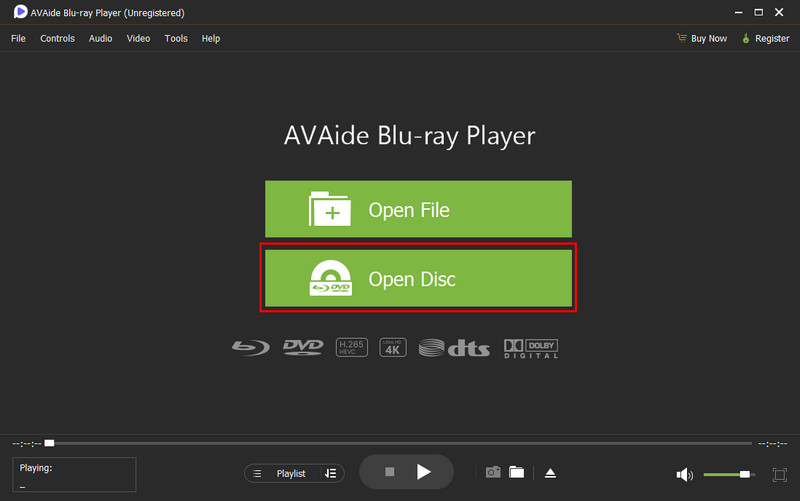
Step 3After analysis of the placed DVD, the video will play instantly, providing high-definition playback with smooth audio and crisp visuals.
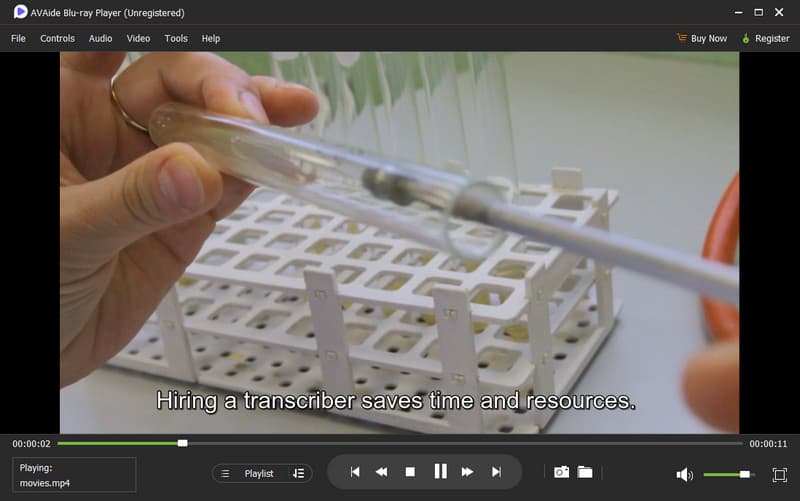
With AVAide Blu-ray Player, your DVDs can be enjoyed in high definition without worrying about playback issues or compatibility. Even though decoder DVD Windows Media Player cannot convert discs, this tool ensures smooth, professional-quality viewing on both Windows and Mac.
Part 4: How to Play a DVD Without a DVD Decoder
AVAide DVD Ripper is an efficient way to go, should you lack a DVD decoder or if you would like to circumvent the region locks in your system. Contrary to a DVD decoder to Windows Media Player, which does not rip the DVDs, turning them into a digital file, AVAide enables you to rip the DVDs, maintaining the original quality. It supports Windows and Mac, high definition, and guarantees compatible playback through any player. It is perfect to make high-quality and portable copies of your collection in order not to think about compatibility or region lockouts.
Step 1Download AVAide DVD Ripper from the official website or a trusted source. Follow the installation instructions to set it up on your Windows or Mac system.
FREE DOWNLOAD For Windows 7 or later
Secure DownloadFREE DOWNLOAD For Mac OS X 10.13 or later
Secure DownloadStep 2Insert your disc into the drive, open AVAide, click the Ripper tab, and select Load DVD to import the content you want to convert.
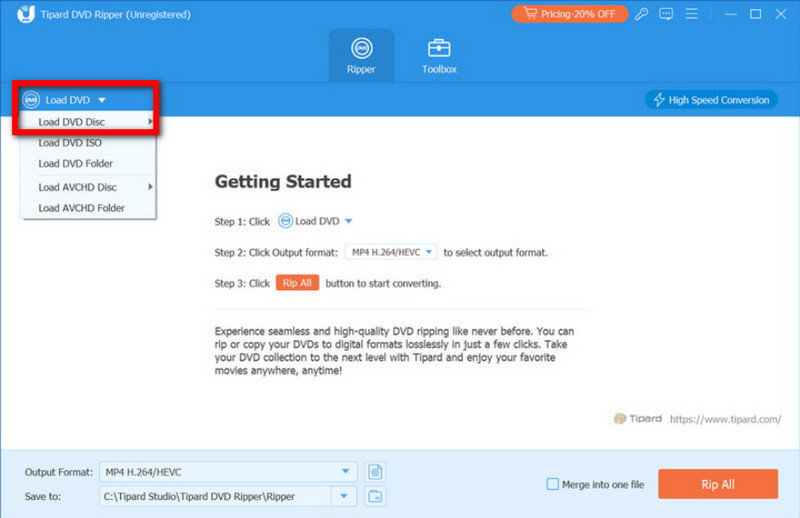
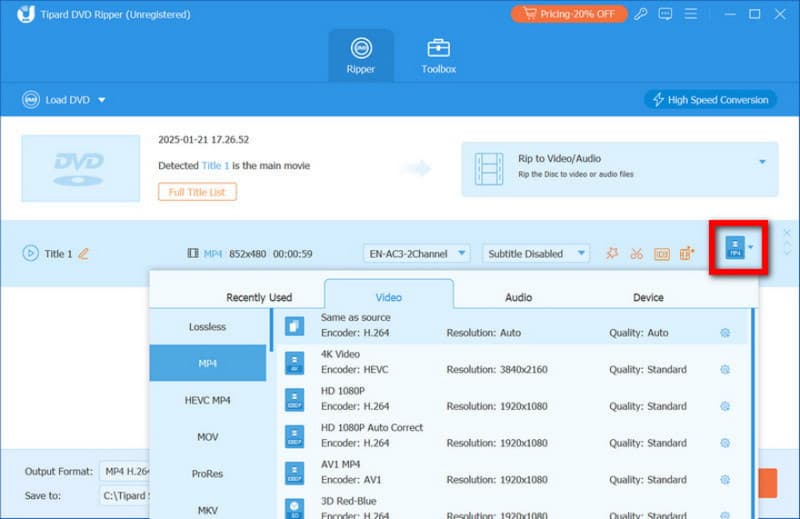
Step 3From the Format menu, after clicking, choose a format that supports 4K, such as MP4 or MKV. Adjust frame rate, bitrate, encoder, and other settings to preserve original quality.
Step 4Finally, click Rip All and the AVAide processes the files quickly while maintaining maximum quality. When finished, locate your digital files in the selected folder and enjoy your movies anywhere.
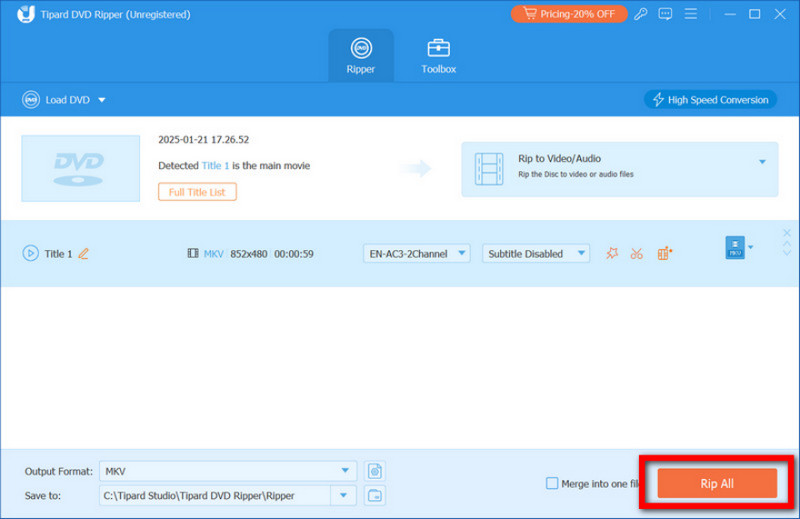
AVAide DVD Ripper enables you to convert your movies directly without the DVD decoder restrictions, without losing the quality of the movies. It is compatible with Windows and Mac and, therefore, makes disc conversion a fast, easy, and reliable process. Once ripped, your videos are all portable as well as can be watched anywhere, and not like your physical DVD drive, which is a permanent part of your computer, thus attached forever.
DVDs remain a reliable way to store movies, but modern devices often cannot play them directly. Learning DVD decoding would enable you to select the appropriate tools that can convert or play the discs without compromising on quality. With reliable programs such as HandBrake, VLC, WinX, or AVAide, one can guarantee an easy playback, complete compatibility, and quality and high-definition video. To have the ability to play the DVDs in any place and on any device with the help of the right decoder and player, and preserve the original quality.
ABOUT THE AUTHOR

Best tool for ripping and converting DVD Disc/Folder/ISO image file into over various formats.