Movavi Screen Recorder has become the most reliable and lightweight screen-recording software you can access on your computer. With its capability to record everything, you can ensure that you can capture memories, record webinars, create a tutorial video, and more, in a smoother and more effective way. It can even offer more features that you can access to achieve your desired objectives. So, if you want to learn more about the recorder, check this review as we offer all the information you need.
- Part 1. What is Movavi Screen Recorder
- Part 2. Key Features of Movavi Screen Recorder
- Part 3. Where to Access Movavi Screen Recorder
- Part 4. Ease of Use and Interface of Movavi Screen Recorder
- Part 5. Pricing of Movavi Screen Recorder
- Part 6. Pros and Cons of Movavi Screen Recorder
- Part 7. Movavi Screen Recorder Alternatives
Part 1. What is Movavi Screen Recorder
Movavi Screen Recorder is an exceptional software that is designed to capture video and audio directly from your computer screen. It lets users capture webinars, tutorials, video calls, gameplay, and more. The best part here is that you can customize various parameters, including resolution, frame rate, audio sources, and more. What's more, it also offers tools for scheduling, simple editing, and saving files in various output formats. With that, if you are looking for a professional-grade screen recorder, Movavi Screen Recorder is among the choices you must consider.
Who is it for?
Movavi Screen Recorder is made for various users, including professionals making lessons or recording meetings, learners who need to record online lectures, and even gamers who wish to share their games. While its advanced features, such as scheduled recording and several output formats, appeal to more seasoned users, its straightforward user interface makes it accessible to non-professionals. With that, it is a tool for anyone in need of dependable, high-quality screen capture that doesn't require a significant learning curve.
Part 2. Key Features of Movavi Screen Recorder
To get more ideas about Movavi screen-recording software, check this section and explore more about its capabilities.
Record Screen
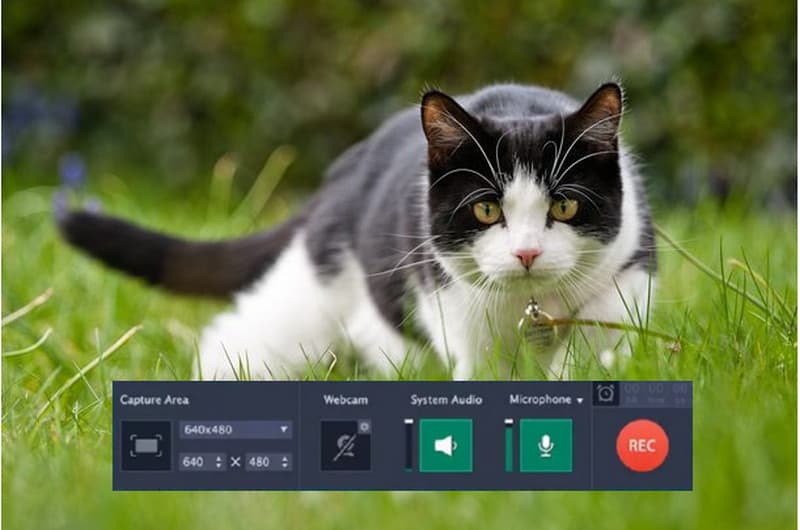
The core feature of the program is to record the screen. You can capture/record a video, meetings, gameplay, text-based data, and more. It is perfect if you want to collect all the contents you have on your computer screen. The best part here is that the recording process is simple, making it ideal for all types of users.
Webcam Integration
You can also use the program as the best webcam recorder. With this feature, you can include and record your webcam, making it perfect if you want to add your face to your screen when watching, creating instructional videos, or reviewing certain content.
Annotation Tools
The recorder can also give you various annotation tools. It lets you draw on your screen during the recording process. You can even use your cursor for highlighting content, ideal for creating tutorials.
Scheduling
What makes the recorder powerful is its capability to offer scheduled recordings. With this feature, you can schedule and set timers to start and stop recording. It is perfect for webinars or online classes when you can't control the recording manually.
Screenshot
Besides audio and screen recording, you can also take a screenshot using the recorder. This feature is ideal if you want to capture a highlight or important content on your screen.
Record Audio
The program also allows you to record audio on a computer. With this feature, you can both record video and audio at the same time. You can even record the internal audio, mic, and the speaker. Plus, it ensures that you can get better audio quality for a satisfying listening experience.
Part 3. Where to Access Movavi Screen Recorder
Wondering where you can access the program? The best part here is that you can download and install it on various platforms. You can access it on your Windows, Mac, Android, and iOS devices. Thus, if you want to capture specific content from your screen, Movavi Screen Recorder will give you the result you need.
Part 4. Ease of Use and Interface of Movavi Screen Recorder
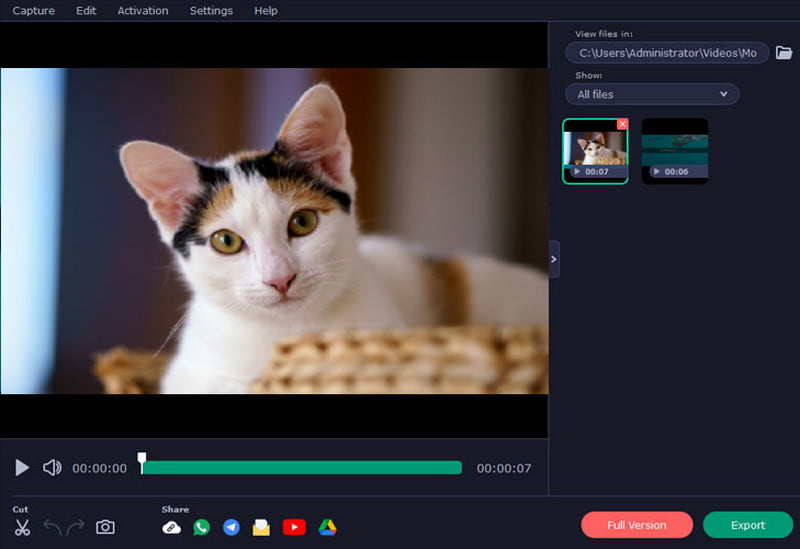
Many people appreciate Movavi Screen Recorder for Mac and Windows for being user-friendly and having a simple UI that even beginners can utilize. You won't lose time looking through menus thanks to the simple structure and clearly labeled buttons for recording, audio, and webcam options. Although it offers sophisticated settings stashed inside for those who desire more control, its simple form minimizes distractions. All things considered, the interface achieves a balance between usability and simplicity, enabling users to begin recording right away without a significant learning curve.
Part 5. Pricing of Movavi Screen Recorder
Movavi Screen Recorder for Windows and Mac is not 100% free. You must get the premium version if you want to access more features for producing an excellent result. To get more information about the recorder's pricing, you can check the table below.
| Plan | Pricing | Features | Best for |
| 1-Month Subscription | $19.95 | • Full features. • No watermark. • System audio + mic recording. • Webcam capture. | Users testing the software or short-term projects |
| 1-Year Subscription | $44.95 | • All features. • Scheduled recording. • Annotation tools and free updates. | Students and professionals need regular recording. |
| Business License (1 Year) | $49.95 | • All features + company use rights. • Flexible payment options. | Teams or companies needing multiple licenses |
| Lifetime License | $39.95 | • Unlimited recording. • No watermark. • Webcam + audio capture. | Individuals who want a one-time purchase |
Part 6. Pros and Cons of Movavi Screen Recorder
Check here and learn more about the recorder by discovering its pros and cons.
- Pros
- The recorder has a user-friendly interface, making it ideal for beginners.
- It has flexible recording options. You can capture the full/entire screen, a specific screen area, or integrate webcam overlays.
- The software can record both the microphone and system audio at the same time,
- It can support various output formats, including MKV, MOV, MP4, AVI, and more.
- The recorder is lightweight, so there is no need for a high-spec computer.
- Cons
- The program has limited editing tools.
- The free version has various restrictions. It can even insert a watermark into the saved video.
- There are times when the recorder doesn't perform well.
Part 7. Movavi Screen Recorder Alternatives
Since the free version of Movavi Screen Recorder has various restrictions, you might look for another replacement. If that is the case, see this section and discover the best alternatives you can use for a better recording process.
AVAide Screen Recorder
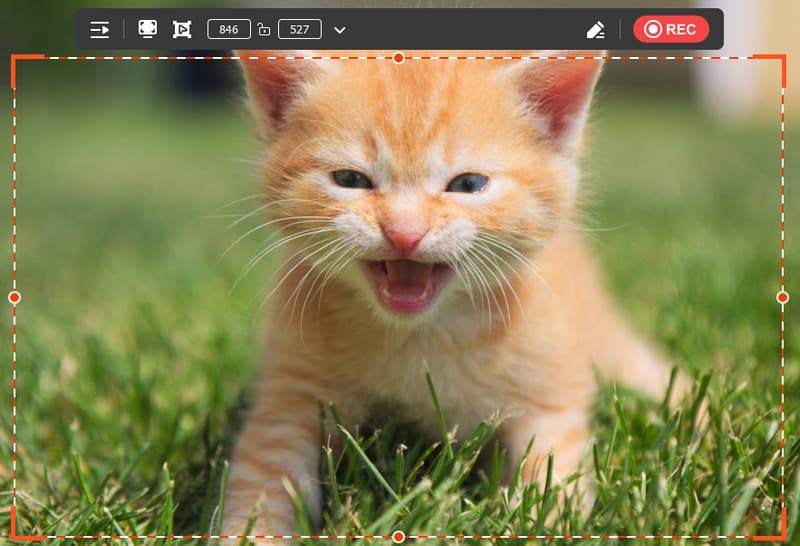
If you need an exceptional video and audio recorder, look no further than AVAide Screen Recorder. This program is perfect since it ensures the capture and record everything on your screen. You can record gameplay, videos, webinars, phone calls, music, and more. It can even offer a simple UI, smoother conversion process, annotation tools, scheduled recording, and fast export. Plus, it can even provide numerous editing tools that can help you improve the recorded content. What we like here is that even if you are using the free version, you won't encounter any watermark on the video. With that, if you want a better replacement for Movavi, feel free to utilize AVAide Screen Recorder.

FREE DOWNLOAD For Windows 7 or later
 Secure Download
FREE DOWNLOAD For Mac OS X 10.13 or later
Secure DownloadScreen Recorder
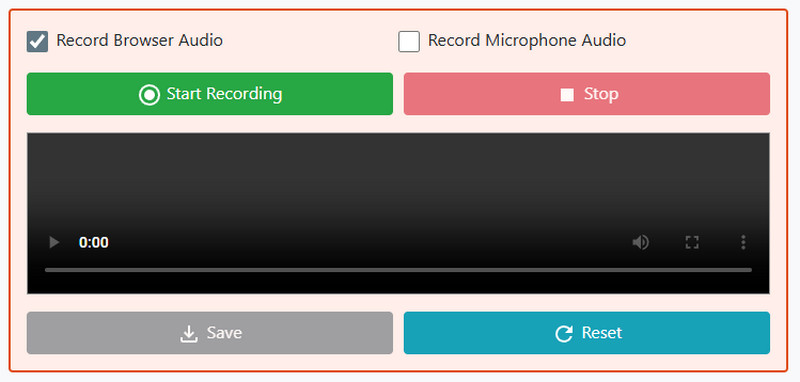
Do you want to use an online-based recorder? In that case, we suggest using Screen Recorder. This tool is ideal if you want to record your screen on your browser. You can also record any tabs, windows, or your entire screen. What we like here is that the layout is simple, which makes it suitable for all users. The only drawback here is that there are various ads you might encounter on the screen. It also requires a better internet connection to record content without any lag. But still, if you want a simple yet reliable recorder, consider using this recorder.
With this detailed review of Movavi Screen Recorder, you have found out that it is among the recorders you can access for an effective recording process. It can also offer various features you need to achieve your goal. However, since there are various restrictions on the free version, you might need a better recorder. In that case, it would be better to use AVAide Screen Recorder. This recorder ensures that you can record any content with the best quality, resulting in better video playback.
ABOUT THE AUTHOR

Record your screen, system audio, microphone, and webcam in high quality with flexible modes.