Today, many people need to capture their computer screen for different reasons. They may want to save an online meeting. They may also want to record a tutorial or a class.
An HD Screen Recorder helps you save everything in high-quality video with crisp detail. It captures what you do on screen in real time. It is now an important tool for work, school, and content creation.
So, please stick around. We will explore the best HD screen recorders you can use today!
What to Look for in an HD Screen Recorder
Not sure what to look for in an HD screen recorder? If so, please check below.
1. Resolution Support
Pick a recorder that supports at least 1080p Full HD. It gives a clear and sharp video. If you do gaming or high-end work, choose one that supports 4K.
2. Frame Rate
Use 30 FPS for simple tasks like tutorials and meetings. Choose 60 FPS for gaming or fast action. It makes the video look smoother. It is better if you can adjust the FPS.
3. Audio Recording
The tool should record system sound and the microphone at the same time. It helps with narration. Noise reduction is also helpful. It makes the sound clearer.
4. No Watermark/Time Limit
Choose a recorder without watermarks. It is important for clean and professional videos. Avoid using tools with short recording limits as well. Long sessions benefit from it.
5. Editing Features
Seek out simple editing tools. Crop, cut, and trim are all helpful. Additional features for lessons and instructions include drawing assistance and cursor highlight.
6. System Compatibility
Make sure it works on your device. It should support Windows, Mac, or Linux. It avoids errors and performance issues.
A Quick Overview Table of Top HD Screen Recorders
| HD Screen Recorder | Platform | Max Resolution | Free Version | Watermark | Best For |
| AVAide Screen Recorder | Windows & Mac. | 4K | Yes, free version available. | No watermark. | Full HD recording with editing tools. |
| OBS Studio | Windows, Mac, and Linux. | 4K | 100% free screen recorder. | No watermark. | Streaming and advanced recording control. |
| Snagit | Windows & Mac. | 4K | Free trial only. | No watermark. | Quick screen capture and guides. |
| Icecream Screen Recorder | Windows, Mac, and Android. | 4K | Yes, a limited free version. | Watermark on the free version. | Simple tutorials and basic recording. |
| Camtasia | Windows & Mac. | 4K | Free trial only. | Watermark on trial. | Professional editing and screen videos. |
| Bandicam | Windows only. | 4K | Yes, a limited free version. | Watermark on the free version. | Gaming and high-quality capture. |
| ScreenRec | Windows, Mac, and Linux. | 4K | Yes, free version available. | No watermark. | Fast recording and instant sharing. |
Top 1: AVAide Screen Recorder
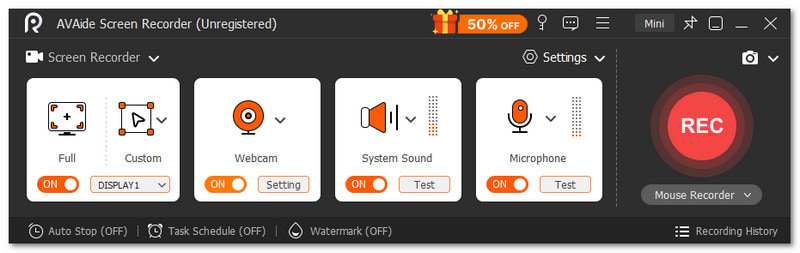
AVAide Screen Recorder will not sit in the first spot for no good reason. It checks all the things you should look for in an HD screen recorder. It lets you record full screen or a custom area. It also supports webcam, system sound, and microphone at the same time.

FREE DOWNLOAD For Windows 7 or later
 Secure Download
FREE DOWNLOAD For Mac OS X 10.13 or later
Secure DownloadIn addition, you can adjust output settings like video format, frame rate, and quality. More than that, it has no watermark and allows long recording times. Overall, it feels simple but complete for daily use.
Things that stand out:
- Supports up to 4K and 1080p video quality.
- Set the scheduled start and stop recording time.
- Add text, whiteboard, images, and focus marks.
- Take one-click screenshots anytime.
- Edit recordings with trim, merge, convert, compress, and audio tools.
Top 2: OBS Studio
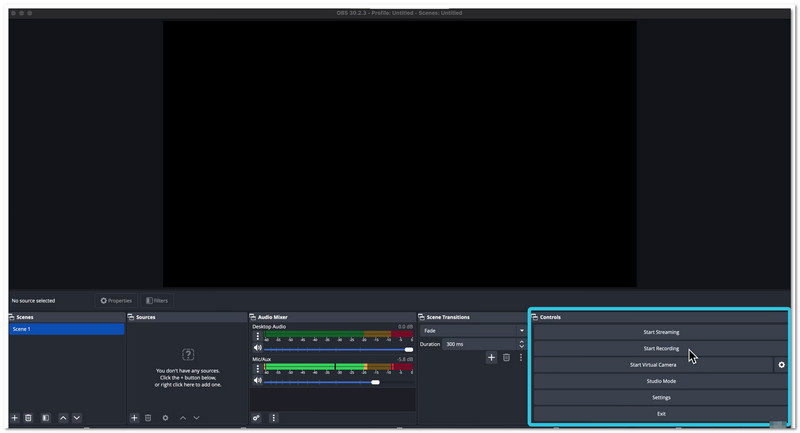
OBS Studio stands as one of the recommended free HD screen recorders today. It records and streams at the same time. It works well for creators and streamers. It supports many sources like webcam and a browser. You can build scenes and switch fast. It also gives strong control over audio and video.
Things that stand out:
- Supports real-time video and audio capture and mixing.
- Lets you create and switch between unlimited scenes.
- Offers an advanced audio mixer with filters and plugins.
- Includes custom hotkeys for quick control.
- Supports plugins, scripts, and custom layouts.
Top 3: SnagIt
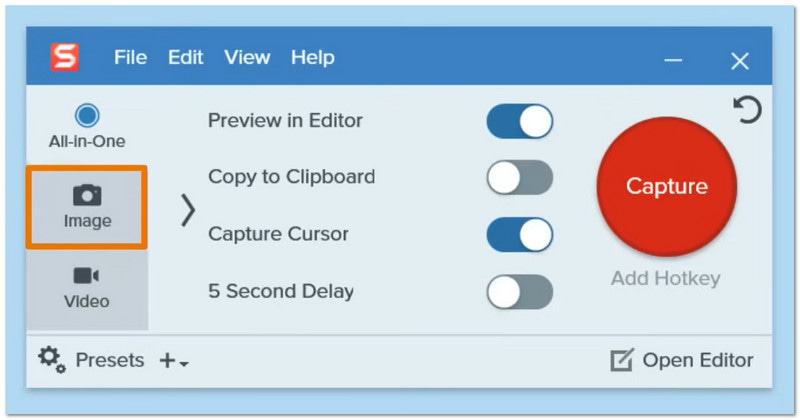
Snagit brings a different way to record your screen. It focuses on fast capture and clear visuals. It helps you turn simple clips into guides. It also connects well with Camtasia. Many big companies trust this HD recorder software for daily work and sharing ideas.
Things that stand out:
- Records screen with picture-in-picture webcam view.
- Captures full pages with scrolling capture.
- Let you create GIFs from recordings.
- Adds callouts, arrows, and notes to visuals.
- Allows instant sharing to apps and platforms.
Top 4: Icecream Screen Recorder
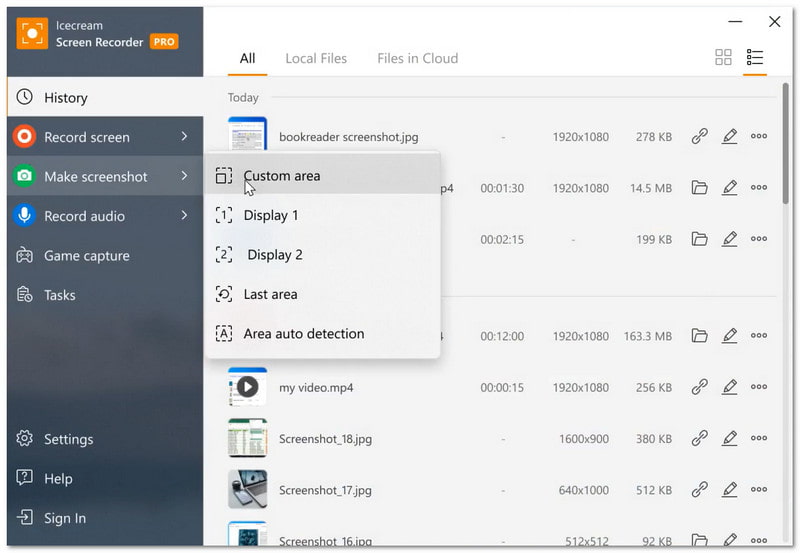
Icecream Screen Recorder is recommended if you want to record video with sound on Mac and Windows. It can record the entire screen or just a portion of it. It also has webcam and audio support. Tutorials, meetings, and streaming can all be recorded. Additionally, you may plan recordings and instantly share footage.
Things that stand out:
- Records screen with system sound and microphone.
- Supports webcam overlay during recording.
- Offers basic editing like trim and speed control.
- Allows drawing and adding text on screen.
- Includes scheduled recording option.
Top 5: Camtasia
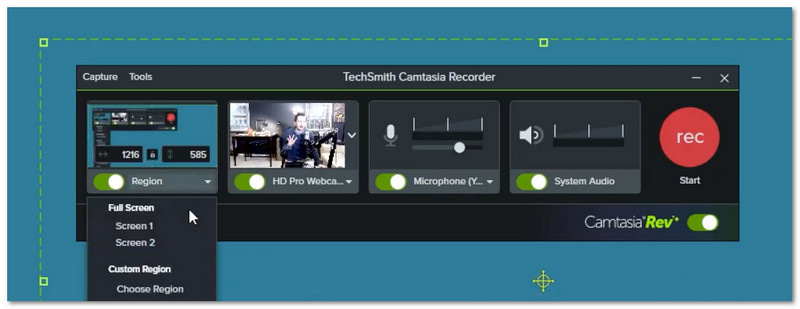
Camtasia combines screen recording and video editing in one place as an HD computer screen recorder. It helps turn raw clips into polished videos. It uses AI tools to speed up editing. You can edit a video by editing text. For improved results, it also allows templates and captions.
Things that stand out:
- Records screen, camera, and audio on separate tracks.
- Provides drag-and-drop timeline editing.
- Converts speech into text for easy editing.
- Adds cursor effects and annotations.
- Includes templates and custom themes.
Top 6: Bandicam
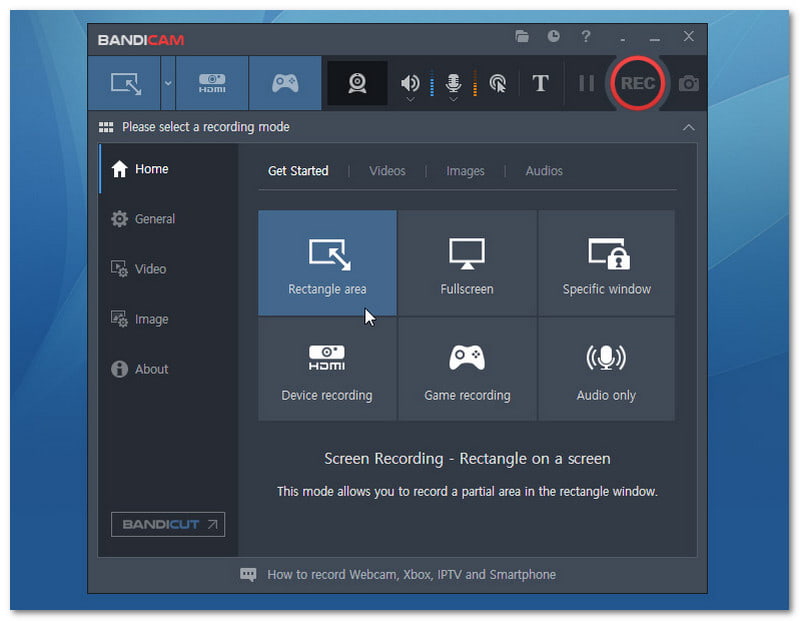
Bandicam is known for high-quality recording with a small file size. It works well for games and screen capture. It is a strong 4K screen recorder that can record in 4K and at very high frame rates. It also supports external devices. It makes it useful for many types of recording tasks.
Things that stand out:
- Records screen, games, and external devices.
- Supports up to 4K UHD and high FPS recording.
- Uses high compression while keeping quality.
- Allows real-time drawing during recording.
- Adds webcam overlay and mouse effects.
Top 7: ScreenRec
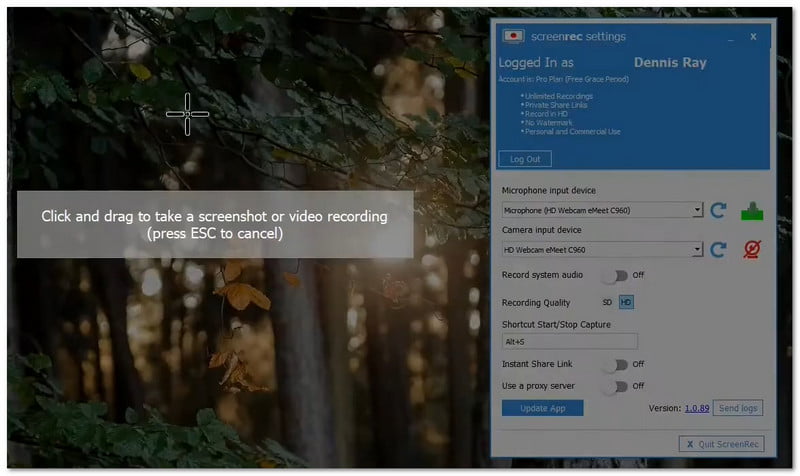
ScreenRec focuses on fast recording and sharing. It helps you send video messages instead of long texts. It records screen, audio, and webcam in one click. It also gives a shareable link right away. It is useful for work, feedback, and quick updates.
Things that stand out:
- Starts and stops recording with one click.
- Records the screen, microphone, and webcam together.
- Provides instant private sharing links.
- Supports annotated screenshots.
- Includes content management and analytics.
Which HD Screen Recorder Should You Choose
If you want an all-in-one tool for recording and editing, the recommended tool is AVAide Screen Recorder. It can record the screen, webcam, system sound, and microphone at the same time. It also offers editing tools that you can use after recording, like trim and basic enhancements. The quality goes up to 4K, so your videos look sharp and clear. It is perfect for tutorials, gaming videos, online classes, and presentations.
Hope our article helps you find the best HD recorder software. We want you to get the best choice for your needs. That is why we recommend AVAide Screen Recorder. It works on Windows and Mac. It has a free version you can try. If you like it, you can upgrade to the paid version and enjoy more features.
ABOUT THE AUTHOR

Record screen, audio, webcam, gameplay, online meetings, as well as iPhone/Android screen on your computer.