VanceAI is an excellent photo upsizing tool you can use to deal with your images. It can help you enhance, upscale, and restore your images in just a simple process. The good thing about this tool is that it ensures you get the result you need after the procedure. With that, if you want to learn more about the tool, you must read this review. We are here to provide its complete definition and core features. Read on to learn more about the best photo upscaler.
Part 1. What is VanceAI
VanceAI is a platform powered by artificial intelligence focused on photo restoration, editing, and enhancement. It offers a variety of techniques, including background removal, photo restoration, denoising, sharpening, and image upscaling. These apps use cutting-edge deep learning algorithms trained on millions of photos to make complex editing tasks easier. The platform is helpful for photographers, designers, and companies in sectors like graphic design and e-commerce because it serves both professional and casual consumers. VanceAI helps people save time while producing excellent outcomes by automating time-consuming tasks.
Furthermore, the tool offers creative capabilities, including cartoon creation, product photo enhancement, and AI-driven graphic design, in addition to standard editing. Users can choose between offline and cloud-based processing by using the platform's online workspace or a free Windows program. Without the need for sophisticated technical knowledge, its one-click feature makes it simple to recover old photos, retouch images, or create new visuals. Additionally, the platform has specific features, including an AI picture creator, an image compressor, and a passport photo maker. All things considered, VanceAI blends creativity and productivity, enabling users to refine their visual content strategy and enhance photographs with ease.
Is VanceAI Safe?
After using the tool, we can tell that it is a safe-to-use platform. It can help you enhance, enlarge, upscale, and restore your images without encountering any issues. Thus, if you want to use it to deal with your images, feel free to do so.
Part 2. Core Features of VanceAI
The image enhancer offers a range of features to enhance your images. Thus, if you want to explore its overall capabilities, it would be better to read everything in this section.
VanceAI Sharpener
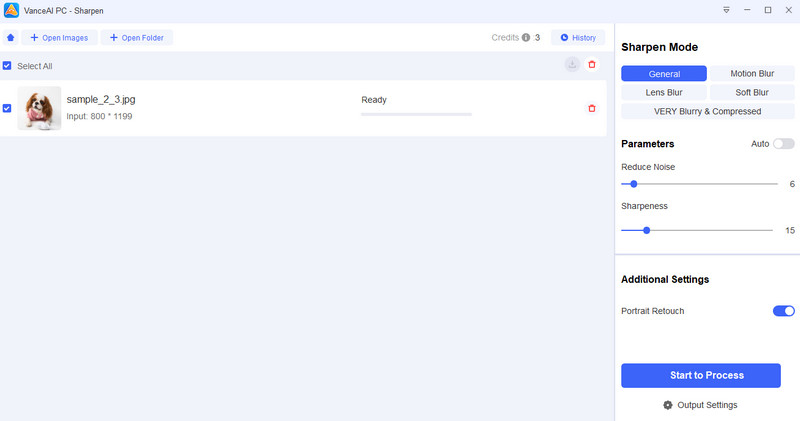
One of its exceptional features you can access is its Sharpen feature. This lets you sharpen your image by removing blur. It is an excellent tool if you have grainy photos and want to create a better version for an ideal viewing experience. What we like here is that it offers various sharpening options, such as general, lens blur, soft blur, and more. You can even manually adjust the sharpness level of your photo, making it more ideal for users.
VanceAI Enlarger
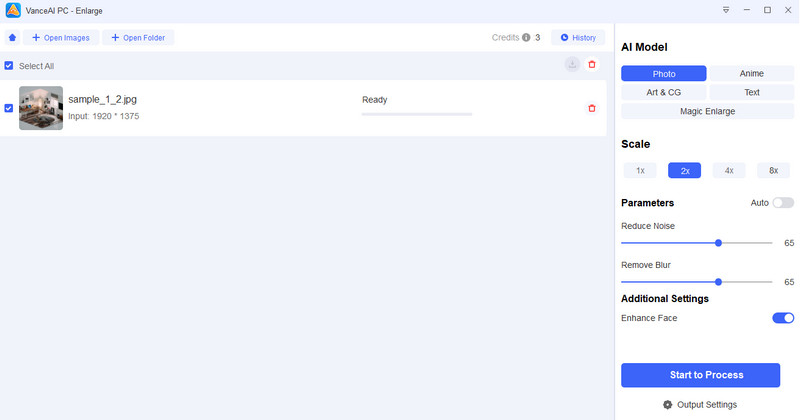
Do you want to make the image bigger? Then, you can access the tool's enlarge feature. What makes this feature powerful is that you can enlarge your photos by up to 2×, 4×, or 8×, resulting in a better image than the original file. Aside from that, the tool can enlarge various image types, including real photos, anime, text, art & design, and more. It also has a fast photo enlarging process, which makes it helpful for content creators and editors.
VanceAI Denoise
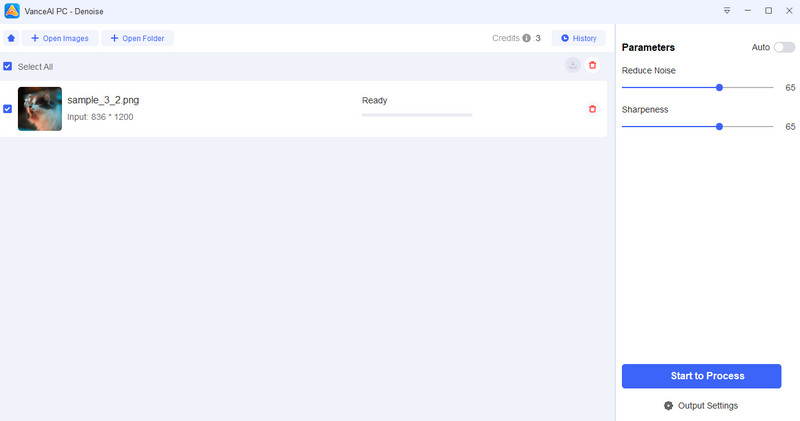
What we like about the tool is that it offers image denoising. This feature is helpful if you want to make your image sharper and clearer. Plus, during the process, you can adjust the noise and sharpness levels to your preferences.
VanceAI Old Photo Restorer
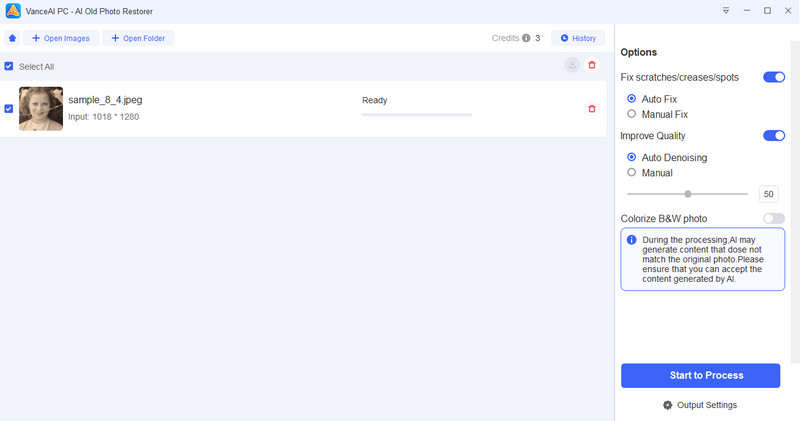
The tool's AI Old Photo Restorer feature is ideal if you want to restore your old photos from your album or collections. With this tool, you can enhance and refresh your photo, bringing it to life. The best part here is that restoring your old photos is simple. It is because the process is too easy, allowing you to achieve the result in just a few clicks. Additionally, you can fix the photo manually or automatically, ensuring you get the desired result after the procedure.
VanceAI Background Remover
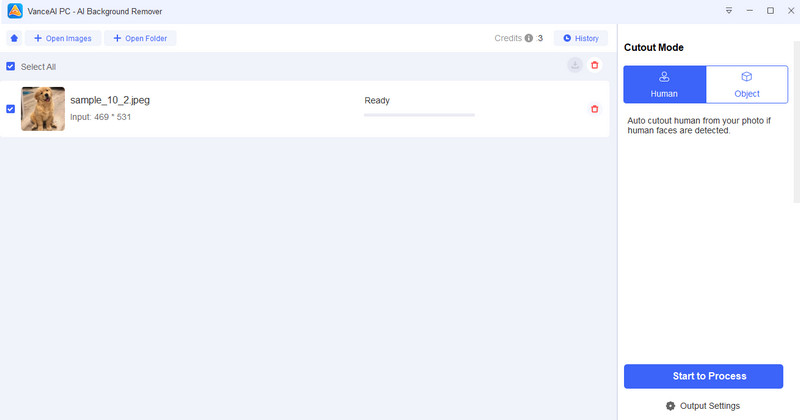
VanceAI's AI Background Remover is a program that uses deep learning technology to swiftly remove any photo's backdrop. It is intended to make photo editing easier, especially for those without much experience. Users may keep delicate details crisp while separating the subject from the backdrop with a single click. Product photography, social media content, and e-commerce all benefit greatly from this functionality. It helps create clear, polished photos by eliminating distractions. Thus, use this feature if you want to make an image background transparent.
VanceAI Photo to Sketch
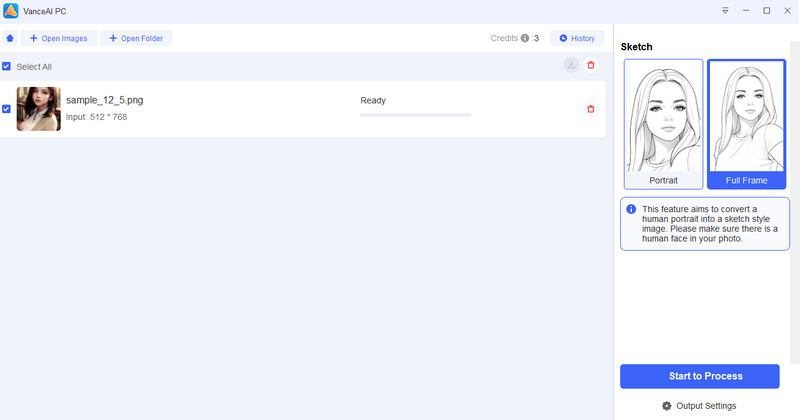
Are you looking for an excellent tool that can turn your photo into a sketch? Well, you can access the AI Photo to Sketch feature of VanceAI. With this feature, you can create an artistic output, making your image unique. It is also an ideal method if you want to highlight details and structure differently. Plus, if you want to check out the feature, you can use the tool's provided stock photos to see how it turns images into excellent, appealing sketches.
With this VanceAI review, you have explored all the helpful and powerful features you can access to enhance your images in many ways. You even found that using this tool is easy thanks to its straightforward interface. Thus, if you want to beautify your images, it's better to consider using VanceAI Photo Enhancer.
Part 3. Best VanceAI Alternative for Image Upscaling
VanceAI is an excellent tool that can beautify your image by enlarging, restoring, upsizing, sharpening, and more. However, if you don't have enough space on your computer, you won't be able to access it, as the tool is resource-intensive. Thus, if you need the best alternative for upscaling your images, we suggest using AVAide AI Image Upscaler.
This tool is perfect for non-professional users, as it offers a simple UI and a fast upscaling process. Plus, you can upscale your photo by up to 2×, 4×, or 8×, improving it over your original image. In addition, you can ensure smooth access to the tool, as it is available across all web platforms, which is good news for all users. It also ensures that you won't get any watermark after saving. Thus, if you are looking for an ideal replacement for VanceAI, choosing AVAide AI Image Upscaler is a wise decision.
More Features:
- The image upscaler can support various image formats, including PNG, JPG, BMP, and WebP.
- It is powered by AI, ensuring an accurate result.
- The tool supported batch processing to save more time.
- The image enhancer is free to use.
To test the tool's capabilities, follow the simple instructions below.
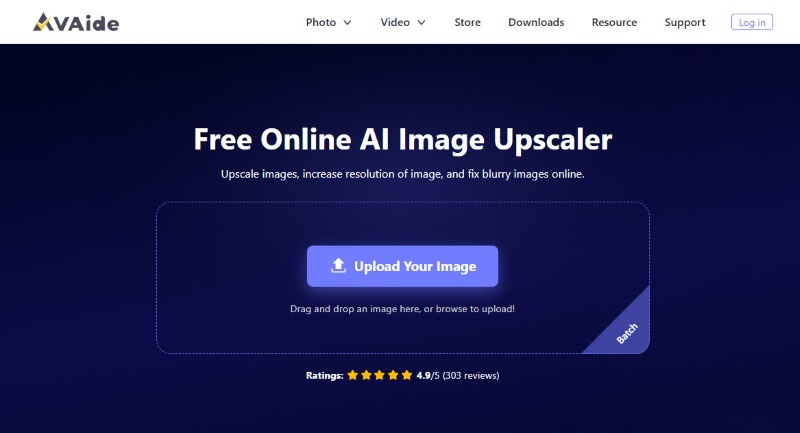
Step 1Navigate to your primary browser and visit the main website of AVAide AI Image Upscaler.
Step 2Then, tap the Upload Your Image option to start adding the image you want to upscale. Since the tool supports batch processing, you can add as many images as you want.
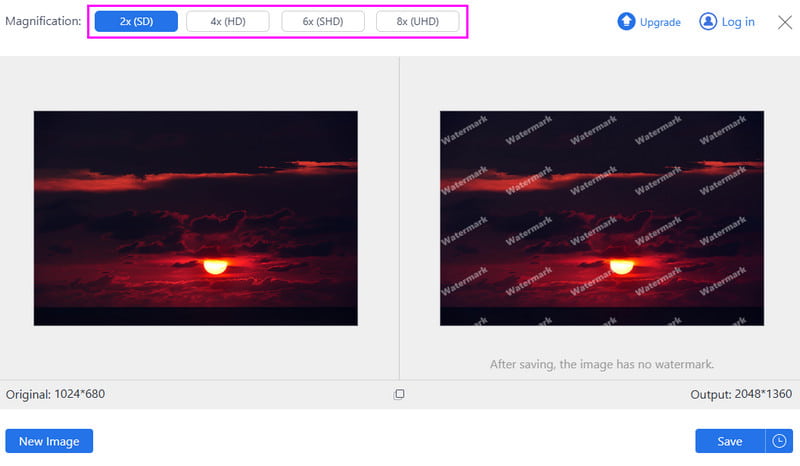
Step 3After the upload process completes, you can start uploading your image. You can go to the Magnification section and upscale your image up to 2×, 4×, and 8×.
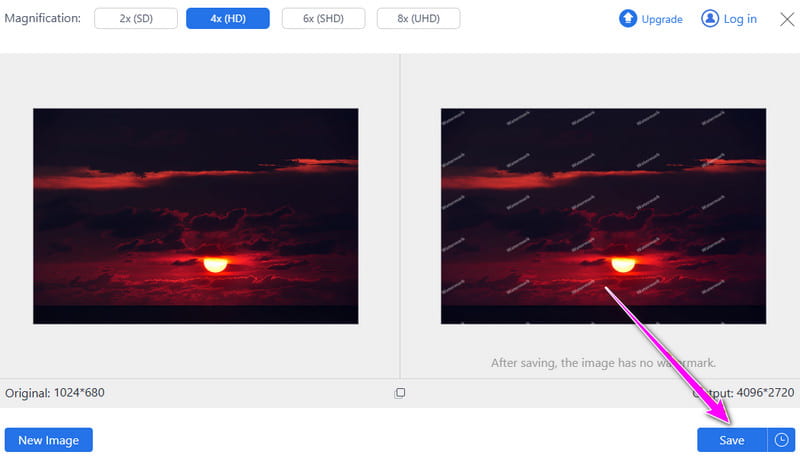
Step 4Once image upscaling is complete, click the Save button below to save the final image to your device.
With this process, you can tell that AVAide AI Image Upscaler is an excellent alternative to VanceAI. It can even offer a smoother upscaling process, making it more ideal for all users. With that, for an effective upscaling procedure, access this tool right away.
To get more insights about VanceAI and AVAide AI Image Upscaler, you can check the simple comparison table below.
| VAide AI Image Upscaler | vs. | VanceAI |
| Upscale photos up to 2×, 4×, and 8×. | Upscaling Limit | Upscale photos up to 2×, 4×, and 8×. |
| Removes blur and noise, sharpens portraits and product images. | Noise Reduction | Reduce noise and sharpen details. |
| There is no file size limit. | File Size Limit | The maximum is 5MB. |
| Yes | Supports Batch Processing | Yes |
| Instant upscaling speed. | Upscaling Speed | Fast upscaling speed. |
| Straightforward and neat | User Interface | Straightforward |
| Non-professional and skilled users. | Best for | Non-professional and skilled users. |
| The tool is free. | Pricing | The plan starts at $4.95 |
| Quick fixes for blurry images, casual users, and social media. | Best Use Case | Professional photo enhancement, e-commerce, and printing. |
In this Vance Image Enhancer review, you have learned about its core features for beautifying your images. With that, if you want to upscale, restore, enlarge, or otherwise handle your images, there is no doubt that this tool is ideal. Also, if you need the best alternative to upscale your image online, there is no doubt that AVAide AI Image Upscaler is the best option. It lets you upscale your photos by up to 8×, making it a powerful upscaler.
ABOUT THE AUTHOR


Our AI technology will automatically enhance the quality of your images, remove noise and fix blurry images online.
PROCESS NOW