While the process takes just a few seconds, the trick is to use a background remover that produces a clean visual in seconds and delivers the best results. When it comes to photo projects, products, or accuracy, edge quality, and editing controls and platform support are all important in choosing a photo tool.
Part 1. What to Look for in a Background Remover
The selection of the perfect background remover is not as simple as it seems, erasing a background with just one click. The result kinda really depends on accuracy, output quality, the editing controls, and whether the platform actually supports what you need. So take these eight points into account when you use desktop software, online tools, or mobile apps.
1. Background Removal Accuracy
The big advantage is that it can segment the foreground object from the background with high accuracy, without discarding meaningful details from the original image. This matters a lot for portrait photos, product photos, and shots where the background is busy or the colors are really similar.
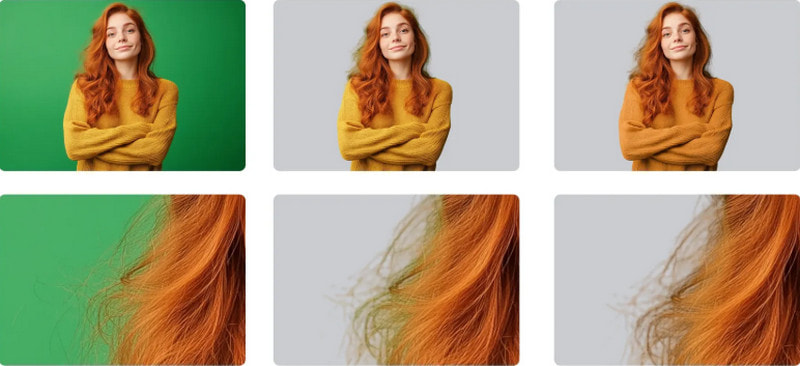
Look for:
- Accurate subject detection.
- Like, the subject is actually found right, not randomly. For example, the family is spread out across the entire room.
- Proper handling of hair, fur, and fine details.
2. Edge Quality and Detail Preservation
A tidy edge around a cutout should look consistent and natural, rather than feeling like it was cut, glued, and sewn in. You will want to test how the tool behaves and see if it leaves white halos, rough edges, or small remnants of the original background outside the outline.
3. Automatic and Manual Editing
One downside of Auto AI removal is that it often misses spots that require fixing, so manual controls are usually needed. Use erase, restore, brush adjustment, and edge refinement, because those help with more accurate corrections, even when the automation gets stubborn.
4. Background Replacement Options
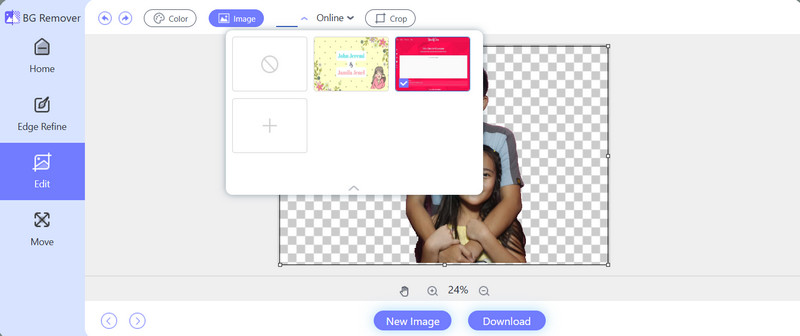
Some removers produce a transparent background, while others can add a new background. Solid colors, custom images, or background blurs can make it usable for a variety of editing needs.
5. Image Quality and Format Support
The remover must produce good image quality after processing and support the most popular formats (JPG, PNG, and WebP). When using PNG export, it is helpful to have a transparent background.
6. Platform Compatibility
You should check whether the tool works where you actually do the editing, given the workflow and all that. A desktop is generally best for regular use and more detailed work. Online is kinda convenient for quick fixes, no installing, you upload and go. Mobile is also pretty handy, especially when you want to touch up pictures right on Android or iOS, with less fuss.
7. Processing Speed and Batch Support
Speed matters when you are working on single images. But once you start removing backgrounds from lots of files, batch processing becomes a bigger deal. That can be really practical for e-commerce product photos, whole catalogs, and even social media content.
Part 2. Best Free Background Removers at a Glance
- Tool
- AVAide Background Eraser
- Remove.bg
- Adobe Express
- PhotoRoom
- Canva
- Pixlr
- Cutout.Pro
- Fotor
- Erase.bg
- Clipdrop
- YouCam Perfect
- PhotoDirector
- PicWish
- Pixelcut
- Photo Cutout
| Best For | Free Route | Free Route | Key Strength | AI Removal | Background Options | Editing Features | Ease of Use |
| Best overall free background remover. | Completely free online. | Online, Desktop, Mobile browsers. | AI removal with flexible editing. | Yes | Transparent, solid color, custom image. | Cropping, edge refinement, and preview. | Very Easy |
| Quick subject cutouts | Free limited use | Online, Desktop, Mobile | Fast automatic removal | Yes | Transparent and replacement backgrounds | Basic editing | Very Easy |
| Background removal and design | Free plan | Online, Mobile | Integrated design workflow | Yes | Transparent and custom backgrounds | Templates, effects, design tools | Easy |
| Product photos and e-commerce | Free limited use | Online, Mobile | Product-focused AI editing | Yes | Transparent and customized backgrounds | Templates, product editing | Very Easy |
| Social media and graphic design | Free plan with limitations | Online, Desktop, Mobile | Background removal within a design suite | Yes | Transparent and design backgrounds | Templates, layouts, effects | Very Easy |
| Browser-based photo editing | Free limited use | Online, Mobile | AI removal with broader editing tools | Yes | Transparent and design backgrounds | Filters, layers, adjustments | Easy |
| AI image and video removal | AI image and video removal | Online, Mobile | AI background removal for images and video | Yes | Transparent and replacement backgrounds | Background editing and enhancement | Easy |
| AI photo editing | Free limited use | Free limited use | AI editing tools | Yes | Transparent and custom backgrounds | Enhancement, design, effects | Easy |
| Quick image cutouts | Free limited use | Online, Mobile | Simple AI background removal | Yes | Transparent and replacement backgrounds | Basic background editing | Very Easy |
| AI-powered image editing | Free limited use | Online, Mobile | Multiple AI editing functions | Yes | Transparent and custom backgrounds | Cleanup, enhancement, creative tools | Easy |
| Portrait and social photos | Free limited use | Mobile | AI photo enhancement | Yes | Transparent and replacement backgrounds | Retouching, effects, enhancements | Very Easy |
| Advanced mobile editing | Free limited use | Mobile | AI cutout with broader editing | Yes | Transparent and custom backgrounds | Cutouts, AI tools, photo adjustments | Easy |
| Multiple-image editing | Free limited use | Online, Mobile | AI removal and batch processing | Yes | Transparent and solid-color backgrounds | Background replacement, enhancement | Very Easy |
| Product photography | Free limited use | Online, Mobile | E-commerce-focused AI editing | Yes | Transparent and custom backgrounds | Object removal, product designs | Very Easy |
| Creative cutouts | Free limited use | Mobile | Cutouts for creative projects | AI Assisted | Transparent and custom backgrounds | Stickers, collages, layered designs | Easy |
Part 3. Best Free Background Removers
1. AVAide Background Eraser
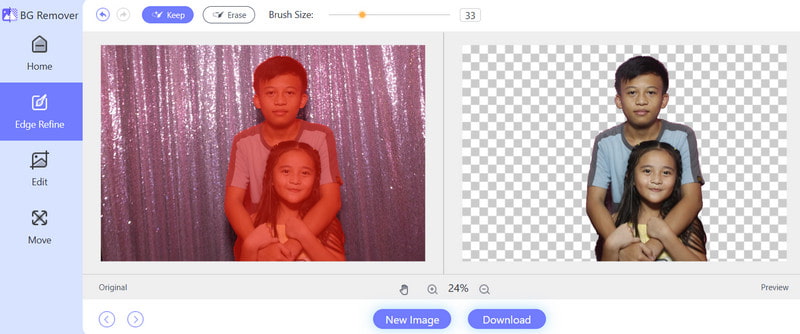
AVAide Background Eraser is a free online background remover that uses AI to identify the main subject and automatically separate it from the backdrop. You upload a photo, and it can handle JPG, JPEG, PNG, and even GIF images, so it works for portraits, product shots, social media graphics, and a bunch of everyday image editing needs. Once the background is removed, it can remain transparent, be replaced with a different color, or be replaced with another image.
- Pros
- Completely free to use online.
- Uses AI for automatic background removal.
- Supports JPG, JPEG, PNG, and GIF formats.
- For basic removal, you do not have to manually pick the subject.
- You can keep transparent backgrounds or replace them.
- Has cropping plus real-time preview features too.
- Good for beginners, and for fast tasks.
- Cons
- You need an internet connection to use it.
2. Remove.bg
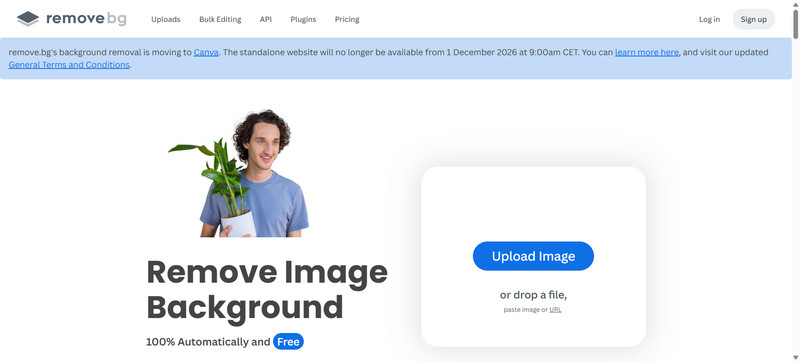
Remove.bg is an AI-based background remover that automatically separates foreground subjects from their surroundings. It can recognize people, products, animals, and other objects, making it useful for creating clean cutouts without manually tracing around the subject.
- Pros
- Automatically removes image backgrounds.
- Provides a simple interface that is easy for beginners to use.
- Supports transparent-background results.
- Works well for portraits, product photos, and general-purpose images.
- Provides solutions for different editing platforms and workflows.
- Cons
- Free downloads may have resolution limitations.
- Higher-resolution results may require credits or payment.
- Some additional features and editing options are limited.
3. Adobe Express
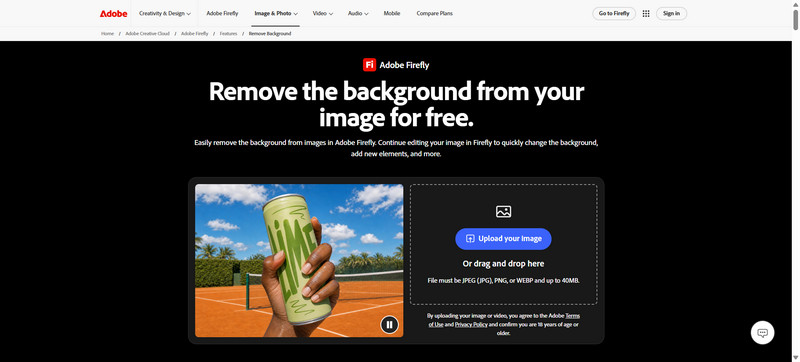
Adobe Express combines background removal with a broader set of online and mobile design tools. It can be useful when the cutout needs further editing, such as placing a subject into a social media graphic, a promotional design, a presentation, or another visual project.
- Pros
- It combines background removal with extra design perks so that you can move faster.
- Good for social media stuff and promotional images.
- You can use it on both web and mobile, without much fuss.
- There are built-in templates and other creative editing options like unblurring images.
- Cons
- A few features require an Adobe account or premium access.
- Some tools and capabilities feel different depending on whether you are on the free or premium plan.
4. PhotoRoom
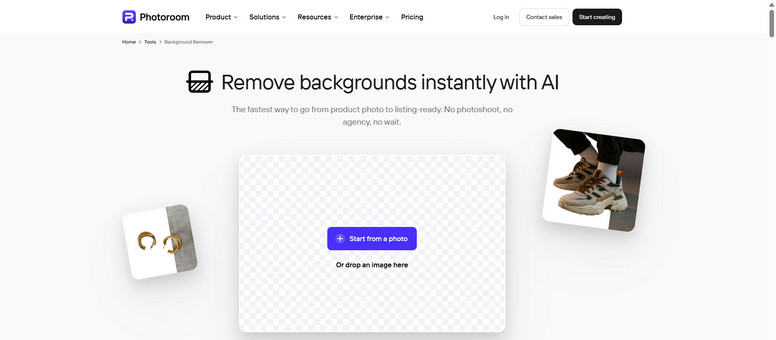
PhotoRoom is an AI photo editor that leans heavily on background removal, swapping in new scenes, and making product-style images. It is especially handy for online sellers, marketers, and social media creators who want clean product photos done quickly, without spending forever.
- Pros
- Automatic AI background removal and improved image quality, basically on the spot.
- Works especially well for product photography, like storefront vibes.
- You get tools to replace and tweak backgrounds.
- Cons
- Free use has certain limits, and it can feel restrictive.
- Some advanced editing tools are locked behind a paid plan.
- Higher-quality exports may be restricted depending on the plan.
5. Canva
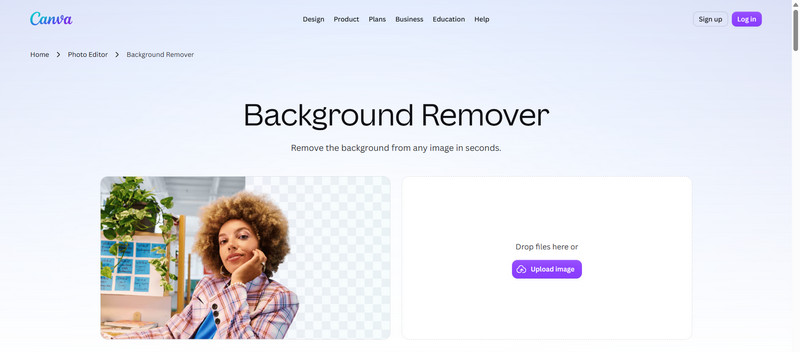
Canva is a graphic design platform that combines background removal with templates, plus a bunch of photo-editing tools and other creative extras. It is practical when the background-removed item is part of a larger design, not just a standalone transparent photo.
- Pros
- Gives you an easy drag-and-drop interface.
- Puts background removal right alongside handy design features.
- Has a big stack of templates and design elements.
- Works on web and mobile, so you can keep going wherever.
- Cons
- Background removal can be limited for free users.
- Some editing and design bits need premium access.
Part 4. Best AI-Powered Background Removers
1. Pixlr
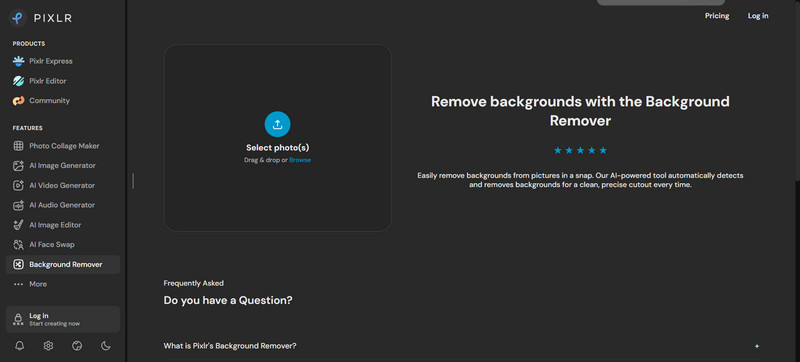
Pixlr is an online photo editor with an AI-powered background remover that lets you separate the subject from the background with minimal fuss. It feels like a solid pick if you want background removal plus other in- browser tweaks, instead of only having a dedicated remover. In recent head-to-heads, Pixlr also shows up as a pretty strong free option that works right in the browser.
- Pros
- Bring an AI-assisted background remover right inside the web browser.
- Also includes additional photo-editing tools so you can polish the final look.
- Useful when you need quick, browser-based projects done fast.
- Cons
- The interface can feel a bit more involved than a specialized remover.
- Some AI parts and advanced tools may have limits on use.
- For super-detailed or tricky edges, you may still need a manual touch-up.
2. Cutout.Pro
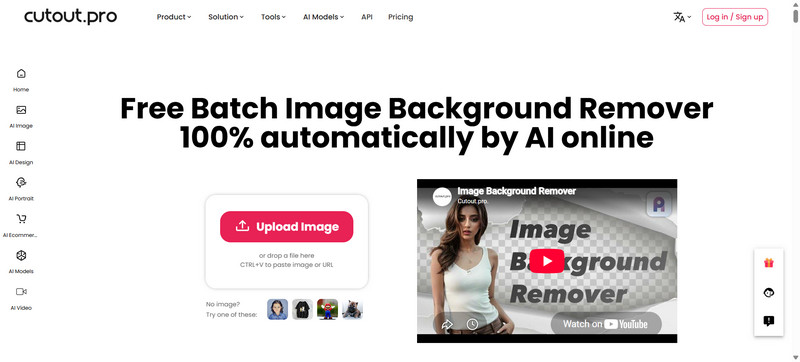
Cutout.Pro is an AI visual editing platform; it mainly focuses on removing backgrounds from images and other media. It can automatically figure out what is in the foreground, and it is also built to handle background-removal workflows for video, so it ends up being more flexible than image-only solutions.
- Pros
- Uses AI to split subjects from backgrounds pretty much on its own.
- Supports removing backgrounds from both images and video.
- Gives you both web editing and API features.
- Cons
- Free use is limited to specific outputs and functions.
- If you want more advanced processing, you usually need credits.
- Even complex scenes can still leave weird regions that need a bit of touch-up.
3. Fotor
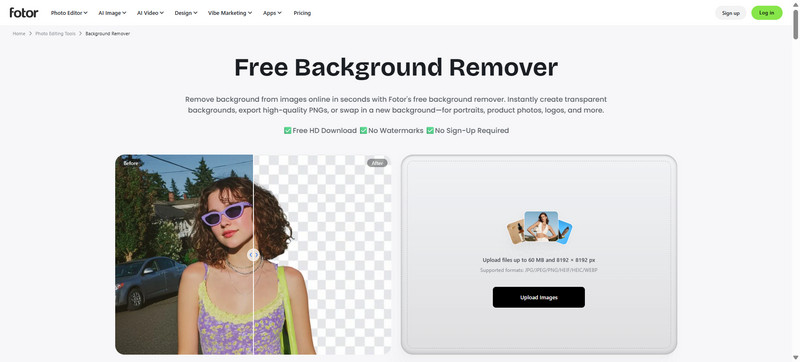
Fotor is an online photo editing platform that includes AI-powered background removal as part of its larger editing toolkit. It feels made for people who want to kick out the background, and then keep polishing the image using other editing functions, all in the same workspace. Fotor is also kind of well-known as one of the more current AI background-removal choices out there.
- Pros
- Does automatic AI background removal with minimal effort.
- Includes other photo-editing tools, such as an image resolution enhancer, besides background removal.
- Works well for portraits, product shots, and social media images.
- Overall, the workflow is fairly straightforward for basic edits.
- Cons
- Some features are limited in the free version.
- Several higher-quality export options might need a paid plan.
- If someone wants only background removal, they might think the extra editing tools are unnecessary.
4. Erase.bg
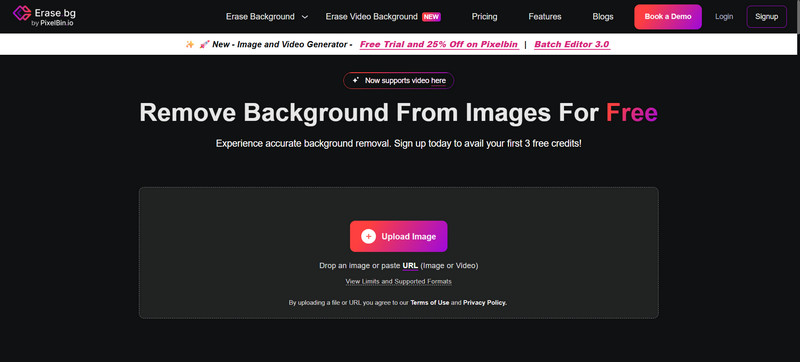
Erase.bg looks like an AI-based background remover; it automatically pulls the subject out from the background. It is especially handy when you need quick edits for product shots or personal images, and you want something transparent or just very clean behind the main thing, with no real manual selection fuss. In current 2026 comparisons, it is often compared with other AI background-removal tools, and it offers some free usage.
- Pros
- Automatically separates and removes image backgrounds using AI.
- Made for fast, easy background removal, no heavy workflow stuff.
- Works well for product photos, portraits, and online content.
- You do not need advanced photo-editing know-how.
- Cons
- The free high-resolution usage has limits.
- Credit-based restrictions may show up if you keep processing.
5. Clipdrop
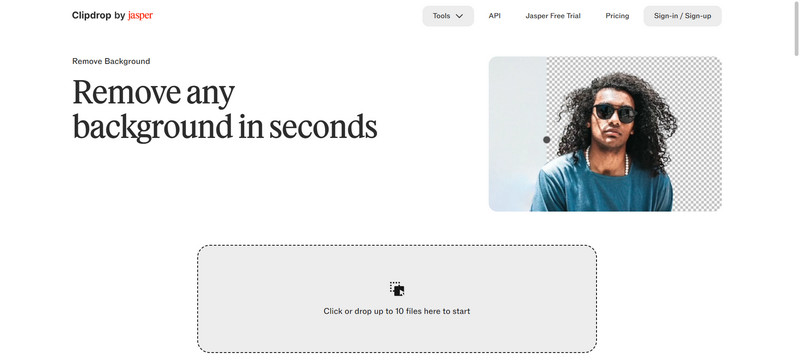
Clipdrop combines AI-driven background removal with a range of other creative image-editing tools. It is a good fit if you want to remove the background and also do extra AI-assisted tweaks in the same place. Also, in current comparisons, it is described more like an AI editing suite, not just a background-removal, one-trick service.
- Pros
- AI does automatic background removal.
- Several additional AI image-editing tools, like a photo enlarger, are included.
- Great if you want multiple AI features from one platform.
- Cons
- The free plan has usage limits.
- Some of the more advanced AI features require a paid subscription.
Part 5. Best Background Remover Apps for Mobile
1. YouCam Perfect
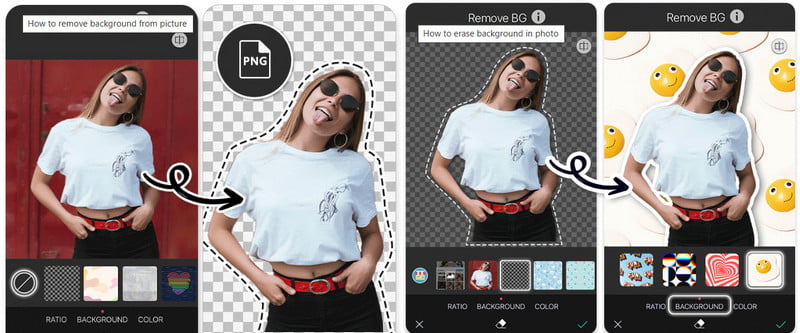
YouCam Perfect is a mobile photo editor for iOS and Android that offers AI-powered background removal, portrait enhancement, and a range of fun creative editing tools. It works especially well if you want to wipe out the background, then keep tweaking the photo, all without leaving the app.
- Pros
- It can automatically remove backgrounds using AI.
- You can use it on both iOS and Android devices.
- You can remove a background and replace it with another.
- There are creative backdrops and effects to personalize even more.
- Cons
- Some of the more advanced features require in-app purchases.
- The final results can be inconsistent when the subject blends really closely with the background.
2. PhotoDirector
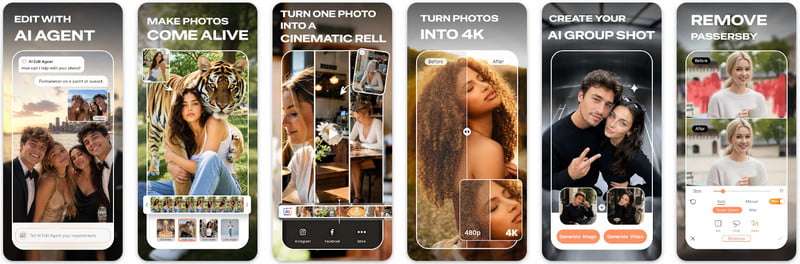
PhotoDirector is a mobile photo-editing app for iOS and Android. It offers background removal plus AI-driven editing features, like the Cutout tool. With Cutout, you can make a subject transparent, then later you add a new background back in, kinda simple but still useful.
- Pros
- One-tap background removal that feels fast.
- Lets you build transparent backgrounds.
- Lets you swap in a different background after the original gets removed.
- Comes with extra AI photo-editing tools.
- Feels more adaptable than a basic background-eraser tool.
- Cons
- Because there is a wide variety of editing tools, the whole app can feel a bit complex.
- Some features appear only with premium access, like fixing picture quality.
- For more detailed changes, you might still need extra manual tuning or small fixes.
3. PicWish
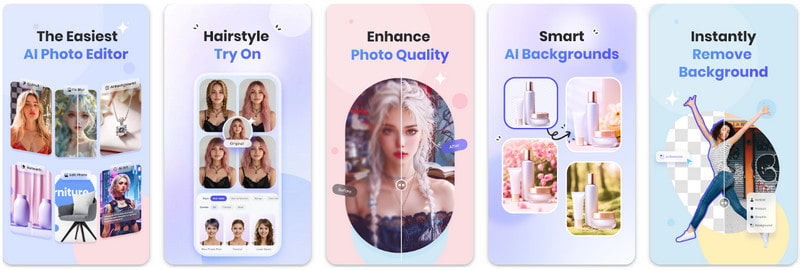
PicWish is an image editing app you can grab on iOS and Android. It basically combines automatic background removal with a bunch of other photo-enhancement features. It also lets you handle several images in bulk, so if you have multiple pics and want their backgrounds removed, it is pretty handy.
- Pros
- Removes image backgrounds automatically.
- Works on both iOS and Android.
- Has bulk background removal for multiple images.
- Allows you to create white or solid-color backgrounds.
- Cons
- Some features, and even how you use them, may be limited unless you pay.
- Bulk processing can eat through your available credits.
- The more advanced edits may need a bit of a learning curve.
4. Pixelcut
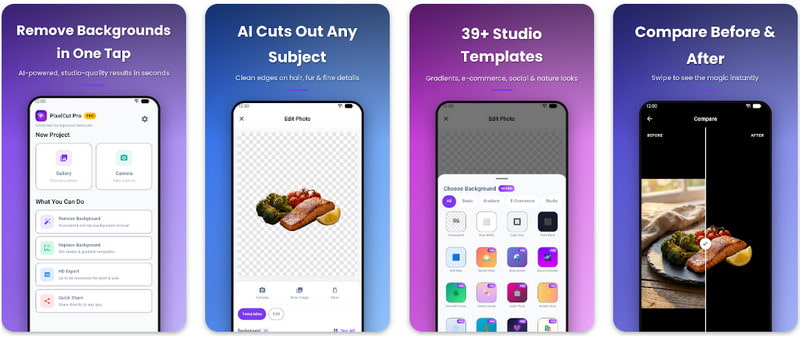
Pixelcut is a mobile photo editor and design app for iOS and Android. It uses AI to remove backgrounds and create crisp, clean cutouts so that it can feel pretty fast. And it is not only about background removal; it also has tools for product images, some graphic design work, and removing stuff you do not really want in the shot.
- Pros
- It gives quick AI background removal.
- It works really well for product photography and online selling.
- You also get extra tools for removing unwanted objects.
- It supports creative image and graphic design workflows, including tools to make images bigger.
- Cons
- Using it for free comes with certain limitations.
- A few of the more advanced features require in-app purchases.
5. Photo Cutout
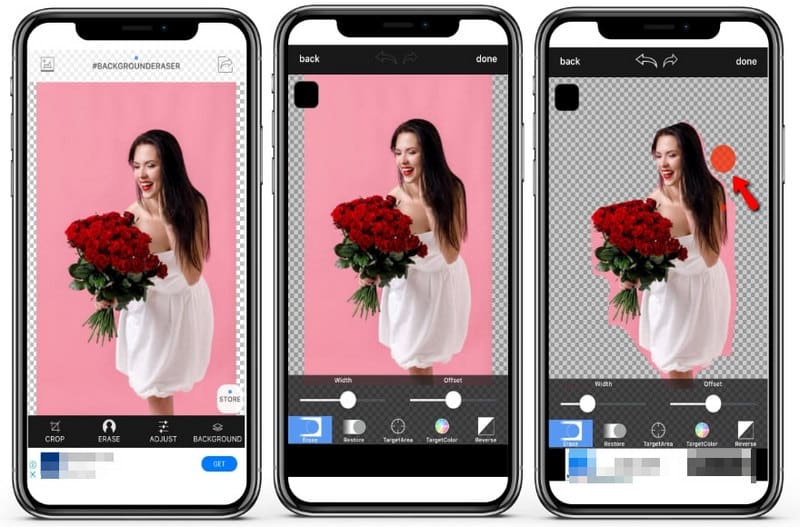
Photo Cutout is a mobile-focused choice for subject cutouts, stickers, collages, and stacked or layered images. It is especially good for iPhone users who want a more creative way to use an isolated subject after the background is removed.
- Pros
- Designed with cutouts in mind, like really specifically for that.
- Good for stickers, collages, and layered compositions.
- Lets you combine several cutouts for little creative projects.
- Gives an easy workflow for iPhone photo editing.
- Cons
- A few functions may feel limited depending on the version or plan.
- If you need more in-depth manual adjustments, you might still want a more advanced photo editor, since this one is not as flexible.
Part 6. Which Background Remover Should You Choose?
The best background remover really depends on what you’re trying to edit, where you’re working, and how much control you want over the final result.
1. Best Overall Free Pick: AVAide Background Eraser
AVAide Background Eraser feels like the best overall free option. The AI does the heavy lifting by removing backgrounds, and it handles JPG, JPEG, PNG, and GIF. You also get background swapping, cropping, and a sort of live preview, so it’s not just a one-click thing.
2. Best for Super Precise Cutouts: Remove.bg
Remove.bg is a solid option if you need accurate subject separation, particularly for portraits, hair, fur, and those tricky fine edges where things can get messy.
3. Best for Product Photos: PhotoRoom
PhotoRoom works well for people selling stuff online, or anyone aiming for clean product pictures. The tools are basically built to create polished images that look ready for listings.
4. Best for Graphic Design: Canva
Canva is handy for removing backgrounds, then placing cutouts into posts, presentations, posters, and other marketing materials.
5. Best for Browser: Pixlr
Pixlr kind of bundles background removal with a bunch of other photo-editing stuff, straight inside the browser.
6. Best for Mobile Editing: Pixelcut
Pixelcut is pretty handy for people on phones, and for online sellers too, making product images right from smartphones, without too much fuss.
7. Best for AI Creative Editing: Clipdrop
Clipdrop is better suited to folks who want background removal included as part of a wider AI image-editing routine, not just a one-off cleanup.
Quick Recommendation
- User Need
- Best overall
- Precise cutouts
- Product photos
- Graphic design
- Browser editing
- Mobile editing
- AI creative editing
| Recommended Tool | Why |
| AVAide Background Eraser | Free, simple, and versatile. |
| Remove.bg | Accurate subject separation. |
| PhotoRoom | Built for e-commerce images. |
| Canva | Combines removal with design tools. |
| Pixlr | Removal and photo editing. |
| Pixelcut | Convenient for smartphone editing. |
| Clipdrop | Multiple AI image tools. |
A bg remover makes it easier to turn messy photos into clean, sharper-looking images without all that complicated editing. There are simple free tools as well as AI-driven options, so the right pick depends on how accurate it is, what it offers, what platform you’re on, and what kind of edits you actually need.
ABOUT THE AUTHOR


Uses AI and automated background removal technology to capture complex backgrounds from JPG, JPEG, PNG, and GIF.
PROCESS NOW