Have many FLAC songs saved on your device? If the tags are messy, finding songs can become a pain. Wrong titles and missing artists can make your library hard to browse. Good thing, a FLAC tag editor can help fix that.
You can find useful tag editors for Windows, Mac, Linux, and even your web browser in this write-up. Each one offers different ways to fix, organize, and improve your FLAC tags. Take a look at the tools and start cleaning up your music library!
- Part 1: What Is FLAC Tag Editing and Why Do You Need It?
- Part 2: Best FLAC Tag Editors at a Glance
- Part 3: Best Cross-Platform FLAC Tag Editor
- Part 4: Best FLAC Tag Editors for Windows
- Part 5: Best FLAC Tag Editors for Mac
- Part 6: Best FLAC Tag Editors for Linux
- Part 7: Best Online FLAC Tag Editors
- Part 8: How to Choose the Right FLAC Metadata Editor
Part 1: What Is FLAC Tag Editing and Why Do You Need It?
What Are FLAC Tags
FLAC tags are small pieces of information saved with a FLAC music file. They tell you more about the audio, such as the song name, singer, album, genre, release year, and track number. You can also use tags to add comments and album covers. A FLAC tag editor lets you update these details without changing the music itself.
Why Tag Editing Matters
Correct metadata makes your FLAC collection easier to manage. It gives your music player the right information for each track. You can also use it to add album artwork that is not there. With complete details, you can find and organize your songs more easily.
Part 2: Best FLAC Tag Editors at a Glance
| FLAC Tag Editors | Platform | Batch Editing | Cover Art | Audio Formats Supported | Ease of Use |
| AVAide Video Converter | Windows & Mac | ✓ | ✓ | FLAC, MP3, WAV, M4A, AAC, OGG, and more | Very easy |
| Mp3tag | Windows & Mac | ✓ | ✓ | MP3, FLAC, M4A, WAV, OGG, AAC, and more | Easy |
| TagScanner | Windows | ✓ | ✓ | MP3, FLAC, OGG, WMA, M4A, WAV, and more | Easy |
| D3Genius | Windows | ✓ | ✓ | MP3, FLAC, WAV, M4A, and more | Easy |
| Metadatics | Mac | ✓ | ✓ | MP3, M4A, AIFF, WAV, FLAC, OGG, and more | Easy |
| Tag Editor 2 | Mac | ✓ | ✓ | MP3, FLAC, WAV, AIFF, M4A, and more | Easy |
| Metabliss | Mac | ✓ | ✓ | MP3 and other audio files | Easy |
| Puddletag | Linux | ✓ | ✓ | MP3, FLAC, OGG, M4A, and more | Easy |
| Audio Metadata Editor | Online | ✗ | ✓ | MP3, FLAC, WAV, M4A, and OGG | Very easy |
| TAGMP3 | Online | ✓ | ✓ | MP3, WAV, M4A, MKV, FLV, and more | Very easy |
Part 3: Best Cross-Platform FLAC Tag Editor
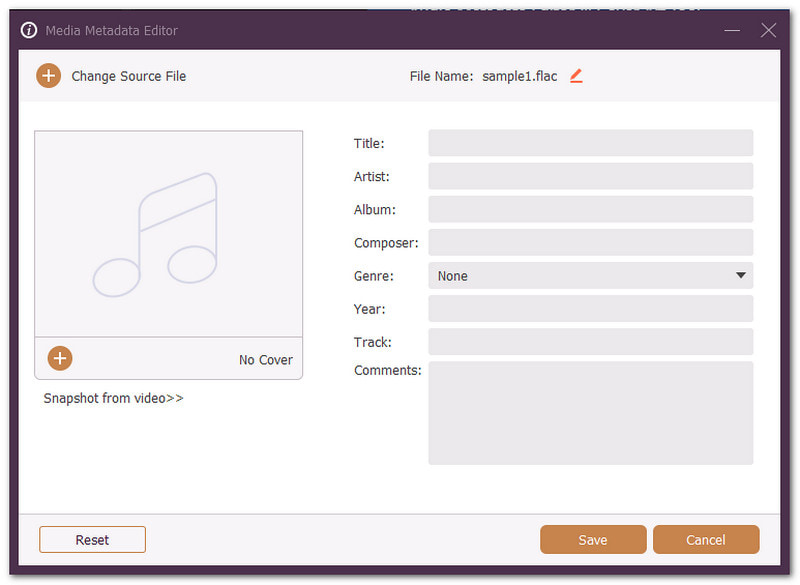
Looking for the best cross-platform FLAC tag editor for Windows and Mac? AVAide Video Converter makes the job feel easy. Its built-in media metadata editor puts the key tools in one place. You can rename your file and change its title, artist, album, composer, genre, year, track, or comments. You can also add cover art. Hit Save, and your updated FLAC file is all set.

FREE DOWNLOAD For Windows 7 or later
 Secure Download
FREE DOWNLOAD For Mac OS X 10.13 or later
Secure DownloadUnique Strength: It combines FLAC tag editing with other media tools into a single program. You can edit your file without needing a separate tag editor.
Limitations:
- No automatic tag lookup or auto-tagging.
Pricing: Offers a free version.
Part 4: Best FLAC Tag Editors for Windows
1. Mp3tag – Best Overall FLAC Tag Editor for Windows
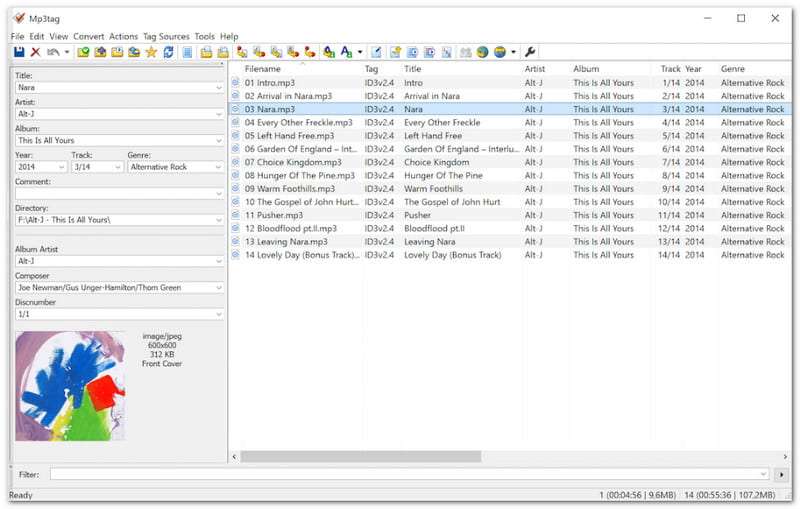
Need to fix many FLAC tags at once? Mp3tag lets you edit large groups of files quickly. It supports Vorbis Comments and cover art. You can also rename files from their tags.
Unique strength: Mp3tag connects with Discogs, MusicBrainz, and freedb. This lets you pull album details and cover art without having to type everything yourself.
Limitations:
- Some advanced features may take time to learn.
- Online database results may need checking.
- It offers many tools that may feel complex at first.
Pricing: Free for Windows.
2. TagScanner – Best for Organizing & Managing Music Collections
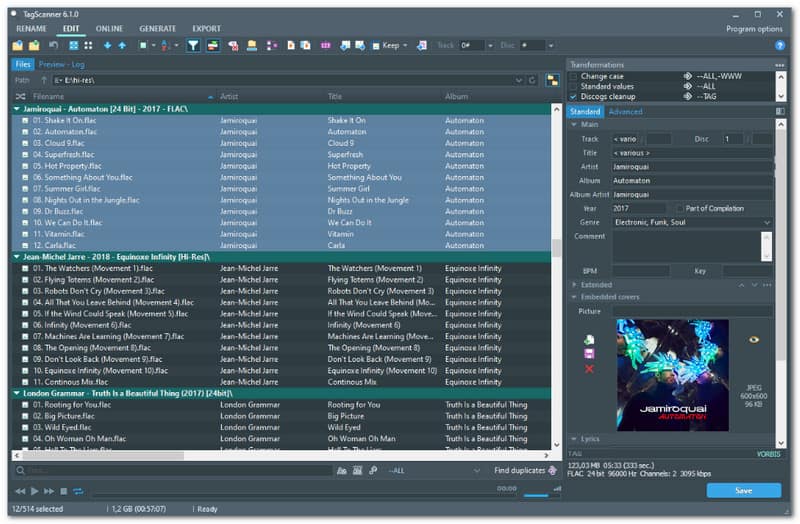
TagScanner gives you tools to clean and manage a large FLAC library. You can change tags in batches. It can also rename files, edit cover art, manage lyrics, and create playlists.
Unique Strength: Its built-in audio player lets you check tracks while editing. It also supports many tag types and offers a multilingual interface.
Limitations:
- Some options may feel less simple for new users.
- Its interface has many controls.
- Advanced tag work may need some learning.
Pricing: Free.
3. D3Genius – Best for Automatic Tagging
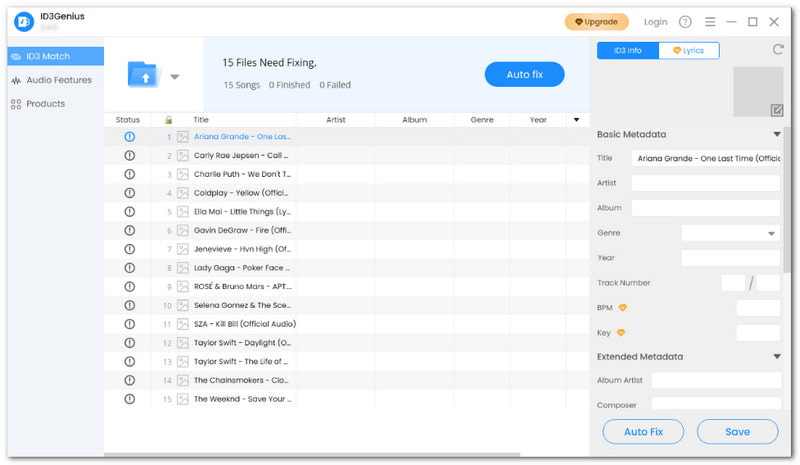
Want more than basic tag editing? D3Genius can match music data in bulk. It supports FLAC and other major formats. It can edit artwork, lyrics, ratings, labels, ISRC, and other music fields.
Unique Strength: Its AI audio analysis can detect BPM, key, energy, and other track data. It can also use AcoustID to help match tracks with MusicBrainz.
Limitations:
- The free edition limits automatic tag matching.
- Lyrics matching has trial limits.
- Audio analysis has limited free trials.
Pricing: Free edition available. Paid version costs $29.99.
Part 5: Best FLAC Tag Editors for Mac
1. Metadatics – Best FLAC Metadata Editor for Mac
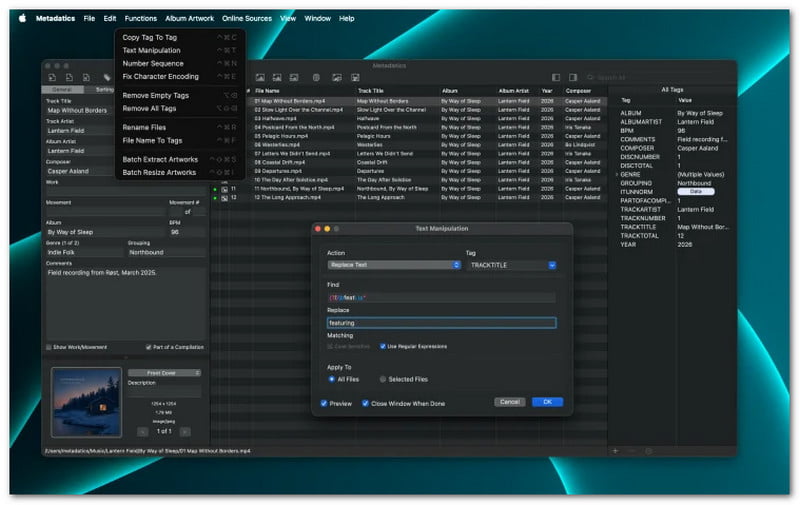
Metadatics lets you edit many FLAC files at once. You can change tags, add artwork, and rename files. It also lets you preview changes before saving them.
Unique Strength: Its built-in tools can change tags in many ways. You can replace text, copy values between fields, and create numbers across many files.
Limitations:
- Requires macOS.
- Some advanced tools may take time to learn.
- Online lookup results may still need to be checked.
Pricing: It costs $14.99.
2. Tag Editor 2 – Best Fast Batch Tag Editor for Mac
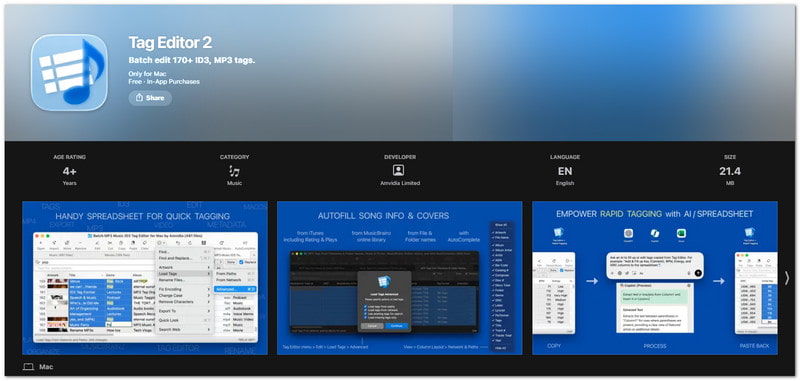
Tag Editor 2 puts your music tags into a spreadsheet-style view. You can edit audio file metadata at once. It also lets you search and replace text, fix messy tags, and manage artwork in a single window.
Unique Strength: It supports more than 170 metadata fields across supported media. Custom layouts also let you show only the fields you need.
Limitations:
- Free use is limited for advanced tasks.
- Rapid Tagging requires an upgrade.
- Some batch features need the paid version.
Pricing:
- Free download. Paid Rapid Tagging upgrade.
3. Metabliss – Designed for Speed Work
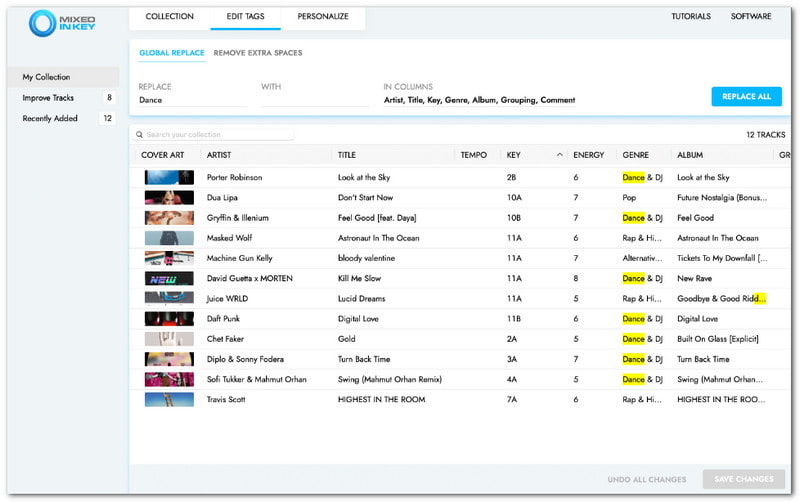
For older Mac setups, Metabliss was built around fast music tag work. Its features included quick tag updates and tools for cleaning ID3 data used by DJ software.
Unique Strength: Metabliss was made with DJs in mind. Its tag tools worked with music software such as Serato, Traktor, Rekordbox, and iTunes.
Limitations:
- No new updates or support.
- Legacy software only.
- New users are directed to Mixed In Key 10.
Pricing: No longer sold.
Part 6: Best FLAC Tag Editors for Linux
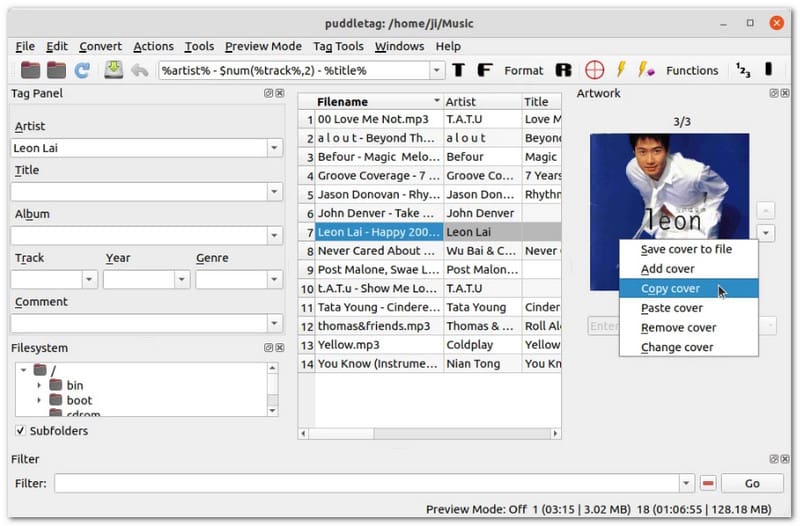
Puddletag gives Linux users a spreadsheet-style way to edit FLAC tags. You can change many fields by hand. It can also rename files and update tags from filenames.
Unique Strength: Its Actions feature helps automate repeated tag tasks. It also supports online lookups from Discogs, MusicBrainz, FreeDB, and Amazon.
Limitations:
- Updates are very infrequent.
- The latest listed version is 2.0.1.
- Some features may feel less polished than newer tools.
Pricing: Free and open source.
Part 7: Best Online FLAC Tag Editors
1. Audio Metadata Editor – Edit ID3 Tags Online Free
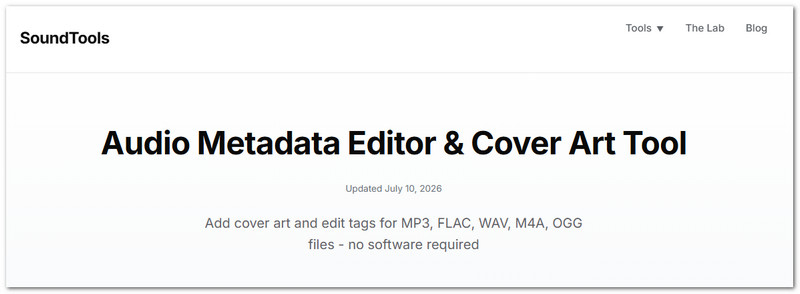
No app is needed here. Audio Metadata Editor lets you edit FLAC tags in your browser. You can change song details, add cover art, and save the updated file without re-encoding.
Unique Strength: The tool works on computers and mobile devices. It also keeps processing on your device, so your audio files are not uploaded to a server.
Limitations:
- Processes one file at a time.
- No automatic music database lookup.
- OGG and WAV files have limited support for cover art.
Pricing: Free.
2. TAGMP3 – Online FLAC ID3 Editor
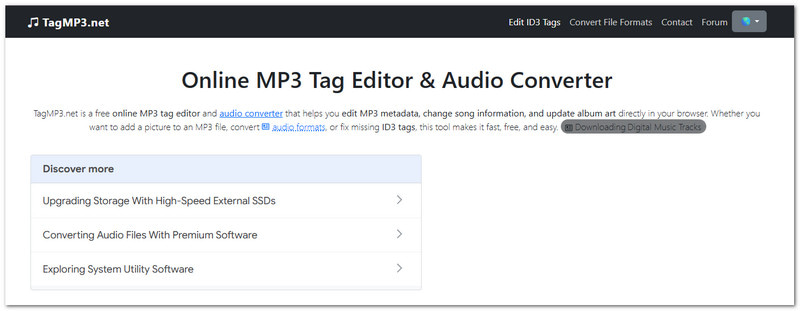
TAGMP3 lets you change music tags through your browser. You can edit song details and album art. It also supports multiple uploads and can convert other media files to MP3.
Unique Strength: Its conversion feature sets it apart from simple tag editors. Non-MP3 files can be converted to MP3 during the editing process.
Limitations:
- FLAC is not listed as a direct editing format.
- Non-MP3 files may be converted to MP3.
- Conversion changes the original audio format.
Pricing: Free.
Part 8: How to Choose the Right FLAC Metadata Editor
The best choice depends on your task. Check what you need to do first. Then, choose the tool that fits your files and workflow.
- AVAide Video Converter: Use it for simple FLAC tag edits. It also includes other audio and video tools.
- Mp3tag: Choose it for large FLAC libraries. It supports batch editing and online tag lookups.
- TagScanner: Use it to organize a large music collection. It also has a built-in audio player.
- D3Genius: Pick it for automatic music tagging. It can match tags and analyze audio data.
- Metadatics: Use it for batch editing on Mac. It also gives you tools for artwork and file renaming.
- Tag Editor 2: Choose it for detailed tag editing on Mac. Its spreadsheet view makes many fields easy to manage.
- Metabliss: Use it only if you already have a legacy copy. The software is no longer maintained or sold.
- Puddletag: Pick it for FLAC tagging on Linux. Its Actions can automate repeated tag tasks.
- Audio Metadata Editor: Use it for quick edits in a web browser. No software installation is needed.
A good FLAC metadata editor can help you keep your music files clean and organized. You can use it to fix song information, update tags, and add album art. We are happy to share different tools for Windows, Mac, Linux, and online use. For a cross-platform option, you can rely on AVAide Video Converter. It lets you edit the title, artist, album, year, track, and cover art. Enjoy a cleaner and better-organized music library!
ABOUT THE AUTHOR

Your complete video toolbox that supports 350+ formats for conversion in lossless quality.