Did you know that audio files hold details other than the sound data? And you can also edit them by using an ID3 tag editor. It might be your first encounter with it, and you are unsure what or how to do it. In this case, this article reviews some well-known editors that can help you modify ID3 tags on Windows, Mac, online, Android, and iOS.
Part 1. What Are ID3 Tags and Why Do You Need an Editor?
Before introducing you to the best ID3 editors, let's first learn what the ID3 tags are and why there is a need for an editor.
• Definition
ID3 is a container for metadata that is mostly used for MP3. It holds details like title, album, track number, and others.
• ID3v1 & ID3v2
ID3 has two versions for storing details in MP3. First, ID3v1, which is located at the tail of the audio file. It supports basic ASCII text and works very well on old hardware like music players. Second, ID3v2 is located at the beginning of the MP3 file. It supports Unicode and modern software and devices.
• Why You Need an ID3 Tag Editor
As we differentiate ID3v1 and ID3v2, an ID3v1 tag editor is needed to allow you to fix errors in the metadata container. It will result in organized playlists, compatibility, and a quicker process to edit batch files.
Part 2. Best ID3 Tag Editors for Windows
1. Mp3tag - Best Overall for Windows
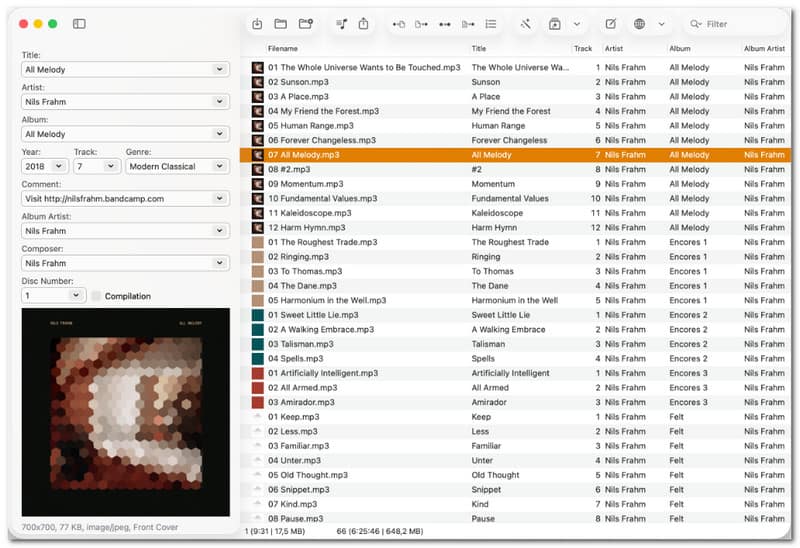
MP3Tag is one of the most well-known metadata editors for Windows. It's free to edit, delete, and extract tags from MP3, AAC, WAV, FLAC, and OGG. Its best feature includes supporting batch editing for ID3v1, ID3v2.3, ID3v2.4, iTunes MP4, WMA, Vorbis Comments, and APE Tags.
Key Features:
- Support online database lookups like Discogs and MusicBrainz.
- Upload cover art for albums.
- Compliant with full Unicode.
- Pros
- Support a wide range of audio file formats.
- Able to create playlists automatically.
- Cons
- Outdated interface.
- The Mac version is not free.
2. AVAide Video Converter - All-in-One Solution
AVAide Video Converter is the most effective solution for tag editing, supporting removal and change of metadata like the artist, track number, and even comments. You can freely upload a snapshot for the album cover and choose the genre from the built-in genre library. This ID3 editor offers other features for audio editing, especially converting, compressing, noise removal, and more.

FREE DOWNLOAD For Windows 7 or later
 Secure Download
FREE DOWNLOAD For Mac OS X 10.13 or later
Secure Download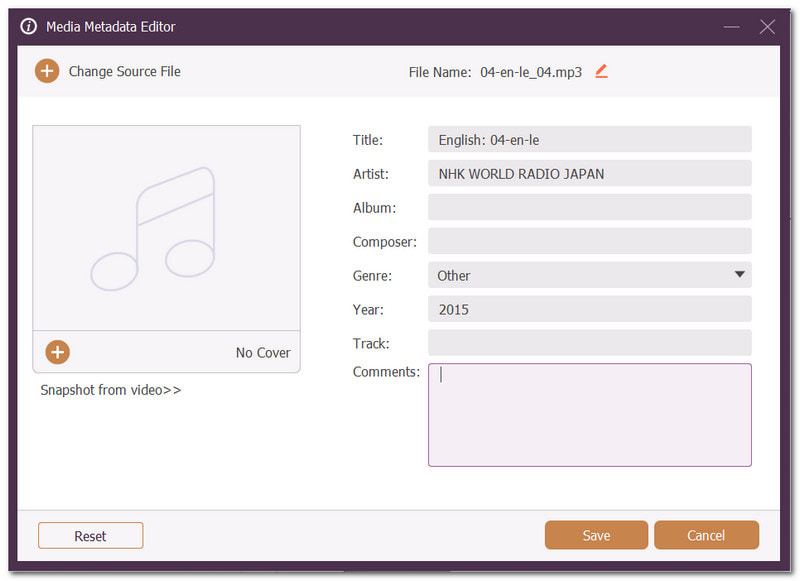
Key Features:
- Quick and professional metadata editing.
- Support formats like MP3, AAC, OGG, WMA, etc.
- No word or special character limitations.
- Easy search for music genres.
- Pros
- Suitable for simple tag editing.
- Fast processing speed.
- Cons
- No online database lookups.
3. TagScanner - Best for Large Music Libraries
TagScanner is an ID3 editor that helps organize and manage music collections. One of its best features is renaming files based on the tag information. Meanwhile, it can also search for album covers and titles via online databases, making the process smoother.
Key Features:
- Generate tag details from folder names.
- Replace words and convert cases from filenames.
- Support rare files like Monkey's Audio, WavPack, etc.
- Pros
- Create playlists instantly.
- Support Unicode for different languages.
- Cons
- Cluttered interface.
4. Kid3 - Best Cross-Platform Open-Source Editor
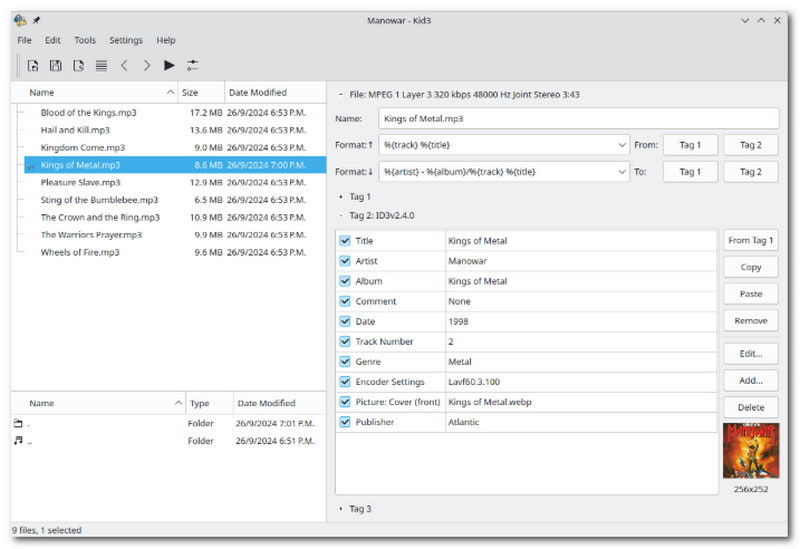
This ID3 editor on Windows promotes easy tag editing for batches of files like MP3, Ogg/Vorbis, FLAC, Monkey's Audio, MPC, MP4/AAC, etc. It's designed to populate similar descriptions to prevent users from typing repetitive words again and again.
Key Features:
- Auto-generate playlists.
- Tags can be created from content and filenames.
- Able to export tags as HTML, playlists, etc.
- Pros
- Available on different platforms.
- Integrated with online databases.
- Cons
- Lags occur due to a huge number of files.
Part 3. Best ID3 Tag Editors for Mac
1. ID3Genius - Best Automated Tag Editor for Mac
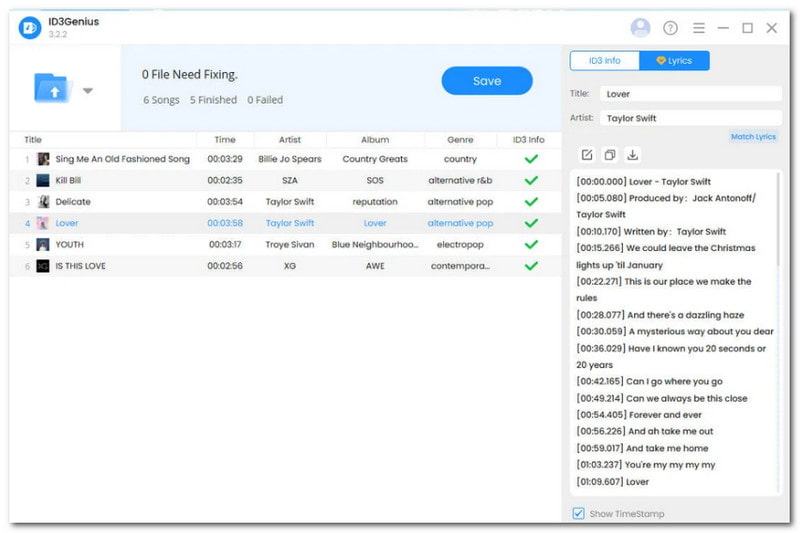
ID3Genius is an ID3 tag editor on Mac that is designed for heavy tag editing. Surprisingly, it has AI-powered functions that help analyze details, and advanced metadata editing for ISRC, ratings, and labels.
Key Features:
- Auto-match descriptions from online.
- Organize libraries by albums, artists, etc.
- Auto-rename multiple files at once.
- Pros
- Sync lyrics into USLT tags.
- Handle formats like WAV, MP3, M4A, and more.
- Cons
- No preview option for edited music.
2. MusicBrainz Picard - Best Open-Source for Mac
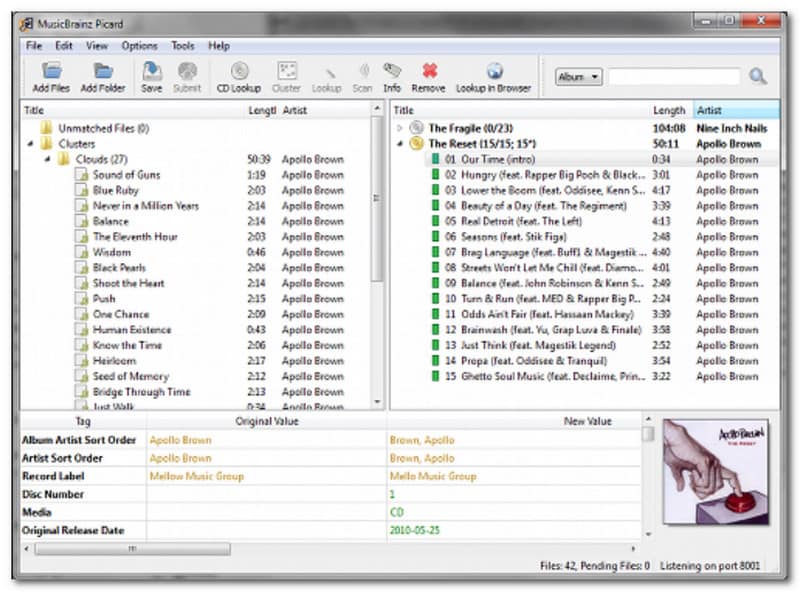
This ID3 tag editor helps edit metadata on MP3, M4A, WMA, and other popular formats. It has AcoustID to help identify a file by the actual music. Moreover, you can find an entire music ID with a single click.
Key Features:
- Use a custom scripting language for tag layouts.
- Support plugins.
- Auto search and download correct album covers.
- Pros
- Available for free on various platforms.
- Precise tag editing.
- Cons
- Slow down a computer due to heavy processing.
3. Rigelian Tag Editor - Best Modern Mac Editor
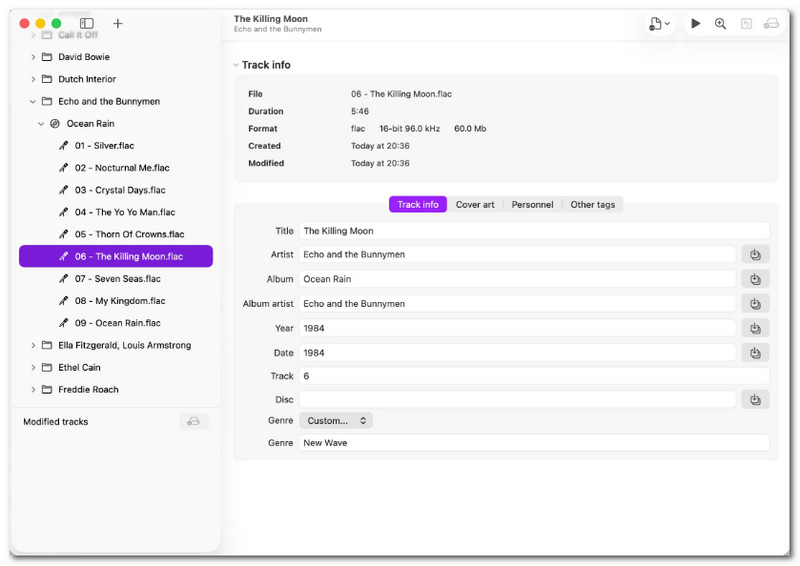
For a modern Mac tag editor, Rigelian offers instant cleanup and editing of metadata. It is designed with a sleek interface to make editing smoother. It is also a top competitor as an editor, as it has different languages, supporting Dutch, German, Chinese, and more.
Key Features:
- Extract details from filenames.
- Automatic resize cover arts.
- Revert changes, even after the file is exported.
- Pros
- Share files across the internet easily.
- Works well for major audio formats.
- Cons
- Only available on Mac.
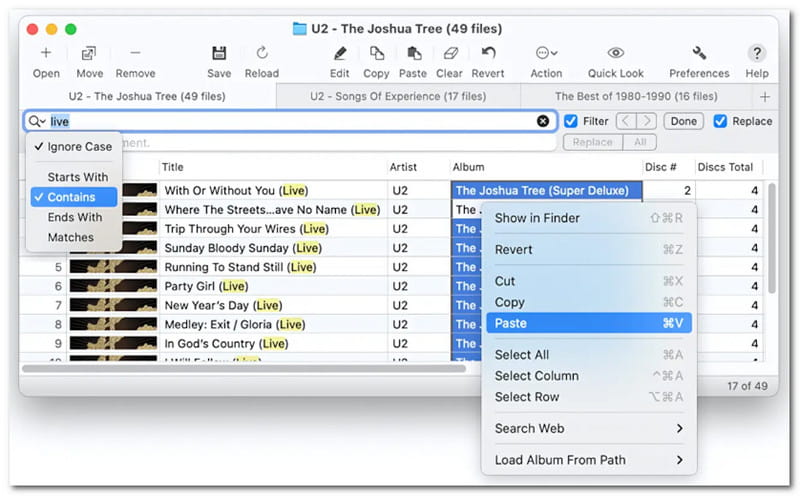
4. Tag Editor 2 - Best Spreadsheet-Style Editor for Mac
Tag Editor 2 is a unique ID3 tag editor because of its spreadsheet-style method. It helps organize tag editing, renaming, and exporting from batch files. It can also fill in tags automatically through online search.
Key Features:
- Fix and encode MP3 tags.
- Create ASX, XSPF, and other playlists.
- Pros
- Sync info from iTunes.
- Suitable as an MP4 metadata editor.
- Cons
- Not a one-time purchase to unlock all features.
Part 4. Best ID3 Tag Editors for Android
1. Smart MP3 Tag Editor - Best Overall for Android
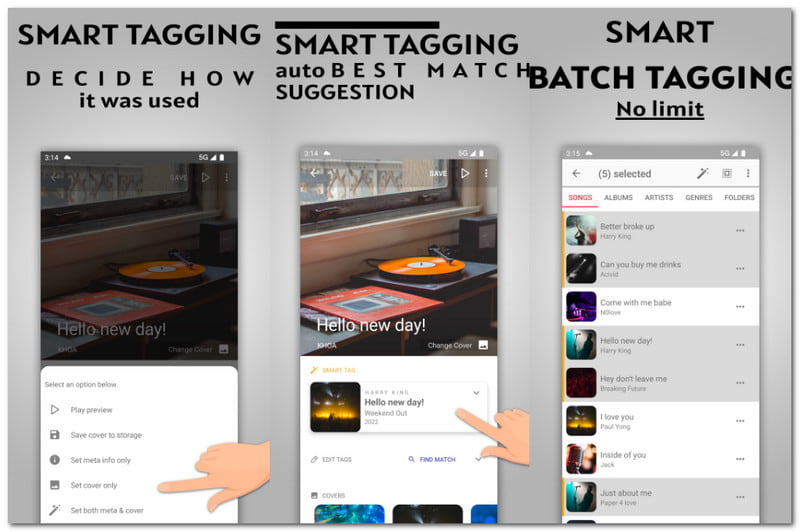
This ID3 tag editor provides a smart tagger feature that finds the match for the audio file instantly. It is completely free on Android, and you can edit files like MP3, FLAC, OGG, and more.
Key Features:
- Rearrange tag fields.
- Preview the audio file before tag editing.
- Remove tags on multiple files at once.
- Pros
- Edit album covers.
- Search lyrics and embed as tags.
- Cons
- Too many ads.
2. Tagger: ID3 Tag Editor - Best Safe-Save Editor for Android
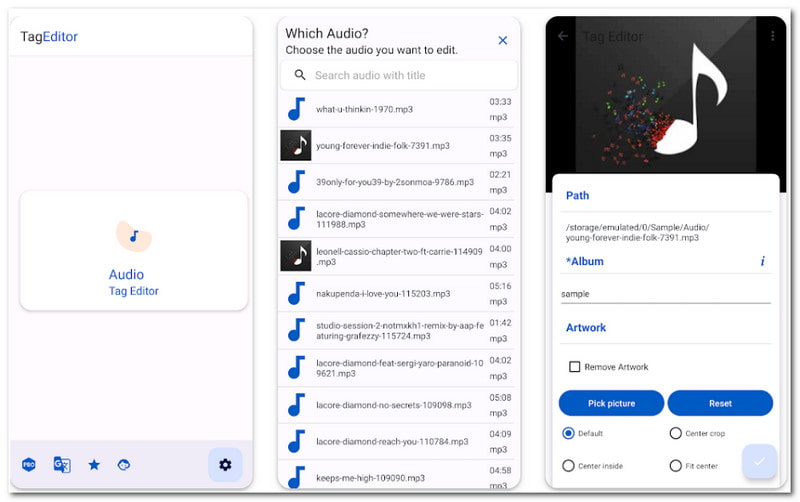
Tagger: ID3 Tag Editor is another Android app that edits metadata on common audio formats like MP3. It looks like a music player, but it allows you to remove and change tags freely.
Key Features:
- Edit disc numbers, albums, titles, etc.
- Support formats like Opus, AIFF, etc.
- Pros
- Cheaper app purchases.
- Frequent app updates.
- Cons
- It can't handle batch processing.
Part 5. Best ID3 Tag Editors for iPhone
1. Evertag: Music Tag Editor - Best Overall for iPhone
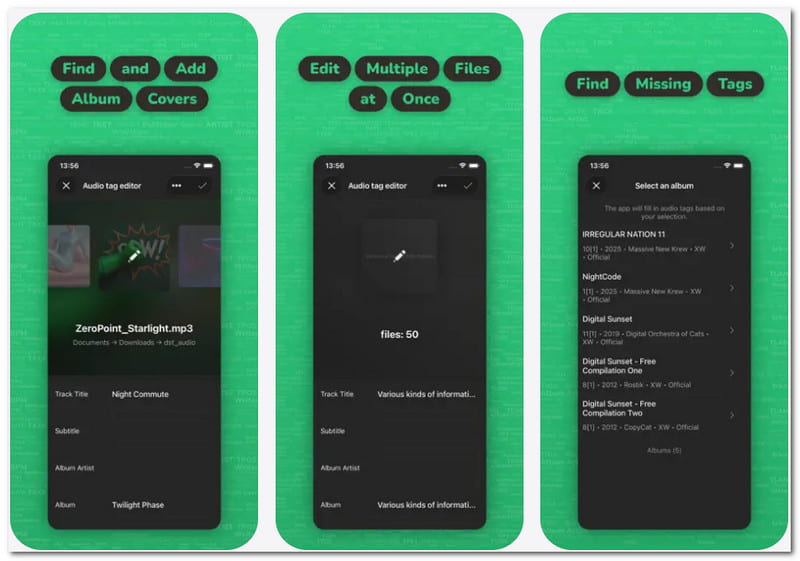
For an iPhone tag editor, Evertag offers advanced editing by modifying over 120 tags like BPM, track number, and so on. It is also perfect for batch processing for easy tag editing.
Key Features:
- Auto-find and fill-in tags.
- It has a built-in manager.
- Pros
- Send files directly to other devices.
- Customizable interface.
- Cons
- Some tags are not removable on this app.
2. MP3 Tag Editor - Most Powerful Native iOS Editor
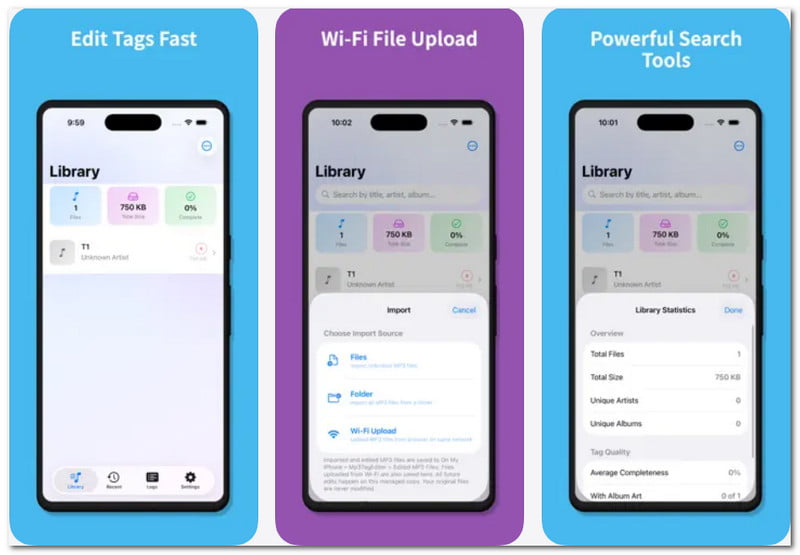
Key Features:
- Save time through batch processing.
- Support DFF, AIF, and TTA.
- Pros
- It has a sleek interface.
- Advanced tag editing.
- Cons
- Possible metadata corruption.
Part 6. Best Online ID3 Tag Editors
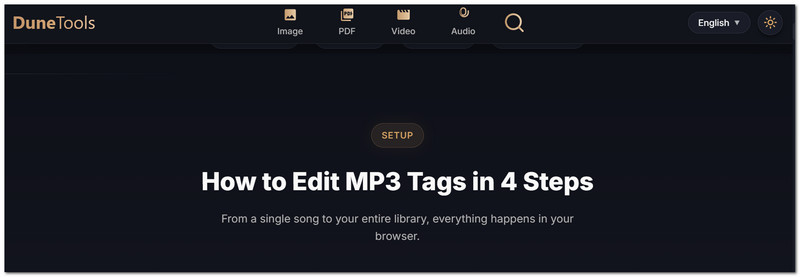
1. DuneTools MP3 Tag Editor - Best No-Upload Online Editor
DuneTools is an ID3 tag editor online without requiring any installation that edits metadata. It is also safe to use as it prevents privacy and security risks.
Key Features:
- Easy-to-use interface.
- No watermark.
- Pros
- Completely free online.
- Cons
- Only for MP3 files.
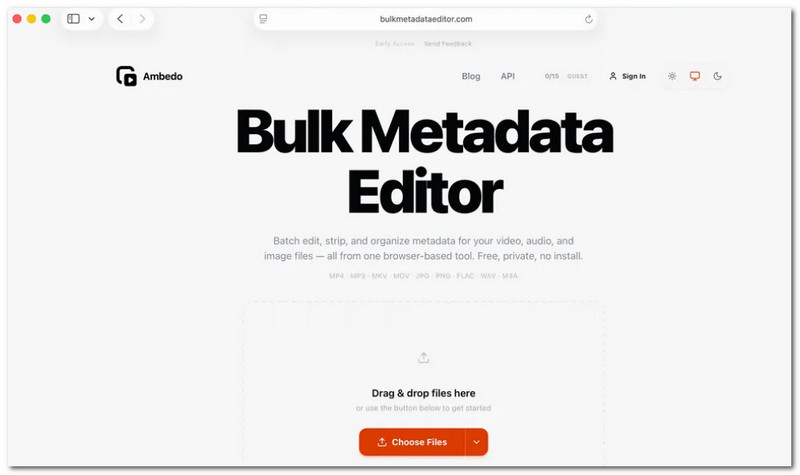
2. Ambedo - Best Bulk Online Metadata Editor
Ambedo is a great online tag editor as it supports bulk processing. It organizes metadata not only for audio, but also for images and videos. Moreover, it is privacy-focused, so your files are protected.
Key Features:
- Very lightweight.
- Customizable appearance layout.
- Pros
- No installation required.
- Accessible on any web browser.
- Cons
- Lack of robust options.
Part 7. Comparison Table
Check the summary table of the best ID3 tag editor on Windows, Mac, Android, iOS, and online.
| Tools | Supported OS | Price | Supported Formats |
| MP3Tag | Windows, Mac | $24.99 (Mac) | AAC, ALAC, MKA, MP3 |
| AVAide Video Converter | Windows, Mac | $18 | MP3, FLAC, AAC, OGG, WAV, WMA, M4A |
| TagScanner | Windows | Free | MP3, WAV, AAC, FLAC |
| Kid3 | Windows, Mac, Linux | Free | AAC, WAV, WMA, M4A, MP3 |
| ID3Genius | Windows, Mac | Free | WAV, M4A, FLAC, AIFF, MP3, ALAC |
| MusicBrainz Picard | Windows, Mac, Linux | Free | MP3, WAV, OGG, FLAC |
| Rigelian Tag Editor | Mac | $7.99 | MP3, WAV, WMA, M4A |
| Tag Editor 2 | Mac | $2.99 | AAC, WAV, MP3, M4A |
| Smart MP3 Tag Editor | Android | Free | MP3, WAV, FLAC |
| Tagger: ID3 Tag Editor | Android | Free | MP3, WAV, WMA, AAC |
| Evertag: Music Tag Editor | iPhone, Mac | $1.99 | FLAC, MP3, WAV, AAC |
| MP3 Tag Editor | iPhone | $6.99 | MP3, WAV, OGG |
| DuneTools MP3 Tag Editor | Web browsers | Free | OGG, FLAC, MP3 |
| Ambedo | Web browsers | Free | AAC, AIFF, MP3, WMA, WAV |
Which among the best ID3v1 tag editors do you consider getting? With the long list of options, you will never run out of choices. But for the best results, AVAide Video Converter is the top choice not only for metadata editing, but also for all-around video and audio editing.
ABOUT THE AUTHOR

Your complete video toolbox that supports 350+ formats for conversion in lossless quality.