Planning to make a podcast, create a playlist, or combine sound effects for a video? If that is the case, all you need is an audio joiner. You are lucky, because in this write-up, we will show you the best audio joiners for both desktop and online. Are you ready to check them out? If yes, please continue scrolling down!
Part 1: Why You Need a Pro-Level Audio Joiner
Audio files often come in different parts or formats. A pro-level audio joiner helps you combine them smoothly into one track. It maintains high sound quality, supports a variety of formats, and allows you to fade, trim, and adjust volume. Time is saved, errors are prevented, and your final audio is polished and clear when you use a professional tool.
Part 2: Top 4 Audio Joiners on Desktop
1. AVAide Video Converter
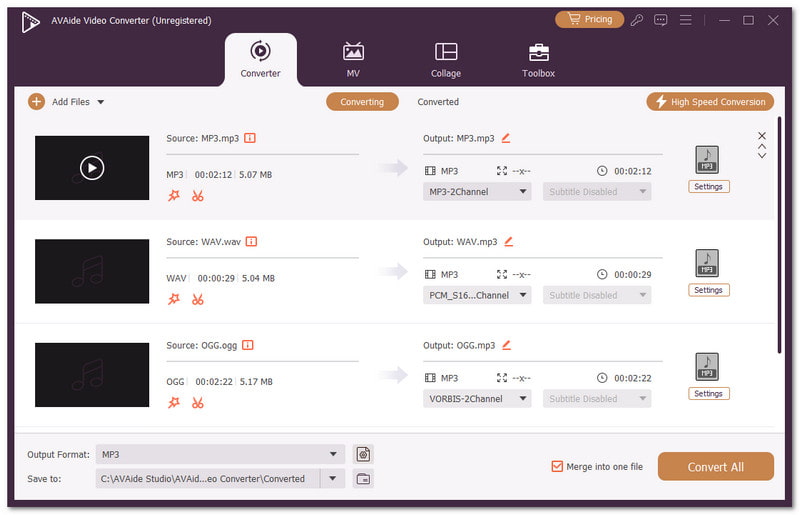
Windows and Mac users can rely on AVAide Video Converter as a powerful audio joiner to handle all their audio needs. It easily merges all audio files, keeping the sound clear and smooth. At the same time, you can customize your audio files in batches by trimming, reordering, and adjusting them with ease.

FREE DOWNLOAD For Windows 7 or later
 Secure Download
FREE DOWNLOAD For Mac OS X 10.13 or later
Secure DownloadMoreover, it supports MP3, WAV, M4A, and more, and lets you export in the same format for convenience. On top of that, it utilizes GPU acceleration to speedily decode, edit, and re-encode files with speed and efficiency.
- Pros
- Lets you merge videos as well.
- Allows merging many audio files, even in different formats.
- Includes multiple features in one place, like a converter, movie maker, and collage maker.
- Cons
- The free version has limits on media size and features.
2. iMovie
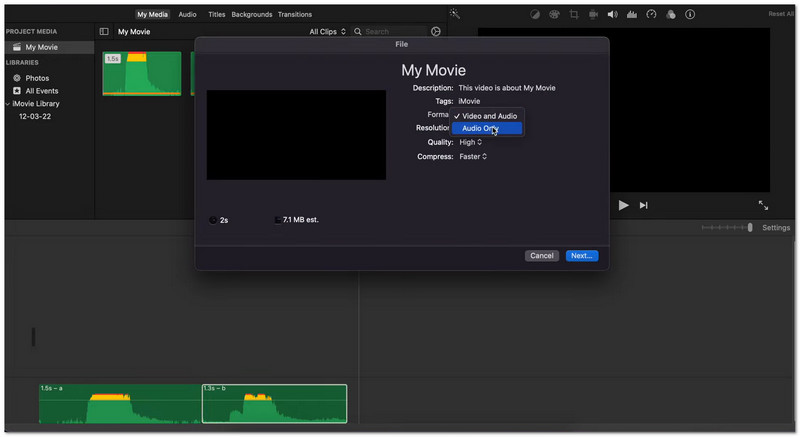
This Mac program is a reliable audio file joiner that helps you join audio tracks easily. You can drag and drop files, fine-tune timing, and add effects to make the sound better. It also lets you combine audio with video. Plus, the free background music and tempo controls make editing simple and fun. It is friendly for anyone starting to work with sound.
- Pros
- Very easy for beginners.
- Lets you mix audio with video.
- High-clarity sound effects included.
- Cons
- Only works on Mac.
- Merging tracks may be tricky at first.
3. Audacity
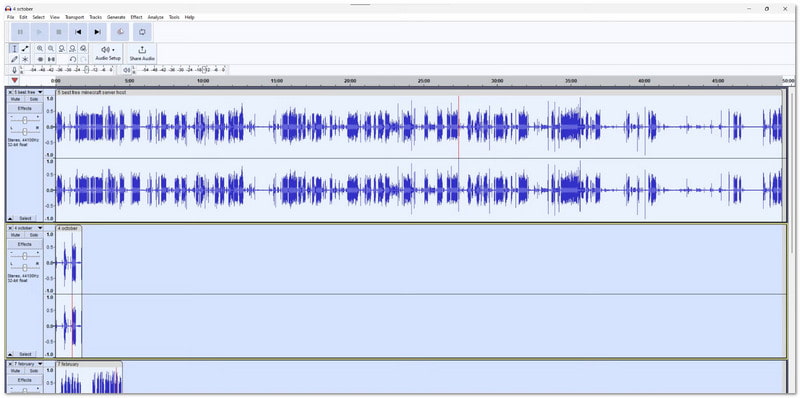
Audacity is a popular Windows program for editing and joining audio. As an audio file merger, it lets you see clear waveforms to know where to cut or keep sound. You can also trim, split, and merge files easily. It records from microphones and saves in different formats. The interface is simple but powerful, giving control over every detail for clean and professional audio results.
- Pros
- Can export in many formats.
- Drag-and-drop merging is fast.
- Drag-and-drop merging is fast.
- Cons
- Needs time to learn for beginners.
- Too many features for simple users.
4. EArt Media Audio Editor
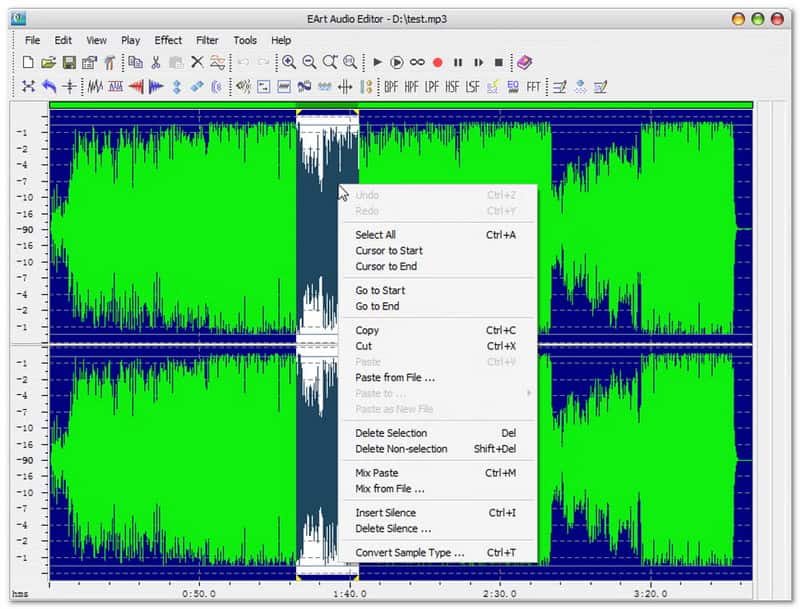
This all-in-one Windows tool acts as a powerful audio file combiner and handles almost everything. You can merge, split, and record audio. It has effects like fade, reverse, and noise reduction. It works with many formats, so files are never a problem. Filters and waveform display make editing clear. It is good for users who want more control over sound and want multiple effects in one program.
- Pros
- Shows audio as waveforms.
- Can process many files at once.
- Offers filters like high pass and low pass.
- Cons
- The interface looks old.
- Can be confusing for new users.
Part 3: Top 3 Audio Joiners Online
1. Clideo - Audio Joiner
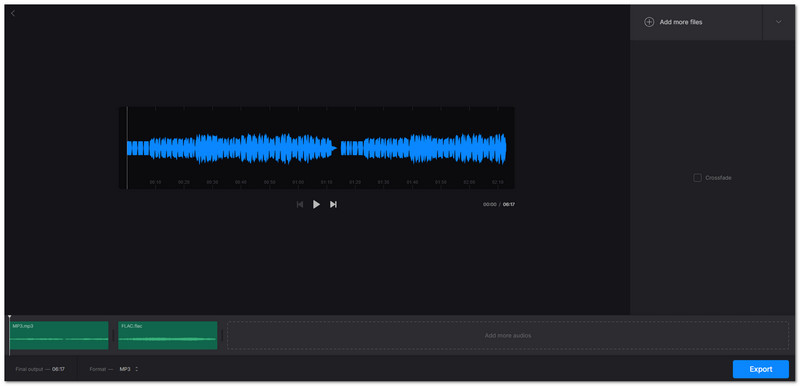
This audio joiner online lets you join songs fast. You can add many files at once and arrange them by dragging. You can also add crossfade effects and convert files to the format you want. The interface is simple, so even beginners can merge songs in minutes. It works on Mac, Windows, and phones, so you do not need to install anything.
- Pros
- Can upload up to 500 megabytes per file for free.
- Supports MP3, WAV, OGG, WMA, and other formats.
- The crossfade effect smooths transitions between songs.
- Cons
- The free version has file size limits.
- Some features need an internet connection.
2. VEED - Audio Joiner
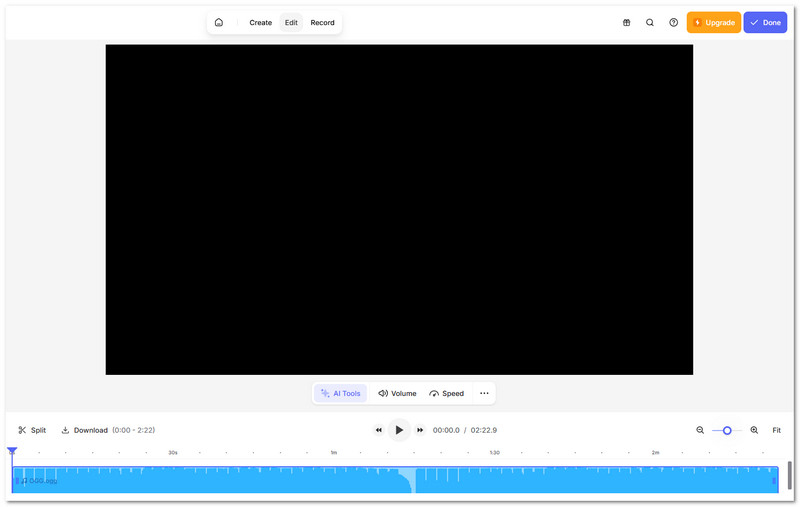
VEED lets you merge audio for podcasts, music, or videos. You can drag files to the Timeline, split, and rearrange them. It supports MP3, WAV, OGG, and other formats. You can also edit videos and add effects. It is good for creators who want both audio and video editing in one easy platform.
- Pros
- Supports popular formats like MP3, OGG, and WAV.
- Can add voiceovers, effects, and subtitles during editing.
- Real-time preview shows how crossfades and edits sound.
- Cons
- Some extra features require a paid plan.
- Large or long audio files may load slowly online.
3. 123APPS - Audio Joiner
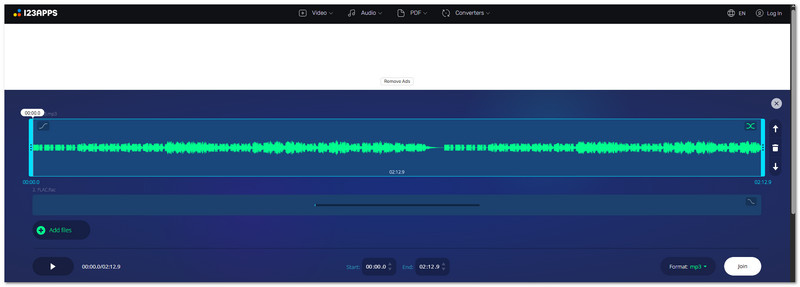
This free audio joiner online is simple and focused. You can merge unlimited audio tracks immediately. It also has a crossfade, so songs flow naturally. Plus, you can adjust playback intervals with sliders. In addition, it supports over 300 file types and converts them to MP3 automatically. There is no download needed, so you can combine songs online from any device easily.
- Pros
- Can merge unlimited audio tracks in one session.
- Crossfade makes multiple tracks sound seamless.
- Interval sliders let you control exactly where songs start and end.
- Cons
- Works only online, so files cannot be edited offline.
- Editing very long tracks may be slow in the browser.
Part 4: Comparison of the 7 Best Audio Joiners
| Platform | Merge Audio | Audio Format Support | Editing Tools | Ease of Use |
| Windows & Mac | Yes, fast and clear. | MP3, WMA, WAV, M4A, OGG, FLAC, AIFF, and more. | Cut, fade in and out, volume boost, delay, batch edit, and merge tracks. | Easy for all users. |
| Mac | Yes, under a timeline. | MP3, WAV, AIFF, AAC, and M4A. | Basic trim, clip alignment, and simple effects. | Easy for Apple users. |
| Windows, Mac & Linux | Yes, detailed joining. | WAV, AIFF, MP3, OGG, FLAC; more with FFmpeg. | Waveform view, cut, effects, noise removal, and fade. | Easy for Apple users. |
| Windows | Yes, with effects. | MP3, WMA, WAV, OGG, and RAW. | Trim, fade, noise reduction, reverse, and echo. | Interface feels old. |
| Web | Yes, in the browser. | MP3, WAV, OGG, WMA, M4A, FLAC, and AAC. | Crossfade, convert format, and basic trim. | Very easy online. |
| Web | Yes, on timeline. | MP3, WAV, OGG, M4A, WMA, and AAC. | Trim, split, merge, and basic effects. | Easy drag‑and‑drop. |
| Web | Yes, simple and quick. | Many formats auto‑converted to MP3. | Crossfade, interval adjust, and basic trim. | Very simple online. |
Part 5: AVAide Video Converter vs. Online Audio Joiner
When it comes to joining audio, you have two main options: a desktop tool or an online service. AVAide Video Converter works on Windows and Mac and gives full control over your audio. You can merge many files at once, edit in batches, and keep formats the same. In addition, it uses GPU acceleration for fast processing.
Online audio joiners like Clideo, VEED, or 123APPS work in your browser and do not need installation. They are easy and quick for small tasks. However, they only work if you have an internet connection. In addition, they often limit file size and do not offer deep editing like batch adjustments, volume boosts, or advanced format options.
No matter what type of user you are, a desktop user or an online user, you can choose from the audio-to-audio joiner options above.
If you are on Windows or Mac, AVAide Video Converter is the best pick. It can merge many audio files, even in different formats, and it is easy to use. You will not struggle and can get your merged audio immediately!
ABOUT THE AUTHOR

Your complete video toolbox that supports 350+ formats for conversion in lossless quality.