Ripping DVDs on a Mac should be simple, yet many tools fail when faced with copy protection, region codes, or newer macOS updates. Some reduce video quality. Others limit export formats. We tested the most trusted DVD rippers for speed, output clarity, stability, and format support to identify tools that actually perform. This guide compares free and premium options so you can make a confident decision. If you are searching for the best DVD ripper for Mac all times free, this breakdown will help you choose wisely.
Top 1. AVAide DVD Ripper
AVAide DVD Ripper feels built for people who are serious about protecting their DVD collections. As a DVD ripper Mac solution, it handles the tasks that usually cause trouble: region restrictions, encrypted discs, and format limits - without slowing down or lowering quality. When presented in their full-length form, movies remained sharp and with clean audio despite being converted into formats such as MP4, MOV, and MKV. The interface remains minimal, yet it has sophisticated bitrate, resolution, and subtitles options when necessary. Most impressive is the speed. Big discs rotate fast, and the software is also stable during the process.

FREE DOWNLOAD For Windows 7 or later
 Secure Download
FREE DOWNLOAD For Mac OS X 10.13 or later
Secure Download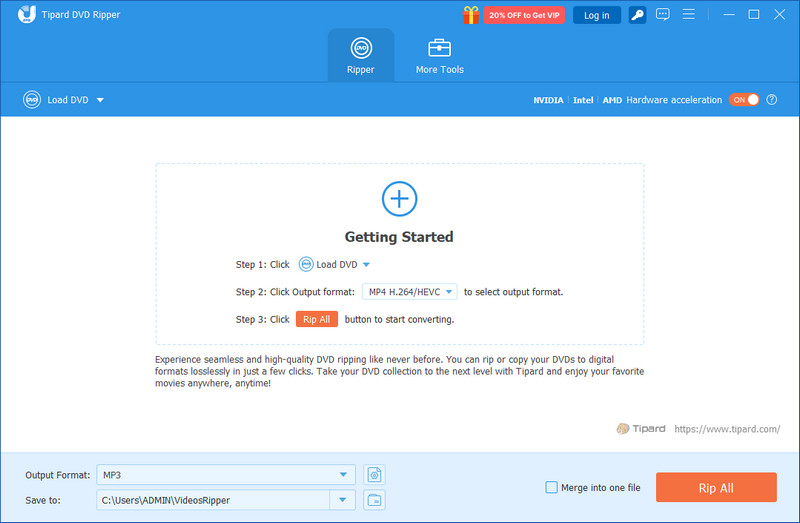
- Pros
- Bypasses region locks and common copy protection smoothly
- Maintains original video and audio quality
- Converts to a wide range of modern formats
- Fast processing with reliable performance
- Cons
- Advanced features require a paid license
Top 2. Handbrake
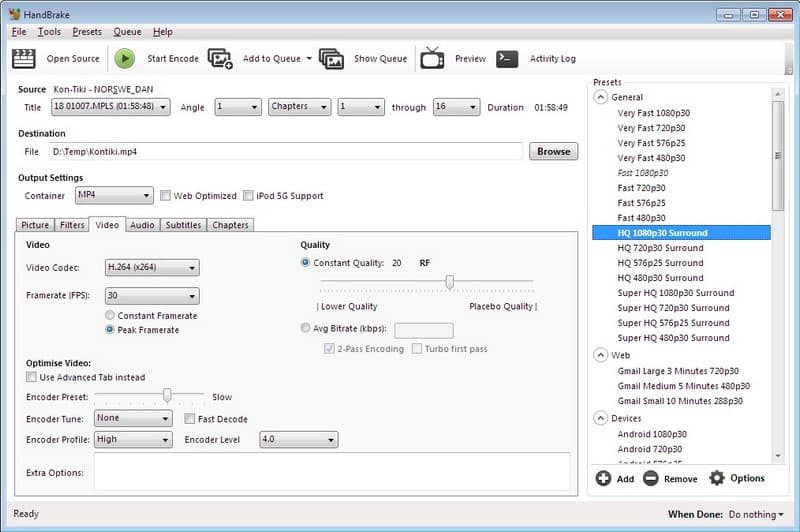
The application that many Mac users find when they turn to the Internet to find a free means of converting DVDs is the one named HandBrake, and it tends to stick with them. Being a Mac DVD ripper, it is geared towards clean encoding and extensive control instead of flashy design. You have a chance to optimize bitrate, tweak resolution, select particular codecs, and compress big files without much sacrifice of clarity. It works well with unprotected discs, as it does not actually circumvent commercial copy protection. The interface is technical, and it can be easily mastered with precise control, which experienced users value.
- Pros
- Completely free and open-source
- Strong control over video compression and encoding
- Supports popular formats like MP4 and MKV
- Stable and efficient for standard DVDs
- Cons
- Does not handle encrypted or region-protected discs on its own
- The interface can feel overwhelming for beginners
Top 3. VideoByte DVD Ripper
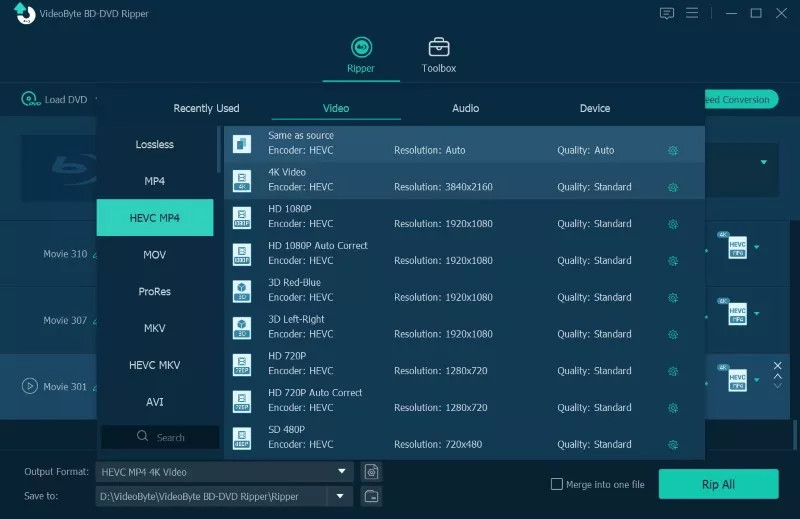
VideoByte DVD Ripper markets itself as a moderate DVD ripper on Mac to customers who desire simplicity and capabilities. It is easy to use encrypted and region-protected DVDs, which is why it is appropriate for commercial movie collections. It provided a higher quality of output with the least amount of compression loss in testing, even when full-length films were converted to MP4, MOV, and MKV. The interface is intuitive and simple to use, enabling new users to begin within minutes, yet the more experienced user can make changes to bitrate, resolution, and audio tracks. Ripping speed is steady, supported by hardware acceleration on compatible Macs.
- Pros
- Bypasses most copy protections and region codes
- Maintains strong video and audio quality
- Supports a wide range of output formats
- Beginner-friendly interface with advanced options available
- Cons
- Full functionality requires a paid license
- Trial version limits ripping duration
Top 4. MakeMKV
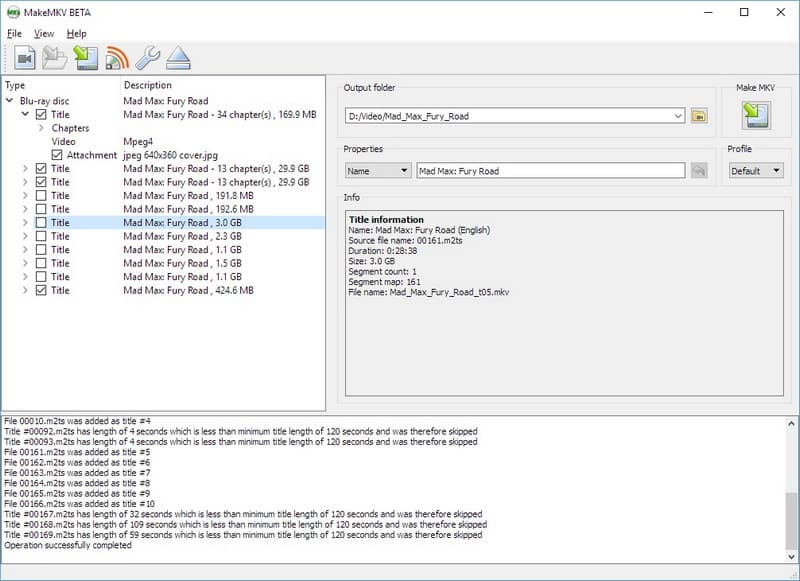
MakeMKV is a DVD conversion that has a narrow focus. It does not provide dozens of formats of output but focuses on the production of high-quality MKV files without much compression. To users interested in a direct copy of their disc near lossless, it usually has the appearance of the best DVD ripper on Mac to create a copy to archive. It can break most of the region limits and the usual safeguards, which is helpful in the case of commercial DVDs. The interface is modernistic and basic, but not modern. The speed of conversion is constant, and the files obtained are large because they have not been compressed.
- Pros
- Preserves near-original video and audio quality
- Bypasses most copy protection and region locks
- Simple, no-frills interface
- Reliable for full-disc backups
- Cons
- Outputs primarily in MKV format only
- Large file sizes due to minimal compression
Top 5. iSuper DVD Ripper
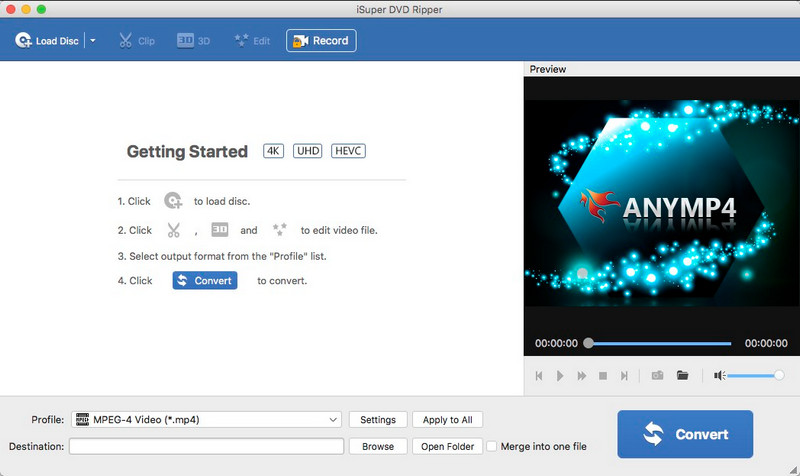
iSuper DVD Ripper is aimed at users who are interested in an easy DVD ripper for Mac OS X without using complicated options. The software is compatible with typical output formats that include MP4, MOV, and AVI, hence it can be used in simple playback on Mac, iPhone, or other platforms. It has the usual editing capabilities, such as trimming and simple parameter changes, which may be useful in making fast conversions. Performance, however, might be different with heavily encrypted or newer commercial DVDs, which is why many are relying more on a tool to rip a copy-protected DVD. Speed is acceptable for short projects, though not the fastest compared to premium tools.
- Pros
- Free version available for basic DVD conversion
- Supports several common video formats
- Simple interface for quick use
- Includes basic editing features
- Cons
- Limited support for advanced copy protection
- Slower processing compared to higher-end software
- Output quality may vary depending on settings
Top 6. MacX DVD Ripper Pro
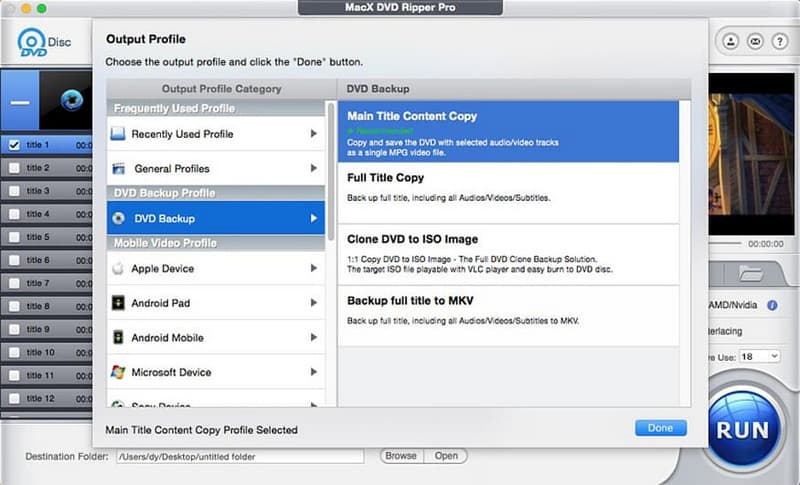
MacX DVD Ripper Pro has usually been placed as the best Mac OS DVD ripper with users who have to handle difficult or highly encrypted discs. It also supports a wide variety of copy protection and region codes and is therefore compatible with commercial DVD collections. The software offers high-quality output with hardware acceleration, which enhances faster conversion of output in compatible Macs. It also allows numerous export formats, including MP4, and device-specific presets. The interface itself is simple, yet rich in features to make elaborate adjustments.
- Pros
- Strong support for encrypted and region-locked DVDs
- High-quality output with fast conversion speed
- Wide format and device compatibility
- Stable performance with large DVD collections
- Cons
- Paid software with a limited free trial
- Interface may feel feature-heavy for casual users
Top 7. FFmpeg
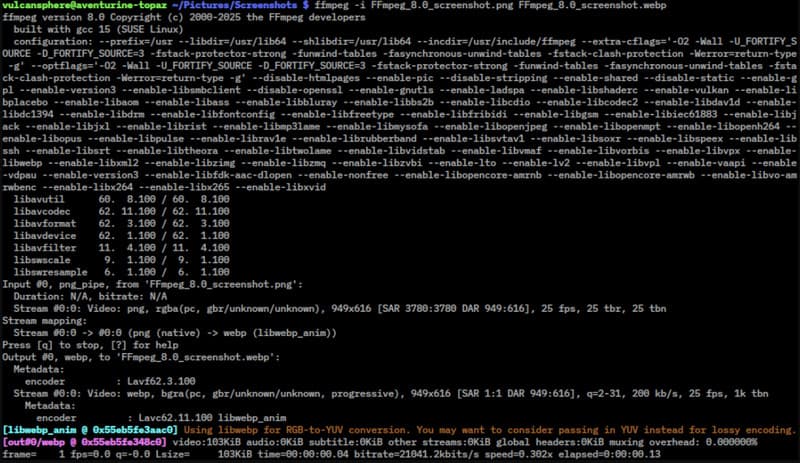
FFmpeg is a strong command-line utility that is usually utilized by programmers and video professionals, and might also serve as a free Mac OS DVD ripper to those who are willing to use manual commands. Contrary to the classical software with its graphical interface, FFmpeg is based on terminal input to decode, transcode the DVD data to such formats as MP4 or MKV, and even crop the video with FFmpeg. It provides extensive manipulation of codecs, bitrate, resolution, and compression. It is, however, not a direct circumvention of commercial copy protection, and it requires technical skills to be used efficiently. In the case of advanced users, it provides unparalleled flexibility and precision.
- Pros
- Completely free and open-source
- Full control over encoding parameters
- Supports a wide range of codecs and formats
- Highly efficient and lightweight
- Cons
- No graphical interface
- Requires command-line knowledge
- Does not handle encrypted commercial DVDs directly
Criteria for Choosing a DVD Ripper for Mac
1. Output Format Support
Choose software that supports common formats like MP4, MOV, and MKV. A good DVD to MP4 ripper Mac tool makes it easy to convert DVDs into files that play on Mac, iPhone, and other devices. Wide format support means fewer extra steps after ripping.
2. Copy Protection Support
Many DVDs have region locks or copy protection. Your ripper should handle these without errors. For example, WinX DVD Ripper Platinum Mac is often noted for its ability to process protected discs. This feature is important if you own commercial movies.
3. Speed and Performance
It should not take hours to rip an entire movie. Search for those that have hardware acceleration. There is also software such as WinX DVD Ripper Mac that encourages the speed of processing by optimizing the system. Speed is also efficient, particularly when dealing with huge DVD collections.
4. Video and Audio Quality
Good software ensures the maintenance of the original picture and sound. Other tools like the EaseFab DVD Ripper Mac are aimed at ensuring good quality output and being able to control the size of the file. This aids in the creation of a balance between storage and viewing experience.
5. Ease of Use
The program must be easy to comprehend. There are easy-to-follow steps, clear buttons, and preset profiles to allow new users to start using it in no more than a short time. Meanwhile, more sophisticated settings must be included in case of more control of the users.
A reliable DVD ripper for Mac turns your DVD collection into convenient digital files without losing quality. The right tool makes ripping fast, simple, and compatible with Mac and other devices. With the emphasis on speed, the ability to choose the format, and access to the content, you are able to effortlessly archive, edit, or even watch your movies. The correct software selection will mean that your DVDs will be usable and enjoyable for many years to come.
ABOUT THE AUTHOR

Best tool for ripping and converting DVD Disc/Folder/ISO image file into over various formats.