If you are a Windows 10 user and want to copy a DVD on Windows 10, it is completely possible. There is a direct way to copy a DVD to another DVD, and you can also save it to your computer for backup, which this guide will provide. You will also discover in this guide the software to copy a DVD to another DVD. Now, continue scrolling down to learn all these!
Part 1: How to Copy a DVD to a DVD on Windows 10 Directly
If your DVD is homemade, you can copy a DVD to DVD on Windows 10 without using any extra program. Just follow the guide below to master how to copy a DVD to DVD in Windows 10 directly!
Step 1Insert your source DVD into your computer's DVD drive. Then, open File Explorer and look for the DVD drive. There, you will see the DVD files.
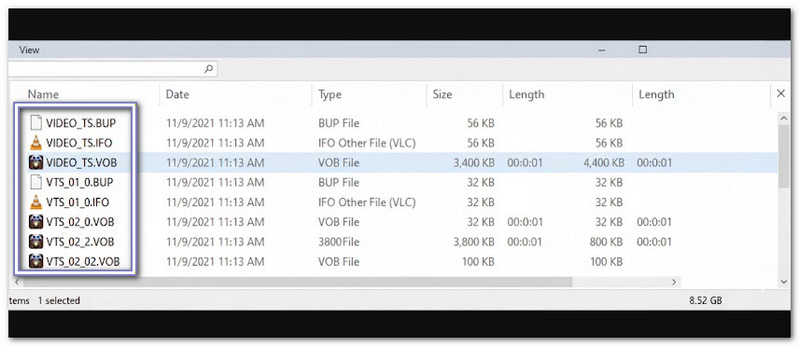
Step 2Open the DVD folder and look for the VIDEO_TS folder. This folder has all the movie files. They usually end with .VOB, .IFO, or .BUP.
Step 3Now, select the files you want to copy. You can copy everything in the VIDEO_TS folder by pressing Ctrl + A. Or, you can choose specific files by holding Ctrl and clicking each file with your mouse.
Step 4After that, right-click the files you selected and click Copy. Then, go to the folder on your computer where you want to save the DVD. Right-click again and click Paste. The files will start copying to your computer.
Step 5Please wait for the copying process to finish. The time will depend on how big the movie is and how fast your computer works. Once done, you can burn these files to a blank DVD using Windows' built-in DVD burner.
Part 2: How to Copy a DVD to a Computer on Windows 10
AVAide DVD Ripper can help you copy a DVD to a computer on Windows 10 while keeping the original quality and structure. It means your videos, menus, and chapters stay the same as the DVD.
Want to make your DVD better before copying? Impressively, AVAide DVD Ripper has simple editing features to fix video orientation, remove unwanted frames, add filters, text or image watermarks, and subtitles.
On top of that, it works easily and quickly. In just a few minutes, you can have your DVD safely copied to your computer!
- Rips DVDs at 30× speed.
- Adjust video parameters for seamless viewing.
- Rip DVDs, folders, or ISO files to over 300 digital formats.
- Make 1:1 lossless DVD copies with original quality intact.
- Work with CSS, APS, AACS, 99-Title DVDs, and region-locked discs.
Step 1Click on the Download button above to get AVAide DVD Ripper on your Windows 10. Then, please follow the on-screen guide to install it successfully.
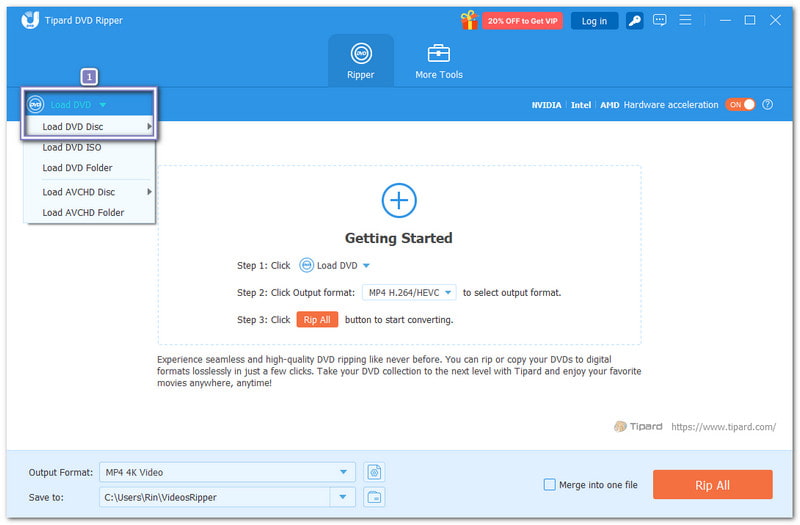
Step 2If you have not already, insert your DVD into your computer's DVD drive. Then, in AVAide DVD Ripper, click Load DVD and choose Load DVD Disc to add your DVD. After that, your movie files will appear.
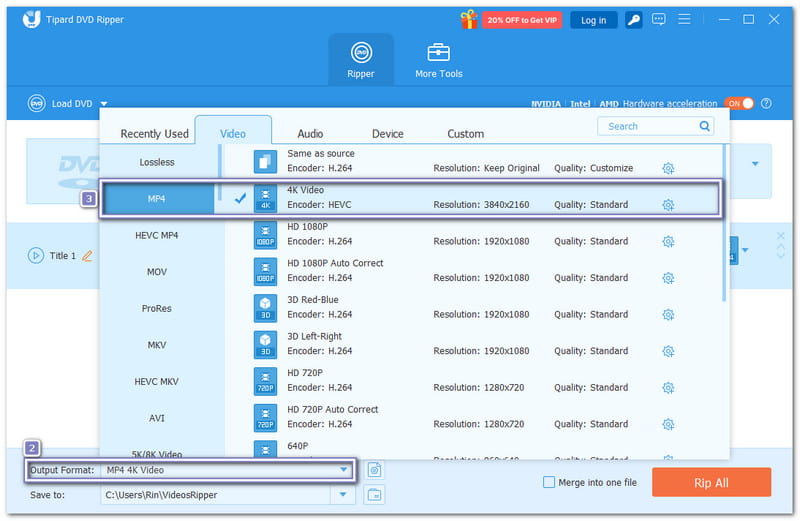
Step 3Open the Output Format menu and pick the format you want to copy your DVD to. You can leave the resolution the same to keep the original quality, or choose a higher one, like 4K or 1080p, to improve it.
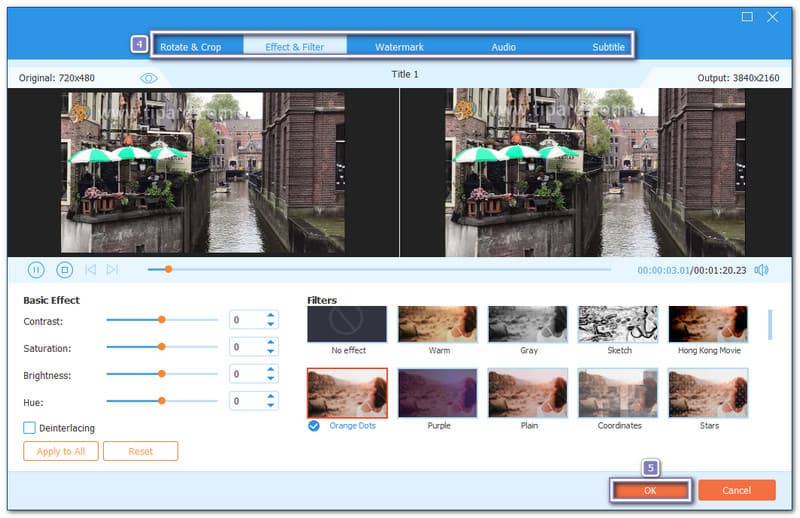
Step 4You can also edit your DVD before copying. Click the Wand button and explore tabs like Rotate & Crop, Effect & Filter, Watermark, Audio, and Subtitle. Do not forget to press OK to save your edits.
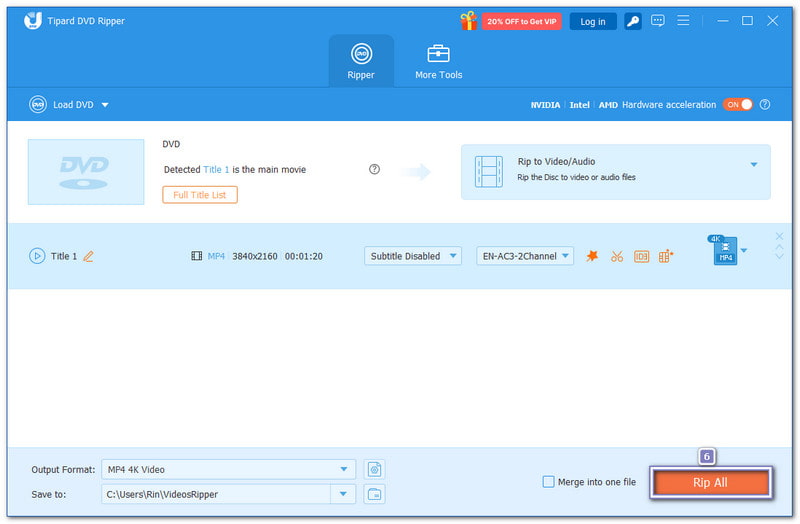
Step 5Once everything is ready, press the Rip All button. AVAide DVD Ripper will start ripping and copying your DVD to your computer. When the process is done, open your local folder to check your files. Now your DVD is safely saved on Windows 10!
Part 3: 5 Best Software to Copy DVD to DVD on Windows 10
Copying a DVD to a DVD on Windows 10 has never been easier with the right tools. These tools let you back up movies, make exact DVD copies, and customize audio, subtitles, and menus. So, without further ado, please get to know each software below!
1. Tipard DVD Cloner
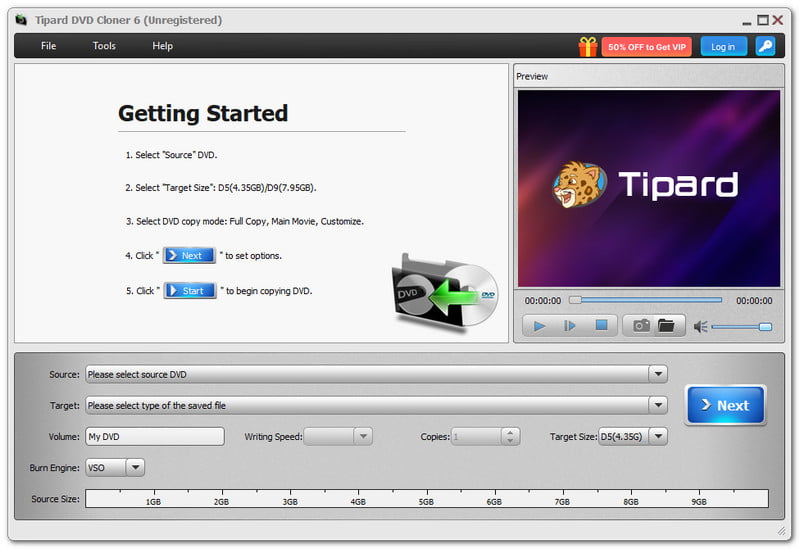
First on the list is Tipard DVD Cloner. It can copy a DVD to DVD on Windows 10 or back up a DVD as a DVD folder or ISO image. You can clone DVDs with customizable titles, chapters, audio, and subtitle tracks.

FREE DOWNLOAD For Windows 7 or later
 Secure Download
FREE DOWNLOAD For Mac OS X 10.13 or later
Secure DownloadYou can also check the DVD size and adjust the capacity between DVD-5 and DVD-9. Tipard DVD Cloner uses GPU acceleration and three stable burning engines: VSO, CdrTool, and IMAPT. It helps you copy DVDs quickly, keep the full content, and avoid glitches.
Top Features:
- Remove region codes easily.
- Compress DVD-9 to DVD-5 to save space.
- Make multiple copies and choose the number you need.
- Works with DVD-R(W), DVD-R DL, DVD folders, ISO files, etc.
- Offers three copy modes: Full Copy, Main Movie, and Customize.
2. Nero 9
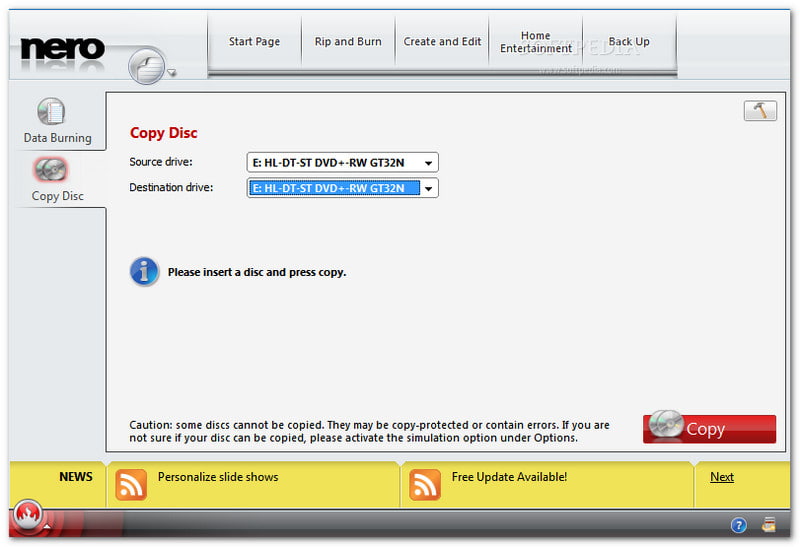
Nero 9 is a classic DVD copy software on Windows 10. It is known for its speed and clear interface. You can copy CDs, DVDs, and other discs easily while monitoring the progress. It also allows basic adjustments to the movie format. It is still a great option for users who want dependable DVD burning and copying, despite the possibility of some crashes.
Top Features:
- Clear, beginner-friendly interface.
- Supports video, music, and data burning.
- Works on older and newer Windows versions.
- Make custom menus, chapters, and disc labels.
3. 123 Copy DVD
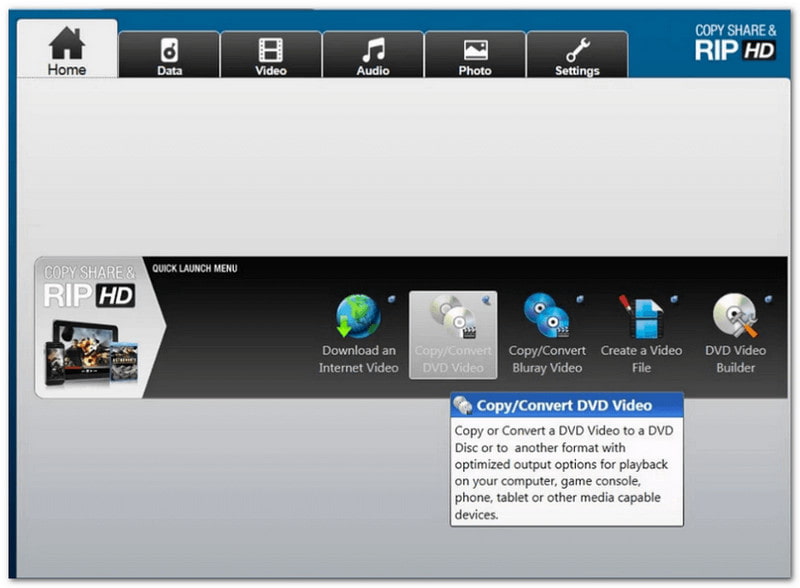
Perfect for beginners who want to copy DVDs on Windows 10 quickly is 123 Copy DVD. It can make exact 1:1 DVD copies and burn them to another disc. You can also archive movies, pictures, and files safely. Its simple interface ensures a smooth process, and it can automatically pick the right format for your DVD or device.
Top Features:
- Supports multiple Windows versions.
- Burn internet videos to DVDs or devices.
- Make exact 1:1 DVD copies without damage.
- Automatic format selection for easy copying.
4. Xilisoft DVD Copy Express
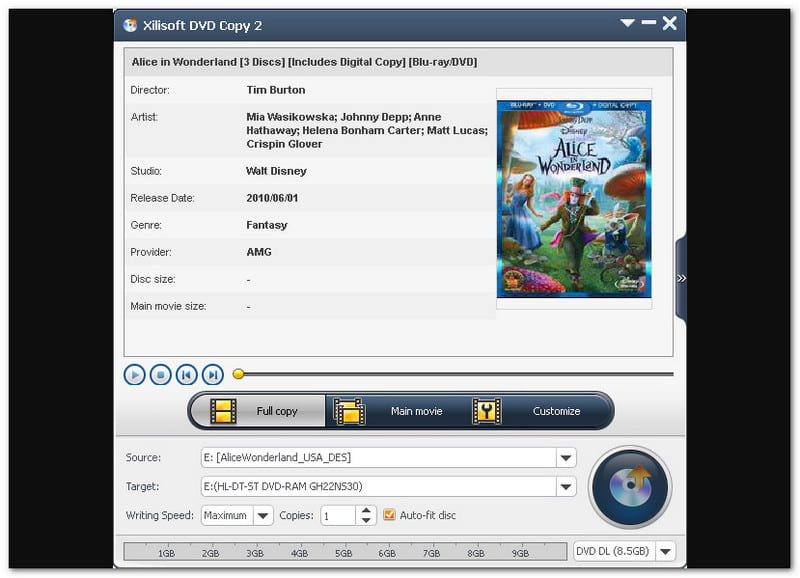
Xilisoft DVD Copy Express is known for high-quality DVD cloning on Windows 10. It offers 1:1 disc copies and supports dual-layer DVDs. You can select audio tracks, subtitles, or skip menus for simpler copies. Besides that, Xilisoft DVD Copy Express lets you copy a DVD to an ISO file on Windows 10. While it may feel slightly outdated, it provides solid and reliable DVD duplication.
Top Features:
- Lossless 1:1 DVD cloning.
- NTSC and PAL format compatibility.
- Customize audio tracks and subtitles.
- Dual-layer DVD support for large movies.
5. 1Click DVD Copy Pro
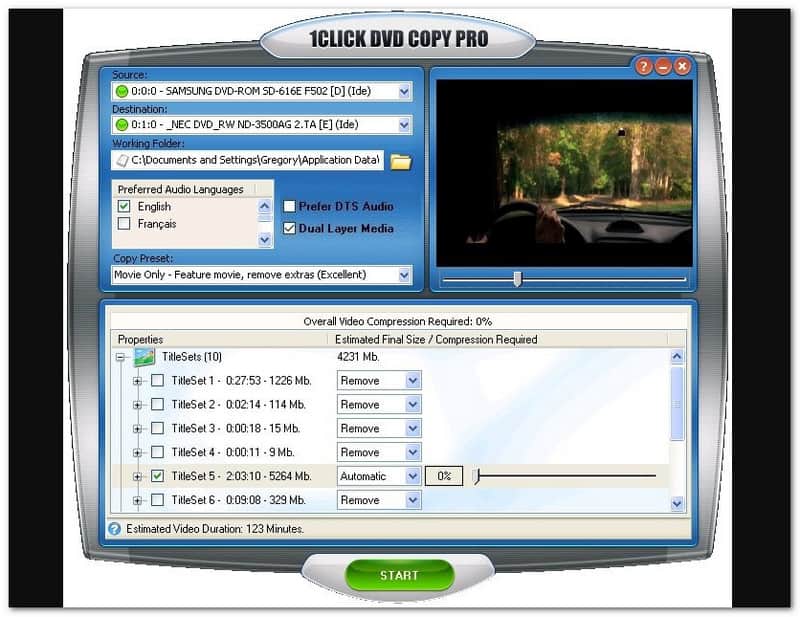
A simple tool for fuss-free DVD copying on Windows 10 is 1Click DVD Copy Pro. It produces high-quality 1:1 clones and compressed backups. The software uses CPRx technology to handle new copy-protected DVDs. You can also use it to copy a DVD to a hard drive on Windows 10. While it is more expensive and has fewer advanced customization options, it is reliable for quick and effective DVD backups.
Top Features:
- High-quality 1:1 DVD cloning.
- Backup movies directly to your hard drive.
- Handles copy-protected DVDs with CPRx.
- Copy episodic DVDs and dual-layer media.
Fortunately, learning how to copy dvd to Windows 10 is now easy. Tools like AVAide DVD Ripper help you copy DVDs to your computer in digital formats fast and safely. You also discovered software that can copy a DVD to a DVD. Just pick the program that fits your needs best and start copying with confidence.
ABOUT THE AUTHOR

Best tool for ripping and converting DVD Disc/Folder/ISO image file into over various formats.