Embora os dispositivos Android venham com gravadores de voz pré-instalados, eles geralmente carecem dos recursos avançados e da estabilidade necessários para uso profissional. Para gravar entrevistas espontâneas ou palestras importantes, uma ferramenta confiável é essencial; nada arruína uma gravação como travamentos repentinos ou ruído de fundo excessivo. Para ajudá-lo a encontrar o equilíbrio perfeito entre fidelidade e desempenho, selecionamos e analisamos os 10 melhores. Gravador de voz para Android Aplicativos em que os profissionais confiam.
Parte 1: Qual é um bom aplicativo de gravação de voz para Android?
Escolher o aplicativo de gravação de áudio certo no Android é importante; trata-se de garantir a integridade dos dados e a precisão acústica. Para distinguir um aplicativo profissional de um aplicativo genérico pré-instalado, você pode considerar os cinco critérios abaixo:
Áudio cristalino: Não se trata apenas de gravar; trata-se de clareza. Um ótimo aplicativo deve capturar som de alta fidelidade, filtrando de forma inteligente o ruído de fundo e o ruído ambiente para manter o foco na voz.
Opções flexíveis de exportação: Você não precisa se limitar a um único tipo de arquivo. Procure um aplicativo de gravação de voz para Android que suporte vários formatos, como WAV para máxima qualidade, ou MP3 e AAC para economizar espaço, garantindo que seus arquivos funcionem perfeitamente em qualquer dispositivo.
Compartilhamento instantâneo: Velocidade é importante. Você deve conseguir enviar suas gravações por e-mail, armazenamento em nuvem ou plataformas de mídia social diretamente do aplicativo, sem etapas adicionais.
Design intuitivo: Quando uma conversa começa inesperadamente, cada segundo conta. A interface deve ser limpa e livre de distrações, permitindo que você comece a gravar com um único toque, sem curva de aprendizado.
Transcrição inteligente: Digitar anotações manualmente é coisa do passado. As melhores ferramentas de gravação de voz para Android agora incluem inteligência artificial integrada que converte seu áudio em texto preciso rapidamente, economizando horas de reprodução.
Parte 2: Análise dos 10 melhores gravadores de áudio para Android
Top 1. Gravador de Voz Inteligente
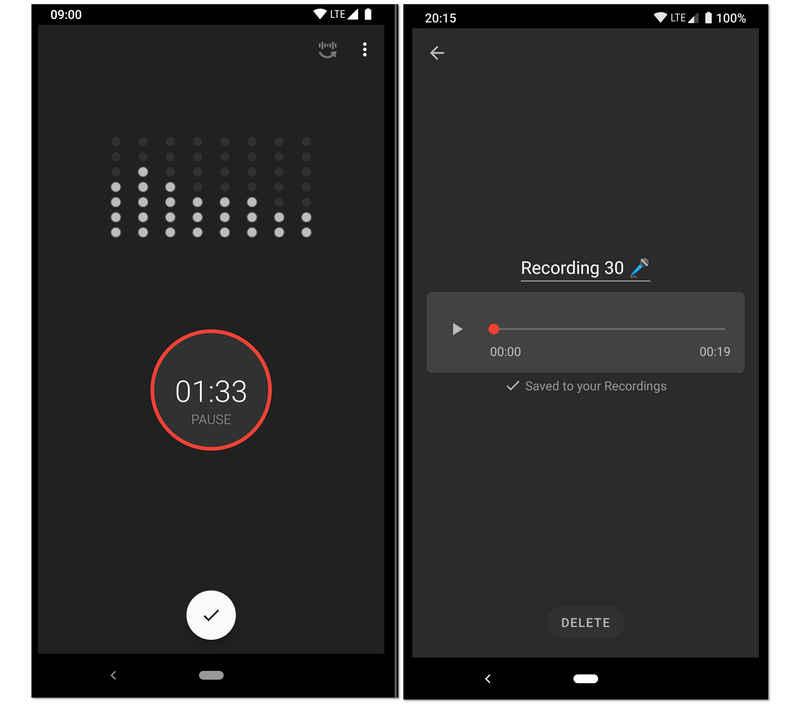
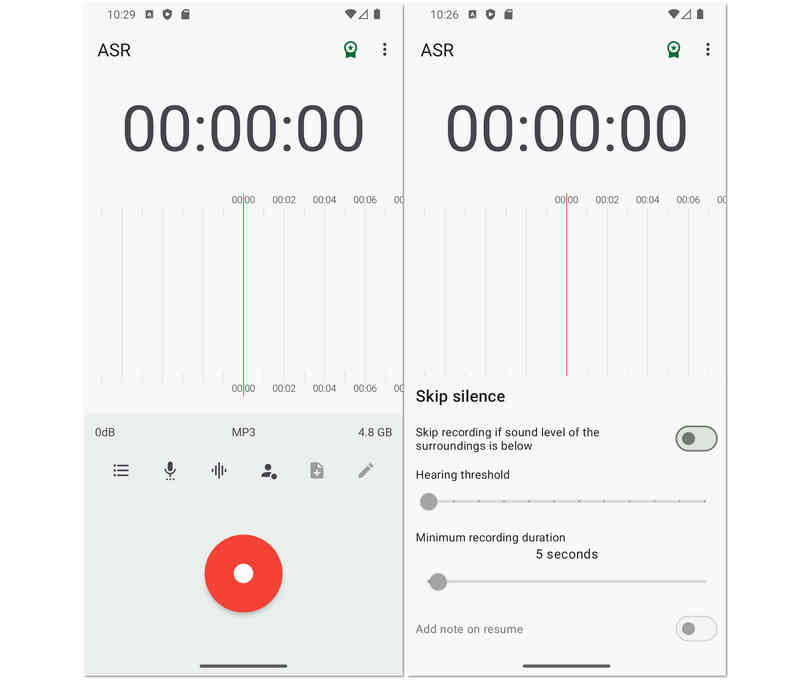
Projetado para gravações de alta fidelidade e longa duração, este gravador de áudio para Android é um dos favoritos entre estudantes e pesquisadores. Seu recurso de destaque é o modo "Ignorar Silêncio", que utiliza um analisador de sensibilidade de decibéis em tempo real para pausar automaticamente a gravação durante momentos de silêncio. Isso torna este gravador de voz para Android a escolha ideal para gravar aulas universitárias, reuniões de negócios ou até mesmo monitorar conversas durante o sono, sem a necessidade de editar manualmente horas de silêncio posteriormente.
- Prós
- O algoritmo de eliminação de silêncio economiza espaço de armazenamento e reduz o tempo de revisão após a gravação.
- Possui um analisador de espectro de áudio em tempo real que fornece feedback visual sobre os níveis de gravação.
- As ferramentas de calibração permitem ajustar o ganho do microfone para se adequar a diferentes ambientes, desde salas silenciosas até auditórios barulhentos.
- Contras
- O design da interface carece da estética moderna e minimalista encontrada em aplicativos de produtividade mais recentes.
- Não suporta a gravação de chamadas telefônicas devido a limitações do sistema Android.
- O ruído de fundo pode, por vezes, ativar a função de supressão de silêncio se não estiver calibrada corretamente.
Top 2. Easy Voice Recorder Pro
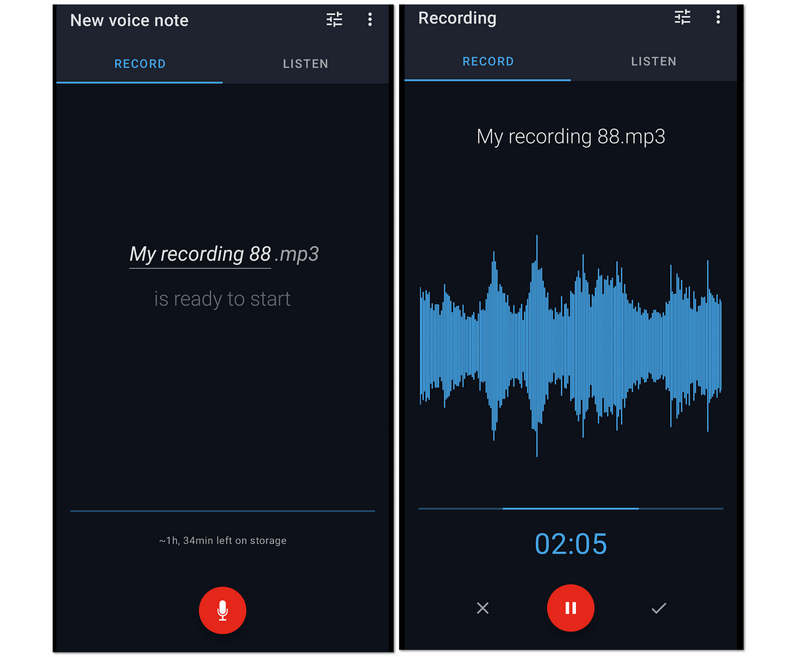
Em segundo lugar, na lista, está este Easy Voice Recorder Pro. É um fantástico aplicativo de gravador de voz para Android devido à sessão de gravação ilimitada que oferece aos usuários. Por esse motivo, longas palestras, reuniões e outras conversas longas podem ser facilmente capturadas enquanto são compactadas em arquivos menores. Apesar disso, este Easy Voice Recorder Pro permite que os usuários aumentem a qualidade da gravação, permitindo que eles conectem seu microfone de última geração à gravação.
- Prós
- Ele permite que os usuários façam suas gravações como toque.
- Possui amplo suporte para vários formatos de áudio.
- Permite a gravação estéreo.
- Usa uma interface fácil de usar.
- Contras
- Suas ferramentas de edição são limitadas.
- Não está livre de anúncios.
Top 3. Gravador de Voz MP3 de Alta Qualidade
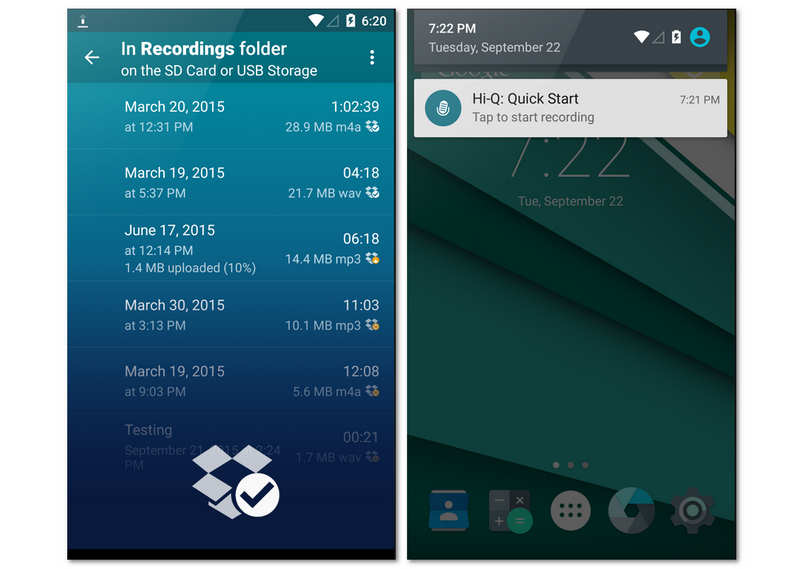
O Hi-Q foi desenvolvido para usuários que exigem áudio com qualidade de estúdio em um formato móvel. Ao gravar em MP3 de 320 kbps, este aplicativo de gravação de voz para Android equilibra alta fidelidade com compatibilidade universal de arquivos. Um de seus recursos mais exclusivos é o controle "Shuttle", que permite gravar até 20 segundos de áudio antes mesmo de pressionar o botão de gravação. Esse recurso pode revelar surpresas inesperadas em suas gravações de voz.
- Prós
- Suporta gravação MP3 de alta taxa de bits, compatível com praticamente todos os dispositivos e softwares de reprodução.
- Permite alternar entre os microfones frontal e traseiro para otimizar a captura de som direcional.
- A sincronização automática com o Dropbox ou o Google Drive garante que seus dados sejam copiados assim que você parar de gravar.
- Contras
- A versão gratuita deste gravador de voz para Android é estritamente limitada a sessões de gravação de 10 minutos, sendo necessário adquirir uma versão paga para uso em gravações mais longas.
- O filtro de redução de ruído pode, por vezes, fazer com que a voz gravada soe ligeiramente "robótica" ou com um som excessivamente processado.
- Ele não possui recursos avançados de edição multitrack encontrados em estações de trabalho de áudio mais especializadas.
Top 4. Gravador de áudio Neutron
O Neutron Audio Recorder aperfeiçoou a gravação de áudio, mantendo um aspecto profissional. Este gravador de voz para Android oferece melhorias básicas de gravação, ferramentas e recursos avançados, como equalizador de 60 bandas, filtro DSP, detector de silêncio, editor de metadados, filtro digital configurável, acesso direto à porta USB e muito mais. No entanto, sua interface pode ser um pouco confusa para iniciantes.
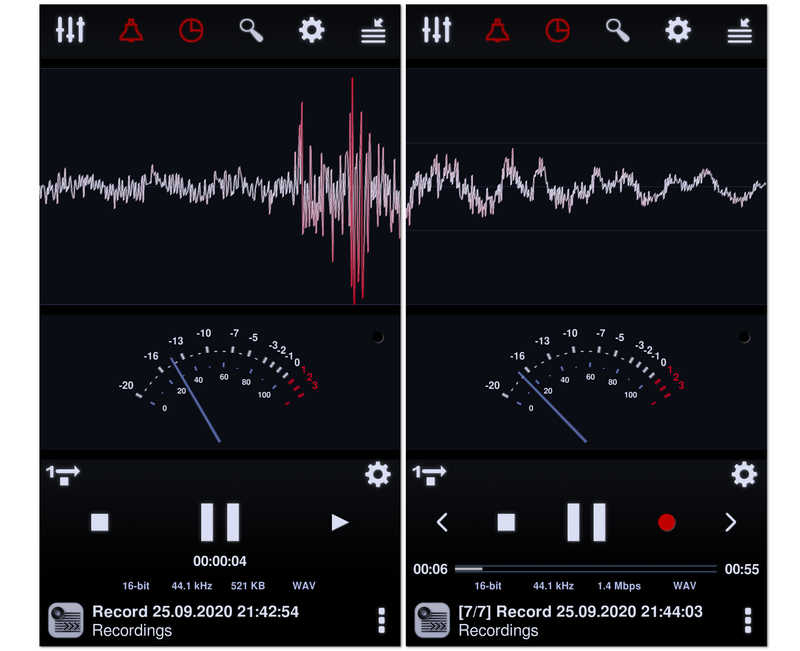
Originário do famoso Neutron Music Player, este é o aplicativo de gravação preferido dos audiófilos. Este gravador de áudio para Android utiliza um sofisticado mecanismo de áudio de 32/64 bits para fornecer gravações perfeitas em termos de qualidade. Com um equalizador paramétrico de 60 bandas e filtros profissionais, ele oferece mais controle técnico sobre o perfil sonoro final do que qualquer outro aplicativo desta lista.
- Prós
- O mecanismo de processamento de áudio de nível audiófilo garante que não haja perda de qualidade de áudio durante o processo de codificação.
- Recursos avançados de DSP, como o Controle Automático de Ganho (AGC), ajudam a normalizar o volume em ambientes imprevisíveis.
- Inclui uma interface visual altamente personalizável com analisadores de espectro, RMS e forma de onda.
- Contras
- A interface do usuário é incrivelmente complexa e pode ser intimidante para usuários casuais.
- Consome significativamente mais bateria e recursos da CPU em comparação com aplicativos de gravação mais simples.
- O processo de configuração de drivers de áudio de alta resolução pode ser tecnicamente desafiador para quem não é especialista.
Top 5. Gravador de Voz
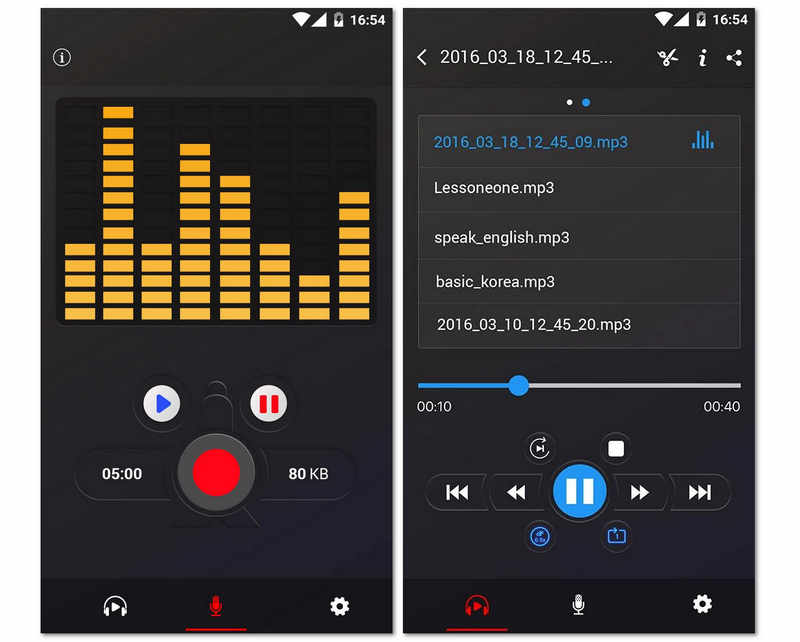
Em seguida, temos este gravador de voz gratuito que funciona de forma incrível, sem restrições. Além disso, este aplicativo gratuito para Android oferece um analisador de espectro de áudio que permite visualizar o som livremente. Sem mencionar sua capacidade de preservar a bateria do seu celular Android, retomando a gravação mesmo com a tela desligada. É um dos melhores aplicativos de gravação de voz para Android 16/15/14, sim, mas, por ser gratuito, pode apresentar muitos anúncios. Mesmo assim, muitos usuários ainda o utilizam devido aos seus recursos adicionais de compartilhamento, que facilitam o envio de gravações para amigos.
- Prós
- O design minimalista torna o produto acessível a usuários de todas as idades, sem qualquer curva de aprendizado.
- Aplicativo extremamente pequeno que não ocupará muito espaço no armazenamento interno do seu telefone.
- Excelente estabilidade em segundo plano, garantindo que a gravação não seja interrompida pelo gerenciador de tarefas do sistema Android.
- Contras
- Não possui a capacidade de exportar para formatos profissionais sem perdas, como WAV ou FLAC.
- Não possui transcrição integrada nem recursos avançados de IA para ajudar a organizar dados de áudio.
- O gerenciamento básico de arquivos dificulta a triagem rápida de centenas de gravações.
Top 6. Gravador de áudio RecForge II
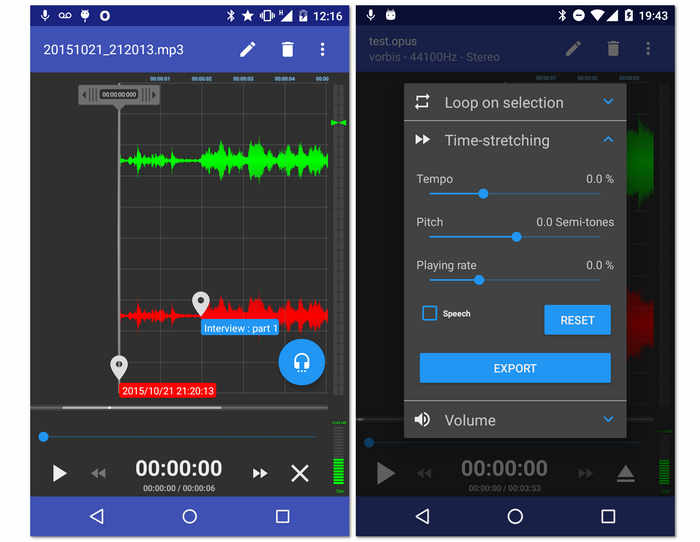
Outro gravador gratuito para o seu Android é este RecForge II Audio Recorder. Sim, esta ferramenta é um aplicativo gratuito que permite gravar em modo estéreo ou mono, além de dar acesso à conexão de vários tipos de microfones externos. Além disso, este aplicativo de gravador de voz para Android vem com ferramentas essenciais que podem editar o tempo, o tom e a taxa de reprodução dos arquivos gravados. Sem mencionar sua capacidade de desempenho mesmo ao usar outros aplicativos simultaneamente. No entanto, como é uma ferramenta gratuita, espere que ela seja executada com anúncios em algum momento.
- Prós
- Oferece aprimoradores de áudio.
- Com amplo suporte em diferentes formatos de áudio.
- As ferramentas são versáteis.
- Permite compartilhar as saídas online.
- Contras
- Confuso para iniciantes.
- Alguns formatos de arquivo têm duração limitada.
- Muitos anúncios estão aparecendo.
Top 7. Jam do Criador de Música
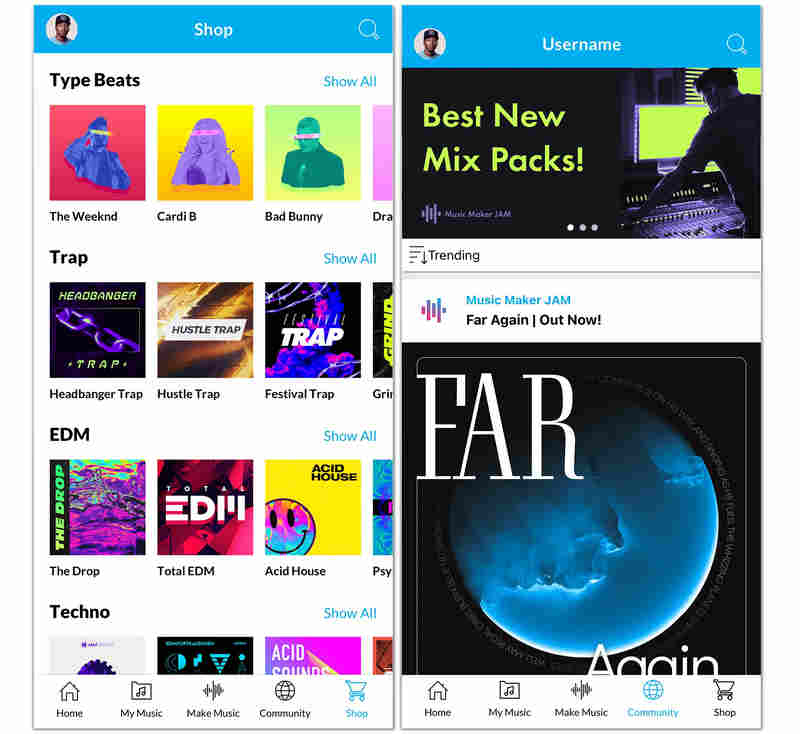
Ao contrário dos gravadores de voz tradicionais para Android, o Music Maker Jam é um verdadeiro laboratório criativo. Ele permite gravar sua voz ou instrumentos sobre loops e batidas produzidos profissionalmente. Você pode mixar seus vocais com oito canais de áudio diferentes, aplicar efeitos de estúdio em tempo real e compartilhar sua criação com uma comunidade global de criadores. É a melhor opção para quem busca gravar mais do que apenas fala.
- Prós
- Acesso a uma vasta biblioteca com milhares de loops de qualidade de estúdio em diversos gêneros.
- O mixer de 8 canais em tempo real permite equilibrar perfeitamente a voz com a música de fundo.
- Os recursos nativos da comunidade facilitam a colaboração com outros artistas ou a obtenção de feedback sobre seu trabalho.
- Contras
- O aplicativo de gravação de voz para Android é muito pesado e exige um dispositivo moderno para funcionar sem problemas e sem travamentos.
- Não é adequado para ditados comerciais profissionais ou gravações simples de palestras.
- O aplicativo se baseia fortemente em um modelo freemium, no qual muitos pacotes de som e recursos exigem compras dentro do aplicativo.
Top 8. Gravador de Voz ASR
O próximo da lista é este flexível Gravador de Voz ASR que é rico em ferramentas de edição para seus arquivos gravados. Se você quiser experimentar como gravar voz no Android profissionalmente, o Gravador de Voz ASR pode ser uma boa escolha. Além disso, permite que você edite suas gravações para controlar a velocidade de reprodução, pular o silêncio, adicionar notas a elas e reorganizá-las mais. Além disso, ele pode ser conectado a dispositivos externos, como microfones e fones de ouvido, para uma experiência mais pessoal e de maior qualidade.
- Prós
- Uma ferramenta gratuita com ótimas opções de gravação.
- Suporta vários formatos de arquivo de áudio.
- Com uma capacidade de compartilhamento fácil.
- Ele permite vários uploads de diferentes unidades.
- Contras
- Não é livre de anúncios.
- Não tem seleções de transcrição de áudio.
Top 9. OtterAI Transcreve Notas de Voz
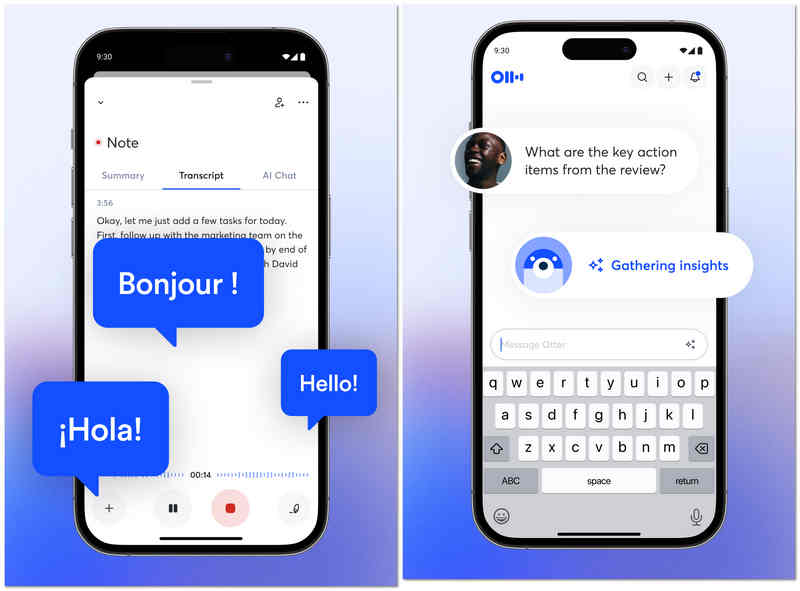
O OtterAI é líder de mercado em transcrição com inteligência artificial. Em vez de apenas gravar o áudio no Android, ele captura uma transcrição ao vivo que você pode ler enquanto o interlocutor fala. Este gravador de áudio para Android utiliza aprendizado de máquina avançado para distinguir entre diferentes falantes e pode até gerar um resumo automático da conversa, tornando-se indispensável para jornalistas e profissionais corporativos.
- Prós
- Transcrição em tempo real de alta precisão, que lida bem com diferentes sotaques e vocabulário técnico.
- A identificação automática de falantes facilita o acompanhamento de entrevistas ou reuniões com várias pessoas.
- As transcrições pesquisáveis permitem que você encontre palavras ou tópicos específicos em horas de áudio instantaneamente.
- Contras
- O plano gratuito é bastante restritivo, com limites mensais de transcrição.
- O aplicativo requer uma conexão constante com a internet para obter os melhores resultados de transcrição.
- Usuários preocupados com a privacidade podem ter receio de que seu áudio seja processado nos servidores da Otter.
Top 10. Gravador de Voz Tape-a-Talk
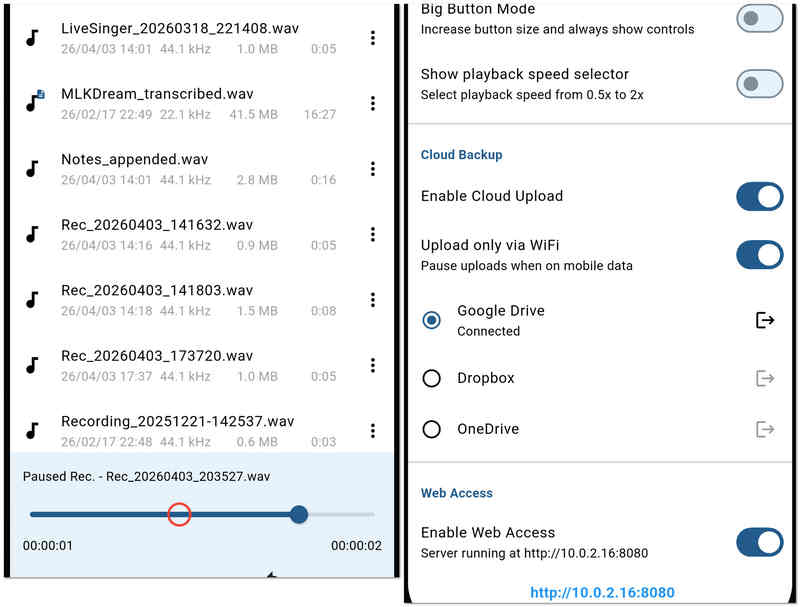
O Tape-a-Talk é um aplicativo de gravador de áudio confiável, com foco em alta estabilidade e facilidade de uso. É especialmente indicado para trabalhos de campo, onde você precisa de um gravador que não trave e ofereça widgets simples de um toque para a sua tela inicial. Este gravador de áudio para Android também oferece funções básicas de edição, permitindo que você corrija ou corte gravações instantaneamente.
- Prós
- Desempenho de gravação extremamente estável que raramente falha, mesmo em situações de pouca memória.
- Oferece widgets poderosos para a tela inicial, permitindo iniciar e parar gravações sem precisar abrir o aplicativo.
- Suporta gravação WAV não comprimida de alta qualidade para fins de arquivamento.
- Contras
- A versão gratuita é fortemente influenciada por anúncios, o que pode prejudicar a experiência do usuário.
- Ele não possui os recursos de IA "inteligentes", como cancelamento de ruído ou transcrição automática, encontrados em concorrentes.
Bônus: A melhor opção para reorganizar áudio e tela no Windows e Mac
Embora os aplicativos móveis sejam ótimos para anotações rápidas, projetos profissionais geralmente exigem o poder de uma solução para desktop. Se você precisar capturar vídeo de alta qualidade juntamente com o áudio, Gravador de tela AVAide É a melhor opção tanto para usuários de Windows quanto de Mac.
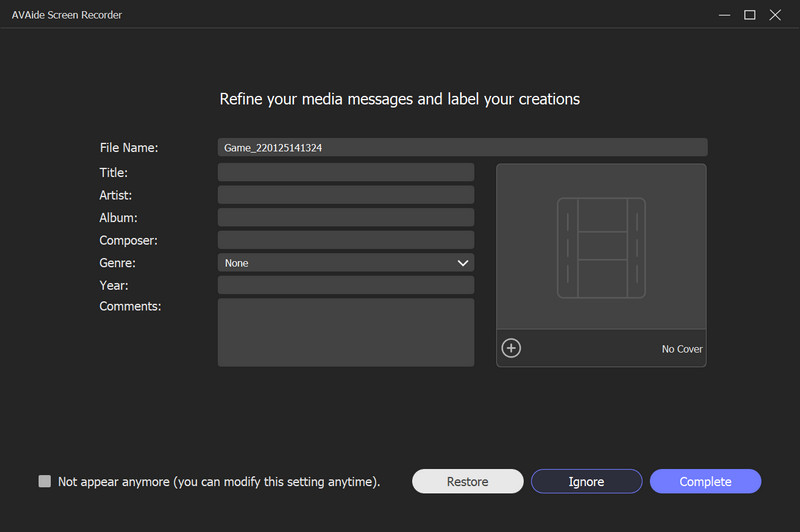
Por que escolher o gravador de tela AVAide?
O AVAide vai além da simples captura de tela, oferecendo um conjunto de ferramentas profissionais projetadas para clareza e facilidade de uso. Seja para gravar um webinar importante, um tutorial detalhado de software ou uma partida intensa, ele garante que cada quadro e cada trecho de áudio sejam preservados com qualidade cristalina.
- Você pode escolher gravar a tela inteira, uma janela específica ou uma região selecionada pelo usuário.
- Permite sobrepor a webcam para gravar um tutorial ou um "vídeo de reação".
- Adicione texto, setas, linhas e formas durante a gravação para destacar informações importantes.
- Grave vídeos de longa duração com baixo uso de CPU e sem travamentos ou interrupções.

 Download seguro
Parte 3: Comparação lado a lado dos 10 gravadores de voz para Android
| Nome do aplicativo | Caso de uso primário | Recurso principal | Formatos de áudio | Melhor para |
| Gravador de Voz Inteligente | Eficiência | Ignorar o modo silencioso | WAV | Palestras e reuniões prolongadas |
| Easy Voice Recorder Pro | Produtividade diária | Suporte para Wear OS | PCM, AAC, FLAC | Memorandos diários e alunos |
| Gravador de voz MP3 de alta qualidade | Qualidade de áudio | Alta fidelidade de 320 kbps | MP3, WAV, OGG | Entrevistas de alta qualidade |
| Gravador de áudio Neutron | Engenharia Profissional | Equalizador de 60 bandas | PCM, WAV, FLAC | Audiófilos e profissionais de tecnologia |
| Gravador de voz | Simplicidade | Gravação com um toque | MP3, WAV | Usuários ocasionais e idosos |
| RecForge II | Edição Avançada | Monitoramento em tempo real | MP3, OGG, OPUS | Jornalistas e podcasters |
| Jam do Criador de Música | Produção Criativa | Mesa de mistura de 8 canais | Aplicativo específico / MP3 | Músicos e produtores de batidas |
| Gravador de voz ASR | Utilitário geral | Integração com a nuvem | FLAC, WAV, MP4 | Usuários avançados com orçamento limitado |
| OtterAI | Transcrição Inteligente | Texto de IA em tempo real | MP3, WAV | reuniões corporativas |
| Gravar uma palestra | Estabilidade | Confiabilidade do backend | WAV, OGG | Trabalho de campo e ditado |
Parte 4: Perguntas frequentes sobre o gravador de áudio para Android
Qual é o nome do gravador de voz integrado para Android?
O gravador de voz integrado do seu Android é nomeado Gravador. Se você não conseguir encontrá-lo nas ferramentas, tente procurá-lo em seus aplicativos.
Qual é o melhor gravador de áudio gratuito?
Os melhores gravadores de voz gratuitos incluem o Audacity para Windows e Mac, o ASR Voice Recorder para Android e o Voice Record Pro para iOS.
Posso gravar minhas chamadas telefônicas usando meu Android?
Sim. A maioria dos telefones Android mais recentes tem um gravador de telefone embutido. Você o encontrará assim que a chamada estiver em andamento.
Aí estão, os dez mais confiáveis Gravadores de áudio para Android Em 2026. Cada um oferece um equilíbrio único entre clareza, estabilidade e recursos profissionais para se adequar a qualquer ambiente de gravação. Embora os aplicativos móveis ofereçam portabilidade incomparável, projetos de nível profissional geralmente exigem a precisão de um pacote de software para desktop. Para aqueles que precisam de uma solução unificada para Windows, Mac e até mesmo iPhone, Gravador de tela AVAide Continua sendo nossa principal recomendação. Desde a captura de áudio de alta fidelidade do sistema até a gravação de chamadas FaceTime e entradas de microfone com facilidade, é a ferramenta definitiva para usuários que não abrem mão da qualidade.
SOBRE O AUTOR

Capture atividades na tela com áudio, reuniões online, vídeos de jogos, música, webcam, etc.
Revisão do gravador de vídeo e áudio
- Revisão do gravador de tela AirShou
- Melhor gravador de tela de código aberto
- Revisão do Gravador de Tela de Ação
- Melhor Gravador de Tela Gratuito
- Melhor gravador de tela para Chrome
- Melhor Gravador de GIF
- Melhor Gravador de Webcam
- Melhor gravador de tela para Windows
- Melhores gravadores de tela para Android
- Revisão da Captura de áudio do Chrome
- Melhor software de gravação de áudio
- Melhor gravador de voz para Android
- Os 8 melhores gravadores de tela online do ano
- 7 excelentes gravadores de tela gratuitos sem marca d'água
- Uma lista de 8 gravadores de desktop surpreendentes do ano
- 12 opções de gravadores de tela para Mac [online e offline]
- 8 melhores gravadores de jogos para utilizar no Windows e Mac
- 10 gravadores de MP3 mais proeminentes no Windows e Mac
- 5 melhores aplicativos de gravação de chamadas para Android que valem a pena usar
- 6 melhores aplicativos de gravador de voz para iPhone e Android