PicWish Photo Enhancer is among the most effective web-based photo enhancers you can access on your browser. With this tool, you can enhance/improve your images to the best version, resulting in a better viewing experience. So, if you want to check the overall capabilities of the tool, start reading this review. We will offer all the information you need, including the tool's description, features, and performance. After that, we will also introduce another tool that will serve as an alternative for better image enhancement. Thus, read this review and get more insights.
Part 1. An Introduction to Photo Enhancer
PicWish Photo Enhancer is an online-based tool that uses artificial intelligence (AI) to improve and beautify images automatically. The tool specializes in correcting lighting, reducing blur, and sharpening details, making it perfect for restoring old images or enhancing low-resolution pictures. Plus, the photo enhancer can offer a simple user interface so that you can navigate all the necessary features without any difficulties.
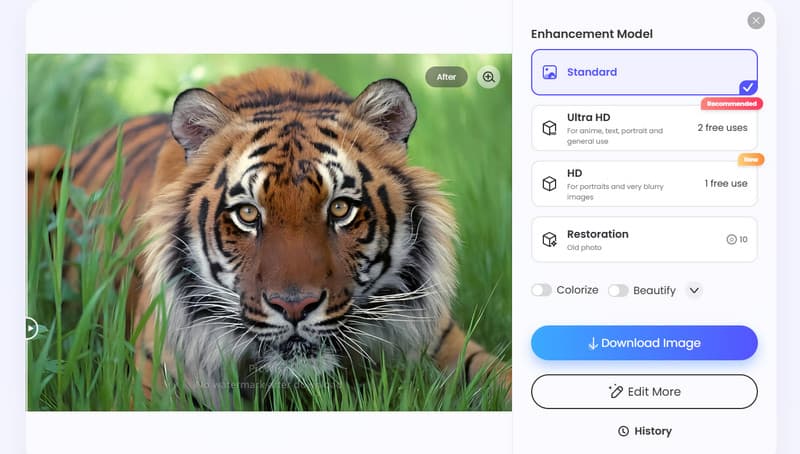
Furthermore, beyond basic photo enhancement, the tool can also offer basic editing functions. You can resize the image based on your preferences, remove the background, eliminate the watermark, and more. Thus, we can tell that PicWish is the most powerful image enhancer you can access on your browser.
Core Features of PicWish Photo Enhancer
Enhance Photos
The main feature of the tool is to enhance your images. With this feature, you can turn your low-quality images into a high-definition version, allowing you to view the outcome with satisfaction. What we like here is that enhancing images is simple, thanks to the tool's simplicity. It can also improve various types of images, such as real-life photos, anime, cartoons, black-and-white, and more.
Colorize Images
What makes the tool ideal is its capability to colorize your black-and-white images. This feature is perfect if you want to give life to your old images. The best part here is that the tool ensures to give you an accurate result, leading to a better viewing experience.
Reduce Image Noise
During the photo enhancement procedure, the tool can automatically deal with image noise. It will reduce the noise and grain on your photos, making them better and sharper.
Supports Batch Processing
Are you dealing with more than one image? Then, you can still rely on PicWish since it supports batch processing. With this feature, you can enhance and beautify up to 30 images at once. This feature is perfect if you don't want to consume much time.
Part 2. Detailed Review of PicWish Photo Enhancer
For more information about PicWish, especially on its hands-on testing and feedback, you can check everything in this section.
Overall Performance
The good thing about the tool is that it can deliver a strong result for everyday image restoration tasks. This AI-powered tool can sharpen details, improve lighting, and reduce image blur. With these capabilities, we can tell that the tool is suitable for casual users and professionals.
Compatibility
The photo enhancer is online-based. It enables you to access and share it on almost all web platforms, such as Google, Edge, Firefox, Safari, and more. With this tool, there is no need for you to undergo installation on Windows and Mac computers. Plus, it can also support various image formats, like PNG and JPG, ensuring smooth integration with most image collections.
Enhancement Speed
One of the best qualities of the tool is its speed. This tool can let you enhance your images in just a second, even when dealing with multiple photos. This makes it efficient, especially for users who need a quick result without consuming much time.
Ease of Use
What users like about the tool is its simple-to-operate interface. The tool can offer a drag-and-drop process for a fast uploading process. Users can even achieve an excellent result without encountering any complicated procedures or editing techniques. Thus, even if you are a non-professional user, utilizing the tool is a simple task.
Users' Feedback about PicWish Photo Enhancer
Based on other users' feedback about PicWish Photo Enhancer, we can tell that the tool can give you the best result you need. It can even ensure that you can achieve the Ultra HD output after the photo enhancement process. Plus, the tool is easy to operate, making it suitable for all users. However, when using the tool's free version, there are various restrictions. You can only enhance and create 2 HD images and 2 Ultra HD images. To deal with more images, it would be better to access the tool's paid version.
Part 3. How to Use PicWish Photo Enhancer
Want to enhance photos on PicWish? Then, you can check the simple instructions below.
Step 1On your browser, go to the main website of PicWish Photo Enhancer. Then, start creating your account.
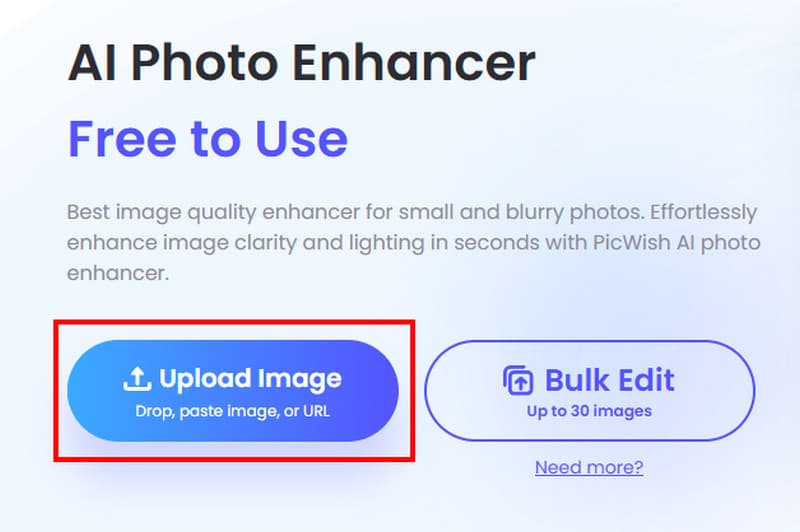
Step 2After that, tick the Upload Image option to start the uploading process. You can even upload/add multiple images if you want to.
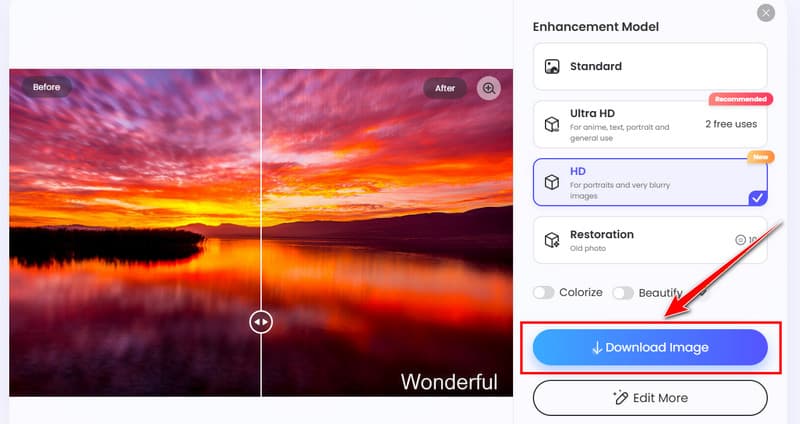
Step 3Proceed to the Enhancement Model section and start enhancing your images. You can enhance your image up to Standard, Ultra HD, and HD. After that, the enhancement process will start.
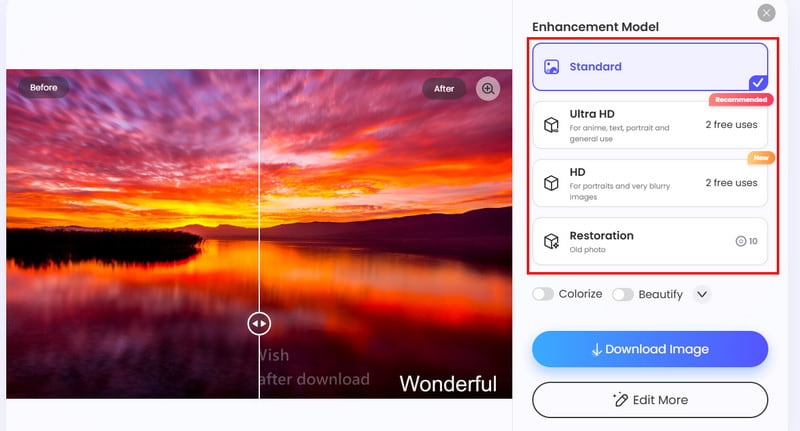
Step 4Once you get the result, start saving it on your device by hitting the Download Image button below.
Part 4. Best Alternative to PicWish Photo Enhancer
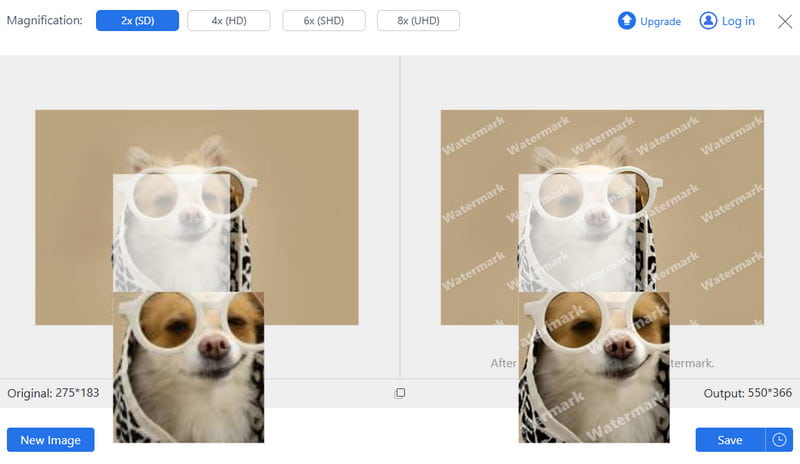
When using the free version of PicWish, there are various restrictions that you can encounter. You can even enhance a few images, which is not satisfying at all. So, if you are looking for the best alternative, we suggest using AVAide AI Image Upscaler.
With this tool, you can enhance as many images as you want, without spending a penny. What makes it more powerful is that it can enhance and upscale your images up to 8 times better than the photo's original quality. It also has a fast enhancement process, simple layout, and supports various formats, such as JPG, PNG, BMP, WebP, and more. It also lets you save the enhanced image without a watermark. Thus, if you need a tool that is superior to PicWish, look no further than AVAide AI Image Upscaler.
If you want to check more details about the two video enhancers, you can read everything in the table below.
| AVAide AI Image Upscaler | vs. | PicWish Photo Enhancer |
| Upscales images up to 8× resolution; sharpens details and reduces blur for high-definition output | Overall Performance | Enhances clarity, sharpness, lighting, and color; includes portrait and text-specific models |
| Quick processing; batch uploading supported, though speed may vary with higher upscale levels. | Speed | Very fast (3 seconds per image), supports bulk editing up to 30 images. |
| Web-based, accessible globally; supports JPG, BMP, and other common formats. | Compatibility | Web-based, works on Windows, Mac, and mobile browsers; supports JPG and PNG. |
| Multiple upscale choices (2×, 4×, 6×, 8×), UHD support, history check, free use without watermark. | Special Features | Background removal, photo retouching, black-and-white colorization, and bulk editing. |
| Yes, without limitations | Offers Free Version | Yes, with restrictions |
With this detailed review of PicWish Photo Enhancer, you have found out that it is among the most reliable tools you can utilize to enhance your images effectively. It can even offer basic editing functions that can let you improve your images based on your needs. However, there are limitations when using the free version. If you need an excellent tool that is superior to PicWish, we suggest using AVAide AI Image Upscaler. This upscaler ensures to give all the features you need without any limitations, making it the best alternative to PicWish. Thus, access this tool and achieve your preferred result smoothly.
ABOUT THE AUTHOR


Our AI technology will automatically enhance the quality of your images, remove noise and fix blurry images online.
PROCESS NOW