
Easily resize images to any dimensions for social media, websites, and more. No ads.
Drag and drop an image here, or browse to select!
 4.9/5 (122 reviews)
Preset Scale:
Dimensions:
Width (px)
Height (px)
Output Format:
Image Quality: 80%
Processing Images...
0 of 0 Images completed — 0 remaining
Tip:
Processing locally in your browser. Please do not close or refresh this page, otherwise the compression will be interrupted.
Images Resized Successfully!
Your images have been processed and are ready for download.
0 Images
Size: 0
0s
Process Time
 Image ResizerFeatures




Effortlessly resize images to 50%, 33.33%, or 25% of their original size. This mode automatically preserves the original aspect ratio, making it ideal for quick web optimization and social media sharing without entering precise dimensions.

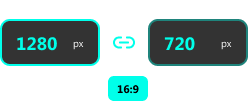

Resize images to exact dimensions by entering custom width and height values in pixels. Whether you're preparing a website banner, social media post, profile picture, or other platform-specific content, you can easily set the dimensions you need.


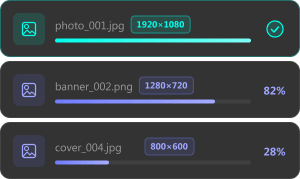
Resize up to 40 images at once with fast batch processing. AVAide automatically applies your selected resizing settings to every image, helping you quickly prepare multiple photos for websites, social media, and other platforms.
Free to Use
Resize images online for free with no subscription required.
High Quality
Keep your images clear and sharp after resizing.
No Watermark
Resize images without adding any unwanted watermark.
Format Conversion
Resize and convert images to JPG, PNG, or WebP.
Easy to Use
Resize images in just a few clicks with ease.
Secure & Private
Process your images securely while protecting your privacy.

1. Add Images
Choose the images you want to resize from your device.
2. Adjust the Size
Select a preset percentage or enter your desired width and height.
3. Resize & Download
Click to resize your images and download instantly.

The pixel resizing option is perfect when I need images at specific dimensions. I also like that I can convert them to JPG, PNG, or WebP at the same time.

Marcus TurnerMarketing Specialist
I needed to resize a batch of photos for my website, and AVAide made the process incredibly simple. The images stayed clear, and I had everything ready in minutes.

Nygel JacksonWeb Master
I use AVAide whenever my images are too large for a website or social platform. It's free, easy to use, and doesn't add watermarks to my images.

Reese HwangStudent
Does resizing an image reduce its file size?
Resizing an image often reduces its file size because fewer pixels need to be stored, though the final size also depends on the image format and content.
What happens to the original image after resizing?
Your original image stays unchanged. The resized image is created as a separate file for you to download.
Why does my resized image look blurry?
Enlarging a small image too much can make it look less sharp. For the clearest results, avoid increasing the dimensions significantly beyond the original size.
What is the difference between resizing and cropping an image?
Resizing changes the dimensions of the entire image, while cropping removes part of the image to change its composition or aspect ratio.
How large can my image be?
Each image can be up to 5MB in size. For larger images, you can compress them first.
Copyright © 2026 AVAide. All rights reserved.


