Do you need to cut songs, fix audio, make beats, or polish your own tracks? Music editors can help you do it. The question now is, are you planning to start your music project? Our review can be a big help. We introduce 12 music editors you can access on different devices. Discover what each one offers now!
Part 1: Best Music Editor Selection Criteria
Choosing a music editor is easier when you know what to check. Focus on these seven simple points.
Ease of Use
Choose software with a clean and simple layout. The buttons and tools should be easy to find. New users should be able to use it without much practice.
Features
Check the tools it offers. Look for basic editing tools and useful extras.
Platform
Make sure it works on your device. It may support Windows, Mac, or mobile.
Price
Check the cost first. Free tools can work well. Paid tools may offer more. There is also an open-source music editor.
Audio Format
Verify the file types that are supported. WAV and MP3 are popular options. You have more options when you have more formats.
AI Capability
AI can make editing easier. It can remove noise, clean audio, or split tracks.
Plug-in Support
Plug-ins can add more tools. They can bring new effects and sounds. This is helpful for advanced users.
Part 2: Best Free & Open-Source Music Editors
1. Audacity - Best Free Open-Source Music Editor
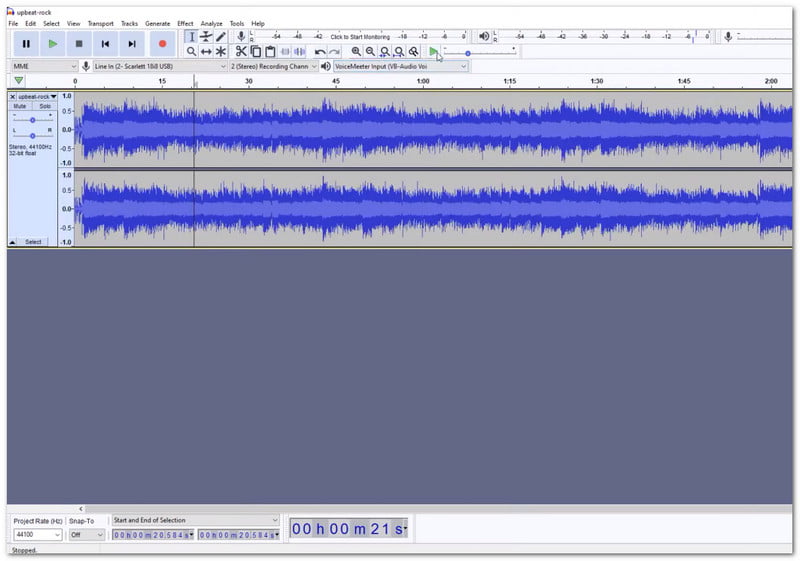
Need to clean or shape a recording? Audacity music editor gives you multitrack editing, sound effects, and plug-ins. It also handles many common audio files with ease.
Standout Features:
- Multitrack audio editing.
- Noise reduction and vocal removal.
- VST3 and Nyquist plug-in support.
Audio Format Supported: MP3, WAV, FLAC, AIFF, OGG, and more.
Pricing: 100% free and open-source.
2. LMMS - Best Free Open-Source DAW
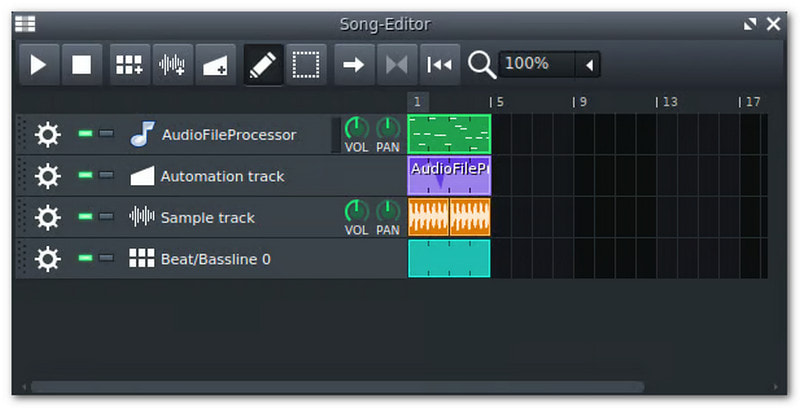
Want to build music from scratch? This free music editor software lets you create beats, melodies, and full songs. Its piano roll, synths, samples, and MIDI tools give you room to create.
Standout Features:
- Piano Roll for notes and melodies.
- Built-in synths and drum tools.
- VST and SoundFont support.
Audio Format Supported: WAV and OGG. MIDI files can also be imported and exported.
Pricing: 100% free and open-source.
Part 3: Best Professional Music Editors & DAWs
1. AVAide Video Converter - Best All-in-One Music & Video Editor
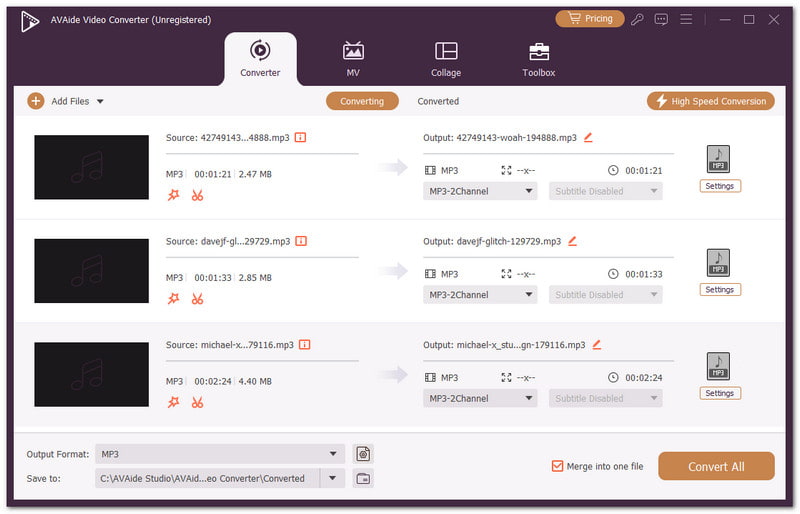
AVAide Video Converter brings music editing and video tools together in one place. You can add many audio files at once. As a music editor, it lets you trim clips, join files, change volume, and add fades. You can also clean noise and compress audio. Metadata editing and output controls give you more control over the final file.

FREE DOWNLOAD For Windows 7 or later
 Secure Download
FREE DOWNLOAD For Mac OS X 10.13 or later
Secure DownloadStandout Features:
- Edit several audio files simultaneously.
- Increase the volume by up to 200%.
- Noise removal and audio compression.
- Metadata editing for music details.
Audio Format Supported: MP3, WAV, AAC, M4A, FLAC, WMA, OGG, AC3, plus 300+ media formats.
Pricing: A free trial is available with limits. Premium plans are about $18 per month. A $59 one-time lifetime license is also available.
2. Adobe Audition - Best for Post-Production & Broadcast
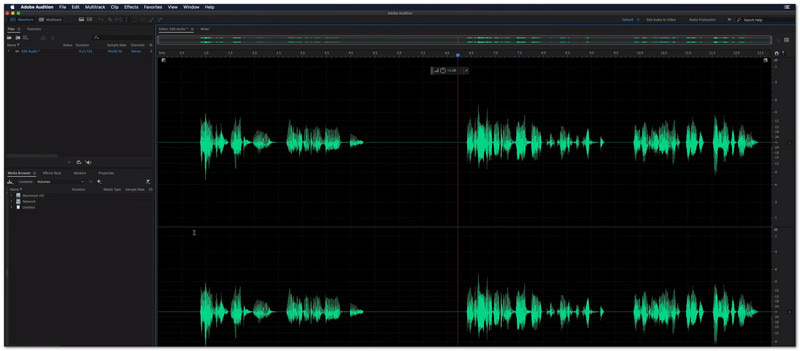
Adobe Music Editor brings waveform, multitrack, and spectral editing into one workspace. It helps you record, restore, mix, and polish audio for finished projects.
Standout Features:
- Spectral Frequency Display.
- Non-destructive multitrack editing.
- Essential Sound mixing tools.
Audio Format Supported: WAV, MP3, AAC, M4A, FLAC, AIFF, AIFC, CAF, IFF, OGG, and WMA.
Pricing: $22.99 per month with an annual plan billed monthly. Month-to-month costs $34.49 per month.
3. Apple Logic Pro - Best for Mainstream Audio Production
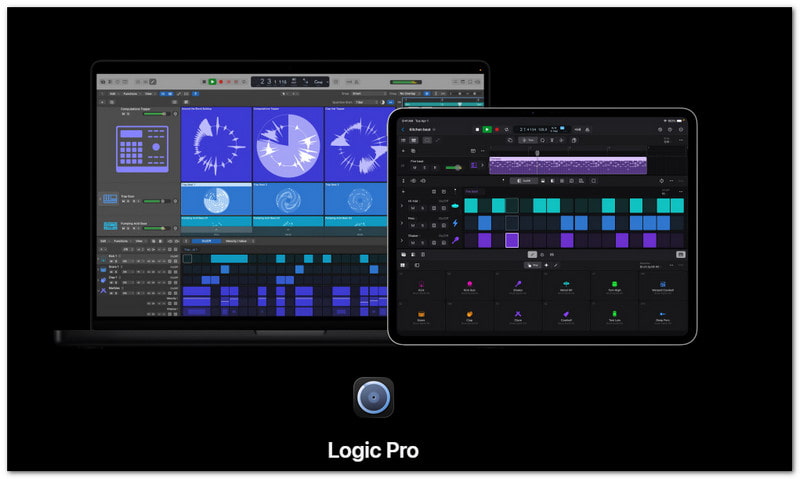
This Apple Music editor gives music makers a full creative studio. It supports beat-making, songwriting, recording, remixing, and mastering. Its smart tools also help shape tracks faster.
Standout Features:
- AI-powered Session Players.
- Stem Splitter for isolated tracks.
- Dolby Atmos Spatial Audio mixing.
Audio Format Supported: WAV, AIFF, CAF, MP3, AAC, M4A, and Apple Lossless.
Pricing: $199.99 as a one-time Mac purchase. It is also included in Apple Creator Studio for $12.99 per month or $129 per year.
Part 4: Best AI-Powered Music Editors
1. DaVinci Resolve AI Music Editor - Best AI Audio Tool for Video Editors
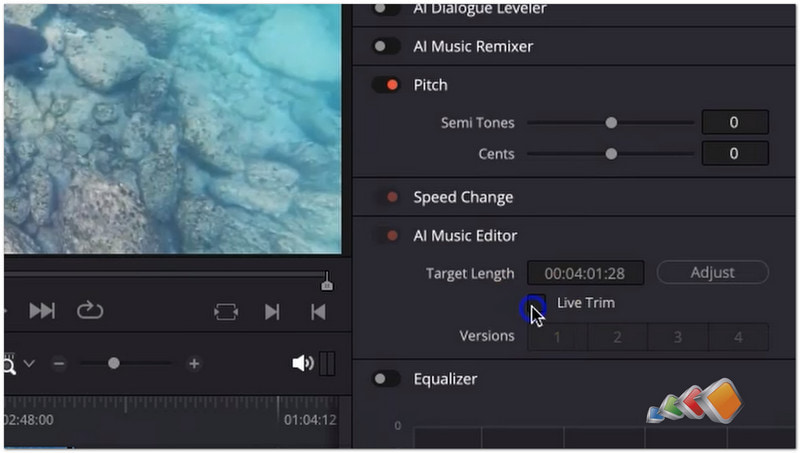
Need a cleaner sound for your videos? DaVinci Resolve AI music editor uses AI to isolate voices, separate dialogue, and remix music. Its Fairlight tools also give you deep control over audio.
Standout Features:
- AI voice isolation.
- Music Remixer and Dialogue Separator.
- Advanced noise reduction.
Audio Format Supported: WAV, AIFF, MP3, AAC, and many other standard audio formats.
Pricing: Free version available. DaVinci Resolve Studio costs $295 as a one-time purchase.
2. CapCut Music Editor - Best Free AI Music Editor for Social Media
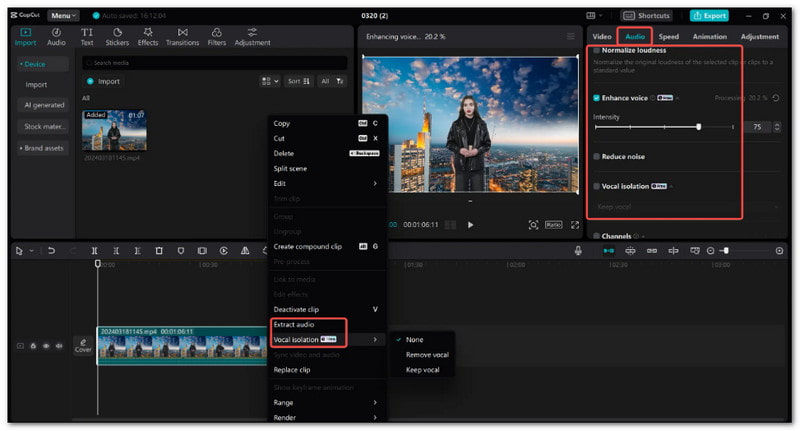
Quick edits are CapCut's strength. Capcut music editor can match cuts to music and separate vocals from instruments. AI voice tools also add playful effects to your sound.
Standout Features:
- Auto Beat Sync.
- AI vocal separation.
- AI voice changer and effects.
Audio Format Supported: MP3, WAV, AAC, and common video files with audio.
Pricing: Free version available.
3. Google Flow Music - Best AI Music Generation & Editing
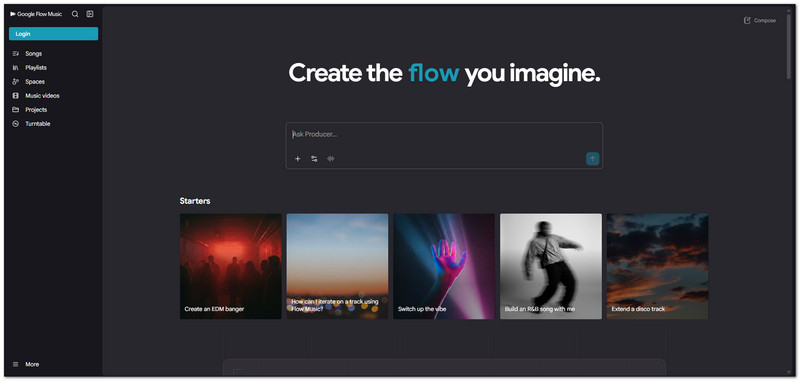
Imagine describing a song and letting AI help build it. This AI music editor can create songs, remix audio, split stems, and add audio effects. It is free to start.
Standout Features:
- AI song creation.
- Audio remixing.
- Stem splitting.
Audio Format Supported: MP3, WAV, and standard web audio.
Pricing: Free to start. Paid plan starts at $8.
Part 5: Best Online Music Editors
1. AudioMass - Best Free Online Audio Editor
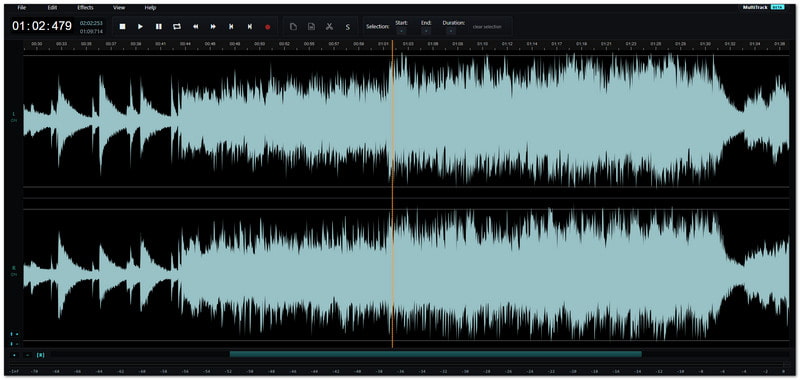
Want a simple editor with almost no fuss? This free music editor runs in your browser. It gives you waveform editing and real-time sound effects without needing an account.
Standout Features:
- Waveform-based audio editing.
- Built-in reverb, EQ, and compression.
- Works locally in the browser.
Audio Format Supported: Browser-supported audio formats. It can export MP3, WAV, and OGG.
Pricing: 100% free and open-source. No sign-up or subscription is needed.
2. Notevibes Audio Editor Online
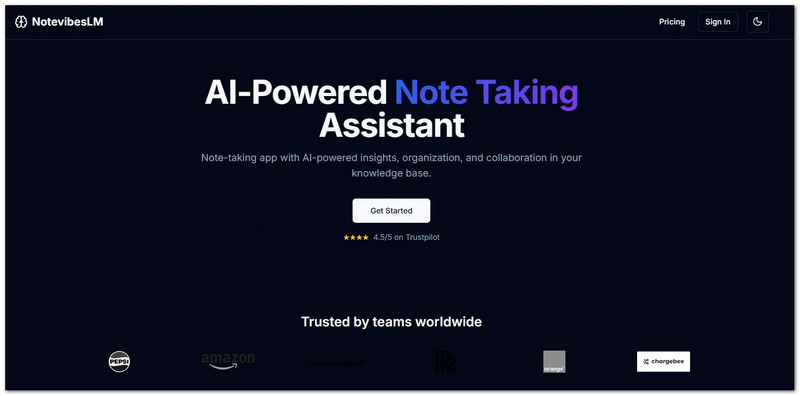
Need more control over several tracks? This free music editor online offers a multi-track editor in your browser. You can cut, mix, clean, and shape audio without installing software.
Standout Features:
- Multi-track audio timeline.
- Non-destructive editing.
- AI voice and audio tools.
Audio Format Supported: MP3, WAV, OGG, FLAC, M4A, AAC, and WebM. It exports MP3 and WAV.
Pricing: The online audio editor is free with no sign-up. AI features use credits. Paid Notevibes plans start at $8 per month.
Part 6: Best Music Editor Apps for Mobile
1. GarageBand - Best Free Music Editor for iOS/Mac
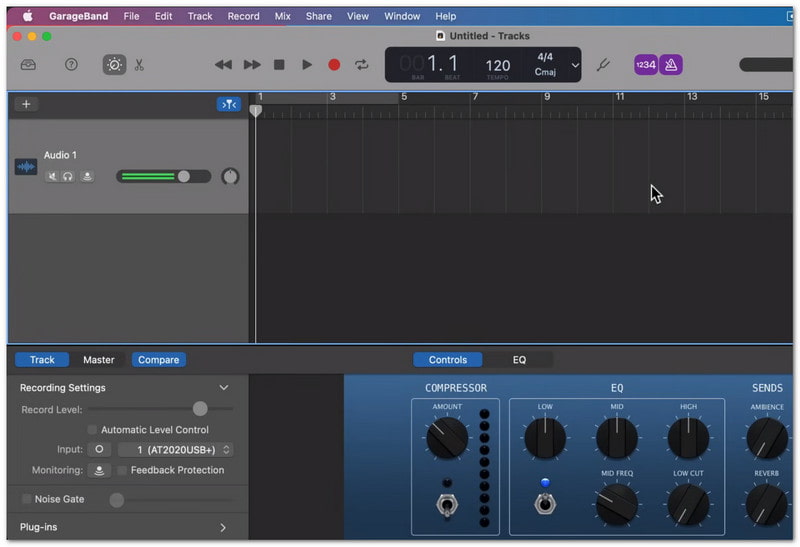
Want to make music on the go? This music editor app turns your iPhone or iPad into a mini studio. You can record tracks, play instruments, build beats, and mix songs. It also allows you to export GarageBand projects to MP3.
Standout Features:
- Touch instruments and Live Loops.
- Virtual Drummer with 28 drummers.
- Flex Time for fixing timing.
Audio Format Supported: AIFF, WAV, CAF, Apple Lossless, AAC, MP3, and MIDI.
Pricing: 100% free on supported Apple devices.
2. WavePad Music Editor - Best for Quick & Easy Audio Editing
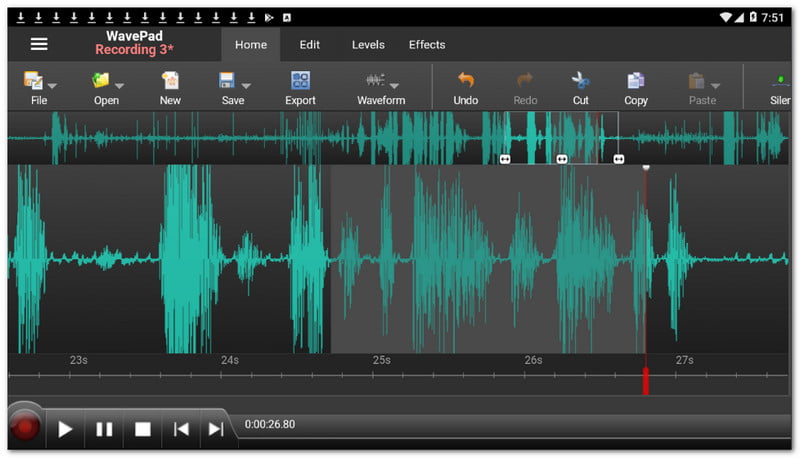
Need to fix an audio file fast? WavePad music editor offers simple editing tools and sound effects. You can also clean noise, change pitch, and edit many files at once.
Standout Features:
- Easy waveform editing.
- Audio restoration tools.
- Batch audio processing.
Audio Format Supported: MP3, WAV, AIFF, FLAC, M4A, VOX, WMA, AU, OGG, AAC, and many more.
Pricing: Free for non-commercial use. Paid features and upgrades are also available.
Part 7: Comparison Table & How to Choose
| Best Music Editors | Ease of Use | AI Support | Main Focus | Adavantages | Disadvantages |
| Audacity | ★★★★☆ 4/5 | ✓ | Audio editing | Strong cleanup tools. Remove background noise. Open source. | Not a full music studio. |
| LMMS | ★★★☆☆ 3/5 | ✗ | Beat making | Free. Open source. Built-in instruments. | No built-in AI tools. |
| AVAide Video Converter | ★★★★★ 5/5 | ✓ | Music and video editing | Easy controls. The batch file works. Many audio tools. | Some advanced tools need the paid version. |
| Adobe Audition | ★★★☆☆ 3/5 | ✓ | Professional audio work | Precise editing. Strong audio repair. Multitrack tools. | Takes time to learn. Subscription required. |
| Apple Logic Pro | ★★★☆☆ 3/5 | ✓ | Music production | Smart music tools. Many instruments. AI Session Players. | Made for Apple devices. |
| DaVinci Resolve AI Music Editor | ★★★☆☆ 3/5 | ✓ | Audio and video production | Fairlight tools. AI audio features. Many tracks. | Large and complex program. |
| CapCut Music Editor | ★★★★★ 5/5 | ✓ | Quick audio and video edits | Simple controls. AI tools. Fast workflow. | Some tools need Pro. |
| Google Flow Music | ★★★★★ 5/5 | ✓ | AI music creation | AI song creation. Music video tools. Easy prompts. | More focused on AI creation. |
| AudioMass | ★★★★★ 5/5 | ✗ | Browser audio editing | Very light. Free. Quick waveform edits. | Fewer advanced features. |
| Notevibes | ★★★★☆ 4/5 | ✓ | AI audio work | AI voice tools. Audio cleanup. Stem tools. | Not a full DAW. |
| GarageBand | ★★★★★ 5/5 | ✗ | Music creation | Free. Virtual instruments. Drummer. Many loops. | Apple devices only. |
| WavePad Music Editor | ★★★★☆ 4/5 | ✓ | Audio editing | 50+ formats. Batch tools. Noise removal. | Some features cost extra. |
How to Choose the Best Music Editor
- Pick Audacity for free audio edits. It can cut, clean, record, and improve sound.
- Choose LMMS for making beats. It has tools for creating beats, melodies, and full music tracks.
- Go with AVAide Video Converter when you want more in one place. It can edit many audio files. You can trim, merge audio, and much more.
- Pick Audition for serious audio work. It gives you detailed editing and sound repair tools.
- Choose Logic Pro for full song creation. It has instruments, effects, beat tools, and smart music features.
- Try DaVinci Resolve for audio and video work. Its Fairlight tools give you strong control over sound.
- Pick CapCut for fast edits. It is useful when you need to add or change music quickly.
- Try Flow if you want AI to make music. You can turn simple ideas into music with short prompts.
- Choose AudioMass for quick browser edits. It keeps the process simple and light.
Happy with the best music editor we introduced? Each one has a different use. If you want an easy tool for music and video editing, try AVAide Video Converter. It can trim, join, and clean audio. You can also change volume and edit file details with ease.
ABOUT THE AUTHOR

Your complete video toolbox that supports 350+ formats for conversion in lossless quality.