Looking for the best free voice recorder that runs right in your browser? You are in the right place.
This guide reveals the top-rated online voice recorders available in 2026. To help you find the perfect tool, we tested dozens of platforms based on five critical factors: user-friendly design, crisp audio quality, built-in editing features, cross-device compatibility, and data safety.
Whether you need to capture a quick voice note, record a podcast, or save an online meeting, these 7 web-based audio recorders get the job done instantly. Best of all, they require zero software installation, are completely free of charge, and work perfectly on any device with an internet connection.
Part 1: What to Look for in an Online Voice Recorder
Choosing the right online voice recorder depends entirely on your needs. Whether you are capturing a quick business meeting, recording a podcast, or saving a lecture, here are the 5 critical factors you must consider before clicking record:
High Audio Quality: Supports clear formats like MP3 (for small file size) and WAV (for lossless quality) with high bitrates.
100% Privacy & Safety: Processes audio locally in your browser so your private voice data never uploads to a cloud server.
No Installations: Works instantly across all browsers (Chrome, Safari, Edge) and devices (PC, Mac, iPhone, Android) without downloads.
Built-in Editing Tools: Includes simple, free features to trim silence, adjust volume, or remove background noise in one click.
No Hidden Limits: Offers unlimited recording time and free downloads without adding annoying watermarks or audio tags.
Part 2: Top 7 Online Voice Recorders at a Glance
You can have a brief look at information of the 7 excellent online audio recorder we've tested. You can select your desired one here.
| Recorder | Clean UI | High Audio Quality | Built-in Editing | Full Compatibility | Key Highlight |
| Rev Online Voice Recorder | Yes | Yes | No | Yes | Premium speech-to-text transcription preview. |
| Vocaroo | Yes | Basic | No | Yes | Instant sharing via direct link or QR code. |
| Apowersoft Online Audio Recorder | Yes | Yes | No | Yes | Captures both microphone and system audio. |
| BearRecord | No | Yes | Yes | Yes | On-site audio cutting and editing before saving. |
| Veed.io | Yes | Yes | Yes | Yes | Advanced AI editing and transcription (Paid features). |
| SpeakPipe | Yes | Yes | No | Yes | One-click link-based sharing for widgets. |
| HappyScribe | Yes | Yes | No | Yes | Fast, multilingual automatic transcription. |
Part 3: Detailed Review of the 7 Best Online Voice Recorders
Now, let's dive into the in-depth review of the 7 excellent online audio recorders.
Top 1: Rev Online Voice Recorder
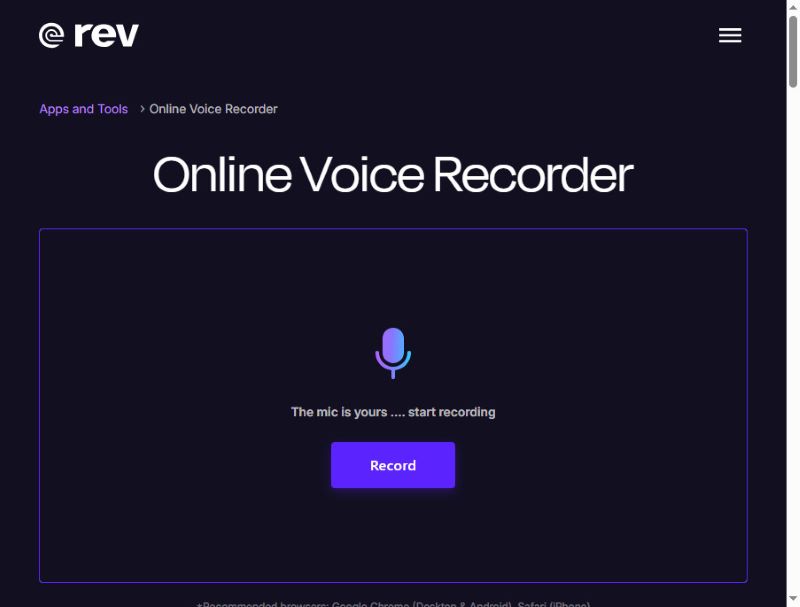
Rev Online Voice Recorder is a very stylish online voice recorder that has a modern interface of black and violet. It records audio with high quality and saves it as a WAV. What's more, your recording remains local and is not uploaded to its server.
What's unique: Rev Online Voice Recorder can transcribe your voice to subtitles during the recording – a paid service, though. Nonetheless, this browser audio recorder is still well-qualified as a free voice recorder.
- Pros
- Rev has a clear interface with simple workflow.
- You can preview your voice recordings.
- This online audio recorder doesn't require a login to start recording.
- Cons
- The audio editing features are quite limited.
- The transcription is not free.
Top 2: Vocaroo
Vocaroo is a free online voice recorder known for its simplicity. Click the red button in the center and start recording, and click again to stop. And sure, there can be downsides to being simple, like you cannot do any editing on the site.
What's unique: After finishing recording, you can share the voice straight to your social media, either directly or through generated links and QR codes.

- Pros
- This browser audio recorder is extremely simple to use.
- It works smoothly in most browsers.
- You can directly share your audio recordings.
- It supports multilingual transcription.
- Cons
- This online microphone recorder has no editing feature.
Top 3: Apowersoft Online Audio Recorder
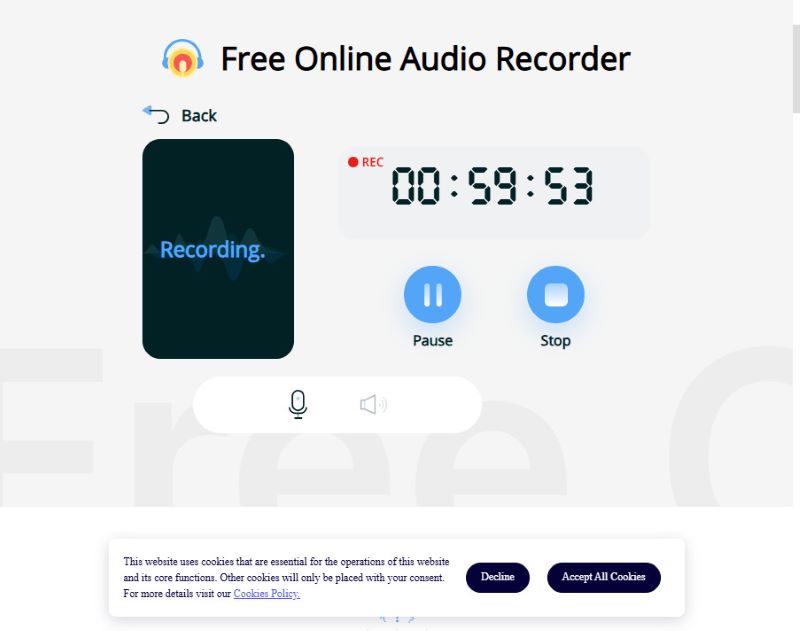
Apowersoft can capture both your voice and the system audio at the same time, suitable for recording streams or narration. But many advanced features of this online audio recorder are only available with a sign-up or in the app. Although the free online version can only record for less than 1 hour, it is enough for most users.
If the limited recording time isn't a problem because you just need a one-time fast recording, Apowersoft is for you.
What's unique: Apowersoft Online Audio Recorder supports both microphone and system audio recording.
- Pros
- This online audio recorder can record mic and system sound
- The output audio recordings have very high-quality sound.
- The free online version has a very decent time limit.
- Cons
- You need to sign up for an account and log it in to share your recordings.
Top 4: BearRecord
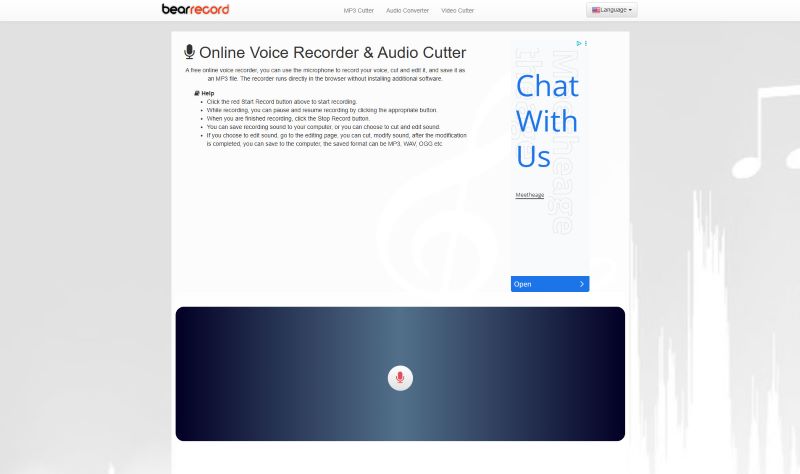
BearRecord is a free online voice recorder with browser-based tools allowing you to make simple edits before saving the recording. It has a very simple interface that can help you quickly start and finish your audio recording. However, there's an obvious drawback of this online voice recorder: fixed webpage ads.
What's unique: You can adjust the pitch and volume, apply fade-in and fade-out effects, or change the save format all on the website, without installing anything.
- Pros
- This online audio recorder provides basic editing tools.
- It can provide high audio quality as a free voice recorder.
- It doesn't require a login.
- Cons
- There are ad popups on the webpage.
Top 5: Veed.io
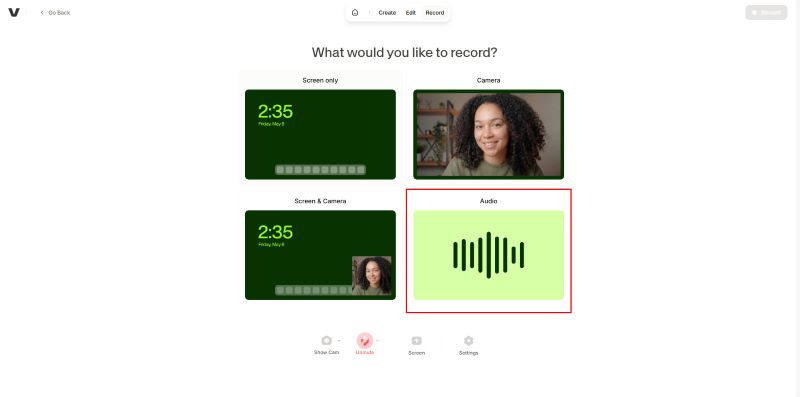
Veed is a free online voice recorder with a range of editing tools in the browser, suitable for both casual and professional use. You can retake many times of audio recording without time limit. You can record audio only (system audio or your microphone) or with your desktop screen. The overlay is very seamless without lag. However, this online audio recorder doesn’t let you export your audio recording in audio formats like MP3 or WAV. You can only get a video with your recorded audio and a black screen.
What's unique: Veed free online audio recorder provides a free trial of AI transcription and AI editing. But to access more advanced features, you'll need to pay for a subscription.
- Pros
- This online audio recorder has a user-friendly UI
- It provides many built-in editing tools.
- You can try its AI transcription feature.
- Cons
- Although you can record audio only, it will force you to export as a video with a black screen.
- Some editing features require a login.
Top 6: SpeakPipe
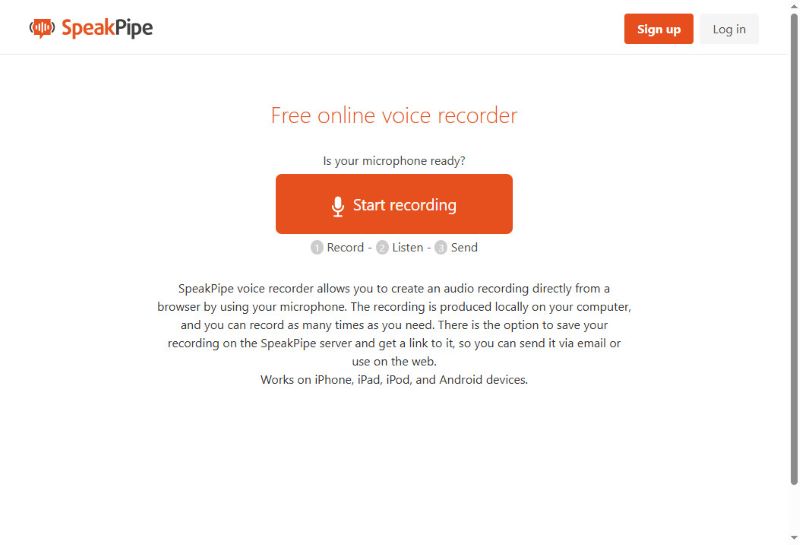
SpeakPipe is a browser-based voice recorder designed for quick audio messaging with no limit. This online voice recorder is also very good at frictionless voice capturing and instant sharing. You can save your audio recordings on its cloud storage or directly share them to social media. You can even create a personalized standalone landing page, which acts as a public voice mailbox where customers, students, or listeners can leave audio messages.
What's unique: After recording with this online voice recorder, you can save the audio file on the server and send it effortlessly via a generated link. It's a good choice for those who want to make short audio to share with others.
- Pros
- You can easily share your audio recordings.
- This online audio recorder can work on all devices and browsers.
- No log-in required for instant audio recording.
- Cons
- It has only very limited editing features.
Top 7: HappyScribe
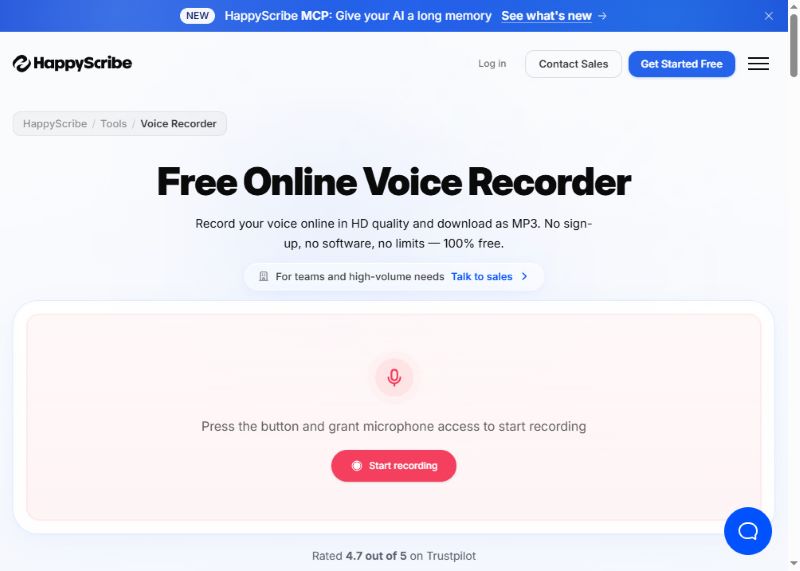
HappyScribe is simple to use for recording voice online in high quality and saving as an MP3. It also provides auto-transcription for multiple languages. What impresses me is its notetaker feature. Suppose you are recording your meeting, this online audio recorder will help you automatically take a note. Then, you can export your recording audio file together with a document file.
What's unique: Your voice will be recorded in HD quality and saved blazing-fast. It can also transcribe your audio recordings into text; it is useful for taking notes or putting down quick thoughts.
- Pros
- It has a simple UI but with many powerful advanced features.
- The AI transcription feature is very powerful and can export document files.
- It serves more like an AI audio recording assistant.
- Cons
- Many features require a sign-in.
Part 4: Best Voice Recorders Offline Recommendation
Although online recorders are fast and convenient, they usually have limited editing tools and potential privacy issues, in that they might save your voice file on their server. For safer recorders with more functions, offline standalone ones are more recommended. Here are some fine offline recorders for different devices.
1. AVAide Screen Recorder (Windows & Mac)
The audio recording mode of AVAide Screen Recorder is versatile while also simple to use. The recorder supports both system audio and microphone input and records in much higher quality than online tools.
Step 1Download and install the software.

FREE DOWNLOAD For Windows 7 or later
 Secure Download
FREE DOWNLOAD For Mac OS X 10.13 or later
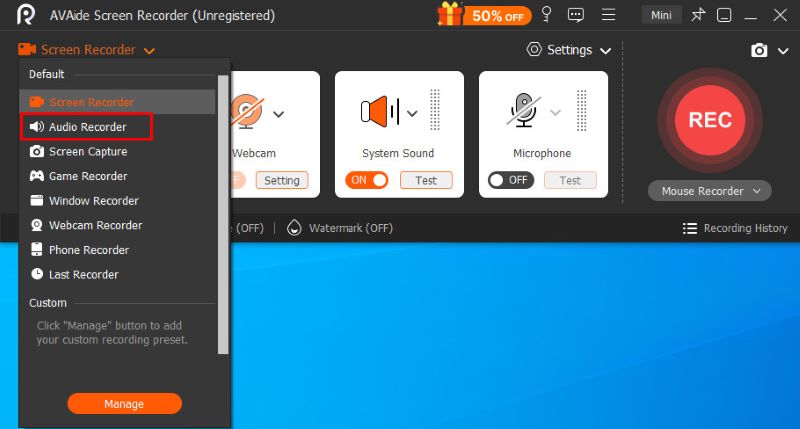
Secure DownloadTo use this mode, click the Screen Recorder button in the top-left corner and select Audio Recorder in the menu.
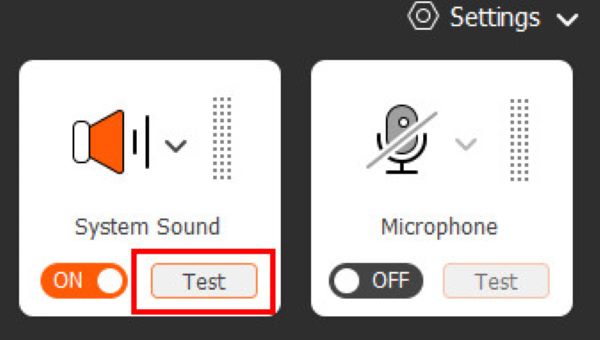
Step 2Before you start the actual recording, you can click the two buttons System Sound and Microphone on the right to change audio settings and see the visualized volume on the left, making sure that everything is working all right.
Step 3Click the REC button to start recording. While recording, you can pause at any time or set a scheduled auto-recording using the floating control bar. Once finished, click the red square to end it and open the preview window.
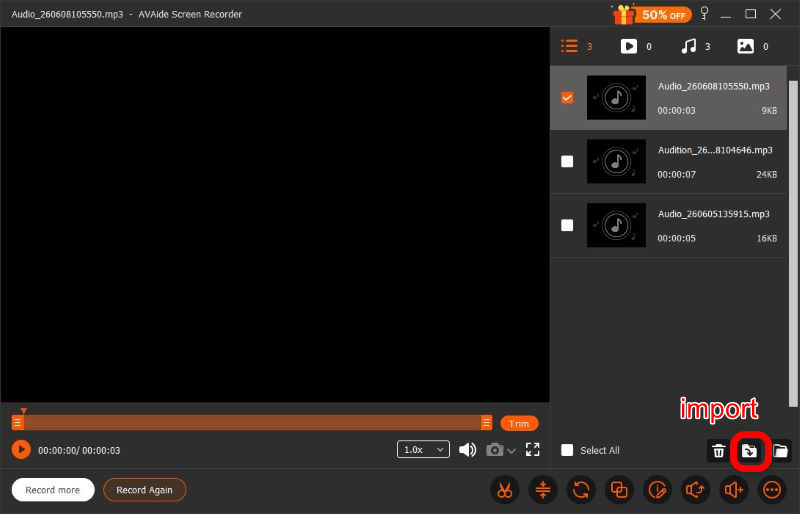
Step 4After finishing recording, you can do a series of adjustments in the preview window, including trimming, compressing, merging, and editng the voice recording, before clicking Import at the bottom right and download it in whichever format you want. AVAide Screen Recorder is designed to satisfy all your needs. It's worth a try.
- Pros
- Simple and clear UI
- Top audio quality
- Private and secure
- Powerful editing features
- System and mic supported
- Cons
- Advanced editing requires a subscription
2. Audacity (Linux)
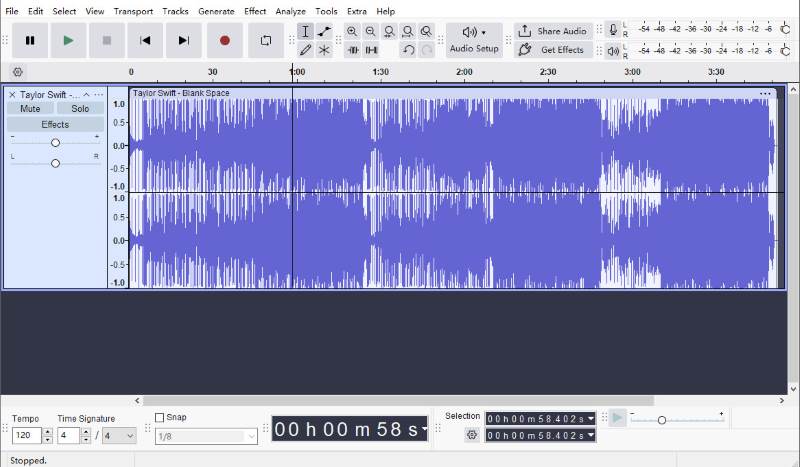
Audacity is one of the most popular open-source audio recorders and editors available for Linux. It offers far more recording and editing features than most online tools while remaining completely free.
You can trim recordings, remove background noise, apply audio effects, and save files in diverse formats. Since all of those happen locally, your recordings stay private and under your control. With the newest version, you can quickly share audio via links.
Yet with so many features, Audacity's UI is a bit more complicated than others', which means it'll likely take you some time to get used to it.
- Pros
- Powerful editing features
- Completely free
- Private and secure
- Easy to share
- Cons
- Complex UI
3. Easy Voice Recorder (Mobile Devices)
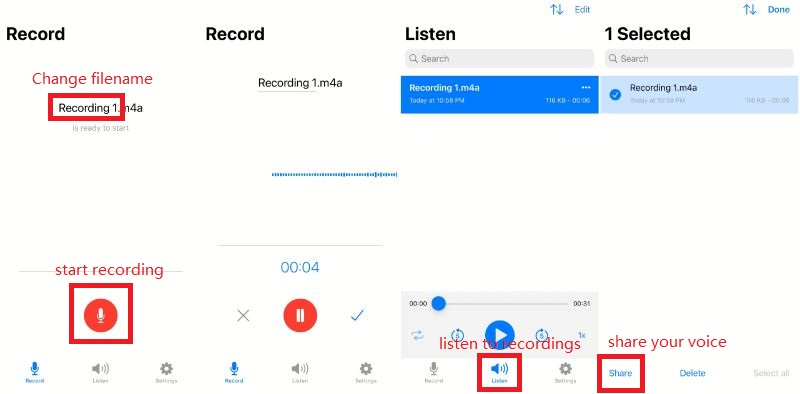
As its name indicates, Easy Voice Recorder is an easy-to-use voice recorder designed to capture meetings, personal notes, and classes clearly and without time limits, in formats like AAC, PCM, and AMR to balance audio quality and file size. It is available on both iOS and Android.
- Pros
- Simple and fast UI
- High quality
- Easy to share
- Private and secure
- Cons
- Paid plan required for advanced features
Among the 7 online voice recorders, plus 3 offline ones, finding the right one depends on your priorities: ease of use, audio quality, editing, and browser compatibility. The tools reviewed above are among the best options in 2026 to help you record audio quickly with no effort.
ABOUT THE AUTHOR

Record screen, audio, webcam, gameplay, online meetings, as well as iPhone/Android screen on your computer.