Looking for the best Mac screen recorder for tutorials, meetings, gameplay, or professional content creation? Choosing the right tool can greatly improve recording quality, performance, and editing flexibility. This guide reviews the top screen recorders for Mac, comparing their features, usability, pricing, and overall value to help you find the ideal option.
Part 1. Our Top Picks
| Tool | High-Quality Recording | Built-in Editing | Webcam Support | System Audio Capture | Easy to Use | Free Version |
| AVAide Screen Recorder | ✔ | ✔ | ✔ | ✔ | ✔ | ✔ |
| QuickTime Player | ✔ | ✘ | ✘ | ✔ | ✔ | ✔ |
| OBS Studio | ✔ | ✘ | ✔ | ✔ | ✘ | ✔ |
| Camtasia | ✔ | ✔ | ✔ | ✔ | ✔ | ✘ |
| ScreenFlow | ✔ | ✔ | ✔ | ✔ | ✔ | ✘ |
| Loom | ✔ | ✘ | ✔ | ✔ | ✔ | ✔ |
| Snagit | ✔ | ✔ | ✘ | ✘ | ✔ | ✘ |
| Movavi Screen Recorder | ✔ | ✔ | ✔ | ✔ | ✘ | ✔ |
| Bandicam | ✔ | ✘ | ✔ | ✔ | ✔ | ✔ |
Part 2. What to Look for in a Mac Screen Recorder
Selecting the best screen recorder for Mac can significantly affect the quality and convenience of your screen recordings. You might be creating tutorials, recording a meeting, or shooting gameplay, so it is crucial to choose a tool with the right features. Here are some of the most important things to consider:
- High Recording Quality: Ensure it delivers high-quality HD or 4K recording for crisp, sharp videos.
- Audio Recording Options: A quality recorder should be able to record system sound and/or microphone input for flexible recording.
- Simple Interface: Select a user-friendly tool to get started recording without long steps.
- Multiple Recording Modes: For greater control over what you capture, choose full-screen, selected window, or custom area.
- Stability and Performance: The program should run without lag or crashes, even during extended recording sessions.
Part 3: The 9 Best Screen Recorders for Mac: Detailed Reviews
The following reviews dissect each tool's usability, performance, and real-world value.
1. AVAide Screen Recorder
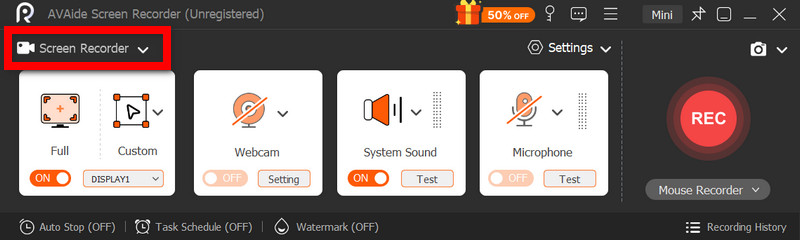
AVAide Screen Recorder is a full-screen recorder that can be used for various purposes, starting from recording your screen to creating content. Combines the features of recording, audio control, webcam support, and device mirroring in one simplified package.
- 4K and Full HD recording support.
- System audio and mic recorded simultaneously.
- Recording via webcam and PIP.
- Screen Mirroring and Recording on Phone.
- Use of annotation tools while recording.

 Secure Download
- Pros
- Good sustained recording skills.
- Beginner-friendly interface.
- Uses recording and editing equipment.
- Multiple recording modes available.
- Cons
- Requires installation.
It is versatile and dependable for producing a wide range of materials without requiring numerous tools or complex procedures.
Performance:
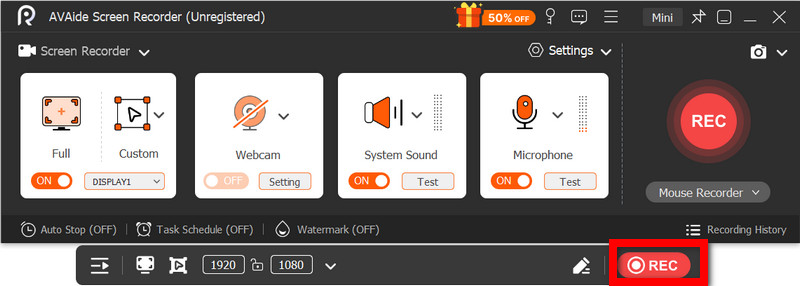
Long recording sessions or high-resolution recordings have no impact on performance. They can achieve up to 4K and 1080p output while maintaining smooth, synchronized audio, with no negative impact on the system, even when recording multiple sources simultaneously.
Pricing:
- Basic recording features are included in the Free Version.
- 3-Year Plan: Approx. $117 per PC
- Lifetime Plan: $59 per PC.
- Money-back guarantee for 30 days.
2. QuickTime Player
Simple and convenient, QuickTime Player, Apple's built-in media player, includes basic screen recording capabilities that let you bypass third-party screen recording software. It is great for screen recording tutorials and walkthroughs thanks to its lightweight design. Still, it is not suited for professional work due to the lack of editing features and the additional steps required to record system audio.
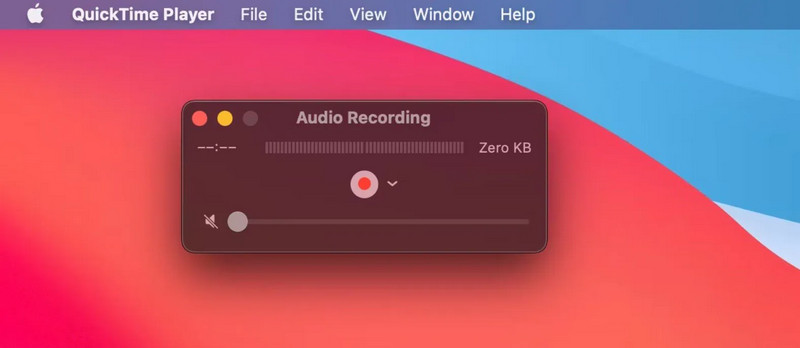
Best For: Simple screen recordings for personal and informal use.
- Pros
- Comes pre-installed in macOS.
- Intuitive, easy to understand.
- Lightweight and very stable.
- Cons
- Lacks editing capabilities.
- Almost no audio recording features.
- Not good for professional work.
Pricing:
- Free (comes with macOS)
3. OBS Studio
Completely open-source and extremely powerful, OBS Studio is an excellent recording and streaming utility that gives you full control over the scenes, sources, overlays, and other settings. High-quality recordings and real-time streaming out of the box are the main reasons it became so popular for professional and gaming use. Its biggest downfall is that it is not beginner-friendly and can easily overwhelm you with its many features.
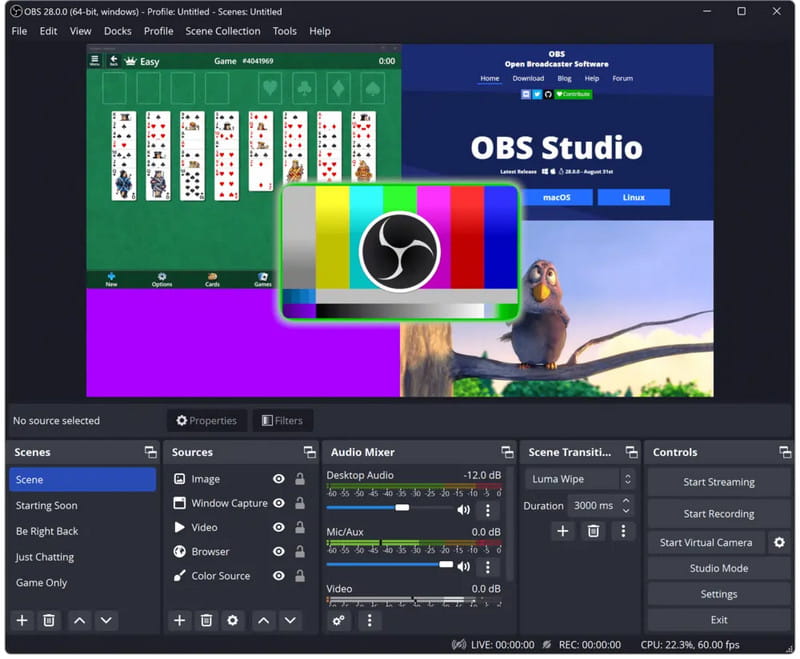
Best For: Users who need full control over what they are recording, including use for streaming and gaming.
- Pros
- Completely free and open-source.
- Very flexible for recording and streaming.
- It can be streamed and recorded simultaneously.
- Very flexible and professional.
- Cons
- Not beginner-friendly.
- Complex layout that requires configuration and setup.
- No editing features at all.
Pricing:
- Free
4. Camtasia
Camtasia combines powerful screen recording and editing capabilities to develop high-quality video production software. Seamless recording and editing come together to allow users to create highly polished instructional and marketing videos, making Camtasia an excellent premium option. Powerful video editing tools make this app ideal for creating instructional videos and internal corporate training content.
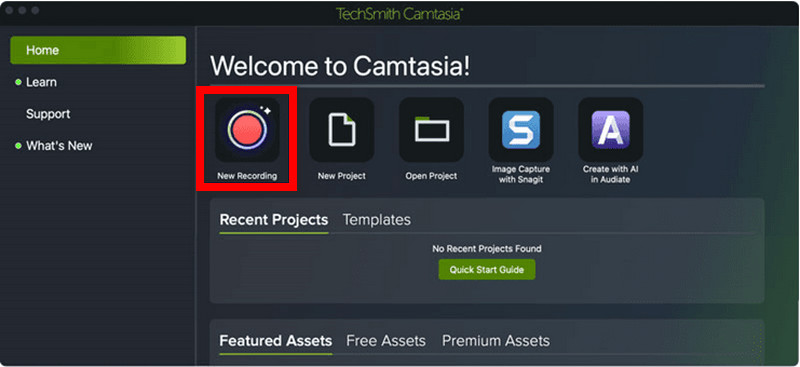
Best For: Trainers, marketers, and video professionals
- Pros
- Excellent built-in video editor.
- Drag-and-drop add and delete functionality.
- Great for tutorial videos.
- Videos look professional.
- Cons
- Costs more than other similar tools.
- Must be run on faster machines.
- Has features that are not needed for simple recordings.
Pricing:
- One-time cost of ~$200.
- Free trial available.
- Newer versions require paid upgrades.
5. ScreenFlow
Professional-grade screen recording and editing tools for Mac users only. One of the best apps available for capturing video on a Mac, with the ability to create multi-layer, high-quality video and rich content, is the screen and video capture tool, ScreenFlow.
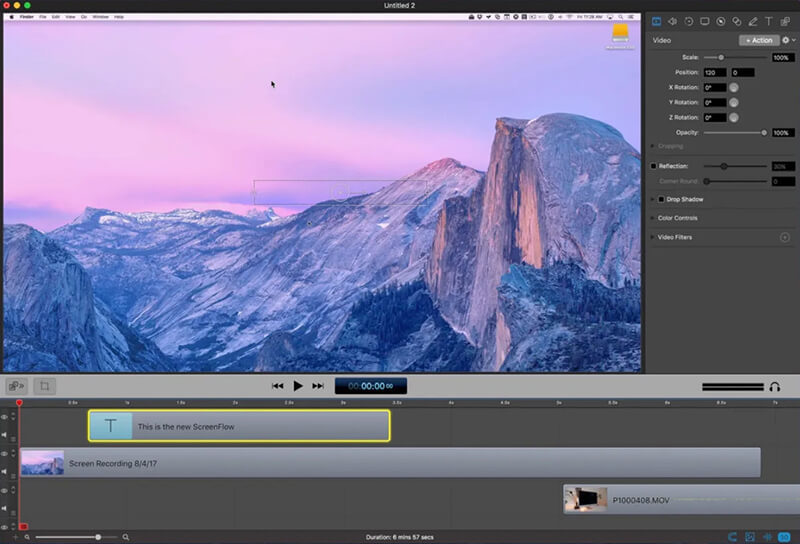
Best For: Mac users, professional video creators, and educators who develop video tutorial content.
- Pros
- Great video recording and editing.
- Video is captured in multiple layers and at high quality.
- Cons
- Only available for Mac users.
- Higher cost than similar apps.
- Complex for novice users.
Pricing:
- One-time cost of ~$170.
- Free trial available.
- Newer versions require paid upgrades.
6. Loom
Loom is a cloud-based screen recording tool focused on speed, ease of editing, and sharing functionality. The focus of this app is fast video communication and collaboration. Great for remote work where quick video explanations are needed. Recorded videos can be instantly shared through a link.
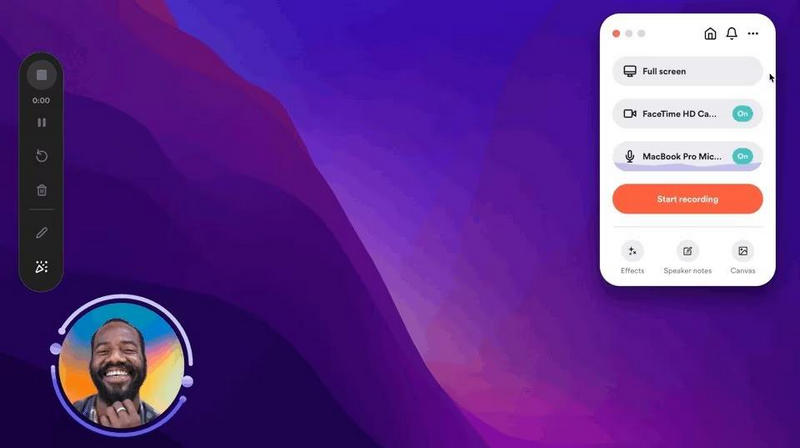
Best For: Remote workers and teams. Great for internal corporate communications videos.
- Pros
- Great collaboration tools.
- Videos can be shared instantly through a link.
- Included is cloud storage.
- Easy to use.
- Cons
- Few editing tools.
- Constantly online.
- Subpar for professional use.
Pricing:
- Free Plan: Basic recorder.
- Business Plan: Roughly $12-$15 per user/month.
- Enterprise Plan: Negotiables.
7. Snagit
Snagit captures screens and records short videos. It documents and creates tutorials and instructions, placing far more emphasis on clarity and the ability to annotate than on lengthy videos. It especially excels at capturing and annotating screenshots, making it excellent for the workplace and the classroom.
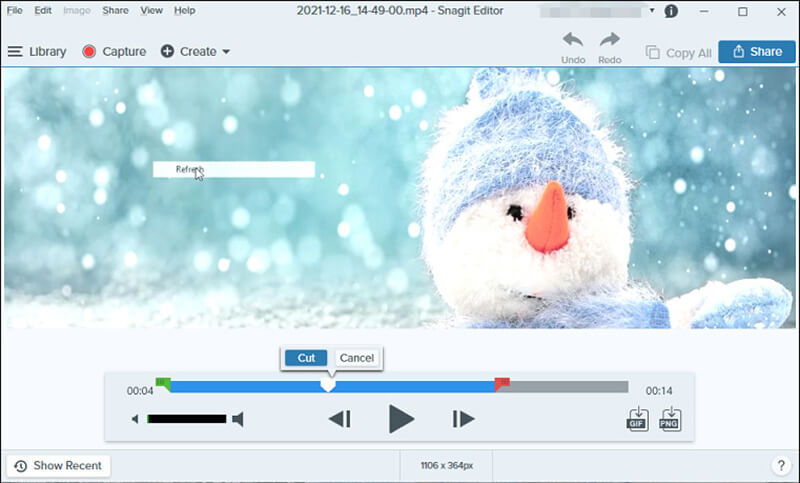
Best For: Tutorials and document instructions with screenshots.
- Pros
- Top-tier capture tools.
- Excellent annotations.
- Streamlined process.
- Business trustworthy.
- Cons
- Short recordings only.
- Pay to use.
- Video editing is basic and limited.
Pricing:
- One time $60-$70.
- Free trial.
- Paid upgrades.
8. Movavi Screen Recorder
Movavi Screen Recorder is a simple tool for beginners. It is fast, lightweight, and designed for users who want to capture and record screens without a complicated setup or performance. More advanced editing tools are certainly beyond Snagit's current capabilities, and the free version includes a highly visible watermark that limits professional use, especially for creators who want to record podcast episodes, tutorials, or polished business presentations.
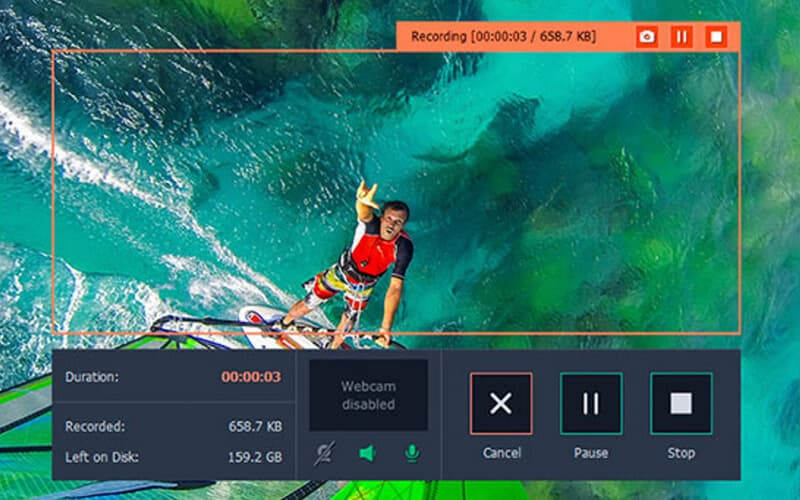
Best For: Beginners, casual screen recorders.
- Pros
- Intuitive interface.
- Lightweight performance.
- Basic editing tools are available.
- Sufficient for daily tasks.
- Cons
- Minimal advanced features.
- Watermark present in the free version.
- Not professional use worthy.
Pricing:
- Free Version: Basic recording with watermark.
- Paid License: Around $40-$60 one-time purchase.
- Bundled offers available.
9. Bandicam
Bandicam is a screen recorder that prioritizes performance. It can capture high-quality gameplay and other desktop activities while using relatively few system resources. It retains a smooth recording when desktop resources are running low. For this reason, it is quite popular among gaming enthusiasts.
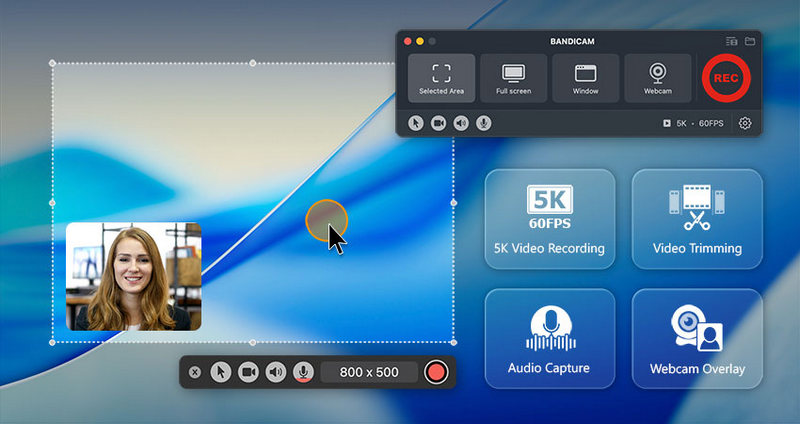
Best For: Users requiring high-FPS screen recording.
- Pros
- Screen recordings are typically small, so they use minimal disk space.
- Gameplay capture is excellent, and the software supports Ultra High Definition (UHD) recordings.
- Cons
- Mac support is subpar.
- Free recordings are watermarked.
- Editing is limited.
- Integrating macOS.
Pricing:
- Free with limitations on recording.
- Personal license: ~ $33 - $60 one-time payment.
Part 4: Is There a Built-in Mac Screen Recorder?
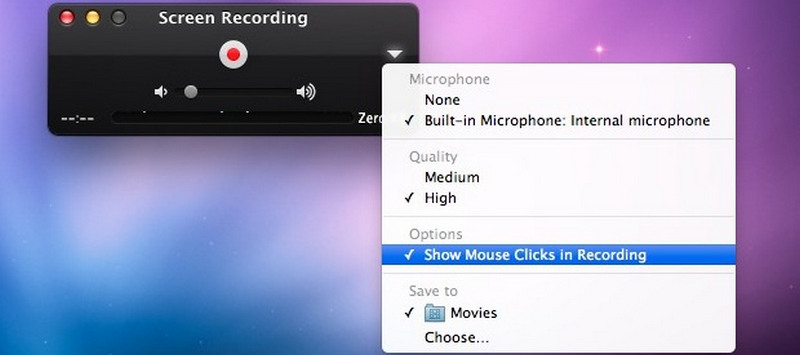
Yes, macOS has built-in screen recording capabilities through QuickTime Player and the Screenshot Toolbar, which are accessed by pressing Shift + Command + 5. You can record the whole screen, a window of your choice, or a specified region, and no additional software is required. For screen capture, the built-in feature is effective. However, as it is very basic, it is not suited for more complex tasks. The built-in screen capture tool can also not be used to schedule captures or capture system audio. Many users, as a result, opt for other screen recording applications, as they offer a more complete solution that can cater to more advanced needs and deliver better recording quality, especially for tasks like screen recording on Lenovo, gaming, tutorials, and professional content creation.
Part 5: FAQs of Screen Recorder for Mac
Why does my Mac screen recording have no sound, even when the microphone is enabled?
When the microphone is enabled but no sound is being recorded, it's most likely due to an input selection issue or to macOS not granting the required permissions for the screen recording application to use the microphone. Additionally, sound settings may have the wrong input selected, preventing users from recording voice on a Mac properly during screen recording sessions.
Why do screen recordings on Mac sometimes appear blurry or low quality after saving?
To ensure recordings look their best, display resolutions and export settings need to be correctly aligned. A display recording that is not set to the display's native resolution, or that exports without regard to video compression, can produce recordings that appear less clear and less sharp than the display content.
Can screen recording on a Mac affect performance or cause lag during other tasks?
Yes. When video recordings are done at a high resolution, system performance degrades. It is even more true when the recording is made from multiple sources. Low storage conditions, older hardware, or even running applications can have a more pronounced effect on screen lag and a greater decline in system responsiveness when screen capturing is in progress.
All in all, choosing the right screen recorder for a MacBook depends on your recording needs, editing preferences, and budget. Some tools focus on simplicity, while others provide advanced production features. By comparing performance, usability, and pricing, you can confidently select software that delivers smooth recording and high-quality results for everyday or professional use.
ABOUT THE AUTHOR

Capture screen activities with audio, online meetings, gameplay videos, music, webcam, etc.