Whether you are creating a tutorial for a new app, recording gameplay highlights, or capturing an important video call, an Android screen recorder can make the process effortless. With so many options available, knowing which app fits your needs can be overwhelming. This guide walks you through the best screen recording tools, how to use built-in features, top apps, and even recording your Android screen directly on a desktop.
Part 1: Top Android Screen Recorders at a Glance
Here is a quick overview of the best Android screen recording tools, including both built-in and third-party options:
| App / Tool | Easy to Use | No Watermark | No Ads | Advanced Controls |
| AZ Screen Recorder | ✔ | ✔ | ✖ | ✔ |
| Mobizen Screen Recorder | ✔ | ✖ | ✖ | ✔ |
| XRecorder (by InShot) | ✔ | ✔ | ✖ | ✔ |
| ADV Screen Recorder | ✖ | ✔ | ✔ | ✔ |
| ScreenCam | ✔ | ✔ | ✔ | ✖ |
| RecMe Screen Recorder | ✖ | ✔ | ✔ | ✔ |
| Super Screen Recorder | ✔ | ✔ | ✖ | ✔ |
Part 2: The Built-in Android Screen Recorder
Before considering third-party applications, it is best to check if your device already has a screen recording feature.
Due to the implementation of the screen recording function, apps are no longer needed for certain new devices.
Why use the built-in recorder?
• No applications are needed.
• No advertisements or watermarks.
• No performance issues.
• The audio, screen presses, and touches are all recorded.
How to Use the Built-in Android Screen Recorder:
Step 1Open Quick Settings by swiping down from the top of the screen. Swipe to the right to view all the settings.
Step 2Search for Screen Record in the settings. If it appears, tap Edit, and swipe to select manually.
Step 3Touch Record Screen, adjust your audio preferences, and determine if you want to show touches or not.
Step 4Touch Start to begin the recording, and the countdown will begin.
Step 5In order to end the recording, open the notifications and hit Stop.
Part 3: In-Depth Reviews: Top 7 Android Screen Recorder Apps
1. AZ Screen Recorder
By combining professional features with simplicity, AZ Screen Recorder has become one of the most popular Android screen recording applications. Content creators, educators, and gamers use the app greatly due to its flexibility and consistency. What makes AZ Screen Recorder different from the majority of free apps is that AZ Screen Recorder has no recording time limit. Game walkthroughs and tutorial videos are best recorded using this app. Resolution, bitrate, and frame rate can all be adjusted with this app.
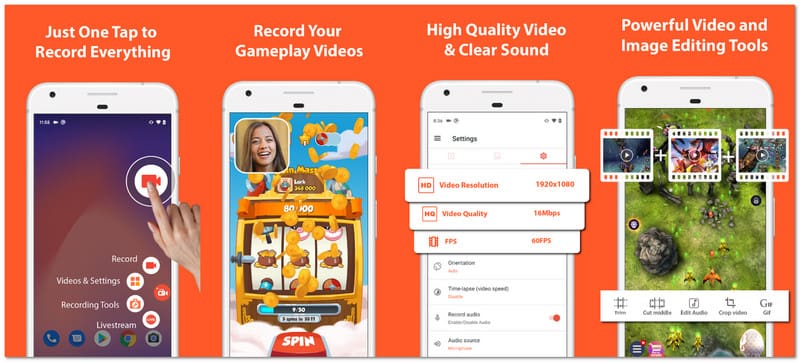
Performance: Lag is negligible as clients can record in 4K and Full HD without issues. The app presents an all-in-one option without having to contract third-party services for everything from basic video editing to live streaming.
- Pros
- Recordings have no time limits.
- Live streaming available.
- Capture video in 4K and other high-res options.
- Simple to acclimate to.
- Cons
- Advanced features and ads in the free version.
2. Mobizen Screen Recorder
Beginners and novice content creators have chosen Mobizen for its simplistic approach to video creation. Providing an easy application solution for recording, editing, and customizing videos, Mobizen lets users do it all from a streamlined interface on the Android platform. Most popular for tutorial and vlogging creators, it includes facecam functionality so users can record their screen and react on video simultaneously.
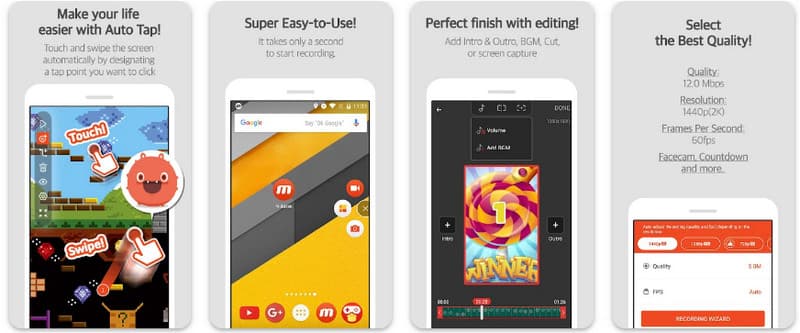
Performance: Most Android users will experience no issues recording in Full HD, but performance will be more stable on newer models, as older phones have lower performance and resolution thresholds.
- Pros
- Intuitive interface.
- Screen recording with faces.
- Video editing.
- Cons
- The free version comes with a watermark.
- Video ads in the free version.
3. XRecorder (by InShot)
Developed by InShot Inc., the screen recording app XRecorder allows users to customize their recordings without the hassle of complex features. This app is mainly used by gamers, educators, and social media creators requiring smooth and extended recordings. XRecorder offers a good resolution range and good quality recordings without a time limit.
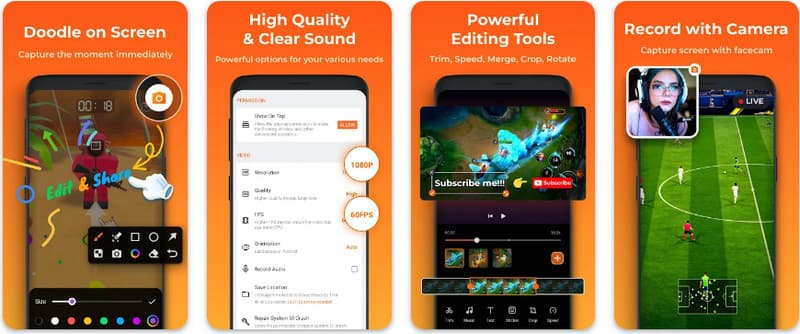
Performance: High performance with minimal lag, even during prolonged recording sessions. It integrates seamlessly with video editing apps, allowing users to quickly polish videos without exporting multiple times.
- Pros
- Good recording quality and long-term recording available.
- Good interface for all levels of users.
- Cons
- Ads in the free version.
- Some features must be unlocked with real money.
4. ADV Screen Recorder
ADV Screen Recorder is for users who would like greater control over their recordings. It offers mid-recording pausing, screen drawing, and camera switching on the recording screen. This app is for educators, developers, and tutorial creators.
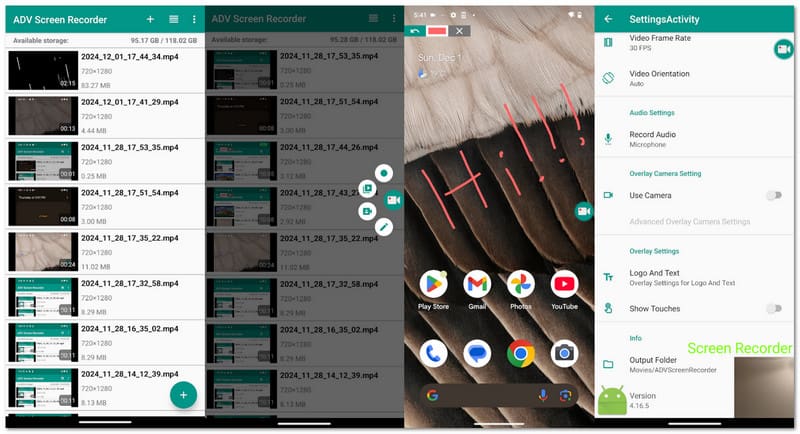
Performance: The app is both reliable and stable. It does, however, take some time to learn how to use some of the more advanced options. The app performs at a good quality, providing HD recordings and providing both portrait and landscape options.
- Pros
- Pause and play the recording at will.
- Draw and make annotations on the recording.
- Change the recording camera while in the middle of recording.
- Cons
- The interface is not the most user-friendly.
- There are not many built-in editing options.
5. ScreenCam
Screen Cam is an open-source Android screen recorder, meaning the app is very simple and does not track or sell user data. The app is light and free, unlike most screen recording apps. Because the app is open source, users can make the changes they would like to see in the app.
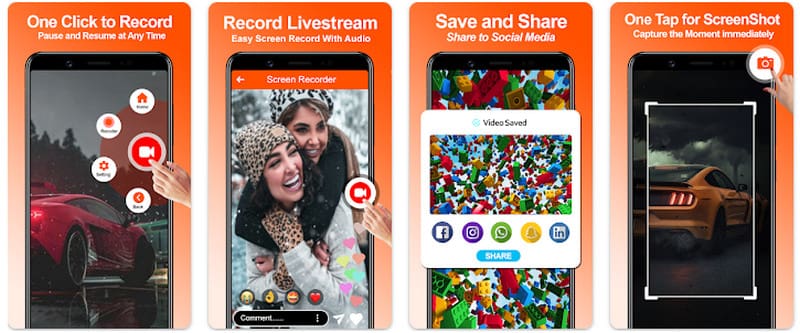
Performance: The app runs great on lower-end devices. Recording quality is good, but it does not come with added features such as overlays or live annotations.
- Pros
- There are no advertisements.
- The app runs very quickly as there is not much to download.
- The app is open source.
- Cons
- The app does not offer many features.
- The app does not frequently receive updates.
6. RecMe Screen Recorder
RecMe is a screen recorder designed for professional users and high-level customization. The app also allows the internal recording of app or game audio, something many free apps do not offer, making it useful for game streamers, app reviewers, and power users. There are a lot of added options in the app to make it as useful and helpful to advanced users as possible.
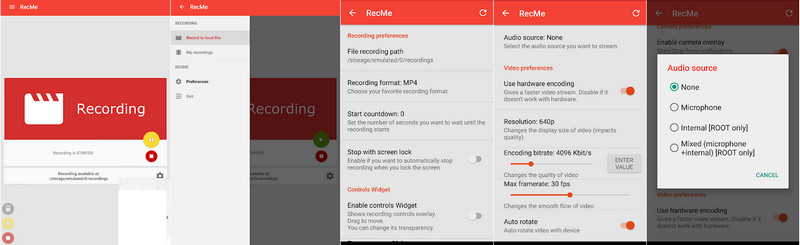
Performance: The app can record for long periods of time without any lag, even at a high recording quality. Users also have the ability to customize the recording quality, audio quality, resolution, and other features to obtain a level of quality expected from professional content.
- Pros
- Records internal audio.
- Highly customizable.
- Great for professional audio.
- Cons
- Other features require payment.
- The user interface is overwhelming.
7. Super Screen Recorder
Super Screen Recorder is an app that is simple and functional. Features HD recording, facecam, and even music. Engineered for casual content creators, gamers, and social media users with an easy-to-use interface and access to all main features with 1 button. Super Screen Recorder even features simple recording and editing features all in 1 for easy daily use tasks in screen recording.
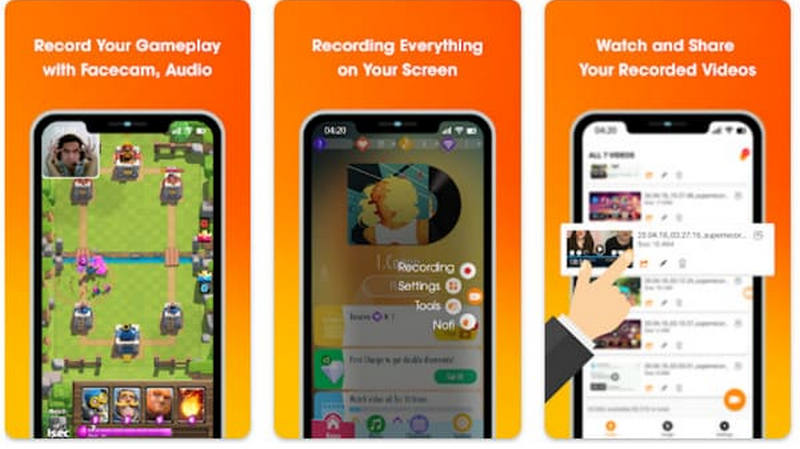
Performance: Acceptable, super responsive, and more than enough for HD. Enough advanced editing features in the premium for most users.
- Pros
- Easy to use.
- Supports FaceCam and background music.
- High-quality recording output.
- Cons
- Ads in the free version.
- Some features require an in-app purchase.
Part 4: What to Look for in an Android Screen Recorder
Your choice of Android screen recorder app will influence video quality, ease of use, and overall experience. The following six factors will help guide your choice:
1. Recording Quality & Performance: HD or Full HD, with customizable frame rates, means better recording quality. The recorder should also operate without lag, should not overheat the device, or drain the battery, even during long recording sessions.
2. Audio Options: The recorder should be able to capture the internal audio and external audio (via microphone). If the recording includes commentary or narration, the microphone should be used to provide that.
3. Watermark & Recording Limits: Check to see if the app includes a watermark and whether it can be removed. Some apps also support long-term or unlimited recording sessions, which are essential when you need to record Google Meet, gameplay, tutorials, or webinars.
4.Built-in Editing Tools: If the recorder includes features such as video trimming, merging, or even music overlays and facecam overlays, this will save time as you will not need to use other apps for final editing and will have a better all-in-one solution.
5.Advanced Features & Privacy: Optional features like pause/resume, on-screen drawing, and facecam overlays are good. Pick options that have lower ad counts and also better privacy options.
Part 5: Can I Record My Android Phone Screen on a Desktop?
AVAide Screen Recorder is an effective tool for capturing screens on Windows and Mac. Not only does it record and capture desktop activities, but it also lets you mirror and record screens of Android and iPhone devices on your computer. Specifically tailored for gamers, educators, vloggers, and business professionals, AVAide helps create high-quality recordings without lags and even lets you customize audio captures and recordings. Plus, you can edit your recordings. Screen recordings of mobile games, app tutorials, video calls, or live streams can all be done efficiently and professionally with mobile game recordings.
- Record your Android screen in 4K/1080p with smooth, lag-free playback.
- Capture both system and microphone audio for tutorials, calls, or gameplay.
- Add your webcam for picture-in-picture presentations or tutorials.
- Record full screen, a window, or any selected area on your desktop.
- Trim, merge, compress, or convert videos and export in MP4, AVI, GIF, MP3, and more.

 Secure Download
Step 1Download and Install
Go to the AVAide Screen Recorder website and click on Free Download next to Windows or Mac. Follow the installation steps to get the software.
Step 2Connect Your Android Device
You can connect your Android phone screen to your desktop through a USB cable or Wi-Fi. Make sure USB debugging is on for your phone.
Step 3Choose a Recording Mode
Open AVAide Screen Recorder and select Phone Recorder mode from the main interface.
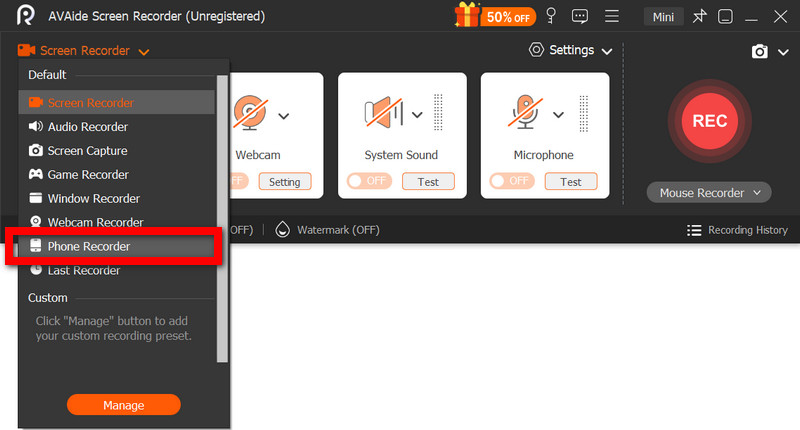
Step 4Select Android Device
Choose Android Recorder as the phone type. The software will then detect your connected Android phone automatically.
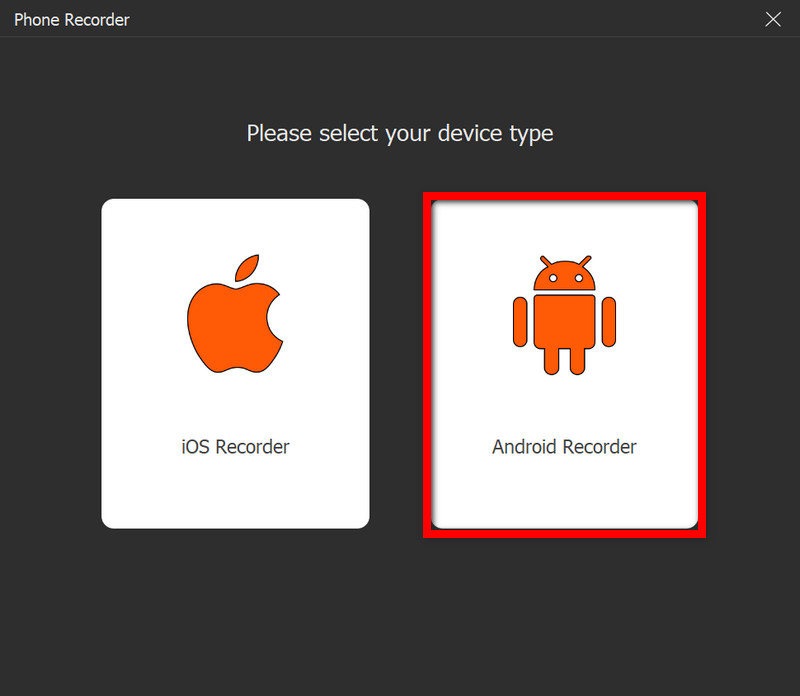
Step 5Start and Stop Recording
Click the Record button to begin capturing your Android screen. Once finished, click the Stop button to end the recording, then preview, edit, and save the video to your chosen destination.

Choosing the right sound recording software for Android ensures clear audio, smooth video, and a seamless recording experience. Whether using built-in tools, third-party apps, or desktop solutions, these options help you capture, edit, and share your screen effortlessly.
ABOUT THE AUTHOR

Record screen, audio, webcam, gameplay, online meetings, as well as iPhone/Android screen on your computer.