Mobizen Screen Recorder is a popular choice for capturing mobile screens, but how well does it really perform in today's competitive market? This review explores its features, usability, pricing, and limitations, while also comparing it with top alternatives to help you decide if it's the right tool for your recording needs.
Part 1. Overview of Mobizen & Key Features
Mobizen Screen Recorder has been developed out of a simple Android mirroring application into a full-scale mobile recording application to suit both the novice and content makers. Unlike most lightweight screen recorders that are only oriented on recording footage, Mobizen aims to position itself as a one-stop solution, integrating recording, editing, and sharing into one mobile process.
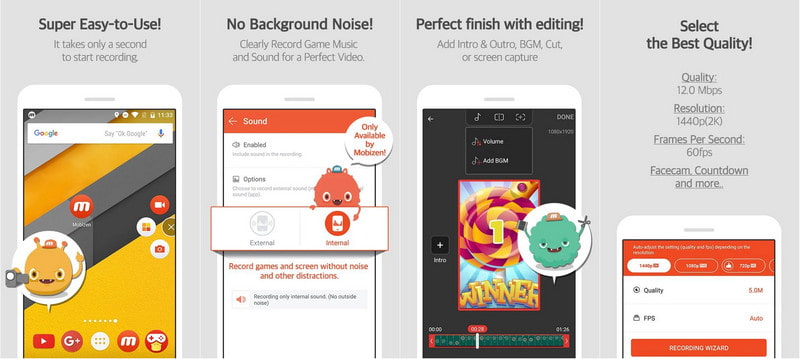
The combination of accessibility and functionality is what makes Mobizen stand out in a saturated market. It is easy enough to get started recording in seconds, and it still has more advanced features such as bitrate control, resolution control, and internal audio capture, which are usually found only in more professional programs.
Key Features:
- Full HD Recording: Record videos in 1080p and above with a smooth frame rate.
- Facecam Recording: Capture reactions with the screen being recorded.
- Video Editing Tools: Edit, cut, add music, and improve videos within the application.
- Clean Recording Mode: Recording without a watermark or a floating button.
- GIF Maker: Turn videos into GIFs to share on social media.
- Internal Audio Recording (Stereo Recorder): Record system sound and microphone input.
- Live Streaming (Mobizen Live): broadcast to such sites as YouTube.
Part 2. Mobizen for Android vs iOS
| Feature | Android | iOS |
| Availability | Fully supported | Limited / not officially supported |
| Screen Recording | Full functionality | Uses the built-in iOS recorder instead |
| Facecam | Yes | Limited |
| Internal Audio Recording | Yes | Restricted by iOS |
| Floating Control (Air Circle) | Yes | Not supported |
| Editing Tools | Built-in | Limited |
| Live Streaming | Available | Limited |
Summary:
Mobizen is specifically designed to work with Android, with much more functionality than iOS because of the limitations of the Apple system.
Part 3. The Mobizen Mod APK Controversy
The Mobizen Mod APK is an informal, altered form of Mobizen Screen Recorder sold off-site of reputable markets such as the Google Play Store. They are modified to evade restrictions and get access to premium features without the need to spend money.
Most Mod APKs claim benefits such as:
- No ads
- No watermark
- Premium tools unlocked
- Unlimited or enhanced recording
Issues & Risks
1. Security Risks: Mod APKs are not validated, and hence they can have malware, spyware, or hidden procedures that can steal data or damage your phone.
2. Privacy Issues: As screen recorders need permission to your screen, microphone, and storage, the modded versions can abuse this permission and reveal personal information.
3. Legal and Ethical Issues: The usage of Mod APKs not only breaches the terms of apps, but also weakens the developers and can result in limitations or prohibitions.
4. Unstable Performance: These versions are not properly tested and may crash, have recording problems, or be incompatible.
5. No Updates or Support: Modded apps do not have official updates, security patches, or customer support, and thus are not reliable in the long term.
6. Unnoticed Expenses: They are free, but may lead to loss of data, malfunctioning of devices, and increased battery and data consumption.
Part 4. How to Use Mobizen
Step 1Get Mobizen Screen Recorder in the Google Play Store, open it, and give the required permissions to it, which are: screen recording, access to the storage, and access to the microphone to make it fully functional.
Step 2Launch the app, and go to the Settings menu where you can personalize your settings based on your requirements, such as video resolution, frame rate, bitrate, and audio source.
Step 3To start recording your activity on your screen, tap the floating Air Circle button, which appears on your screen, and then choose the Record option.
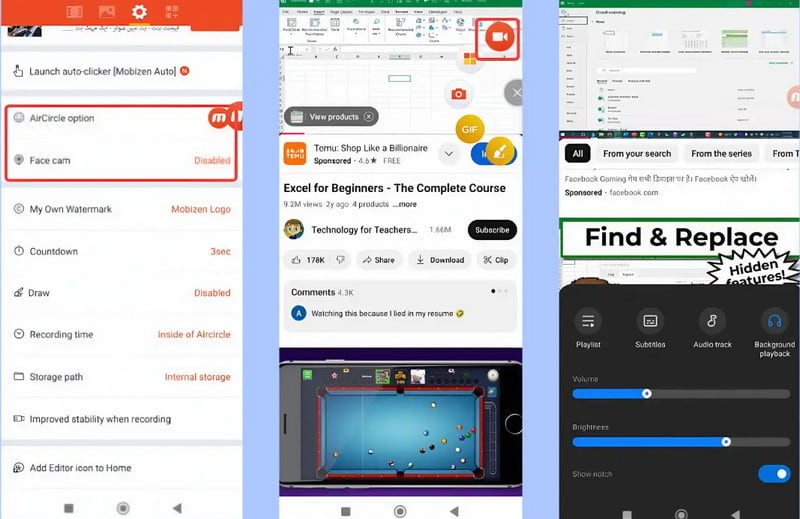
Step 4As you normally use the app, Mobizen will record in the background, whether you are recording gameplay, tutorials, or demonstrations of the apps, and you can turn on the facecam option in case you want to capture your reactions.
Step 5After recording, the built-in editor of Mobizen helps you in editing the video by cutting out the unnecessary content, adding music or text, and making simple corrections to enhance the presentation overall.
Step 6Once edited, export the video to your system and share it with a direct post to such websites as YouTube or other social networks.
Part 5. Mobizen Pricing
| Plan | Price | Features |
| Free | $0 | Screen recording, basic editing tools, watermark included, and ads displayed. |
| Premium (Monthly) | $3.99/month | No ads, no watermark, GIF creation, custom watermark, enhanced recording settings. |
| Premium (Annual) | $29.99/year | Same as a monthly plan, but more cost-effective for long-term users. |
| Mobizen Studio (Free Tier) | $0 | Basic streaming, recording, limited multistreaming, and limited cloud storage. |
| Mobizen Studio (Paid Plans) | Starts at ~$4.99/month | Expanded streaming features, increased storage, multistreaming support, and advanced controls |
Part 6. Pros and Cons
- Pros
- Easy-to-use interface.
- Good recording (Full HD / 60fps).
- Built-in editing tools.
- Internal audio and Facecam.
- Free version available.
- Cons
- Watermark and advertisements on the free version.
- Minimal capabilities on iOS.
- Infrequent performance problems with low-end devices.
- There are some premium features that are not available on a free plan.
Part 7. Mobizen Alternatives
1. AVAide Screen Recorder (Best Overall Alternative)
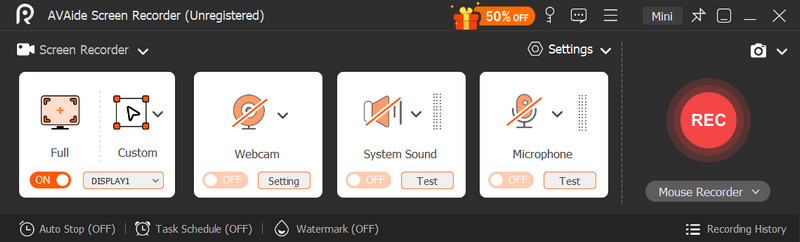
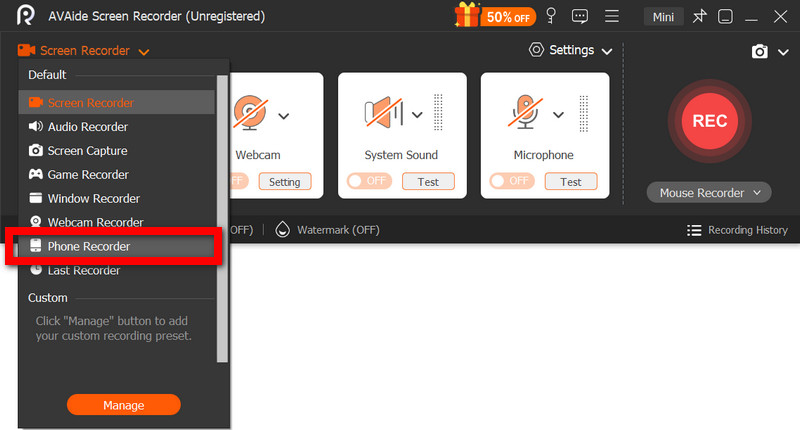
AVAide Screen Recorder finds its place between easy-to-use and professional recording software and between simple products and sophisticated software by positioning itself as a professional solution that is easy to use and operate. It focuses more on the quality of output, recording stability, and workflow efficiency, as opposed to mobile-first apps, and is instead more appropriate to serious content creation as opposed to casual use.
Performance: AVAide provides regular recordings with few frame drops, even in long recording sessions or high-resolution recordings. It has an encoding that is streamlined so as to sustain audio-video synchronization and crisp output, which is a definite improvement over most mobile recorders.
- Customizable frame rate and bitrate recording.
- Real-time webcam, microphone, and system recording.
- Live drawing and annotation.
- Regular recording and user-defined capture areas.
- In-built editor to trim and make quick refinements.

 Secure Download
Pricing:
- Free version (limited recording length)
- 1-Year License: $39.00
- Lifetime License: $59.00
- Pros
- Excellent recording quality and stability.
- Moderated between novices and professionals.
- All-in-one (record, edit) workflow.
- Cons
- Needs a desktop configuration.
2. OBS Screen Recorder
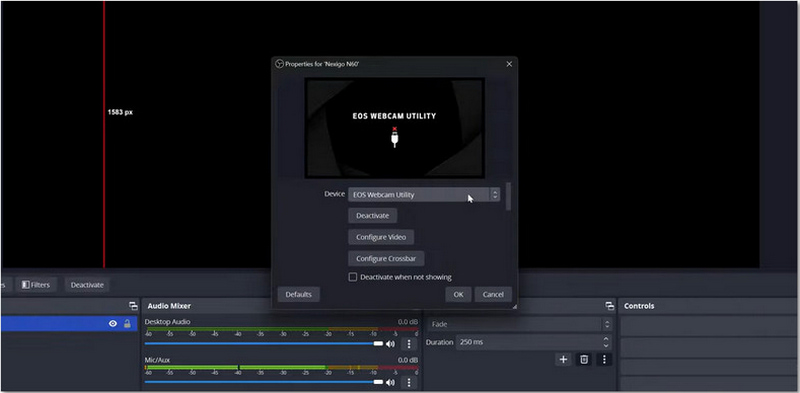
OBS Screen Recorder is commonly seen as a power-user tool designed to provide creators with the ability to have complete control over recording and streaming. It compromises simplicity to enhance excellent customization and flexibility, which is suitable for advanced users.
Performance: OBS delivers quality output and can be customized nearly indefinitely, but performance is heavily reliant on system hardware and appropriate configuration. Without optimization, it can be resource-intensive.
Key Features:
- Multi-scene recording and cuts.
- State-of-the-art audio mixer featuring filters.
- Real-time streaming integration.
- Plugin support for extended functionality.
Pricing:
- Completely free and open-source.
- Pros
- Very strong and dextrous.
- None of the watermark or usage restrictions.
- Perfect for streaming and advanced configurations.
- Cons
- Steep learning curve.
- None of the built-in editing tools.
3. Bandicam
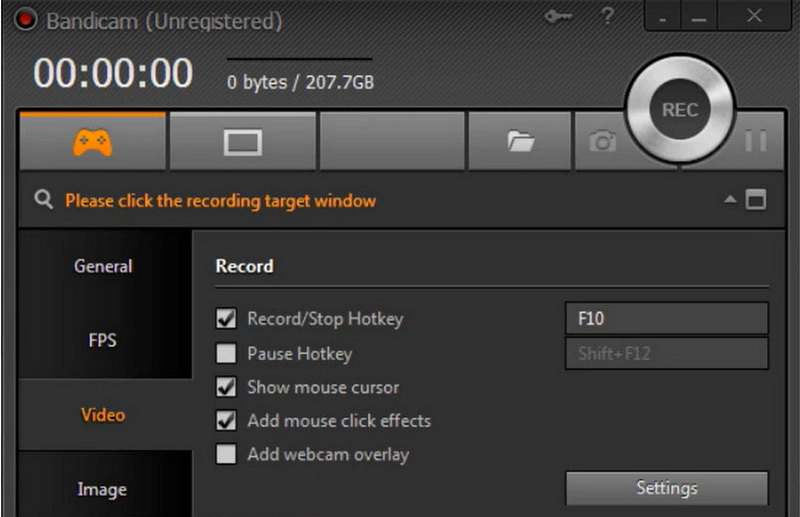
Bandicam is efficiency-oriented and stable, and provides users with an alternative that is lightweight when recording on a large scale, without overloading the system. It is commonly used in mid-range systems in terms of gameplay capture.
Performance: Bandicam is relatively reliable and uses low CPU resources and constant output, which is why it is applicable to longer records. But it does not have the polish and flexibility of more modern tools.
Key Features:
- Quality retention of high compression recording.
- Optimized game recording mode.
- Webcam overlay and real-time drawing.
- Long-duration recording support.
Pricing:
- Free version.
- Paid license: $39.95 (one-time)
- Pros
- Lightweight and stable.
- Smooth when it comes to extended recordings.
- Easy to use.
- Cons
- Outdated interface.
- Limited editing features.
Conclusion All in all, Mobizen remains a reliable screen recording app for everyday mobile use, offering solid features and ease of use. However, AVAide Screen Recorder stands out as a stronger alternative, while other tools also provide more advanced controls, higher quality output, and professional recording performance.
ABOUT THE AUTHOR

Capture your screen, system audio, and microphone in high quality for tutorials, meetings, and gameplay.