Upscale.media is among the best tools you can use to upscale your images. It ensures that you can deal with your blurry, grainy, and pixelated images in just a few clicks. What makes it ideal is that it has a free version you can access to check its capabilities. With that, if you are interested in discovering more about the tool's overall capabilities, you can read this review. We will include its features, pricing, strengths, drawbacks, and more. You will also get to know the best alternative to this tool for a better upscaling process. Therefore, we suggest reading everything in this post and exploring more.
Part 1. What is Upscale.media
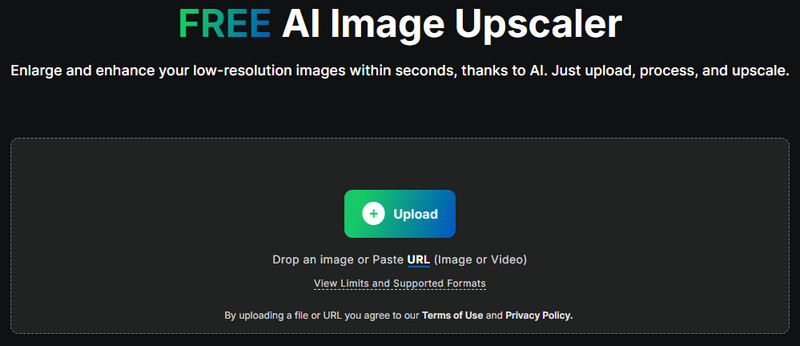
Upscale.media AI Upscaler is an AI-powered tool that is capable of transforming pixelated, low-quality images into a higher-quality version. With this tool, you can ensure that you can get a better, sharper, and crisp image output after the upscaling process. This tool uses an advanced algorithm to enlarge photos without sacrificing details, making it a perfect tool for professional, personal, and business use. The good thing about this tool is that it can offer a simple layout. All you need is to upload the photos and begin the main process with the help of artificial intelligence.
Furthermore, beyond individual use, Upscale.media can also support bulk image processing, which is ideal for enterprises and e-commerce. This helpful feature can help you save more time by dealing with multiple photos in a single process. You can also access this tool on various web platforms, including Google, Edge, Opera, Safari, and more. Thus, we can tell that Upscale.media stands out as an astounding choice when it comes to upscaling images successfully.
Part 2. Detailed Review of Upscale.media
Want to get more insights about Upscale.media AI? Then, you can proceed to this section as we offer its features, strengths, weaknesses, and pricing.
Core Features
Upscale Image
The primary feature of the tool is to upscale your photo. You can access this feature and upscale pictures up to 2×, 4×, 6×, and 8×. With that, we can tell that this tool is considered an ideal 4K image upscaler. The good part here is that upscaling your images is simple, thanks to its easy-to-use user interface.
Enhance Photo
Aside from upscaling, the tool can also help you enhance your images automatically. With the tool's AI-driven technology, you can enlarge and enhance your images at once, making it a powerful feature for users.
Support Various Formats
What we like about the tool is that it can handle various input formats. You can upload JPG, JPEG, PNG, BMP, WebP, and more. The image upscaler ensures that you won't encounter any compatibility issues when upscaling your photos.
Reduce Image Noise
If you want to sharpen your image, you can also rely on the tools for noise. The tool can automatically reduce the image grain and noise during the upscaling process. After the process, you can expect to see a better version of your image, resulting in a better and satisfying-to-view image output.
Strengths of Upscale.media
There are various advantages you might encounter when using the Upscale.media tool. To get more information, you can read all the details below.
- The tool ensures that it can deliver a sharp, high-resolution photo up to times better than the original quality without any distortion.
- The tool can effectively clean up JPG compression issues, such as blurry patches and blockiness.
- It can create a cleaner image by dealing with image noise.
- When enhancing and upscaling faces, the tool ensures that the result will still look natural and realistic.
- This image enhancer lets you prevent consuming much time during the process by improving multiple images, thanks to its batch processing feature.
Drawbacks of Upscale.media
The tool also has some drawbacks. Some of them are:
- The free version has various restrictions.
- Since it is an online-based tool, it won't perform well if the internet connection is poor.
- When dealing with high-quality images, the processing of upscaling images will take more time.
- The tool lacks an image editing function for overall image improvement.
Pricing
As we have mentioned, Upscale.media AI Upscaler is not 100% free. Plus, the free version has various limitations, which are not ideal for all users. With that, if you wonder about the tool's price, it starts at $6.24 per month. With this paid version, you can upscale more versions, without any limitations.
Part 3. How to Use Upscale.media
If you want to use Upscaler.media to start upscaling your images, you can use the simple instructions we have provided below.
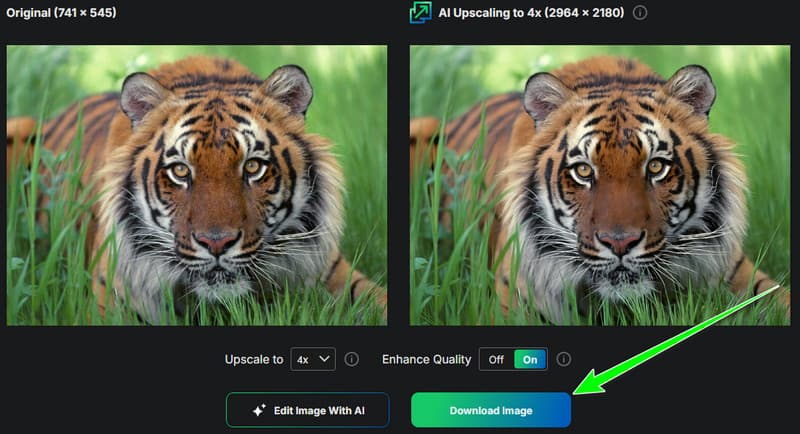
Step 1Go to your browser and proceed to the main website of Upscale.media. Then, tap Upload to insert the image from your device.

Step 2Then, proceed to the Upscale to section and start upscaling your image up to 2×, 4×, 6×, and 8×.
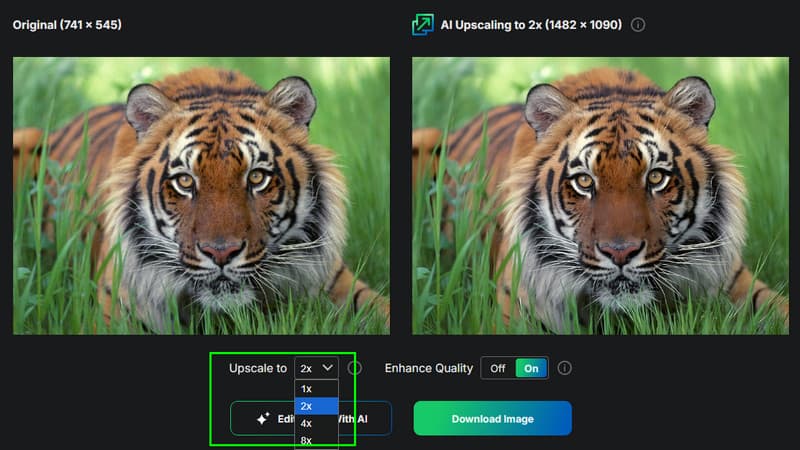
Step 3Finally, hit the Download Image button below to start saving the upscaled image on your computer.
Part 4. Best Upscale.media Alternative
Upscale.media is an effective tool for upscaling your photos. However, when using its free version, there are various restrictions you might encounter. With that, if you want a free image upscaler that can offer all the features without any limitations, we suggest using AVAide AI Image Upscaler. This tool is powered by AI, which is perfect for upscaling and enhancing your images. You can even improve your image in just a single click, suitable for non-professional users. With this tool, you can upscale/enlarge photos up to 8× better. It also has a fast process, letting you get the result in just a few seconds. What we like most is its capability to upscale multiple images at once. With this feature, you can deal with numerous photos while saving time. Thus, if you are searching for the best alternative to Upscale.media, there is no doubt that AVAide AI Image Upscaler is the best choice.
You can follow/check the steps below to start upscaling your photo using the tool.
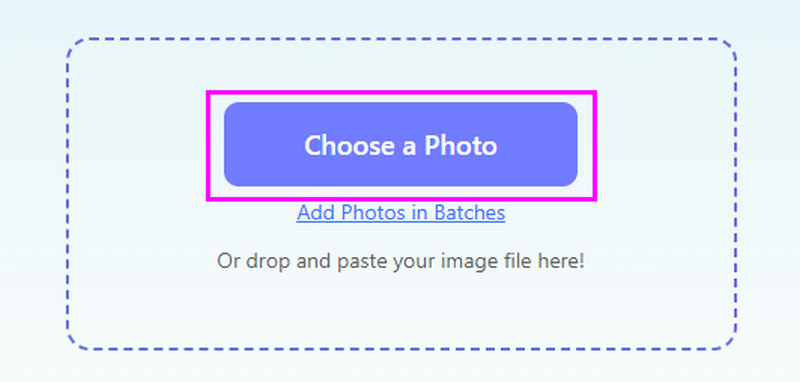
Step 1First, hit the Choose a Photo button after you access the main website of AVAide AI Image Upscaler.
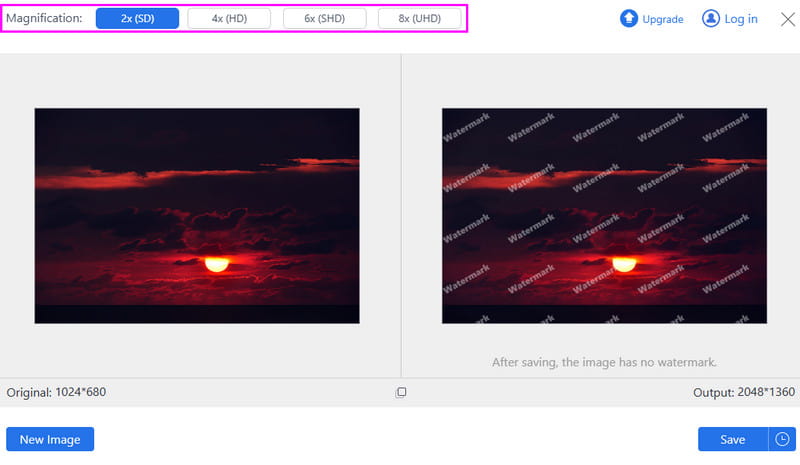
Step 2Then, from the Magnification section, you can start upscaling the image up to 2×, 4×, 6×, and 8×.
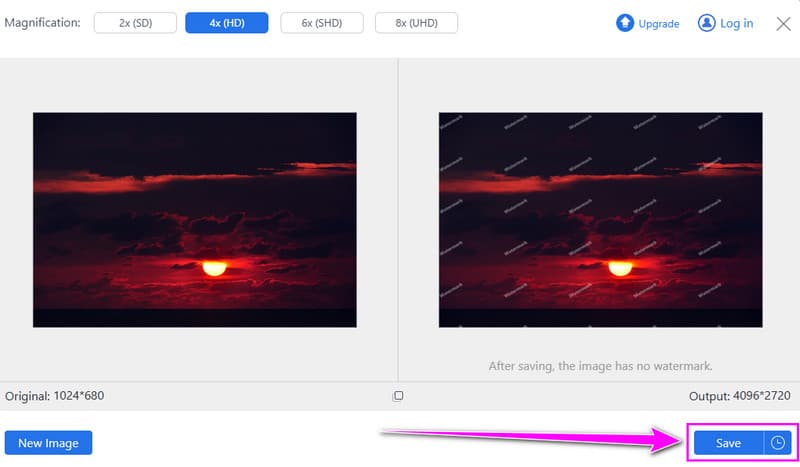
Step 3Lastly, hit the Save button below to start the image downloading process. After that, you can now view the improved image on your device.
You can check the table below to get more insights about the two excellent image upscalers.
| AVAide AI Image Upscaler | vs. | Upscale.media |
| Removes noise and blur during upscaling | Noise Handling | Smooths grainy textures while keeping images clean |
| Very fast | Upscaling Speed | Fast |
| Free online use, supports batch uploads without a watermark | Free Limit | Free plan available, but with resolution and usage limits |
| Simple | User Interface | Simple |
| Sharpens portrait details for clearer facial features | Face Detail | Preserves natural facial features with AI enhancement |
With this detailed Upscle.media AI Upscaler review, you can tell that it is among the best tools you can rely on to upscale images effectively. However, with its restrictions, especially on the free version, you might search for the best alternative. In that case, it would be best to use AVAide AI Image Upscaler. This photo upscaler ensures to give you all the necessary features without any restrictions, making it the right choice for improving your images.

Our AI technology will automatically enhance the quality of your images, remove noise and fix blurry images online.
PROCESS NOW