When improving the quality of your visuals, selecting the best image resolution enhancer can make a difference. These tools are powered by artificial intelligence, enabling you to enhance image resolution for a better viewing experience. With these tools, you can upscale your images, deblur, reduce the noise, and more. Thus, if you are looking for an excellent tool that can improve the resolution of your photos, read everything in this review. With that, see this post and learn more about the most reliable image resolution enhancers.
Part 1. What is an Image Resolution Enhancer
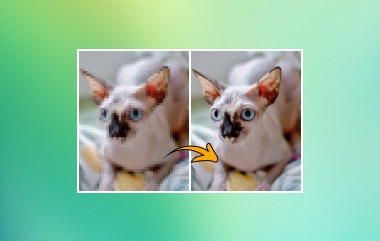
An image resolution enhancer is an astounding tool that increases the number of pixels in low-resolution photos and reconstructs finer features to improve their clarity and quality. It upscales images with the help of sophisticated algorithms without introducing pixelation or distortion. Moreover, to make edges crisper and textures more realistic, these enhancers intelligently create new pixels based on an analysis of existing ones. Photographers, designers, and content producers frequently utilize them to optimize photographs for digital platforms, restore vintage photos, and prepare visuals for printing. An image resolution enhancer turns small or fuzzy photos into sharp, high-quality visuals suitable for professional use by boosting detail and reducing noise.
Part 2. Common Problems an Image Resolution Enhancer Can Fix
An AI image resolution enhancer can address several issues that degrade image and graphic quality. Some of the problems that it can fix are:
- Pixelation - It can smooth jagged edges caused by enlarging small photos beyond the original resolution.
- Blurriness - The tool can sharpen out-of-focus images to make them look crisp.
- Detail Loss - The tool can restore fine textures and edges that may be missing in a degraded image.
- Noise and Grain - An image resolution enhancer can easily reduce noise and grain, resulting in a better viewing experience.
- Color Fading - Some image enhancers can effectively improve the contrast and brightness of a photo, making it more vibrant.
Part 3. 5 Best Image Resolution Enhancers
Want the best image resolution enhancers? Then, proceed to this section, where we introduce the most valuable tools you can use to effectively enhance the resolution of your photos.
1. AVAide AI Image Upscaler

If you are looking for a free image resolution enhancer, look no further than AVAide AI Image Upscaler. This tool can upscale your image up to 8 times better than the original quality. The good thing about the tool is that it can enhance clarity, sharpen images, and recover detail instantly. In addition, it can also reduce the image noise, making your image easier to view. It also has a simple, straightforward user interface that lets you navigate all the features you need. With that, if you need an amazing photo enhancer, consider using this tool.
2. Adobe Photoshop

Adobe Photoshop is widely recognized as an excellent image resolution enhancer because of its powerful AI-driven tools and professional editing capabilities. By reconstructing details, its Generative Upscale tool lets users transform low-resolution photographs into better, high-quality outputs. To make it more ideal, the software has manual controls like Preserve Details 2.0. It lets editors refine textures and sharpen edges with accuracy. Beyond resolution, it improves images by adjusting colors, cutting down on noise, and bringing back clarity, making it suitable for both informal and formal tasks. Thus, to increase the image resolution, try the Adobe image resolution enhancer.
3. Canva

Canva is an excellent online-based tool that can offer its AI Photo Enhancer feature to increase the resolution of your image. What we like here is that it can automatically enhance your images in just a single click, making the process simple. Aside from that, you can also access more functions to improve the photo. You can adjust the color, add filters, attach text, and more. Thus, always use the Canva image resolution enhancer to achieve the result you need.
4. ILoveIMG

To enhance the low-resolution image, you can also access the ILoveIMG on your browser. What makes the tool ideal is that it has a neat and simple user interface. You can use all the functions without encountering any issues. Additionally, you can upscale your images up to 4 times better than the original version. The good thing about this tool is that you can use more features besides upscaling. You can resize the image, crop, convert to other image formats, and more. It also has a fast saving process, allowing you to get the result you want without consuming much time.
5. Unblurimage

UnblurImage is an excellent image resolution enhancer that specializes in removing blur and sharpening photos. Powered by artificial intelligence, it restores clarity to photos affected by motion blur, poor focus, or low resolution. It can also refine each pixel to improve sharpness and detail, making visuals look crisp and professional. It also supports upscaling up to 4× better than the original photo, ensuring it remains clear when enlarged for prints or large displays. Overall, UnblurImage is a fast, free, and effective solution for transforming blurry or pixelated photos into high-quality visuals.
To get more information about the tools, you can check the comparison table below.
| AVAide AI Image Upscaler | Adobe Photoshop | Canva | ILoveIMG | Unblurimage | |
| Upscaling Factor | Up to 8× | Up to 4× | Up to 16× | Up to 8× | Up to 4× |
| AI Features | Noise removal, blur fixing, portrait detail sharpening | Generative Upscale with multiple AI models | AI clarity enhancement, drag-and-drop simplicity | AI-powered enlargement, blur restoration | AI unblur + upscale, multiple modes |
| Ease of Use | Simple | Professional-grade | Simple | Simple | Simple |
| Image Enhancement Speed | Fast | Fast | Standard | Standard | Fast |
| Batch Processing | Yes | Yes | Limited | Yes | Limited |
| SupportedFormats | JPG, PNG, and BMP. | JPG, PNG, TIFF, RAW, and more. | JPG and PNG. | PNG, JPG, and WebP. | PNG, JPG, and WebP. |
| Extra Tools | History check, UHD support | Full photo editing suite, color correction, generative fil | Full design suite (templates, filters, background remover) | Resize, compress, crop, convert, and background remover | Enhance mode, portrait restore, text sharpen, old photo repair |
Thanks to these image resolution-enhancing tools, you can ensure that getting a better version of your images is a simple task to finish. All you can do is choose your preferred image enhancer and start beautifying your photos.
Part 4. How to Enhance Image Resolution
After exploring all the best tools that can help you enhance the resolution of your photos, maybe you wonder about the best methods. Thankfully, this part will help you to enhance your images using AVAide AI Image Upscaler. Without anything else, read here and learn how to enhance the resolution of an image.
Step 1Visit the main website of AVAide AI Image Upscaler on your main browser. After that, tap the Choose a Photo button to start uploading the image you want to enhance.

Since the tool supports batch processing, you can add as many images as you want.
Step 2For the next step, navigate to the Magnification section and upscale your image up to 2×, 4×, 6×, and 8×. After the upscaling process, you will see the result in the Preview section.

Step 3Once satisfied with the result, start clicking the Save button below to save the final output on your device.

With this simple and detailed method, you can now increase your photo's resolution online for free, and enhance its quality successfully. Thus, always use this tool to bring the best version of your file.
Part 5. Best Use Cases for an Image Resolution Enhancer
Here are the best use cases for the image resolution enhancer.
Restoring Old or Damaged Images
You can use an image resolution enhancer if you want to revive family archives, historical pictures, or faded prints.
E-Commerce Product Photography
To ensure that images are crisp and professional-looking, you must use the tool to sharpen the image and reduce the noise. This way, you can get the customer's trust and improve sales.
Social Media Content Creation
If you want to have an engaging and appealing post, stories, and ads, upscaling the low-quality images is an ideal way. It can even help you get a higher engagement.
Photo Presentations
Showing clear and detailed images, flowcharts, infographics, and other visual representations is perfect for all viewers.
Personal Keepsakes
Enhancing an image is perfect if you want to preserve your family photos, travel shots, wedding photos, and more.
If you want the best tools to enhance the resolution of an image, it would be better to read all the information provided in this article. Thus, all you need is to choose the suitable image enhancers that can deal with your photos. Also, if you are still wondering what tool is perfect, we suggest using AVAide AI Image Upscaler. This tool can upscale your images up to 8 times better. It can also give you a comprehensive layout, allowing you to access all the necessary features for an effective image upscaling process.
ABOUT THE AUTHOR


Our AI technology will automatically enhance the quality of your images, remove noise and fix blurry images online.
PROCESS NOW