In the fast-paced world of digital content creation, e-commerce, and graphic design, low-resolution images are a major bottleneck, while Clipdrop Image Upscaler, a powerful web-based utility that can intelligently increase crisp detail into blurry images, rather than just blowing up pixel size.
But does it live up to the hype, and how does its free version hold up? In this deep-dive review, we'll review its core features, output performance, and what you actually get on the Clipdrop Image Upscaler free tier.
Part 1. Main Features of ClipDrop Image Upscaler
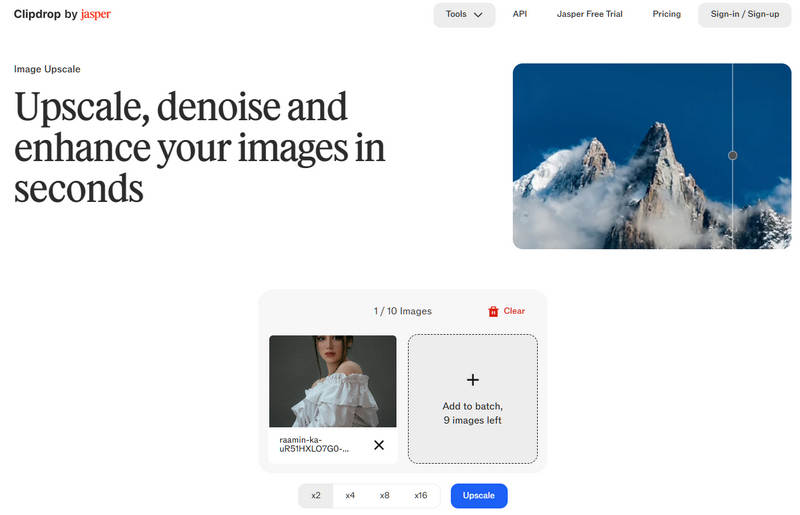
Clipdrop Image Upscaler, whose webpage is clipdrop.co/image-upscaler, is a user-friendly, web-based tool designed to quickly improve the quality and resolution of your images. Whether you are working on a computer or a smartphone, the platform lets you upscale and clean up photos in just a few seconds without any complicated menus. Because it integrates easily with other apps and offers a suite of extra editing tools, it is a highly flexible choice for casual creators, e-commerce sellers, and digital artists who want to enhance their visual content effortlessly.
Main Features:
- Fast Resolution Boosting: You can upscale your images by 2x, 4x, 8x, and even 16x within seconds, instantly turning low-resolution files into sharp, high-quality visuals.
- Noise & Artifact Reduction: Clipdrop AI Image Upsclaer automatically removes blurry compression artifacts and digital noise, making grainy or pixelated images look much cleaner and smoother.
- Smart Sharpening & Detail Enhancement: Instead of just stretching the pixels, Clipdrop Image Upscaler uses AI to restore fine details and sharpen edges, which is perfect for fixing blurry text, hair textures, or product photos.
- All-in-One Editing Suite: Beyond upscaling, Clipdrop offers extra features like background removal, text-to-image generation (Stable Diffusion), lighting adjustments, and object cleanup on a single platform. (Added for completeness)
- Cross-Platform & API Support: You can use it seamlessly across different devices via your web browser. For developers and businesses, it offers an API to connect Clipdrop's power directly into your own apps and workflows.
- Regular Updates & Community Support: The platform is frequently updated with the latest AI technology, and users can connect with an active community to share tips and learn new editing skills.
How to Use Clipdrop Image Upscaler:
Clipdrop Image Upscaler is very easy to use; just add photos and upscale them.
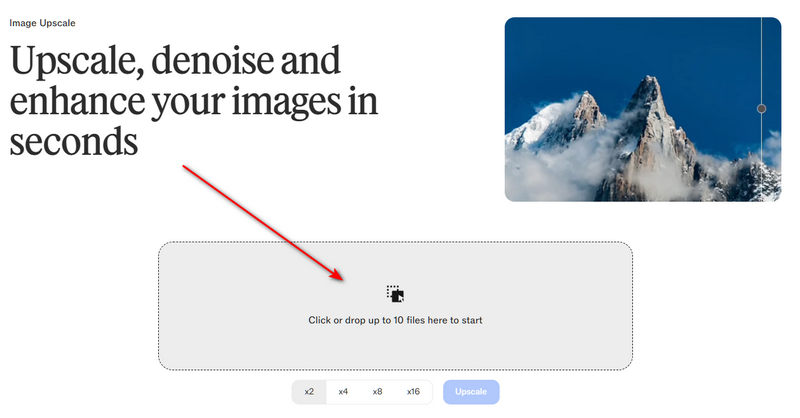
Step 1Go to the official webpage of this tool: clipdrop.co/image-upscaler.
Step 2Click the Add button with a Rectangle to import your photos to this tool. The free version can only support one photo at a time.
Step 3Choose your desired Magnification, like 2x, 4x, 8x, or 16x. Then, just click the Upscale button to upscale the photo.
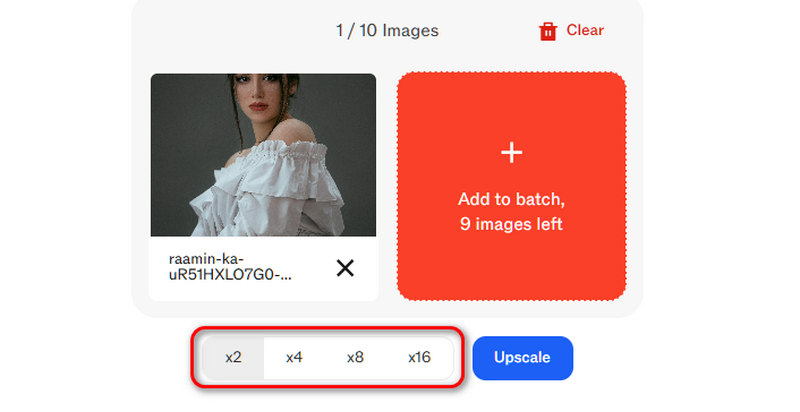
- By now, every magnification in Clipdrop Image Upscaler requires a pro version, including the 2x option.
Part 2. Review of ClipDrop - Does it Deserve Your Choice
How well does the Clipdrop Image Upscaler actually perform? We tested the tool across three common, real-world image categories:
1. Portrait & Smartphone Photography
When upscaling human faces, many legacy AI engines produce a creepy texture. Clipdrop Image Upscaler handles skin pores, clothing fabric, and fine details like strands of hair exceptionally well. It retains organic noise without over-sharpening, making it look like a photo captured on a better camera rather than a digitally altered image.
2. Graphic Design & E-Commerce Product Photos
For product photography on clean backgrounds, Clipdrop AI Image Upscaler excels at sharpening product edges and text labels. Text layers become significantly more readable, though tiny, highly compressed text can sometimes show slight distortion.
3. AI-Generated Images (Midjourney, Flux, Stable Diffusion)
Standard AI generators often output lower native resolutions. Passing these generations through Clipdrop's pipeline is smooth and reliable, making it an excellent companion tool for digital artists trying to prep their art portfolios.
Pros and Cons of Clipdrop Image Upscaler
- Pros
- Clipdrop Image Upscaler can upscale your photo to up to 16x.
- It has very strong AI upscaling abilities.
- It can upscale photos without draining your local computer hardware resources.
- Cons
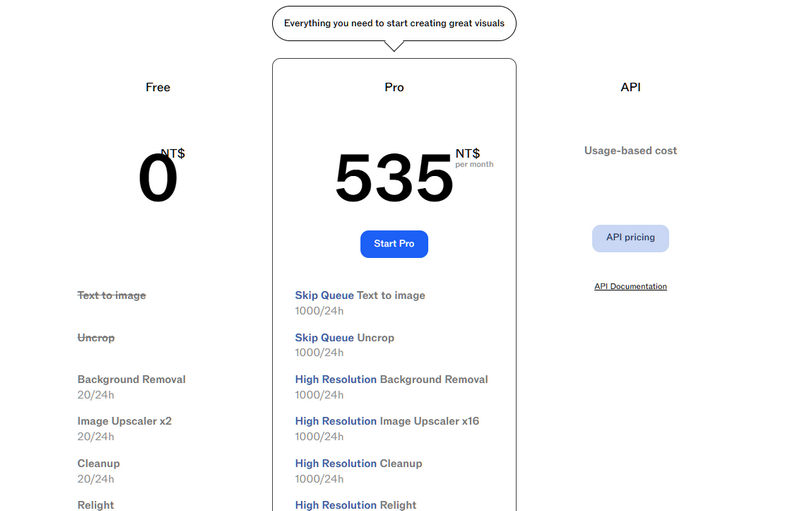
- It is a totally paid tool; free users can use nothing.
- It has only fixed magnifications.
Our Verdict: Is It Worth It?
Our Rating: 8.8 / 10
Best For: Fast, cloud-based photograph restoration and upscaling AI-generated artwork.
For casual users, Cliodrop Image Upscaler is not a good choice, for it has nos free version. You must pay to upscale your photos.
For enterprise operations, professional photographers, or print media specialists who require high-resolution 8x or 16x outputs, upgrading to the Pro tier of Clipdrop Image Upscaler is a highly justifiable expense that easily rivals expensive desktop suites like Topaz Gigapixel.
Part 3. 3 Alternatives to ClipDrop Image Upscaler
AVAide Image Upscaler
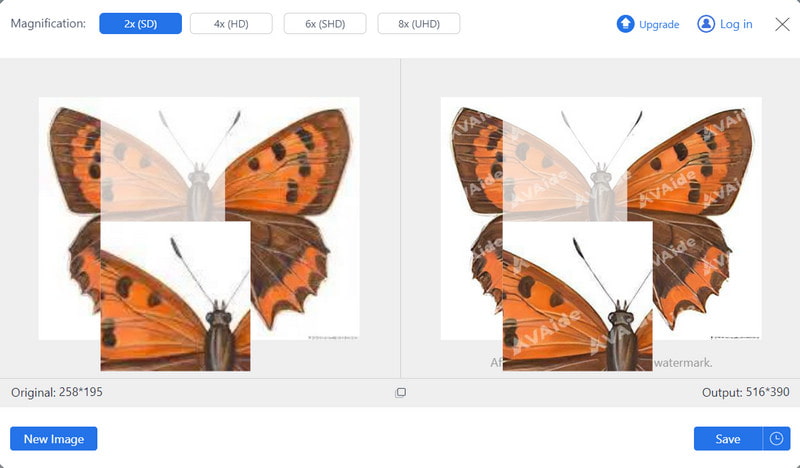
Often regarded as a top alternative for ClipDrop Image Upscaler, AVAide Image Upscaler is first on the list. Thanks to its AI-powered technology, it offers an effective way to improve image quality. Clear and sharp results are obtained as it smoothly samples photos and eliminates noise and blur. AVAide Image Upscaler is a user-friendly and effective tool for image enhancement because of its flexible capabilities and user-friendly interface, accommodating users of various technical abilities.
- Pros
- Cost-effective solution, accessible to any web browser.
- Users can freely use enhanced images without a watermark.
- Utilizes advanced algorithms for top-notch image enhancement.
- Cons
- Relies on AI-driven enhancements without manual controls.
Upscale.media
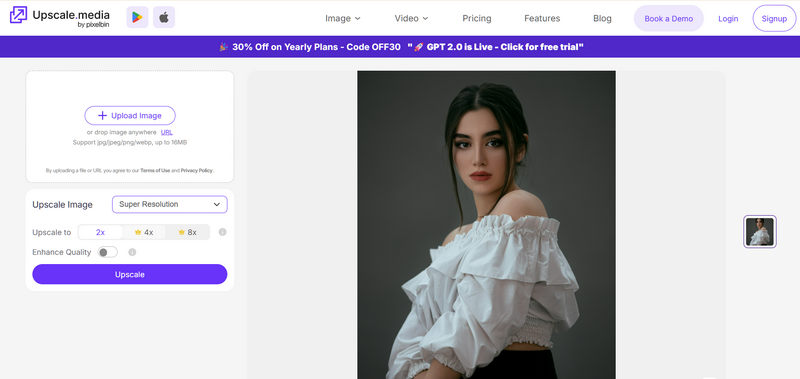
Upscale.media has a perfect package for improving the quality of an image according to one's requirements. It is simple to use and employs efficient AI algorithms that make it stand out as the right choice for people who want to increase image resolution.
- Pros
- It offers a broad scope for controlling upscaling processes.
- Data security and privacy concerns are of higher preference.
- Cons
- To perform some additional functions like bulk processing, you must subscribe.
- It supports many formats but may need to meet all user needs sufficiently.
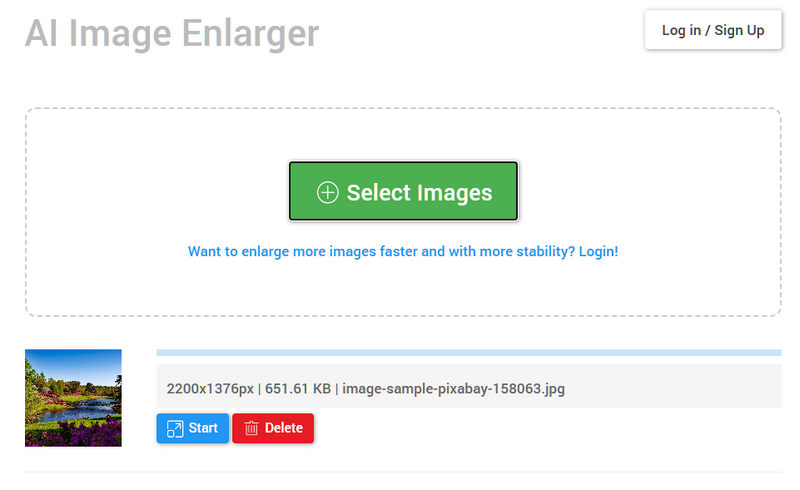
Bigjpg AI Image Enlarger
AI Image Enlarger is a leading solution for enhancing image quality with its advanced AI-powered technology. It offers an efficient method to improve image resolution, delivering clear and sharp results by intelligently analyzing and processing images. This tool is user-friendly, making it accessible to a wide range of users seeking to enhance their images with ease.
- Pros
- Intuitive user interface for easy navigation.
- Utilizes advanced AI algorithms for superior results.
- Flexible settings for personalized adjustments.
- Cons
- Limited manual controls compared to AI-driven enhancements.
- Lack of detailed manual controls for specific adjustments.
Part 4. FAQs on Clip Drop Image Upscaler
Is ClipDrop Image Upscaler compatible with all image formats?
Yes, ClipDrop Image Upscaler is compatible with various image formats such as JPG, PNG, BMP, and TIFF, among others, making it versatile and flexible for users.
Can ClipDrop Image Upscaler process images offline?
No, this tool cannot function without the internet since it enhances pictures in real time and can use cloud-based upscaling capabilities, thereby facilitating fast processing.
Are there any limitations on the number of images processed?
Yes, including a subscription requirement for advanced 4× resolution scaling. However, the free version will allow you to scale by 2× but not more than that.
Does ClipDrop Image Upscaler offer a money-back guarantee?
By default, there is no refund policy here, even though some features of ClipDrop are free while other functionalities require paid plans.
How does ClipDrop Image Upscaler compare to other upscaling tools?
This tool's feature set includes simple and efficient enhancement of ×2 or ×4 resolutions. Although some options are locked behind a paywall, its simplicity and online availability have made it a good contender within its niche.
In summary, the ClipDrop app is a convenient tool for enhancing image quality with its efficient upscaling features. However, exploring alternatives like AVAide Image Upscaler and Upscale.media unveils additional options for users seeking diverse functionalities and customization.
ABOUT THE AUTHOR


Our AI technology will automatically enhance the quality of your images, remove noise and fix blurry images online.
PROCESS NOW