Have you ever heard a song embedded on a DVD and wondered how to extract it cleanly? A DVD audio ripper is designed to separate audio from video data while preserving format accuracy. With practical experience working with DVD media, this guide focuses on proven tools. The following sections review five audio rippers, starting with the best choice.
5 DVD Audio Rippers at a Glance
Finding the right software for extracting audio from DVDs can be confusing. A DVD audio ripper download should offer accurate track detection, preserve original quality, and support multiple formats.
| Features | AVAide DVD Ripper | DVD Audio Extractor | VLC Media Player | HandBrake | MakeMKV |
| Audio Quality | Original to High Quality | High Quality | Good Quality | Good Quality | Original Quality |
| Encryption Support | Yes | Limited | Limited | Limited | Yes |
| Audio Output Format Available | MP3, WAV, AAC, FLAC, and more, including video formats | MP3, WAV, and FLAC | MP3, OGG, FLAC, others | MP3, AAC, AC3 | MKV, but can extract audio |
| Platform | Windows and Mac | Windows and Mac | Windows and Mac | Windows and Mac | Windows and Mac |
Top 1: AVAide DVD Ripper
AVAide DVD Ripper is built with audio accuracy in mind, not as an afterthought. It maintains original audio quality that includes Dolby tracks, which is very important in retrieving music or dialogue on DVDs. It was able to read encrypted discs and reveal all the available audio streams without failures during hands-on testing. The software is compatible across systems as it works perfectly in Windows and macOS. Having extensive support for common and lossless audio types, it takes its place among the best DVD audio rippers because it gives users a clean output with minimal loss.

FREE DOWNLOAD For Windows 7 or later
 Secure Download
FREE DOWNLOAD For Mac OS X 10.13 or later
Secure Download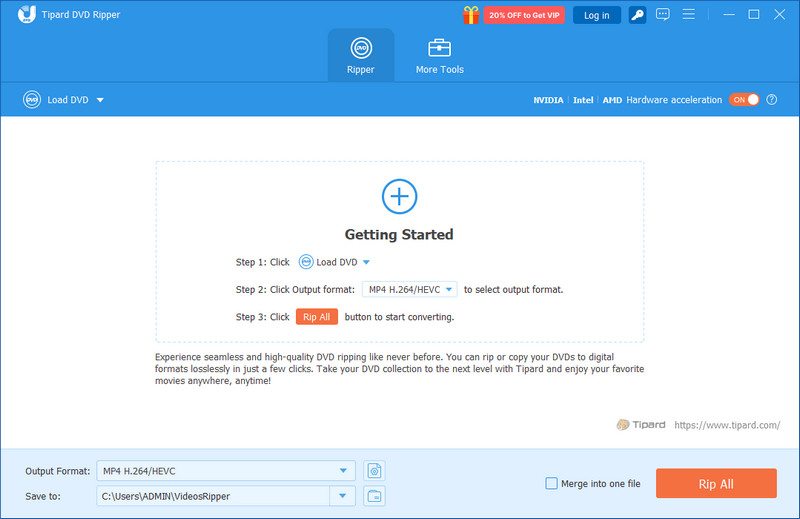
- Pros
- Preserves original Dolby audio quality
- Supports encrypted and commercial DVDs
- Works on Windows and Mac systems
- Offers a wide range of output audio formats
- Stable extraction with consistent results
- Cons
- License needed for unrestricted use
Top 2: DVD Audio Extractor
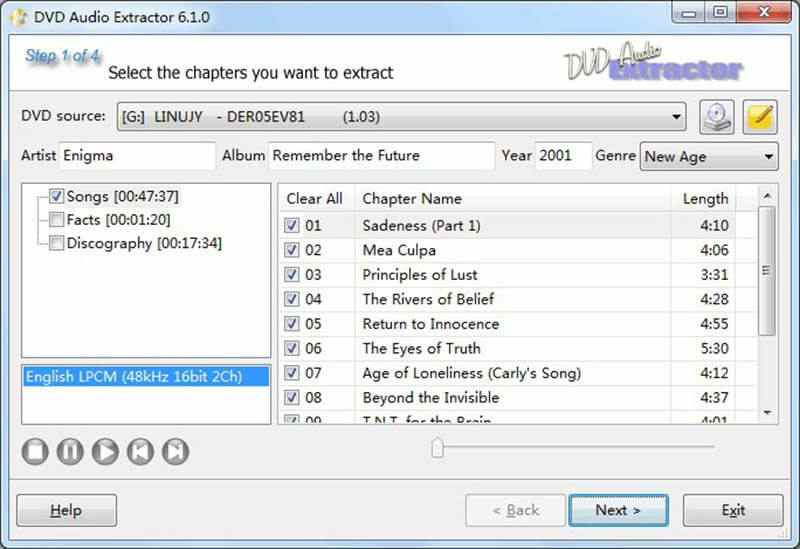
DVD Audio Extractor focuses almost entirely on pulling audio from DVDs, which gives it a narrower but more deliberate purpose. It displays DVD titles and chapters in a readable form, and therefore, one can easily focus on the desired songs or sections without necessarily guessing. In practice, it works best with the standard discs in which audio tracks are well organized. It becomes a free DVD audio ripper free alternative for many users due to the sound extraction accuracy it has before reaching upgrade limitations. It is not flashy, but it can be relied on to do simple audio-related tasks.
- Pros
- Designed specifically for DVD audio extraction
- Accurate chapter and track selection
- Lightweight and easy to operate
- Good audio quality on standard DVDs
- Free version available for basic use
- Cons
- The free version has feature restrictions
- Interface feels dated
- Limited support for newer disc protections
Top 3: VLC Media Player
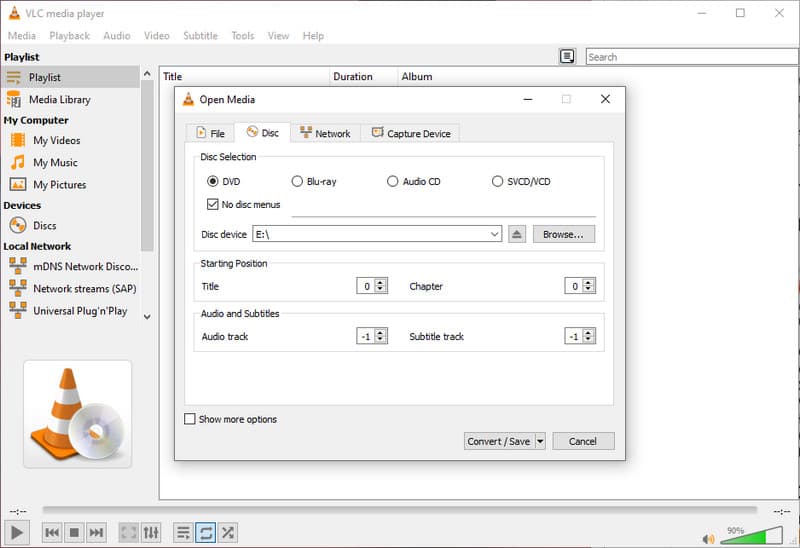
VLC Media Player is not a purpose-designed ripper, but with its versatility, it is an alternative that can be used to extract audio. It has the capability of reading DVD material and transcoding the audio streams of choice to popular formats with a straightforward setup. It is ideal in the case of simple requirements like pulling a single track or a short segment. VLC is a commonly used DVD audio ripper freeware solution, which is trusted by many of its users and is already present in many systems. The process, however, takes manual setup and therefore can be slow for less experienced users.
- Pros
- Completely free and widely available
- Supports many audio formats
- No installation add-ons required
- Trusted and regularly updated software
- Works across multiple operating systems
- Cons
- The manual configuration may be hectic
- Very little control over advanced audio
- Unoptimized for a batch or large-scale ripping
Top 4: HandBrake
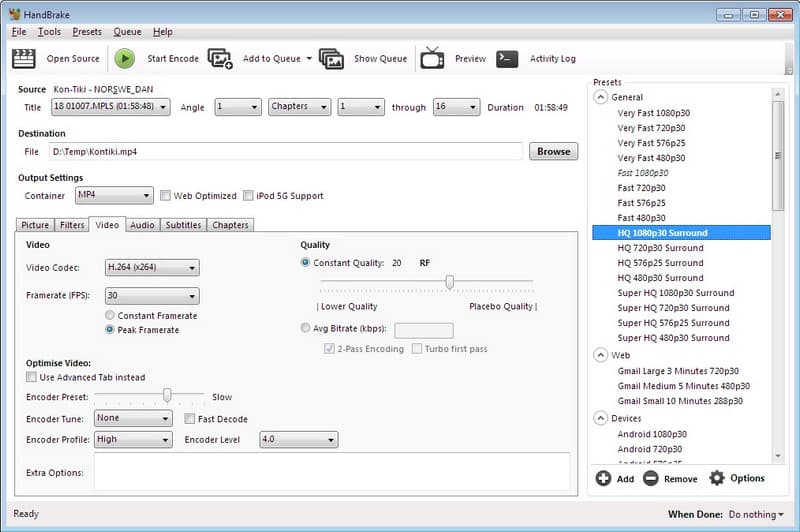
HandBrake is best known for video conversion, but it can also extract audio when configured carefully. It recognizes titles in the DVD well and lets the user choose audio tracks prior to conversion. This approach is effective for users who have prior knowledge of disc layouts and encoding principles. Many turn to HandBrake as a free audio ripper from DVD because it offers reliable processing without cost. Nevertheless, its audio processing is in the backseat and takes additional actions over specific tools.
- Pros
- The totally free and open source
- Precise Mac Windows DVD tiles and track identification
- Constant play abilities on the majority of discs
- Plays the standard audio encodings
- Operates on large operating systems
- Cons
- Audio extraction is not the main focus
- Setup can be time-consuming
- Limited audio-only presets
Top 5: MakeMKV
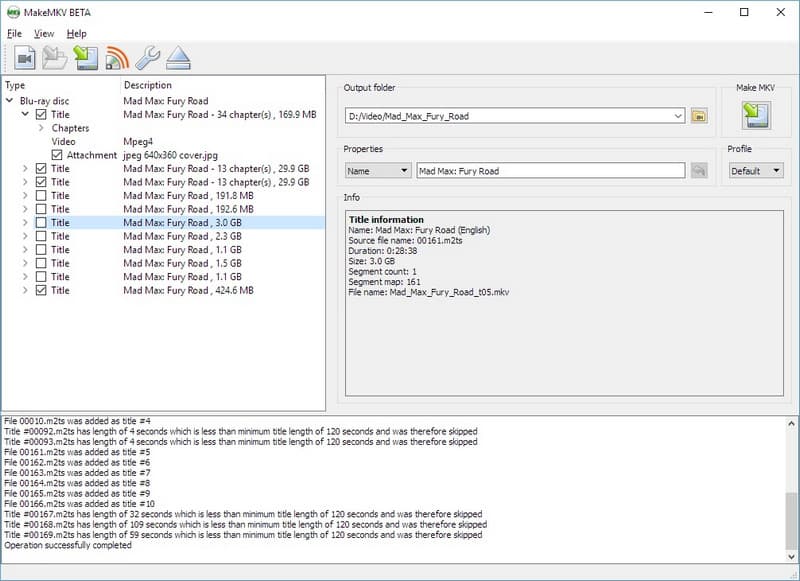
MakeMKV is more of a video ripping program, although it can convert audio tracks successfully in the process of conversion. It replicates DVD titles and chapters with great accuracy and extracts the audio without re-encoding it to maintain quality. Its simple workflow and capability to work with secured discs make it an easy-going option to use by all users. MakeMKV is often regarded as the best free DVD audio ripper when the user wants to preserve original audio and has the least setup. It is compatible with various platforms and is therefore user-friendly to both Windows and Mac users.
- Pros
- Preserves original audio quality without re-encoding
- Handles encrypted and commercial DVDs
- Simple and clear interface
- Cross-platform support for Windows, Mac, and Linux
- Free to use during the beta phase
- Cons
- Not focused on audio only - video files are included by default
- Limited output formats for audio extraction
- Lacks advanced audio editing or customization options
Tips: What Is the Best Audio Format When Ripping a DVD
In case you need a DVD audio ripper for Mac free, it is as important to select the desirable output format as it is to choose the tool that is to be used. Audio quality, file size and compatibility with devices are influenced by different formats. Knowing each format will assist you in saving your music or dialogue, besides making the playback cross-systems easy. The following are the best:
1. MP3
The most common audio format is MP3. It is also efficient in compressing audio, and it has smaller file sizes with decent sound quality. It best suits portable devices and streaming, although fidelity is lost to lossy compression, you can still safely convert a DVD to MP3.
2. WAV
WAV files are uncompressed audio files and retain the original DVD quality. This ensures that they are ideal for archiving or editing. The tradeoff comes at the cost of large file sizes, which might not be portable device-friendly.
3. FLAC
FLAC is the best of both worlds: the audio is compressed to save space, and at the same time, it is lossless. It is commonly present on contemporary media players and contains a Dolby or multi-channel soundtrack of DVDs.
4. AAC
AAC has superior sound as compared to MP3 at equal file sizes. It can be used alongside Apple products and a range of media players, so it is a good option among all Mac users who consider size and fidelity.
5. AC3/DTS
Multi-channel audio on DVDs is commonly in AC3 and DTS format. They are perfect when you desire to have the original surround sound experience, but not all portable players support them unconverted.
For clean and reliable audio extraction, AVAide DVD Ripper proves to be the best DVD audio ripper. It maintains original quality, manages encrypted discs and works with Windows and Mac different formats. When it comes to the extraction of your DVD audio, the selection of the appropriate tool will ensure that you have the correct version of the tool and can proceed to play or archive it.
Rip DVD to high-quality audio and video formats while preserving original Dolby tracks.