AVAide Watermark Remover LogoWatermark Remover

How to Remove Watermarks in 3 Simple Steps

Step 1. Add Photo

Drag & drop your image or browse files.

Step 2. Mark Watermark

Select text, logos or objects with our smart selection tool.

Step 3. Remove Watermark

Remove watermark and save your high-quality image.

Effortless Watermark Removal in 3 Clicks

AVAide Watermark Remover is a powerful photo editing tool that effortlessly removes watermarks from images. It can cleanly erase unwanted watermarks, logos, text, people, and other objects without leaving visible traces or damaging the original background.

Arrow Arrow
Convert MP4 to Video Audio Formats
Orginal Photo
Drag Line

Brand Logo

AVAide Watermark Remover app helps you get rid of unwanted logos from your photos.

Arrow Arrow
Convert MP4 to Video Audio Formats
Orginal Photo
Drag Line

Text

This easy and free watermark remover lets you erase text overlays from your image files.

Arrow Arrow
Convert MP4 to Video Audio Formats
Orginal Photo
Drag Line

Objects

You can remove multiple unwanted objects like cars, electric lines, etc., without quality loss.

Arrow Arrow
Convert MP4 to Video Audio Formats
Orginal Photo
Drag Line

People

With AVAide Watermark Remover, you can instantly remove strangers and tourists from the photo.

Arrow Arrow
Convert MP4 to Video Audio Formats
Orginal Photo
Drag Line

Date

If you need to occasionally remove date, it makes sense to use this online watermark eraser.

Arrow Arrow
Convert MP4 to Video Audio Formats
Orginal Photo
Drag Line

Stickers

It can easily remove stickers, emojis, and smiley from pictures while keeping the original quality.

AI-Powered Watermark Removal for Image Retouching

Powered by advanced AI algorithms, this online watermark eraser intelligently analyzes surrounding colors to ensure seamless blending. It accurately reconstructs edge pixels and textures, automatically repairing damaged areas to deliver flawless watermark removal and optimal results.

Choose a Photo
Ai Watermark Removal

Stunning Features

What Our Users Say

  • Haydn IrvingDaniel Carter

    I found some old vacation photos backed up from my previous phone, but a few had app watermarks stuck on them. It covers marked areas naturally; you can barely tell anything was edited.

  • Dione AllenIsabella Thompson

    I used it to remove logos and stamps. The results are amazing! Everything looks natural, like the watermark was never there. Super satisfied!

  • Rubi EastonHannah Walker

    Honestly, I didn't expect it to work this well. I removed a large logo from a banner image and it came out clean without any traces. Definitely adding this to my toolkit.

<
>

Frequently Asked Questions

What formats are supported by the AI watermark removal tool?

You can upload JPG, JPEG, PNG, GIF, SVG, BMP, TIFF, etc.

How does the watermark remover work?

It takes advantage AI algorithm to delete watermarks from images automatically. Within simple clicks, you can remove any undesired logos, texts, people, and more without any quality loss.

How to remove watermark from a picture?

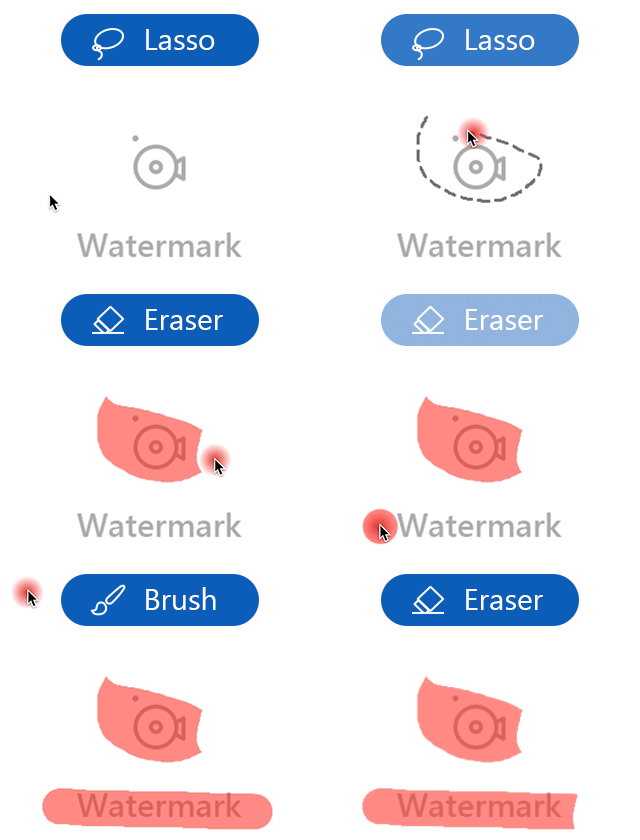
You can follow these instructions to create a clean picture. First, open your file and drag it onto the platform. Or you can upload an image from your computer by clicking the Choose a Photo button. Then, select an area with the logo or text you want to remove using the Lasso or Brush tool. After that, click Save to download the new image.

Is AVAide Watermark Remover free to use?

Yes; you can directly remove watermark with AVAide Watermark Remover online for free.

Is watermark removal legal?

Watermark removal is permitted in certain cases, such as personal use or with the copyright owner's consent. Unauthorized or commercial use may infringe copyright laws.

Watermark Removal Solutions

Image Upscaler Icon

Take AI watermark remover and try it now!

Choose a Photo
Watermark Remover
Processing...
Fail
Cancel
Warning
Retry
Cancel
Warning
Yes
No
Processing Downloading Rotate
Open Rotate
edit-image Please long press on the image to save it
Back
Question
These changes will not be saved. Are you sure you want to close this page and back to the Home page?
Yes
No
Info
Due to the change in size of your browser window, we need to initialize display settings to avoid a messy webpage.
OK
Cancel
Limit
You have reached today's usage limit.
(You can process up to 10 pictures per day.)
OK

Thanks for your feedback. Please send us your problem or advice. We will reply you ASAP.

Email:

Content:

Upgrade