While Android devices come with pre-installed voice recorders, they often lack the advanced features and stability required for professional use. For capturing spontaneous interviews or critical lectures, a reliable tool is essential; nothing ruins a recording like sudden crashes or excessive background hiss. To help you find the perfect balance of fidelity and performance, we have curated and reviewed the top 10 Android voice recorder apps that professionals trust.
Part 1: What Is a Good Android Voice Recorder App?
Selecting the right sound recording app on Android is important; it is about ensuring data integrity and acoustic precision. To distinguish a professional utility from a generic pre-installed app, you can consider the five benchmarks below:
Crystal-Clear Audio: It’s not just about recording; it’s about clarity. A great app should capture high-fidelity sound while intelligently filtering out background hiss and environmental noise to keep the focus on the voice.
Flexible Export Options: You shouldn't be stuck with just one file type. Look for an Android voice recorder app that supports multiple formats, like WAV for maximum quality, or MP3 and AAC for saving space, ensuring your files work perfectly on any device.
Instant Sharing: Speed matters. You should be able to send your recordings to email, cloud storage, or social media platforms directly from the app without any extra steps.
Intuitive Design: When a conversation starts unexpectedly, every second counts. The interface should be clean and distraction-free, allowing you to start recording with a single tap and no learning curve.
Smart Transcription: Manually typing out notes is a thing of the past. The best Android voice recorder tools now include built-in AI that converts your audio into accurate text quickly, saving you hours of playback time.
Part 2: Review of Top 10 Audio Recorders for Android
Top 1. Smart Voice Recorder
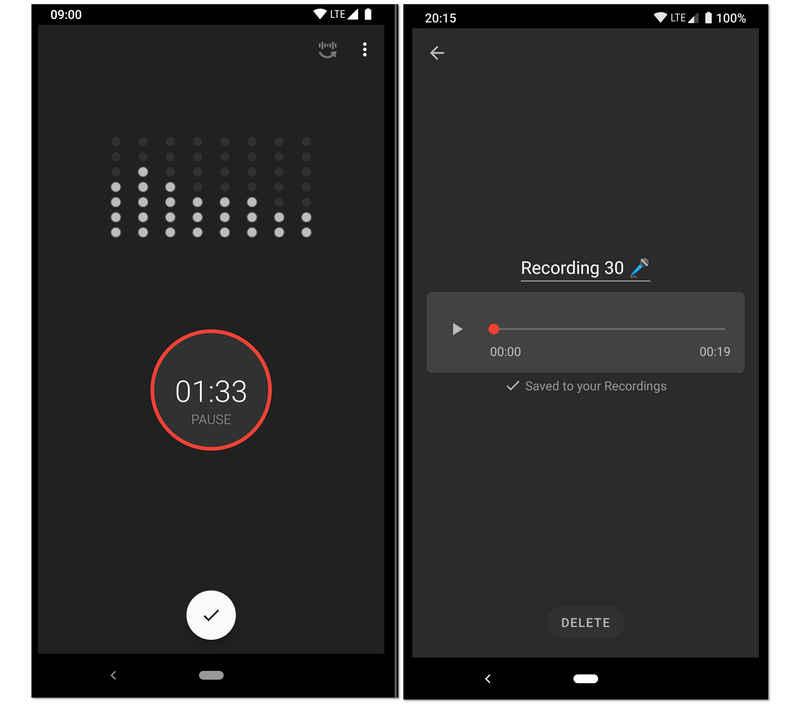
Designed for high-fidelity, long-duration recording, this audio recorder for Android is a favorite for students and researchers. Its standout feature is the "Skip Silence" mode, which uses a live decibel sensitivity analyzer to automatically pause recording during quiet moments. This makes this Android voice recorder an ideal choice for recording university lectures, business meetings, or even tracking sleep talk without having to manually edit out hours of dead air later.
- ข้อดี
- The silence-skipping algorithm effectively saves storage space and reduces post-recording review time.
- Features a live audio spectrum analyzer that provides visual feedback on recording levels.
- Calibration tools allow you to adjust the microphone gain to suit different environments, from quiet rooms to loud halls.
- ข้อเสีย
- The interface design lacks the modern, minimalist aesthetic found in newer productivity apps.
- It does not support recording phone calls due to Android system limitations.
- Background noise can sometimes trigger the silence-skipping feature if not calibrated correctly.
Top 2. Easy Voice Recorder Pro
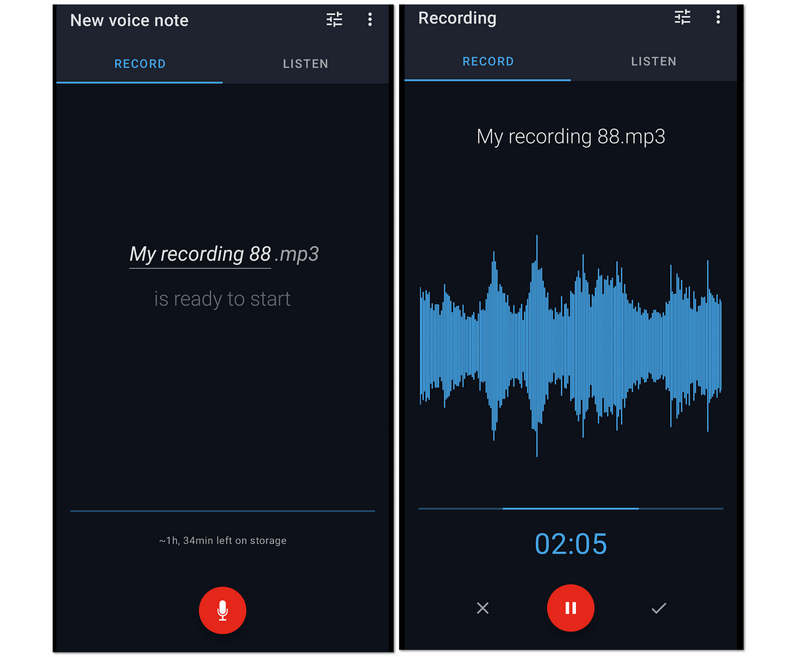
ประการที่สองในรายการคือ Easy Voice Recorder Pro มันเป็นแอพบันทึกเสียงที่ยอดเยี่ยมสำหรับ Android เนื่องจากเซสชั่นการบันทึกที่ไร้ขีดจำกัดให้กับผู้ใช้ ด้วยเหตุนี้จึงสามารถบันทึกการบรรยายยาว การประชุม และการสนทนายาวอื่นๆ ได้อย่างง่ายดายในขณะที่บีบอัดในไฟล์ขนาดเล็ก แม้จะเป็นเช่นนั้น Easy Voice Recorder Pro นี้ช่วยให้ผู้ใช้สามารถเพิ่มคุณภาพของการบันทึกโดยอนุญาตให้เชื่อมต่อไมโครโฟนระดับไฮเอนด์เข้ากับการบันทึก
- ข้อดี
- อนุญาตให้ผู้ใช้ทำการบันทึกเป็นเสียงเรียกเข้า
- มีการรองรับรูปแบบเสียงที่หลากหลาย
- เปิดใช้งานการบันทึกเสียงสเตอริโอ
- ใช้อินเทอร์เฟซที่ใช้งานง่าย
- ข้อเสีย
- เครื่องมือแก้ไขมีจำกัด
- ไม่ฟรีจากโฆษณา
Top 3. Hi-Q MP3 Voice Recorder
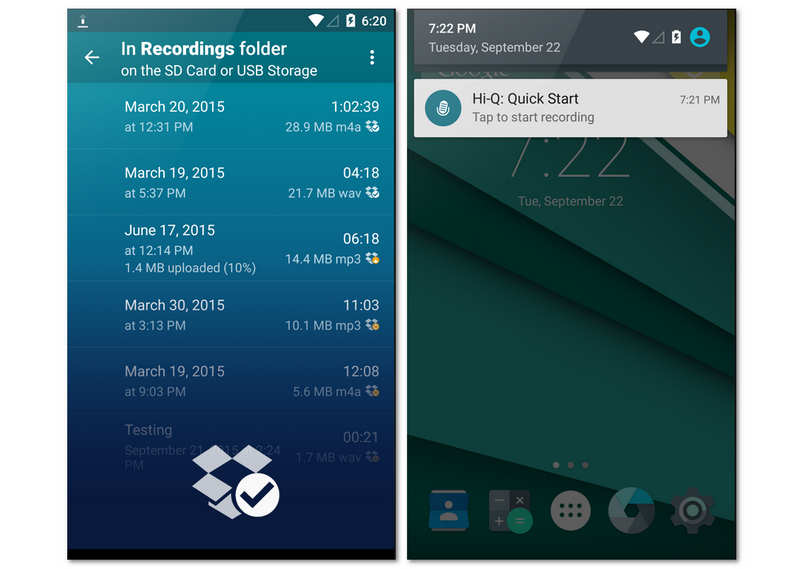
Hi-Q is built for users who demand studio-quality audio in a mobile format. By recording in 320kbps MP3, this Android voice recorder app balances high fidelity with universal file compatibility. One of its most unique features is the "Shuttle" control, which lets you recapture up to 20 seconds of audio from before you even hit the record button. This feature can let you find unexpected surprises in your voice recordings.
- ข้อดี
- Supports high-bitrate MP3 recording that is compatible with almost every playback device and software.
- Allows you to switch between front and back microphones to optimize directional sound capture.
- Automatic synchronization with Dropbox or Google Drive ensures your data is backed up the moment you stop recording.
- ข้อเสีย
- The free version of this Android voice recorder is strictly limited to 10-minute recording sessions, forcing a paid upgrade for long-form use.
- The noise reduction filter can sometimes make the recorded voice sound slightly "robotic" or over-processed.
- It lacks advanced multi-track editing features found in more specialized audio workstations.
Top 4. Neutron Audio Recorder
Neutron Audio Recorder has made everything perfect in recording audio while maintaining its professional-like atmosphere. This voice recorder for Android offers basic recording enhancements, tools, and powerful features such as the 60-band equalizer, DSP filter, silence detector, metadata editor, configurable digital filter, direct access to USB, and more. However, it is pretty confusing for newbies based on the kind of interface.
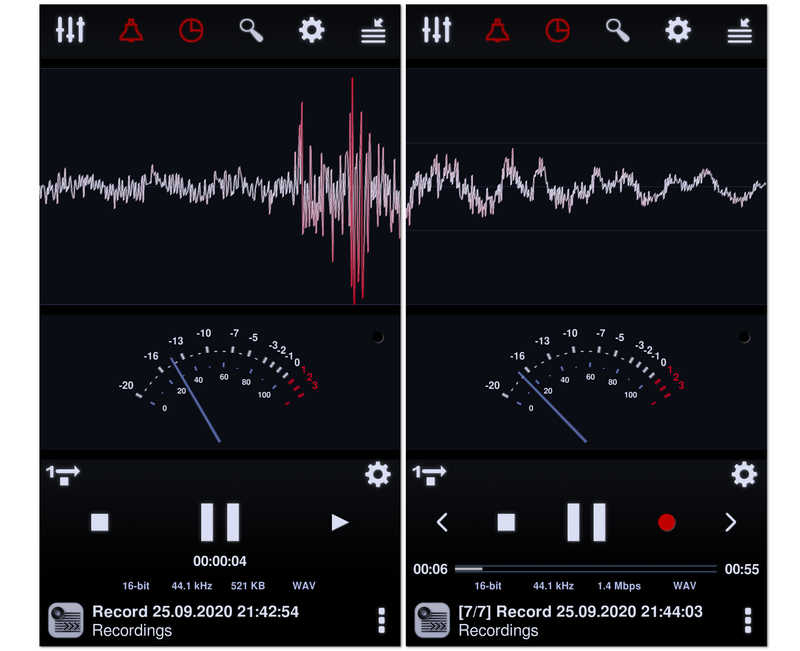
Stemming from the famous Neutron Music Player, this is the audiophile's choice for recording. This audio recorder for Android utilizes a sophisticated 32/64-bit audio engine to provide bit-perfect recording. With a massive 60-band parametric equalizer and professional filters, it gives you more technical control over the final sound profile than any other app on this list.
- ข้อดี
- The audiophile-grade engine ensures no loss in audio quality during the encoding process.
- Advanced DSP features like Automatic Gain Control (AGC) help normalize volume in unpredictable environments.
- Includes a highly customizable visual interface with spectrum, RMS, and waveform analyzers.
- ข้อเสีย
- The user interface is incredibly dense and can be intimidating for casual users.
- Consumes significantly more battery and CPU resources compared to simpler recording apps.
- The setup process for high-res audio drivers can be technically challenging for non-experts.
Top 5. Voice Recorder
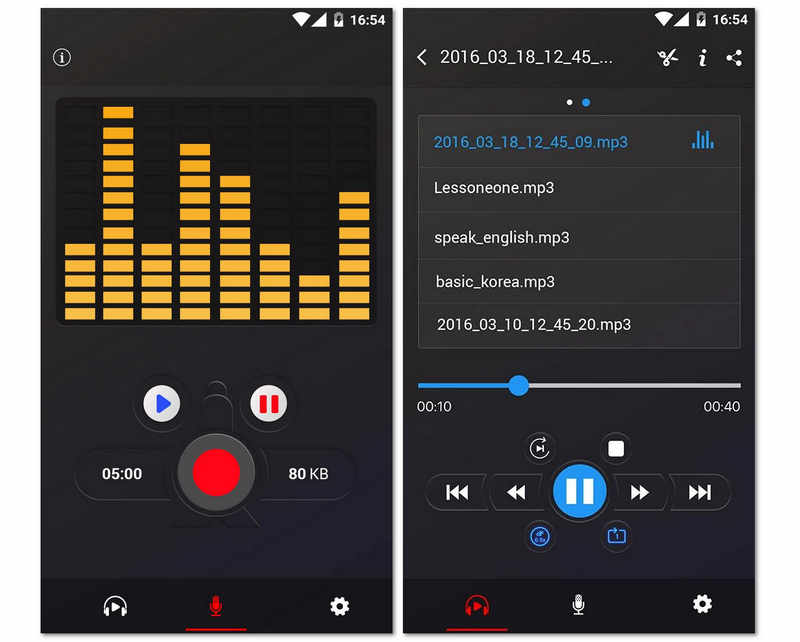
Next in line is this free Voice Recorder that amazingly performs without any restrictions. Moreover, this free Android voice recorder app offers an audio spectrum analyzer that works to visualize the sound freely. Not to mention its power to preserve your Android phone's battery by resuming the recording even when your screen is off. It is one of the best voice recorder apps for Android 16/15/14, yes, but since it's a free tool, you would find it bugged by many ads. Nevertheless, many are still hooked by this due to its additional sharing capabilities, which makes the users easily send their recordings to their friends.
- ข้อดี
- Minimalist design makes it accessible for users of all ages with zero learning curve.
- Extremely small app size that won't clutter your phone’s internal storage.
- Excellent background stability, ensuring the recording isn't killed by the Android system's task manager.
- ข้อเสีย
- Lacks the ability to export to professional lossless formats like WAV or FLAC.
- No built-in transcription or advanced AI features to help organize audio data.
- Basic file management makes it difficult to sort through hundreds of recordings quickly.
Top 6. RecForge II Audio Recorder
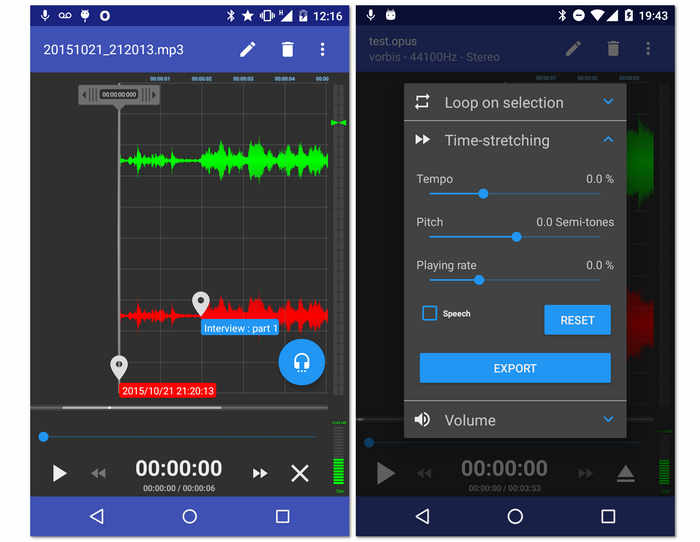
เครื่องบันทึกฟรีอีกตัวสำหรับ Android ของคุณคือ RecForge II Audio Recorder ใช่ เครื่องมือนี้เป็นแอปฟรีที่ให้คุณบันทึกในโหมดสเตอริโอหรือโมโน นอกจากจะให้คุณเข้าถึงการเชื่อมต่อไมโครโฟนภายนอกประเภทต่างๆ ได้แล้ว นอกจากนี้ แอปเครื่องบันทึกเสียงสำหรับ Android ยังมาพร้อมกับเครื่องมือที่จำเป็นซึ่งสามารถแก้ไขจังหวะ ระดับเสียง และอัตราการเล่นของไฟล์ที่บันทึกได้ ไม่ต้องพูดถึงความสามารถในการทำงานแม้ในขณะที่ใช้แอพอื่นพร้อมกัน อย่างไรก็ตาม เนื่องจากเป็นเครื่องมือฟรี คาดว่าจะสามารถทำงานกับโฆษณาได้ในบางจุด
- ข้อดี
- มันมีเครื่องเพิ่มเสียง
- ด้วยการสนับสนุนอย่างกว้างขวางในรูปแบบเสียงต่างๆ
- เครื่องมือมีหลากหลาย
- อนุญาตให้แบ่งปันผลลัพธ์ออนไลน์
- ข้อเสีย
- สับสนสำหรับผู้เริ่มต้น
- ไฟล์บางรูปแบบมีระยะเวลาจำกัด
- โฆษณาจำนวนมากปรากฏขึ้น
Top 7. Music Maker Jam
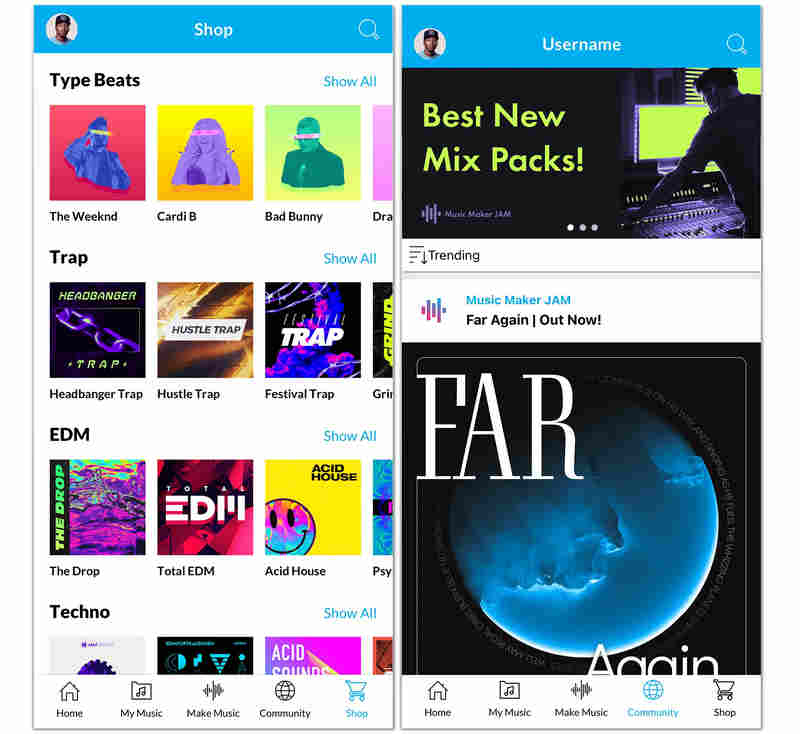
Unlike traditional Android voice recorders, Music Maker Jam is a creative playground. It allows you to record your voice or instruments over professionally produced loops and beats. You can mix your vocals with eight different audio channels, apply real-time studio effects, and share your creation with a global community of creators. It's the best choice for anyone looking to record more than just speech.
- ข้อดี
- Access to a massive library of thousands of studio-quality loops across multiple genres.
- Real-time 8-channel mixer allows you to perfectly balance your vocals with background music.
- Native community features make it easy to collaborate with other artists or get feedback on your work.
- ข้อเสีย
- The Android voice recorder app is very heavy and requires a modern device to run smoothly without lag.
- Not suitable for professional business dictation or simple lecture recording.
- Relies heavily on a freemium model where many sound packs and features require in-app purchases.
Top 8. ASR Voice Recorder
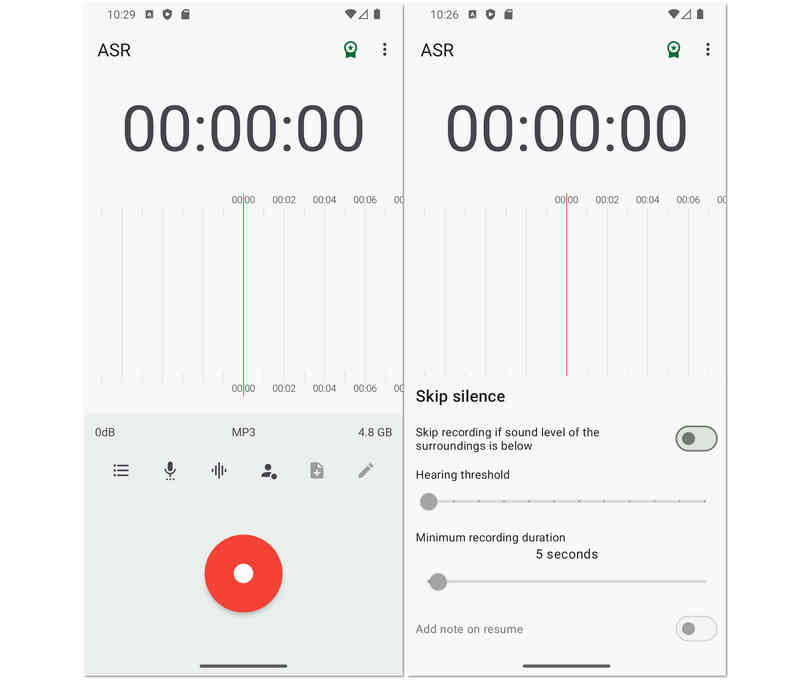
ถัดไปในรายการคือ ASR Voice Recorder ที่ยืดหยุ่นซึ่งอุดมไปด้วยเครื่องมือแก้ไขสำหรับไฟล์ที่คุณบันทึกไว้ หากคุณต้องการสัมผัสประสบการณ์การบันทึกเสียงบน Android อย่างมืออาชีพ ASR Voice Recorder อาจเป็นตัวเลือกที่ดี ยิ่งไปกว่านั้น ยังช่วยให้คุณแก้ไขการบันทึกของคุณเพื่อควบคุมความเร็วในการเล่น ข้ามความเงียบ เพิ่มบันทึกลงในบันทึก และจัดเรียงใหม่มากขึ้น นอกจากนี้ยังสามารถเชื่อมต่อกับอุปกรณ์ภายนอก เช่น ไมโครโฟนและชุดหูฟัง เพื่อสัมผัสประสบการณ์ที่เป็นส่วนตัวและคุณภาพสูงขึ้น
- ข้อดี
- เครื่องมือฟรีพร้อมตัวเลือกการบันทึกที่ยอดเยี่ยม
- รองรับไฟล์เสียงได้หลายรูปแบบ
- ด้วยความสามารถในการแบ่งปันที่ง่าย
- อนุญาตให้อัปโหลดต่างๆ จากไดรฟ์ต่างๆ
- ข้อเสีย
- มันไม่ใช่โฆษณาฟรี
- ไม่มีการเลือกการถอดเสียงเป็นคำ
Top 9. OtterAI Transcribe Voice Notes
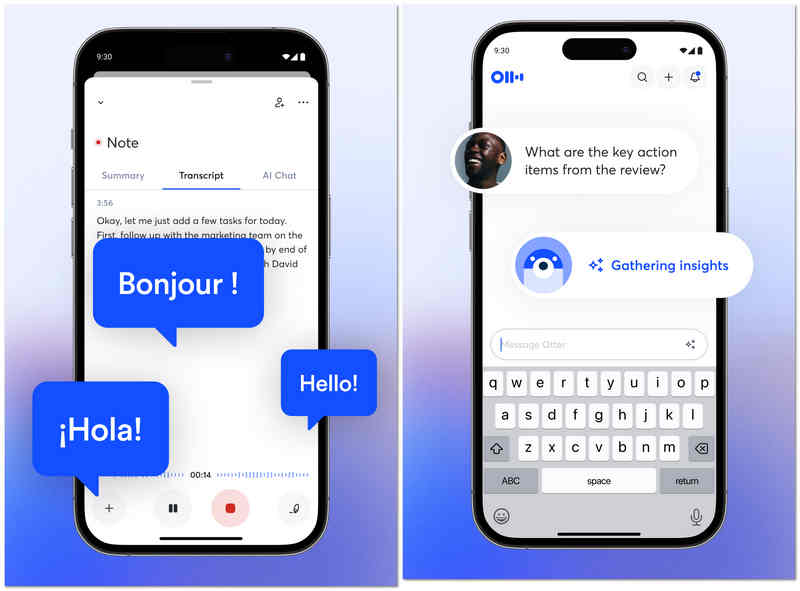
OtterAI is the industry leader for AI-driven transcription. Instead of just recording sound on Android, it captures a live transcript that you can read while the speaker is talking. This audio recorder for Android uses advanced machine learning to distinguish between different speakers and can even generate an automated summary of the conversation, making it a "must-have" for journalists and corporate professionals.
- ข้อดี
- Highly accurate real-time transcription that handles different accents and technical vocabulary well.
- Automatic speaker identification makes it easy to follow multi-person interviews or meetings.
- Searchable transcripts allow you to find specific words or topics across hours of audio instantly.
- ข้อเสีย
- The free tier is quite restrictive with monthly transcription limits.
- The app requires a constant internet connection for the best transcription results.
- Privacy-conscious users may have concerns about their audio being processed on Otter’s servers.
Top 10. Tape-a-Talk Voice Recorder
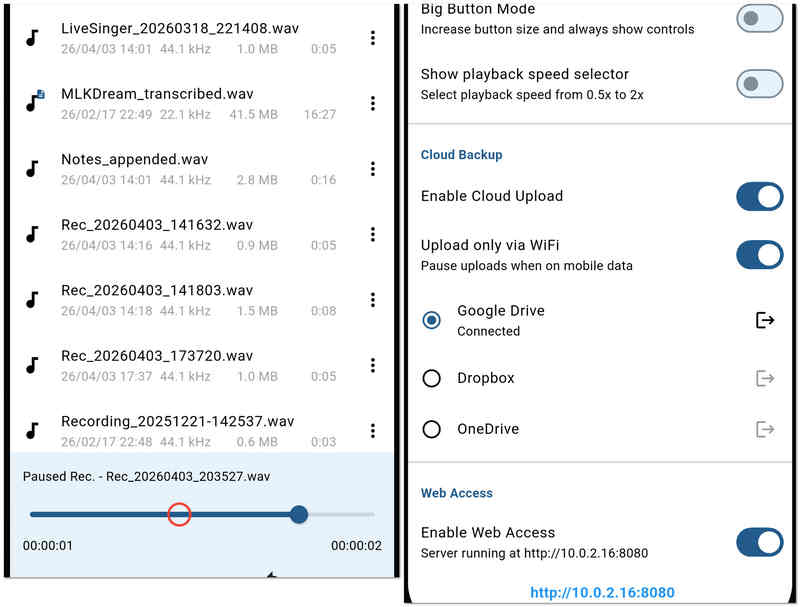
Tape-a-Talk is a reliable dictaphone app that focuses on high stability and ease of use. It's particularly well-suited for field work where you need a recorder that won't crash and offers simple one-touch widgets for your home screen. This audio recorder for Android also provides basic editing functions, allowing you to repair or trim recordings on the fly.
- ข้อดี
- Extremely stable recording performance that rarely fails, even during low-memory situations.
- Provides powerful home-screen widgets for starting and stopping recordings without opening the app.
- Supports high-quality uncompressed WAV recording for archival purposes.
- ข้อเสีย
- The free version is heavily ad-supported, which can hinder the user experience.
- It lacks the "smart" AI features like noise cancellation or auto-transcription found in competitors.
Bonus: The Best Audio and Screen Reorder for Windows and Mac
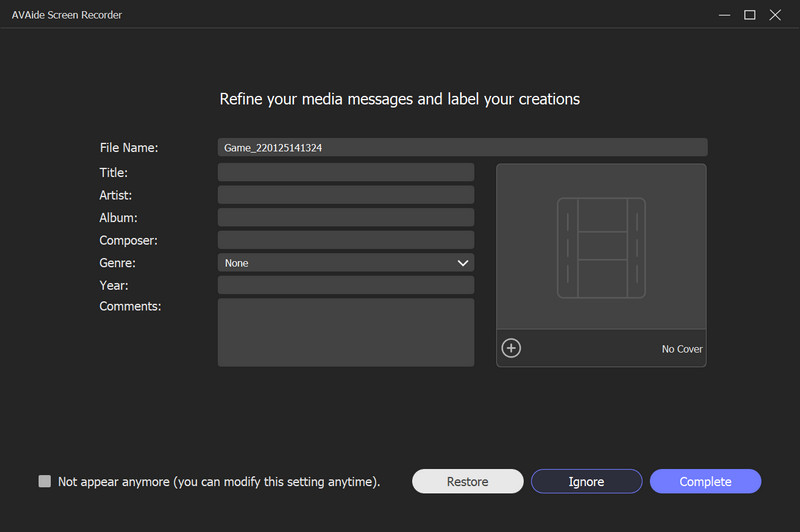
While mobile apps are great for quick memos, professional projects often require the power of a desktop solution. If you need to capture high-quality video alongside your audio, โปรแกรมบันทึกหน้าจอ AVAide is the premier choice for both Windows and Mac users.
Why Choose AVAide Screen Recorder?
AVAide goes beyond simple screen capture by offering a suite of professional tools designed for clarity and ease of use. Whether you are recording a high-stakes webinar, a detailed software tutorial, or intense gameplay, it ensures every frame and every sound byte is preserved in crystal-clear quality.
- Choose to record your entire screen, a specific window, or a custom-selected region.
- Let you do webcam overlay to record a tutorial or "reaction video".
- Add text, arrows, lines, and shapes while you record to highlight important info.
- Record long-duration video with low CPU usage and without lag or stutter.

 ดาวน์โหลดอย่างปลอดภัย
Part 3: Side-by-Side Comparison of the 10 Android Voice Recorders
| App Name | กรณีการใช้งานหลัก | คุณสมบัติหลัก | รูปแบบเสียง | ดีที่สุดสำหรับ |
| Smart Voice Recorder | Efficiency | Skip Silence Mode | WAV | Lectures & Long meetings |
| Easy Voice Recorder Pro | Daily Productivity | Wear OS Support | PCM, AAC, FLAC | Daily memos & Students |
| Hi-Q MP3 Voice Recorder | คุณภาพเสียง | 320kbps High Fidelity | MP3, WAV, OGG | High-quality interviews |
| Neutron Audio Recorder | Professional Engineering | 60-band Equalizer | PCM, WAV, FLAC | Audiophiles & Tech-pros |
| เครื่องบันทึกเสียง | Simplicity | One-tap Recording | MP3, WAV | Casual users & Seniors |
| RecForge II | การแก้ไขขั้นสูง | Real-time Monitoring | MP3, OGG, OPUS | Journalists & Podcasters |
| Music Maker Jam | Creative Production | 8-Channel Mixer | App-specific / MP3 | Musicians & Beatmakers |
| ASR Voice Recorder | General Utility | Cloud Integration | FLAC, WAV, MP4 | Power users on a budget |
| OtterAI | Smart Transcription | Real-time AI Text | MP3, WAV | Corporate meetings |
| Tape-a-Talk | ความเสถียร | Backend Reliability | WAV, OGG | Field work & Dictation |
Part 4: FAQs of Audio Recorder for Android
เครื่องบันทึกเสียงในตัวสำหรับ Android ชื่ออะไร
เครื่องบันทึกเสียงในตัวของ Android ของคุณมีชื่อว่า เครื่องบันทึก. หากไม่พบในเครื่องมือ ให้ลองค้นหาในแอปของคุณ
What is the best free audio recorder?
The best free voice recorders include Audacity on Windows and Mac, ASR Voice Recorder for Android, and Voice Record Pro for iOS.
ฉันสามารถบันทึกการโทรโดยใช้ Android ได้หรือไม่
ใช่. โทรศัพท์ Android รุ่นล่าสุดส่วนใหญ่มีเครื่องบันทึกโทรศัพท์ในตัว คุณจะพบได้เมื่อมีสายเรียกเข้า
There you have it, the ten most reliable audio recorders for Android in 2026. Each offers a unique balance of clarity, stability, and professional features to suit any recording environment. While mobile apps provide unmatched portability, professional-grade projects often require the precision of a desktop suite. For those who need a unified solution across Windows, Mac, and even iPhone, โปรแกรมบันทึกหน้าจอ AVAide remains our top recommendation. From capturing high-fidelity system audio to recording FaceTime calls and microphone input with ease, it is the ultimate tool for users who refuse to compromise on quality.
เกี่ยวกับผู้เขียน

จับภาพกิจกรรมบนหน้าจอด้วยเสียง การประชุมออนไลน์ วิดีโอการเล่นเกม เพลง เว็บแคม ฯลฯ
รีวิวเครื่องบันทึกวิดีโอและเสียง
- รีวิวเครื่องบันทึกหน้าจอ AirShou
- สุดยอดโปรแกรมบันทึกหน้าจอโอเพ่นซอร์ส
- การตรวจสอบเครื่องบันทึกหน้าจอการดำเนินการ
- สุดยอดเครื่องบันทึกหน้าจอฟรี
- โปรแกรมบันทึกหน้าจอที่ดีที่สุดสำหรับ Chrome
- เครื่องบันทึก GIF ที่ดีที่สุด
- สุดยอดเครื่องบันทึกเว็บแคม
- โปรแกรมบันทึกหน้าจอที่ดีที่สุดสำหรับ Windows
- สุดยอดเครื่องบันทึกหน้าจอสำหรับ Android
- รีวิว Chrome Audio Capture
- ซอฟต์แวร์บันทึกเสียงที่ดีที่สุด
- เครื่องบันทึกเสียงที่ดีที่สุดสำหรับ Android
- 8 สุดยอดเครื่องบันทึกหน้าจอออนไลน์ยอดเยี่ยมแห่งปี
- 7 เครื่องบันทึกหน้าจอฟรีที่ยอดเยี่ยมโดยไม่มีลายน้ำ
- รายชื่อ 8 เครื่องบันทึกเดสก์ท็อปที่น่าอัศจรรย์แห่งปี
- 12 ตัวเลือกเครื่องบันทึกหน้าจอยอดนิยมสำหรับ Mac [ออนไลน์และออฟไลน์]
- 8 สุดยอดเครื่องบันทึกเกมสำหรับใช้งานบน Windows และ Mac
- 10 เครื่องบันทึก MP3 ที่โดดเด่นที่สุดบน Windows และ Mac
- 5 แอพบันทึกการโทรที่ดีที่สุดสำหรับ Android ที่คุ้มค่าที่จะใช้
- 6 แอพบันทึกเสียงที่ดีที่สุดสำหรับ iPhone และ Android