When you need a screen recorder, CamStudio will catch your attention. This solution helps various people and professionals get by, such as online teachers, tutors, and even vloggers. So, this article will explain Free CamStudio and why it is regarded as one of the most effective screen recorders on the market today.
Part 1. What Is CamStudio?
CamStudio is regarded as one of the earliest free screen recorders, having been launched in the 2000s by RenderSoft. It gained a lot of users because, unlike modern screen recorders, it goes beyond being a free tool, allowing anyone to record without limits and watermarks. Unfortunately, only Windows users can use CamStudio and its features, as the software does not run smoothly on Mac or Linux. However, if you are using Windows right now, it can help with simple screen recording, whether you are an educator, online tutor, or vlogger.
Part 2. CamStudio System Requirements
As mentioned in the first part, the CamStudio software runs on the Windows operating system. You can install the 3.0 version with the minimum requirements of:
- Windows 10 or later for 64-bit
- Compatible with DirectX 11 graphics
- 1GB of free disk space
- Minimum of 4GB RAM, recommended 8GB RAM
But what if you are into something niche and you want to run CamStudio on Windows 98? It is possible! The software has older versions that can be installed on older Windows versions. Just make sure your computer has at least 64 MB of RAM and a CPU running at 400 MHz.
Part 3. CamStudio Key Features
Beyond screen recording, you will be surprised by how much CamStudio offers. But this is only proof that the software attracted many users because of its accessibility and generous features. According to the CamStudio website, here are the features included in the software:
- Free to install and open source.
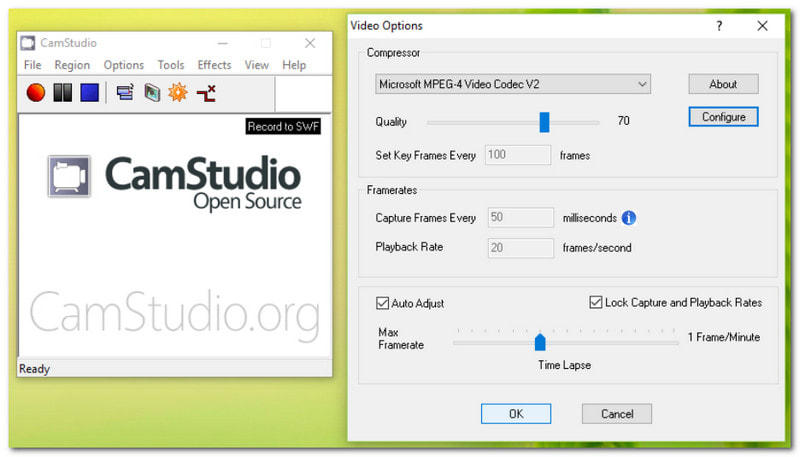
- An onscreen recording that saves video in AVI format.
- Allow to convert saved AVI videos to SWF format.
- Capture audio from sources such as the system sound and the mic.
- Built-in options to annotate and apply captions to the video.
- Able to highlight the cursor during recording.
- Take unlimited screenshots while recording.
Part 4. CamStudio Pricing - Is It Really Free
With almost all tools you know being behind paywalls, it is only right to question whether the CamStudio screen recorder is really free. And even after all these years, the software remains accessible at no cost because, rather than being monetized, it is continuously maintained and developed by volunteers.
Moreover, CamStudio is open-source, which means you can tweak the program to your liking and distribute it to other users. However, we would like to remind you not to trust any CamStudio bundleware online, as it can damage your computer.
Part 5. CamStudio Security - Is It Safe
Yes, the latest version of CamStudio screen capture is safe to install and use for screen recording. However, this is another reminder to download software only from the official website and not to trust third parties, as they may include installers in the bundle that can trigger malware or viruses on your device.
Part 6. CamStudio Pros and Cons
CamStudio is definitely an amazing option for screen recording on Windows. While it offers efficient features, there are also disadvantages to consider before using it for your personal needs. In this case, let's look at the pros and cons of using CamStudio.
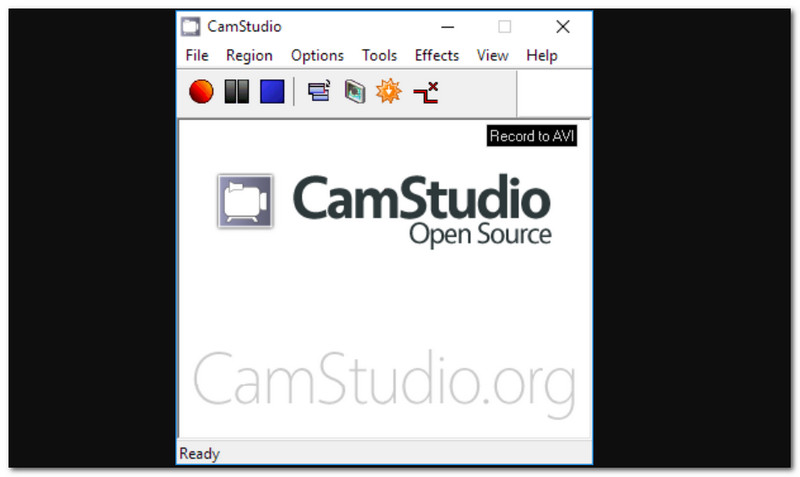
- Pros
- Completely free to download, use, and re-program.
- Easy learning curve and recommended for beginners.
- It only consumes a tiny storage space on a computer.
- Fullscreen or selected area to capture.
- Optional captions and annotations.
- No limit in recording and no watermarks.
- Cons
- Only saved videos as AVI and SWF files.
- Outdated annotations and editing options.
- Due to crashes and lags.
- Prone to malware and installers.
- Not available on Mac and Linux.
Part 7. CamStudio User Ratings & Reviews
With how lightweight and useful CamStudio has become these past few years, it has a lot of positive reviews, which can be summarized below:
- Users do not need to free up space for CamStudio, as it is a very small file.
- Very useful for simple recording and not very demanding in terms of system requirements.
- While it can only export videos to two formats that are not widely supported, this can be solved by converting AVI to MP4 or other popular formats.
Part 8. Top CamStudio Alternatives
If you are looking for a tool that offers more, then you might want to try these ultimate CamStudio alternatives.
1. AVAide Screen Recorder - Best All-in-One Alternative
AVAide Screen Recorder is the ultimate alternative that you are looking for. Designed with a sleek interface, this tool is easy for beginners and pros to use. You can also capture in different modes, such as full screen, in an active window, freeform, and so on. Surprisingly, AVAide offers more than two export formats, allowing you to save your video recordings in popular formats like MP4, MOV, and AVI. Finally, expect its outstanding performance, as it can record high-quality videos in the background while you are in an online meeting, endless gameplay, or working on your online tutorials.

FREE DOWNLOAD For Windows 7 or later
 Secure Download
FREE DOWNLOAD For Mac OS X 10.13 or later
Secure Download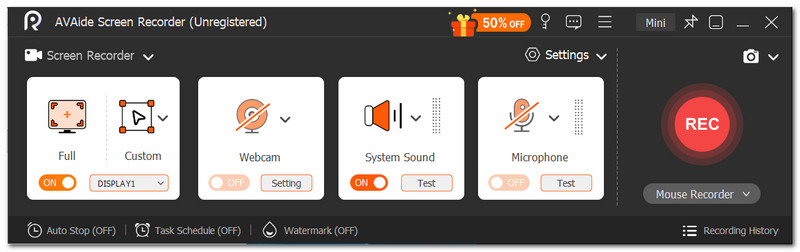
• CamStudio vs AVAide
The verdict on these tools is that CamStudio is completely free, though it is a bit outdated. However, AVAide Screen Recorder is a good investment for its beginner-friendly interface, and it goes beyond that by recording high-quality videos and audio.
2. Camtasia
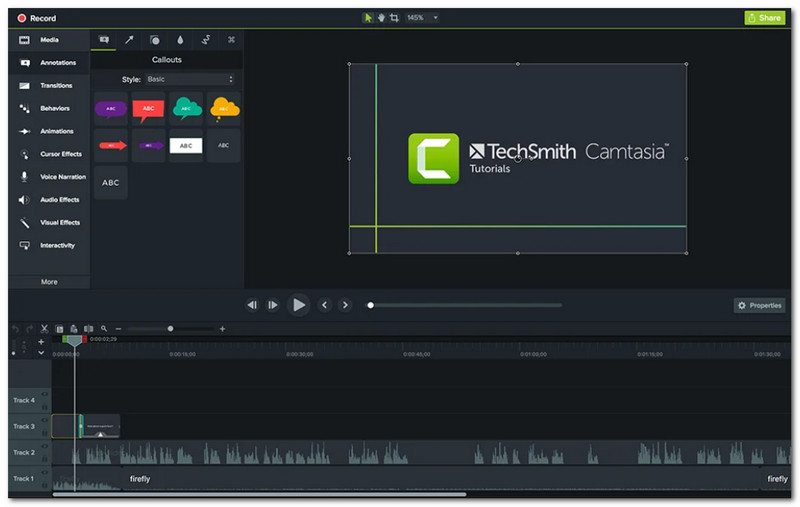
If you are looking for more advanced screen recording and video editing, Camtasia is a good choice. It offers the basic options like CamStudio, but it highlights its functions for editing and arranging audio tracks, video clips, images, and more. Camtasia will be a good alternative for producing high-quality training content and recordings.
• CamStudio vs Camtasia
Camtasia is a good investment if you are a creator in the long run. Especially with its suite of screen-recording and video-editing tools, it is money well spent.
3. OBS Studio
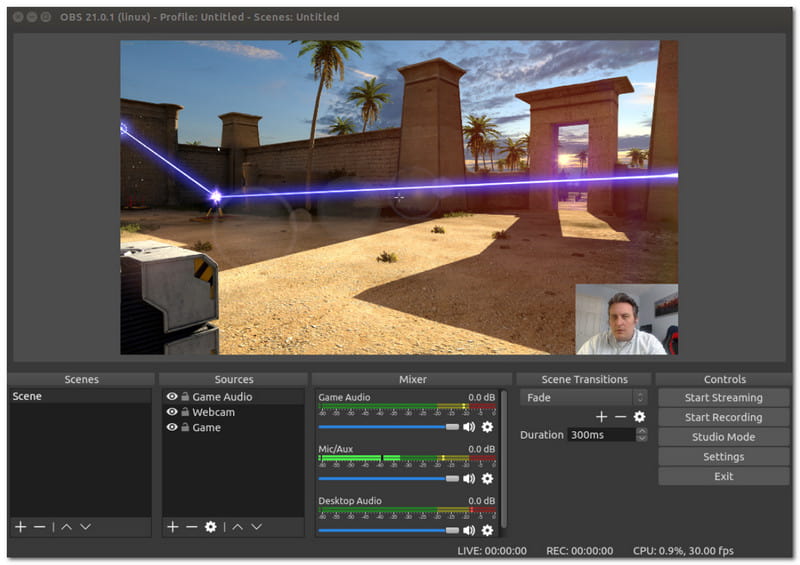
OBS Studio is better known as a video recorder, but it also supports live streaming. Because of its advanced features, many pro gamers and content creators have used this CamStudio alternative. It is free and open-source, and it specializes in capturing live streams from multiple sources, such as webcams and camcorders.
• CamStudio vs OBS
Truly, both of these screen recorders are amazing, but OBS can be challenging due to its complex settings and performance. So, if you are only for a simple recording, CamStudio is still the go-to solution.
To conclude, CamStudio is a free screen recorder that offers an easy and effective way to capture onscreen activities. As an alternative, AVAide Screen Recorder is a more efficient, beginner-friendly tool with greater capability for capturing various activities, such as gameplay and online meetings. Try the free version without watermarks by clicking the Download button.
ABOUT THE AUTHOR

Capture screen activities with audio, online meetings, gameplay videos, music, webcam, etc.