Procurando o melhor gravador de voz gratuito que funcione diretamente no seu navegador? Você está no lugar certo.
Este guia revela os mais bem avaliados. gravadores de voz online Disponível em 2026. Para ajudar você a encontrar a ferramenta perfeita, testamos dezenas de plataformas com base em cinco fatores críticos: design intuitivo, qualidade de áudio nítida, recursos de edição integrados, compatibilidade entre dispositivos e segurança de dados.
Seja para gravar uma nota de voz rápida, um podcast ou uma reunião online, estes 7 gravadores de áudio online resolvem o problema instantaneamente. O melhor de tudo é que não exigem instalação de software, são totalmente gratuitos e funcionam perfeitamente em qualquer dispositivo com conexão à internet.
Parte 1: O que procurar em um gravador de voz online
A escolha do gravador de voz online ideal depende inteiramente das suas necessidades. Seja para gravar uma reunião de negócios rápida, um podcast ou uma palestra, aqui estão os 5 fatores essenciais que você deve considerar antes de clicar em gravar:
Alta qualidade de áudio: Suporta formatos nítidos como MP3 (para arquivos de tamanho reduzido) e WAV (para qualidade sem perdas) com altas taxas de bits.
100% Privacidade e Segurança: Processa o áudio localmente no seu navegador, para que seus dados de voz privados nunca sejam enviados para um servidor na nuvem.
Sem instalações: Funciona instantaneamente em todos os navegadores (Chrome, Safari, Edge) e dispositivos (PC, Mac, iPhone, Android) sem necessidade de downloads.
Ferramentas de edição integradas: Inclui recursos simples e gratuitos para reduzir o silêncio, ajustar o volume ou remover o ruído de fundo com um único clique.
Sem limites ocultos: Oferece tempo de gravação ilimitado e downloads gratuitos, sem adicionar marcas d'água ou tags de áudio irritantes.
Parte 2: Os 7 melhores gravadores de voz online em resumo
Você pode conferir um resumo das informações sobre os 7 excelentes gravadores de áudio online que testamos. Selecione o que mais lhe agrada aqui.
| Gravador | Interface de usuário limpa | Alta qualidade de áudio | Edição integrada | Compatibilidade total | Destaque principal |
| Gravador de voz online Rev | Sim | Sim | Não | Sim | Pré-visualização da transcrição premium de voz para texto. |
| Vocaroo | Sim | Básico | Não | Sim | Compartilhamento instantâneo via link direto ou código QR. |
| Gravador de áudio online Apowersoft | Sim | Sim | Não | Sim | Captura áudio tanto do microfone quanto do sistema. |
| Registro de Urso | Não | Sim | Sim | Sim | Corte e edição de áudio no local antes de salvar. |
| Veed.io | Sim | Sim | Sim | Sim | Edição e transcrição avançadas com IA (Recursos pagos). |
| FalarPipe | Sim | Sim | Não | Sim | Compartilhamento de widgets com um clique, baseado em links. |
| Escriba Feliz | Sim | Sim | Não | Sim | Transcrição automática rápida e multilíngue. |
Parte 3: Análise detalhada dos 7 melhores gravadores de voz online
Agora, vamos mergulhar na análise detalhada dos 7 melhores gravadores de áudio online.
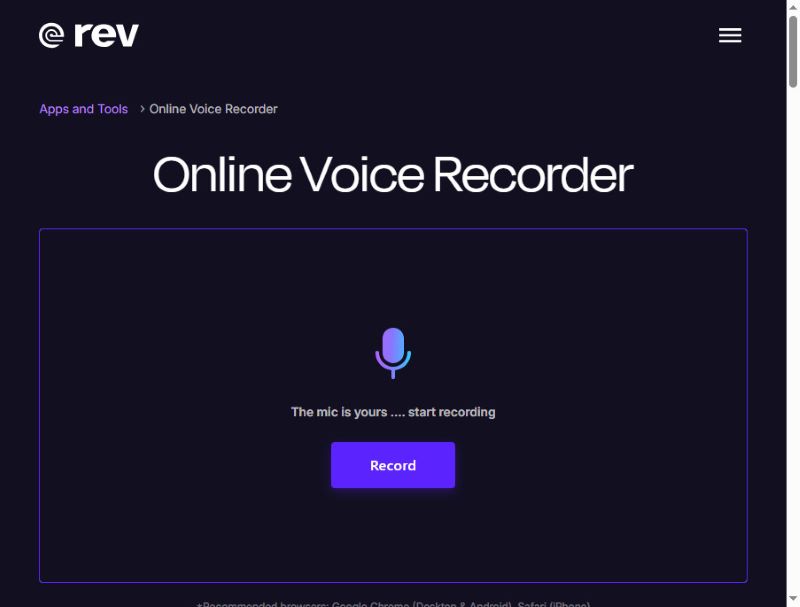
Top 1: Rev Gravador de Voz Online
O Rev Online Voice Recorder é um gravador de voz online muito elegante, com uma interface moderna em preto e violeta. Ele grava áudio com alta qualidade e o salva em formato WAV. Além disso, sua gravação permanece local e não é enviada para o servidor.
O que é único: O Rev Online Voice Recorder pode transcrever sua voz em legendas durante a gravação – um serviço pago, no entanto. Mesmo assim, este gravador de áudio para navegador ainda é uma ótima opção gratuita.
- Prós
- O Rev possui uma interface clara com um fluxo de trabalho simples.
- Você pode pré-visualizar suas gravações de voz.
- Este gravador de áudio online não exige login para começar a gravar.
- Contras
- Os recursos de edição de áudio são bastante limitados.
- A transcrição não é gratuita.
Top 2: Vocaroo
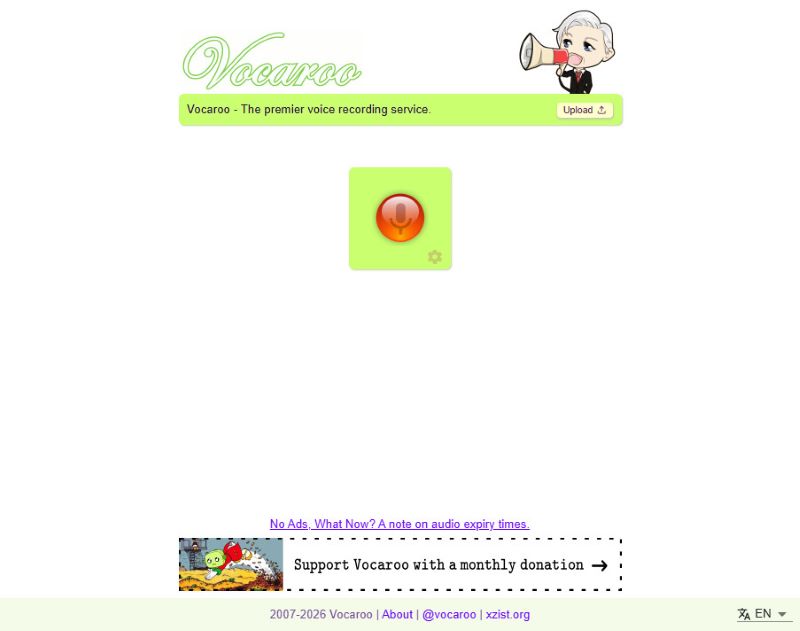
O Vocaroo é um gravador de voz online gratuito conhecido por sua simplicidade. Clique no botão vermelho no centro para começar a gravar e clique novamente para parar. Claro, essa simplicidade também tem suas desvantagens, como a impossibilidade de editar o áudio diretamente no site.
O que é único: Após finalizar a gravação, você pode compartilhar o áudio diretamente em suas redes sociais, seja diretamente ou por meio de links gerados e códigos QR.
- Prós
- Este gravador de áudio para navegador é extremamente fácil de usar.
- Funciona sem problemas na maioria dos navegadores.
- Você pode compartilhar suas gravações de áudio diretamente.
- Suporta transcrição multilíngue.
- Contras
- Este gravador de microfone online não possui recurso de edição.
Top 3: Gravador de áudio online Apowersoft
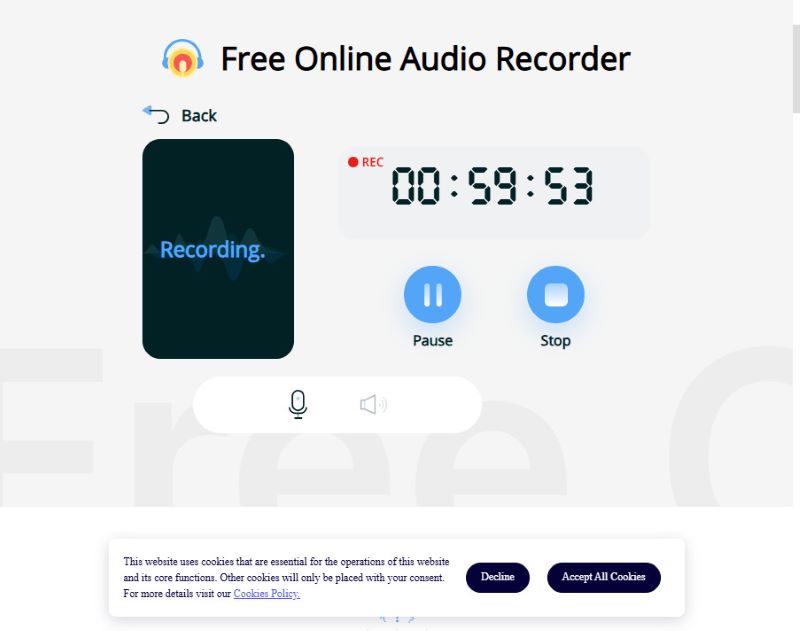
O Apowersoft consegue capturar simultaneamente a sua voz e o áudio do sistema, ideal para gravar transmissões ou narrações. No entanto, muitas funcionalidades avançadas deste gravador de áudio online só estão disponíveis mediante cadastro ou no aplicativo. Embora a versão online gratuita permita gravações com duração inferior a 1 hora, esse tempo é suficiente para a maioria dos usuários.
Se o tempo de gravação limitado não for um problema, porque você precisa apenas de uma gravação rápida e única, o Apowersoft é para você.
O que é único: O gravador de áudio online Apowersoft suporta gravação de áudio tanto por microfone quanto por sistema operacional.
- Prós
- Este gravador de áudio online pode gravar o som do microfone e do sistema.
- As gravações de áudio resultantes possuem uma qualidade de som muito alta.
- A versão online gratuita tem um limite de tempo bastante razoável.
- Contras
- Você precisa criar uma conta e fazer login para compartilhar suas gravações.
Top 4: BearRecord
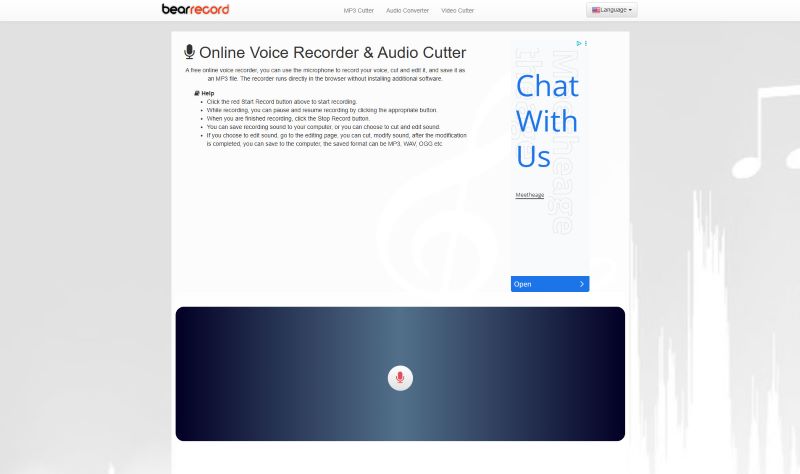
O BearRecord é um gravador de voz online gratuito com ferramentas baseadas em navegador que permitem fazer edições simples antes de salvar a gravação. Possui uma interface muito simples que ajuda a iniciar e finalizar a gravação de áudio rapidamente. No entanto, há uma desvantagem óbvia neste gravador de voz online: anúncios fixos na página.
O que é único: Você pode ajustar o tom e o volume, aplicar efeitos de fade-in e fade-out ou alterar o formato de salvamento, tudo no site, sem precisar instalar nada.
- Prós
- Este gravador de áudio online oferece ferramentas básicas de edição.
- Ele pode fornecer alta qualidade de áudio como um gravador de voz gratuito.
- Não requer login.
- Contras
- Existem anúncios pop-up na página web.
Top 5: Veed.io
O Veed é um gravador de voz online gratuito com diversas ferramentas de edição no navegador, adequado tanto para uso casual quanto profissional. Você pode gravar áudio várias vezes, sem limite de tempo. É possível gravar apenas o áudio (áudio do sistema ou do seu microfone) ou a tela do seu computador. A sobreposição é perfeita, sem atrasos. No entanto, este gravador de áudio online não permite exportar a gravação em formatos como MP3 ou WAV. Você só pode obter um vídeo com o áudio gravado e uma tela preta.
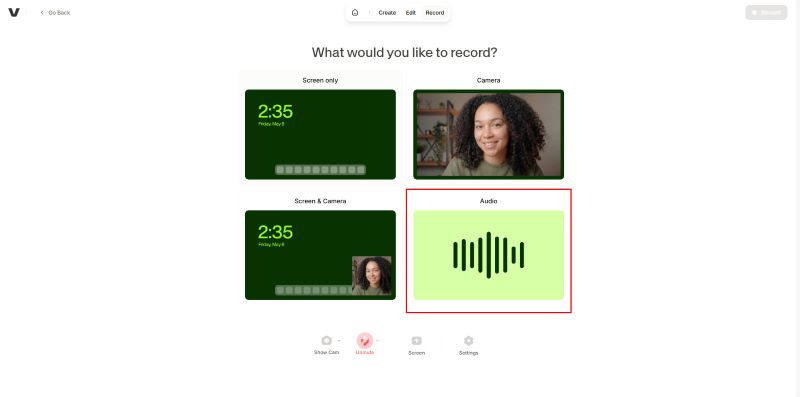
O que é único: O gravador de áudio online gratuito Veed oferece um período de teste gratuito para transcrição e edição por IA. No entanto, para acessar recursos mais avançados, é necessário assinar um plano pago.
- Prós
- Este gravador de áudio online possui uma interface de usuário intuitiva.
- Oferece diversas ferramentas de edição integradas.
- Você pode experimentar o recurso de transcrição por IA.
- Contras
- Embora seja possível gravar apenas áudio, você será obrigado a exportar como um vídeo com tela preta.
- Algumas funcionalidades de edição exigem login.
Top 6: SpeakPipe
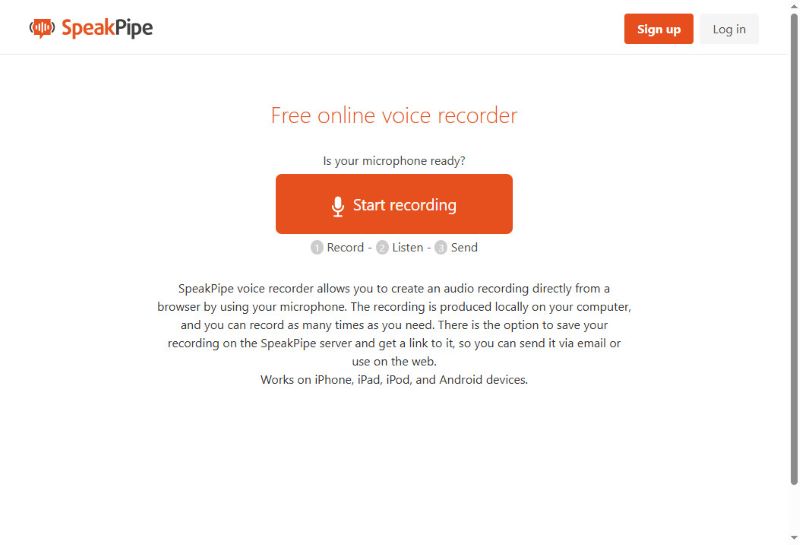
O SpeakPipe é um gravador de voz baseado em navegador, projetado para mensagens de áudio rápidas e ilimitadas. Este gravador de voz online também é excelente para capturar e compartilhar vozes instantaneamente, sem complicações. Você pode salvar suas gravações de áudio no armazenamento em nuvem ou compartilhá-las diretamente nas redes sociais. É possível até mesmo criar uma página de destino personalizada, que funciona como uma caixa postal pública onde clientes, alunos ou ouvintes podem deixar mensagens de áudio.
O que é único: Após gravar com este gravador de voz online, você pode salvar o arquivo de áudio no servidor e enviá-lo facilmente através de um link gerado. É uma ótima opção para quem deseja gravar áudios curtos para compartilhar com outras pessoas.
- Prós
- Você pode compartilhar suas gravações de áudio com facilidade.
- Este gravador de áudio online funciona em todos os dispositivos e navegadores.
- Não é necessário fazer login para gravar áudio instantaneamente.
- Contras
- Possui recursos de edição muito limitados.
Top 7: HappyScribe
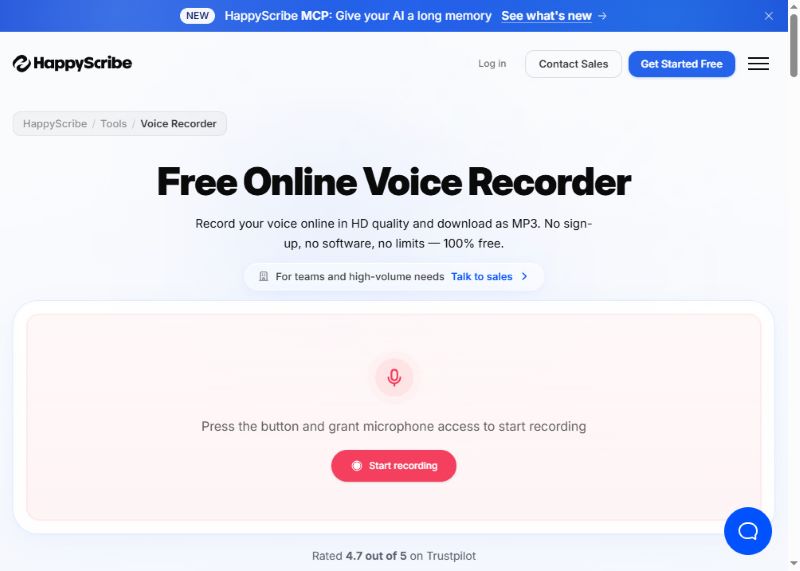
O HappyScribe é fácil de usar para gravar voz online em alta qualidade e salvar como MP3. Ele também oferece transcrição automática para vários idiomas. O que me impressiona é o recurso de anotações. Suponha que você esteja gravando uma reunião; este gravador de áudio online ajudará você a fazer anotações automaticamente. Em seguida, você pode exportar o arquivo de áudio gravado juntamente com um documento.
O que é único: Sua voz será gravada em qualidade HD e salva instantaneamente. O aplicativo também pode transcrever suas gravações de áudio em texto, o que é útil para fazer anotações ou registrar ideias rápidas.
- Prós
- Possui uma interface de usuário simples, mas com muitos recursos avançados e poderosos.
- O recurso de transcrição por IA é muito poderoso e pode exportar arquivos de documentos.
- Funciona mais como um assistente de gravação de áudio com inteligência artificial.
- Contras
- Muitas funcionalidades exigem que você faça login.
Parte 4: Recomendações dos melhores gravadores de voz offline
Embora os gravadores online sejam rápidos e convenientes, geralmente possuem ferramentas de edição limitadas e podem apresentar problemas de privacidade, já que podem salvar seu arquivo de voz em seu servidor. Para gravadores mais seguros e com mais funções, os gravadores offline independentes são mais recomendados. Aqui estão alguns bons gravadores offline para diferentes dispositivos.
1. AVAide Screen Recorder (Windows e Mac)
O modo de gravação de áudio de Gravador de tela AVAide É versátil e, ao mesmo tempo, fácil de usar. O gravador suporta entrada de áudio do sistema e de microfone, e grava com qualidade muito superior às ferramentas online.
Passo 1Baixe e instale o software.

DOWNLOAD GRATUITO Para Windows 7 ou posterior
 Download seguro
DOWNLOAD GRATUITO Para Mac OS X 10.13 ou posterior
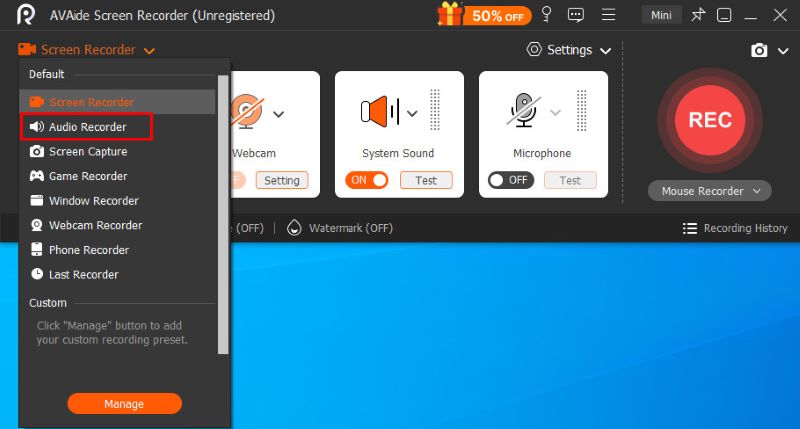
Download seguroPara usar este modo, clique em Gravador de ecrã botão no canto superior esquerdo e selecione Gravador de áudio no cardápio.
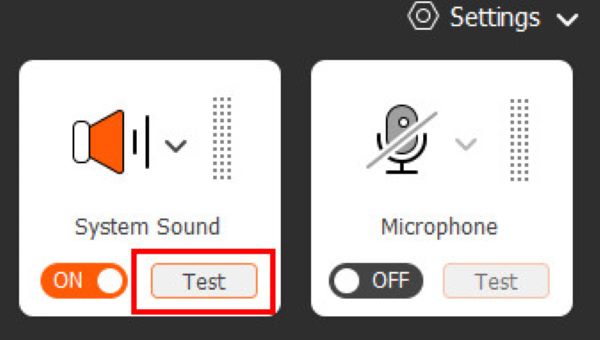
Passo 2Antes de iniciar a gravação propriamente dita, você pode clicar nos dois botões. Som do sistema e Microfone À direita, você pode alterar as configurações de áudio e, à esquerda, visualizar o volume, certificando-se de que tudo esteja funcionando corretamente.
etapa 3Clique no GRAVANDO botão para iniciar a gravação. Durante a gravação, você pode pausar a qualquer momento ou definir uma gravação automática agendada usando a barra de controle flutuante. Ao terminar, clique no quadrado vermelho Para finalizar e abrir a janela de pré-visualização.
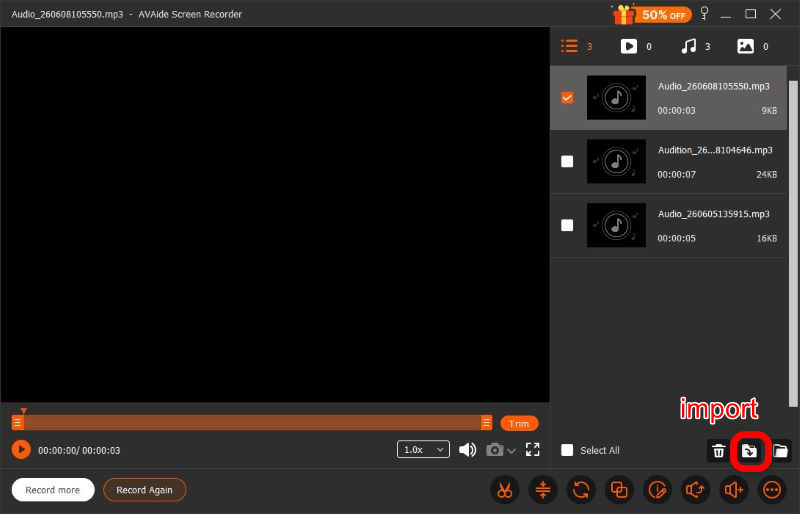
Passo 4Após finalizar a gravação, você pode fazer uma série de ajustes na janela de pré-visualização, incluindo cortar, comprimir, mesclar e... editar a gravação de voz, antes de clicar Importar No canto inferior direito, você pode baixar o arquivo no formato que preferir. O AVAide Screen Recorder foi desenvolvido para atender a todas as suas necessidades. Vale a pena experimentar.
- Prós
- Interface de usuário simples e clara
- Qualidade de áudio superior
- Privado e seguro
- Recursos de edição poderosos
- Sistema e microfone suportados
- Contras
- A edição avançada requer uma assinatura.
2. Audacity (Linux)
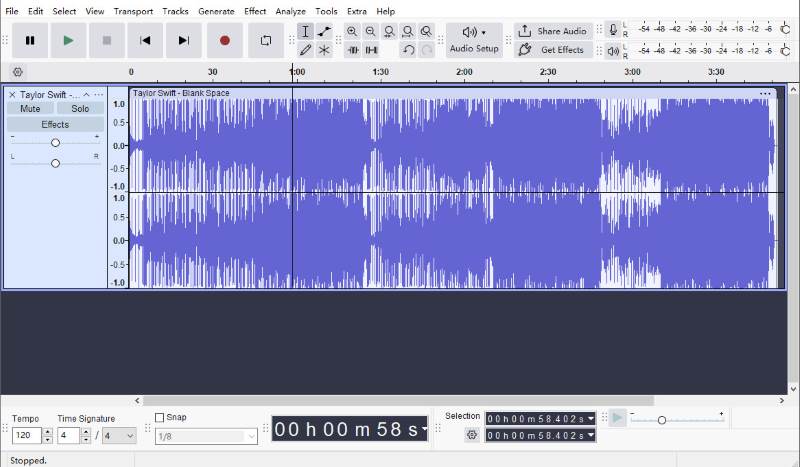
O Audacity é um dos gravadores e editores de áudio de código aberto mais populares disponíveis para Linux. Ele oferece muito mais recursos de gravação e edição do que a maioria das ferramentas online, e ainda é totalmente gratuito.
Você pode cortar as gravações, remover ruído de fundoAplique efeitos de áudio e salve arquivos em diversos formatos. Como tudo isso acontece localmente, suas gravações permanecem privadas e sob seu controle. Com a versão mais recente, você pode compartilhar áudio rapidamente por meio de links.
Apesar de possuir tantos recursos, a interface do usuário do Audacity é um pouco mais complexa do que a de outros programas, o que significa que provavelmente você levará algum tempo para se acostumar com ela.
- Prós
- Recursos de edição poderosos
- Completamente grátis
- Privado e seguro
- Fácil de compartilhar
- Contras
- Interface de usuário complexa
3. Gravador de Voz Fácil (Dispositivos Móveis)
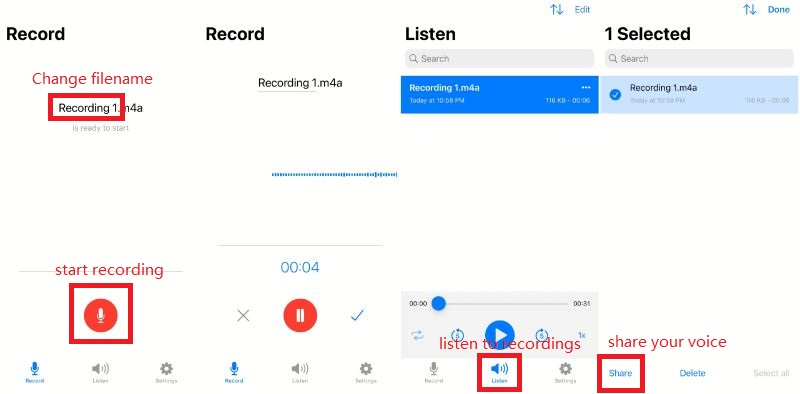
Como o próprio nome indica, o Easy Voice Recorder é um gravador de voz fácil de usar, projetado para capturar reuniões, anotações pessoais e aulas com clareza e sem limite de tempo, em formatos como AAC, PCM e AMR, para equilibrar a qualidade do áudio e o tamanho do arquivo. Está disponível para iOS e Android.
- Prós
- Interface de usuário simples e rápida
- Alta qualidade
- Fácil de compartilhar
- Privado e seguro
- Contras
- É necessário um plano pago para acessar os recursos avançados.
Entre os 7 gravadores de voz onlineAlém disso, existem três opções offline. A escolha da ferramenta ideal depende das suas prioridades: facilidade de uso, qualidade de áudio, edição e compatibilidade com navegadores. As ferramentas analisadas acima estão entre as melhores opções de 2026 para ajudá-lo a gravar áudio de forma rápida e sem esforço.
SOBRE O AUTOR

Gravar tela, áudio, webcam, jogabilidade, reuniões online, bem como tela do iPhone/Android no seu computador.