Pixelup is among the best AI-powered image enhancer apps you can access on your mobile devices. It lets you enhance and improve your images, such as turning your blurry, old, low-quality photos into a brand new one. It can also offer a simple UI, perfect for all users. If you want to dig deeper into the photo enhancer, visit this simple and detailed review, as we offer the app's features, pros, cons, and other information you need.
Part 1. What is Pixelup
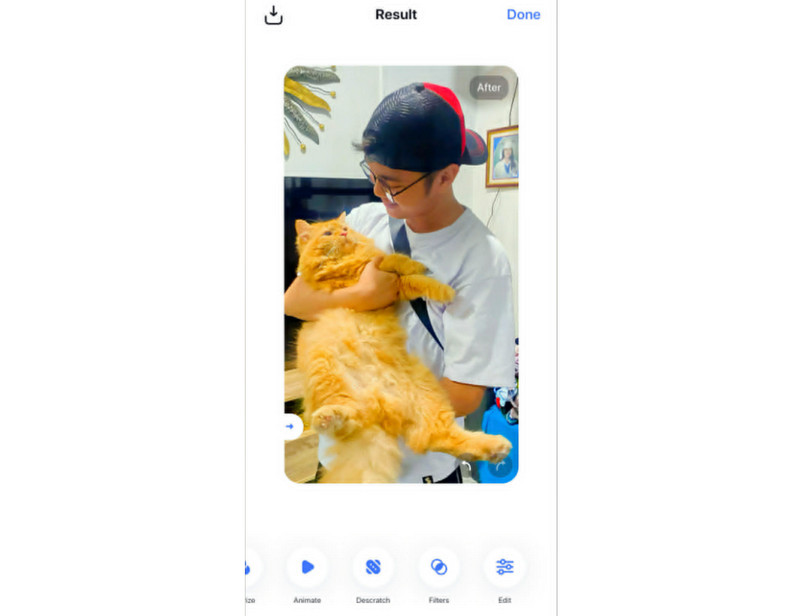
Pixelup AI is an excellent photo enhancement powered by artificial intelligence. This application is ideal for enhancing, colorizing, restoring, and animating your photos easily and smoothly. The good thing about this app is that it can offer a simple user interface for a better enhancement process. Additionally, there are lots of users who can use this app. Some of them are professionals, content creators, educators, and casual users. With its capability to enhance images, users can get the result they want, making it a powerful photo enhancer.
Part 2. Key Features of Pixelup
Pixelup can also offer various features that you imagined. If you want to explore its capabilities, you can check everything in this section.
Photo Enhancer
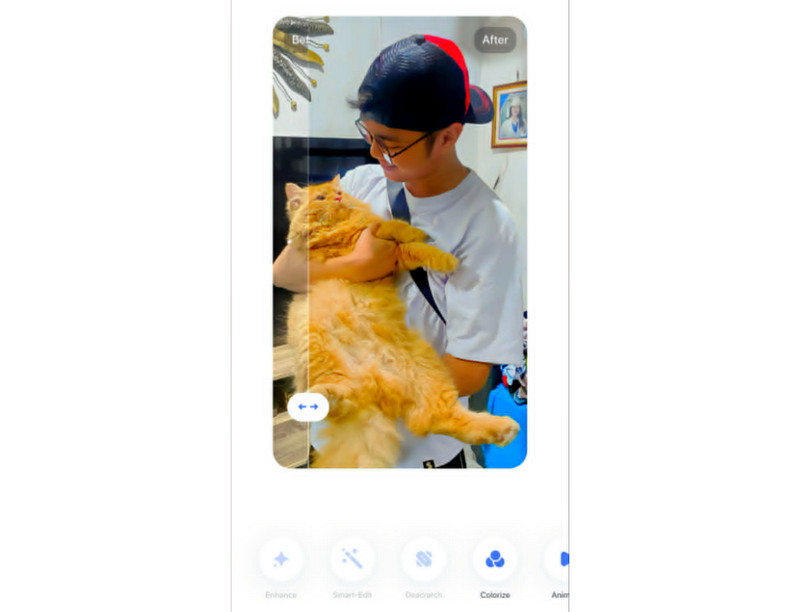
One of the core features of Pixelup is its Photo Enhancer. This feature is ideal if you want to sharpen blurry or low-quality images and improve the resolution. It can even revive and turn old pictures, selfies, and poor-quality images into crisp versions. The best part here is that the app can automatically enhance your images, making the process easier and smoother, thanks to its AI-powered technology.
Photo Colorizer
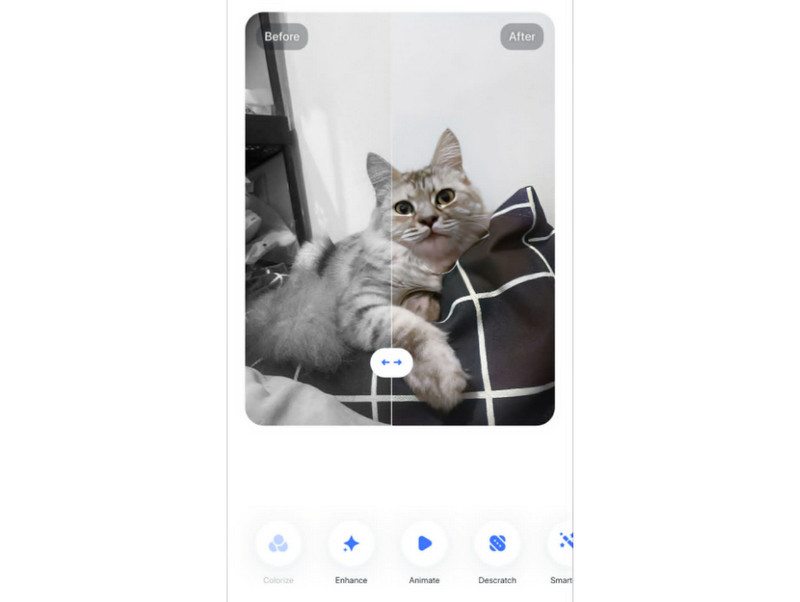
Photo Colorizer is an excellent feature that lets your black-and-white or faded images turn into full-color photos with one tap. It can help you add life to your historical and vintage pictures. This feature is also perfect if you want to bring your old family albums into the modern era. The app can also automatically colorize your images for an instant result.
Photo Descratch
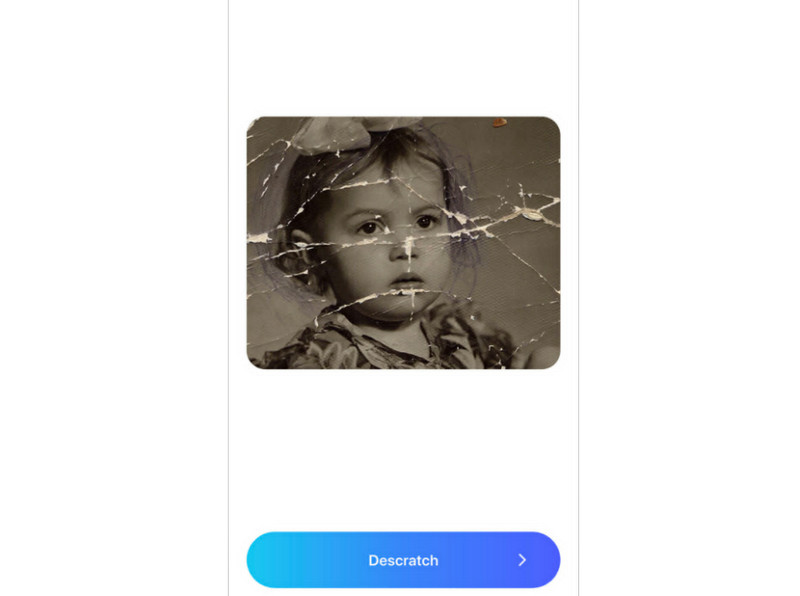
Do you have old, scratched, or damaged images? Well, you can turn those images into a brand new one with the help of the app's Photo Descratch features. After capturing/scanning the printed images, you can start enhancing them using the feature to remove the scratches and any damage from the photos, making them clearer and more detailed.
Photo Animation
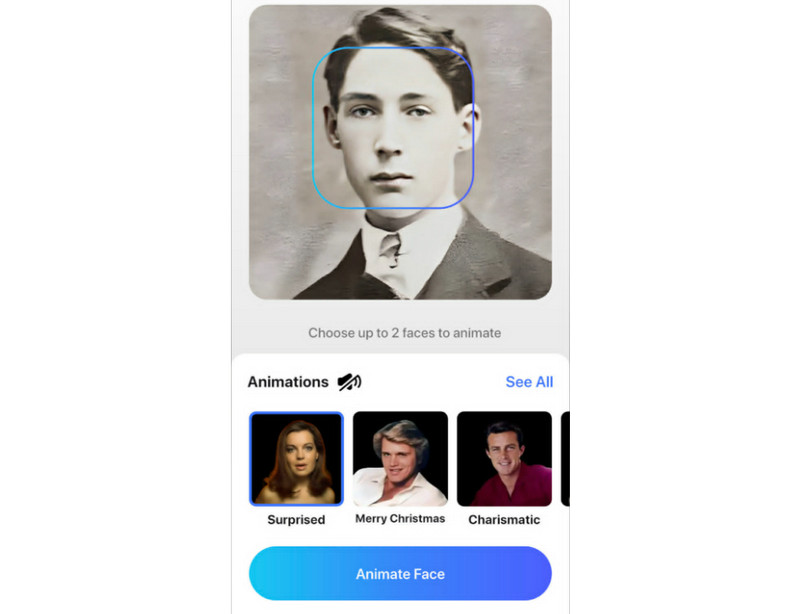
The Photo Animation feature is ideal if you want to turn your static photos into short animated clips, adding subtle movements like smiling, blinking, speaking, and more. With this feature, you can create engaging, appealing, and shareable content for your friends or for social media platforms.
Part 3. Platform Availability
Do you wonder where you can access Pixelup? The good news here is that you can download and install it on your Android and iPhone devices. With that, you can enhance and improve the overall appearance of your photos without encountering any compatibility issues.
Part 4. Is Pixelup Free: Pricing Plans
Is the Pixelup app free? Well, Pixelup AI Photo Enhancer is not 100% free. It can only give you a 3-day free trial version to check and use its overall capabilities. If you want to get more insights about the app's pricing plans, you can check the table below.
| Pricing Plan | Cost | Features Included |
| Free Trial | $0 | • Limited access to basic AI photo enhancement tools. • Good for testing the app before committing. |
| Weekly Plan | $7.00 | • Full access to all features, including upscaling, colorization, animation, and scratch removal. |
| Monthly Plan | $19.00 | • Unlimited use of all AI tools. • Better value than weekly if used regularly. |
| Annual Plan | $99.00 | • Most cost-effective option. • Includes all features with long-term savings compared to monthly billing. |
Part 5. Pros and Cons of Pixelup
Pixelup AI Photo Enhancer also has various advantages and drawbacks as an image enhancer. See the information below to learn more about the image enhancer's pros and cons.
Good Things about Pixelup
- Since then, the app has been AI-powered, and it can automatically enhance your images.
- The process of enhancing, coloring, restoring, and animating images is smooth and fast.
- The main interface of the app is comprehensive.
- It is available on both Android and iOS.
Drawbacks of Pixelup
- The image enhancer is not 100% free. You have to access its subscription plan to enjoy its overall features.
- Its AI feature relies on the internet. Ensure that your internet is stable for a smooth image enhancement process.
- There are times when the app shows unnatural results, especially when dealing with heavily damaged photos.
Part 6. How to Cancel Pixelup Subscription
Do you want to learn how to cancel the Pixelup subscription? If you are an iOS user, navigate to the Settings app, tap your Apple ID, and proceed to the Subscription section to cancel it. For Android users, proceed to the Google Play Store, tap your profile, and choose the Payment & Subscription option. Locate the Pixelup from the list and press the Cancel Subscription.
Part 7. Pixelup vs. AVAide vs. Remini
Are you looking for another photo enhancer that can help you enhance and upscale your images? In that case, you can read everything below as we introduce another reliable tool you can access.
1. AVAide Image Upscaler
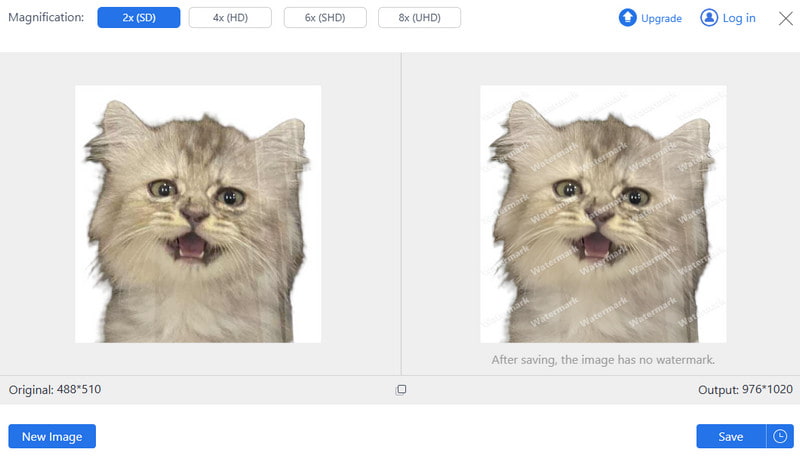
AVAide Image Upscaler is perfect if you want to upscale your images up to 2×, 4×, 6×, and 8×. It can even offer a simple and smooth upscaling process, making it ideal for all users. It is also accessible to all browsers, so there is no need for installation. What we like here is that it can support various image formats, such as JPG, PNG, BMP, and more. The tool can even support batch processing, allowing you to upscale multiple images at once. Thus, if you need a powerful AI-powered image upscaler, look no further than AVAide Image Upscaler.
2. Remini Photo Enhancer
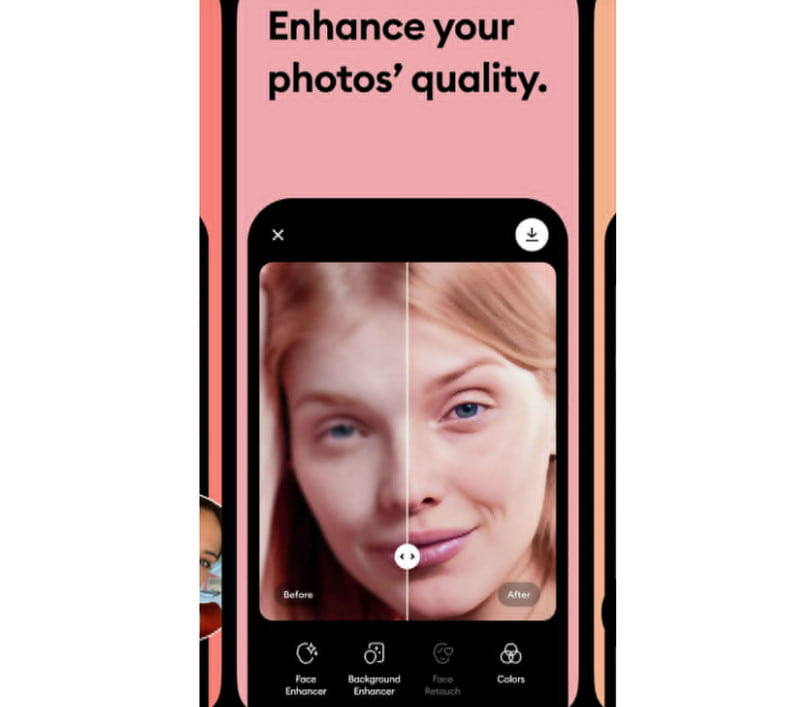
Remini Photo Enhancer is another mobile app you can use to enhance your images. This app specializes in restoring old, blurry, or poor-quality images. Additionally, this app is popular for instant fixes and social media-ready enhancements, offering instant AI-driven results with minimal effort.
If you want to learn more about these photo enhancers, you can take a peek at the table below.
| AVAide Image Upscaler | Pixelup | Remini Photo Enhancer | |
| Image Quality | • Upscales up to 8× with crisp detail. • Excellent for professional use | • Good enhancement, but limited upscale | • Restores clarity but may add artifacts |
| Platform | Browser | Mobile | Mobile |
| Best Use Case | High-resolution projects (printing, design, presentations) | Quick restoration and fun animations | Reviving old photos for personal/social sharing |
| Speed and Reliability | Super Fast | Fast | Fast |
Pixelup AI Photo Enhancer is an ideal tool when it comes to enhancing, restoring, colorizing, and animating images. It can also offer a comprehensive UI and fast image enhancement. With this review, you have learned everything about the app. You also discovered that the app is not 100% free. So, if you need the best replacement for Pixelup to enhance and upscale your images for free, it is recommended to access AVAide Image Upscaler. This tool is exceptional since it can help you upscale your images up to 2×, 4×, 6×, and 8×, making it the top choice for users.
ABOUT THE AUTHOR


Our AI technology will automatically enhance the quality of your images, remove noise and fix blurry images online.
PROCESS NOW