"Does anyone know how to improve the image quality of a PNG?"
"How do I increase the resolution of a .png file?"
These questions are often asked on Reddit. If you have the same concerns, this write-up has the answers you need. We will show you how to increase PNG resolution using three reliable tools. Each tool can upscale your image, but they work differently. Since you need results fast, please go ahead and get started now!
Part 1: Why Need to Increase PNG Resolution
PNGs are widely used for digital images, logos, and graphics, but they do not always stay sharp. Even if a PNG looks fine on your screen, problems can appear when it is enlarged or printed. Here are some important reasons to increase PNG resolution:
1. Avoid Blurry or Jagged PNGs
Small or low-resolution PNGs can lose clarity when stretched for banners, posters, or presentations. So, when you increase the resolution, it adds pixels, and the image stays sharp.
2. Ensure Print Clarity
Many screen-optimized PNGs are low resolution, usually 72 DPI. Increasing to 300 DPI ensures printed PNGs are clear and professional.
3. Enhance PNG Details
Raising the resolution improves lines, edges, and fine details in logos, graphics, and illustrations.
4. Fix Low-Definition PNGs
Small or screenshot PNGs may look soft. Increasing resolution makes them suitable for large displays or projects without losing quality.
In summary, increasing PNG resolution ensures your images remain crisp, detailed, and ready for any digital or print use.
Part 2: How to Increase the Resolution of a PNG File Online for Free
Wondering how you can increase the resolution of a PNG image without installing anything? And without spending a single cent? That is exactly what AVAide Image Upscaler lets you do. It can boost your PNGs to 2×, 4×, 6×, or even 8×. The AI does all the work for you; you just pick the level you want.
It also offers a side-by-side preview. You can see the difference in sharpness and detail by hovering over the image. You can also see the original and output width and height in pixels. Another thing about it is that it does not embed a watermark in your image. With that, you can use it anywhere.
Check the steps below to learn how to increase PNG resolution using AVAide Image Upscaler:
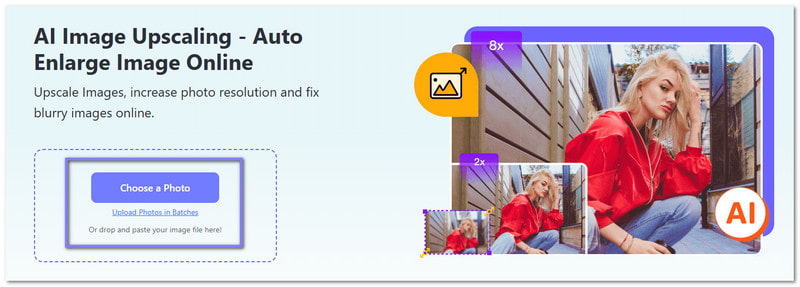
Step 1Since it is online, open your browser and head to AVAide Image Upscaler's primary website. You will see a big Choose a Photo button in the center. Click it, and it will immediately open your local folder. From there, select the PNG file you want to increase the resolution of. It will upload right away.
Step 2AVAide Image Upscaler will start processing your image and immediately upscale it. By default, it increases the resolution 2×. But you can also choose higher options like 4×, 6×, or 8× to make it even sharper. Hover your mouse over the image area to compare the original and the upscaled version. Take note that 6× and 8× require a paid plan.
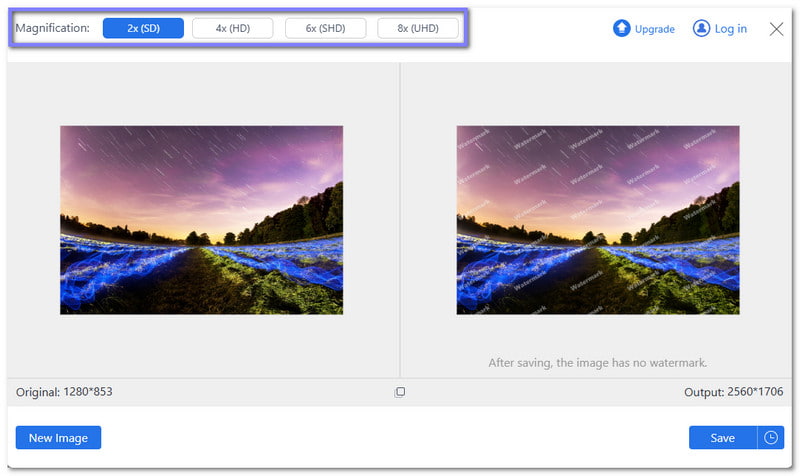
Step 3Are you satisfied with the result? If yes, hit the Save button in the lower right corner. And your PNG with higher resolution will download immediately. If you want to increase another PNG's resolution, just click the New Image button in the lower right corner. Then, please repeat the process.

Recommended for: AVAide Image Upscaler is perfect for anyone who wants a sharper PNG easily. It works well for social media posts, digital designs, and small print projects where clear, high-resolution images are needed. It is also recommended to use it if you want to increase JPG resolution, as well as other common image formats.
Part 3: How to Increase PNG Resolution in Illustrator
Adobe Illustrator is a versatile program for creating clean and precise artwork. When it comes to PNG images, knowing how to increase PNG resolution in Illustrator helps improve their clarity. It lets you control export settings like size, resolution, and background. It makes your images sharper and ready for logos, presentations, or any digital project.
Step 1Open Adobe Illustrator. Import your PNG by clicking File, then Place. Select your PNG so it appears on the artboard at its original clarity.
Step 2Select the PNG image. Resize it carefully using the corner handles while holding Shift. It prevents the image from stretching or distorting.
Step 3After that, go to File, choose Export. Click Export As, and select PNG. It is the correct place to control the image resolution.
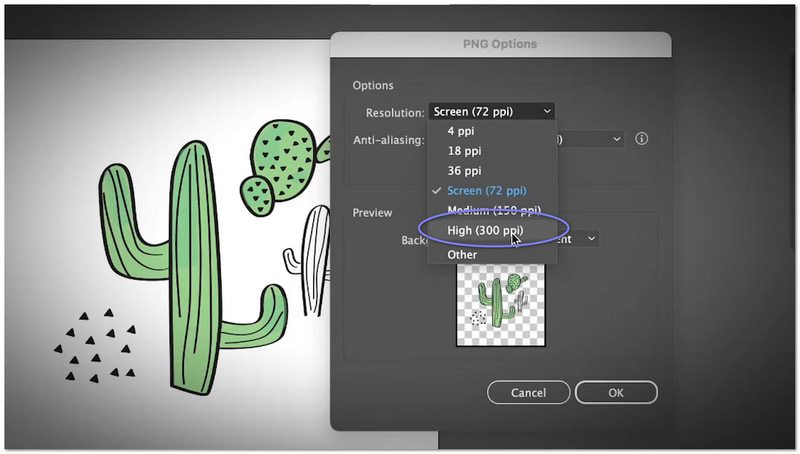
Step 4Enable Use Artboards, click Export, and set the resolution to 300 PPI to export the PNG at a higher output clarity.
Step 5As for the last step, choose Transparent if needed, or select a background color, then click OK to save the PNG with improved clarity.
Recommended for: Adobe Illustrator is best for designers. It is also great for logo makers. Anyone who wants clear, high-quality PNG files for their projects can use them.
Part 4: How to Increase PNG Resolution in Photoshop
Another Adobe product designed for powerful image editing is Adobe Photoshop. Learning how to increase PNG resolution in Photoshop lets you adjust size, resolution, and details to make images sharper and clearer. It can add pixels, reduce blur, and smooth edges. It makes low-clarity PNGs suitable for printing, digital projects, or online use.
Step 1Launch Adobe Photoshop. Then, please load the PNG file you want to improve so you can work straight on the image you need to increase.
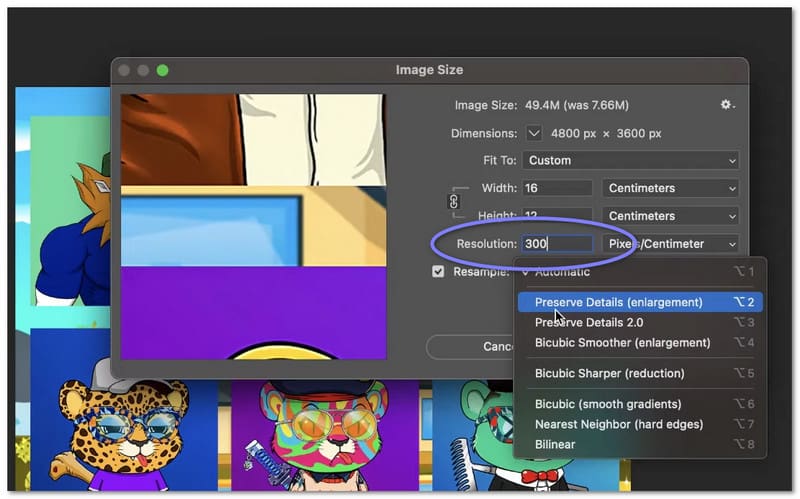
Step 2Head to the top menu and click Image. Next, select Image Size to open the settings where you can change the resolution and dimensions of your PNG.
Step 3Once the Image Size window opens, locate the Resolution field and increase the number to a higher value, depending on how low the original image is, so Photoshop adds more pixels and improves clarity.
Step 4Then, in the same window, choose Preserve Details 2.0 from the resampling options to keep the image sharp. And if needed, adjust the Reduce Noise slider to smooth out any grainy areas without losing clarity.
Step 5Lastly, hit OK to apply the changes, and you will see your PNG become larger with more detail. It gives you a higher resolution image suitable for printing or high-quality uploads.
Recommended for: Photoshop is best for photographers. It is also ideal for designers. Anyone who wants sharp, high-resolution PNG images for print or digital use can use them. Photoshop makes it easy to increase image resolution quickly and precisely.
In conclusion, it is really necessary to increase PNG resolution so your images stay sharp, clear, and professional. With that, your logo, social media posts, illustrations, or digital artwork will look their best no matter where you use them.
If you want to increase PNG resolution online for free, you can always rely on AVAide Image Upscaler. There is no need to download anything because it upscales your image straight in your browser. Access it now and get your images in high quality!

Our AI technology will automatically enhance the quality of your images, remove noise and fix blurry images online.
PROCESS NOW