Today, choosing an appropriate image upscaler is more important than ever; it can make a noticeable difference when improving a low-quality photo. With an image upscaling software, you can enlarge images while keeping the important details as clear as possible. Some tools in the modern era use AI to reconstruct missing details, while others still rely on traditional scaling methods. In this guide, we will take a closer look at different software that you can use to upscale different types of images and find the one that is the most useful based on your observations here.
Part 1. Comparison Table: Which Upscaler Is Best for You?
| Tools | Type | Batch Processing | Max Upscale | Print Support | Free Version | Watermark | Ease of use |
| Topaz Gigapixel | Desktop | Supported | Up to 6x | Excellent | Trial | No | Medium |
| ON1 Resize AI | Desktop | Supported | Up to 10x | Excellent | 30-days trial | No | Medium |
| Adobe Photoshop | Desktop | Supported | Up to 4x | Excellent | 7-days trial | No | Medium |
| Luminar Neo | Desktop | Supported | Up to 6x | Good | Trial | No | Easy |
| AVAide Image Upscaler | Online | Supported | Up to 8x | Excellent | Yes | No | Very Easy |
| Upscale.Media | Online | Supported | Up to 8x | Good | Yes | No | Easy |
| Let’s Enhance | Online | Supported | Up to 16x | Good | Yes | Yes | Easy |
| Fotor Image Upscaler | Online | Supported | Up to 4x | Excellent | Yes | Yes | Easy |
Part 2. Top Image Upscaling Software Reviewed
1. Topaz Gigapixel
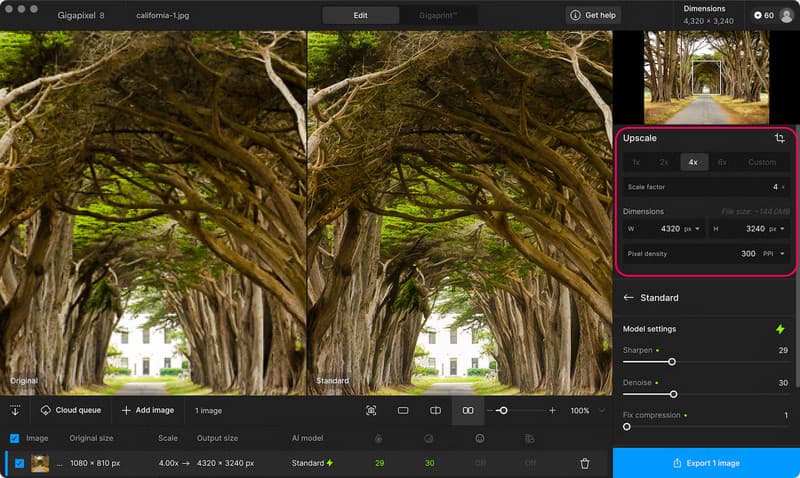
Topaz Gigapixel is one of the strongest choices when you need to enlarge an image while preserving details. This app is designed to upscale images and includes modern models that handle whatever content your image contains. With the latest version of the app, you can upscale an image to 6x, which is useful for old photos, cropped images, portraits, and all the images you need to increase in resolution. As an AI image upscaler, it also supports local and cloud rendering, making it perfect for single and multiple processing.
- Pros
- It works perfectly well for reconstructing details in the image.
- Uses a wide array of AI models for different image upscaling needs.
- It supports various image output dimensions.
- Local and cloud rendering are supported here.
- Cons
- It is more expensive than the other tool.
- Requires a capable computer for demanding upscaling needs.
- You can try using it, but you need to subscribe to export the upscaled image.
Pricing:
- $249 for a year; $29 for a month
2. ON1 Resize AI
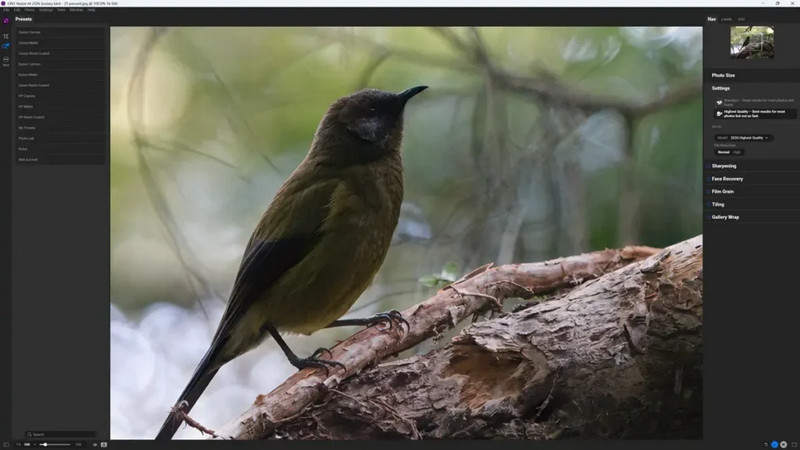
ON1 Resize AI is another dedicated tool you would surely love to try for enlarging an image. It uses the ON1 Genuine Fractals technology to enlarge images up to 10x while retaining the texture, sharpness, and edge details that are in your image. As a picture upscaler, it stands out by making your photo ready for printing and professional photography. With upscaling, it also offers extensive image-editing tools, including cropping, tiling, print preparation, and batch processing. If you updated the app or downloaded the latest version, you can get a fine texture using a model for fast processing.
- Pros
- It uses an upscaling to 10x with strong detail and texture retention.
- Excellent for processing large prints, even in a batch.
- Works well as a standalone app.
- Supports additional plugins from the known editors.
- Cons
- It is created for professional use
- Some of the advanced features may take time to learn
- Not a free tool
Pricing:
- $99.99 for a lifetime plan
3. Adobe Photoshop
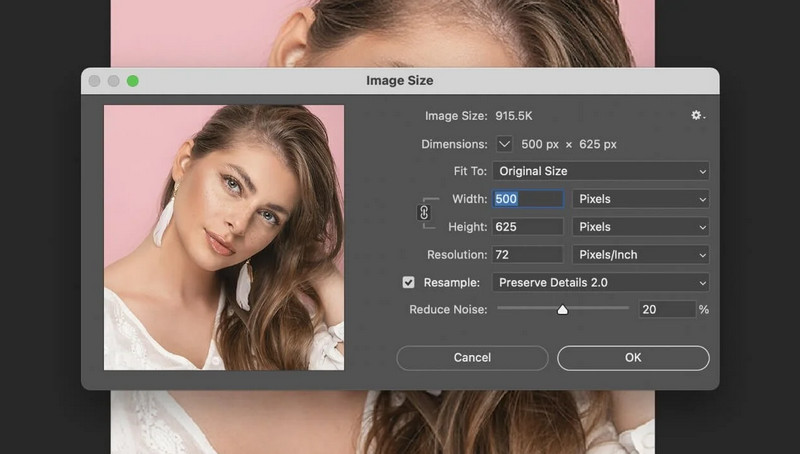
Adobe Photoshop is designed for photo editing, but you cannot leave it out when we are talking about upscaling. With the latest update, its Generative Upscale feature helps you enlarge an image at 2x or 4x, and choose among the AI models it supports. Based on my findings, Photoshop works best when upscaling is only one part of the editing, not the focus, unlike Topaz and ON1, which we reviewed above. But I consider this a versatile, free image-upscaler alternative for users who already have access to Adobe products.
- Pros
- Impressive AI-powered upscaler with 2x and 4x enlargement options
- Multiple AI models supported with extensive photo editing
- Good choice for a professional who needs upscaling and retouching
- Professional editing workflows
- Cons
- Requires a paid subscription before you can use it
- More complicated to use compared to the dedicated image upscaling software
- Not the best choice if you want to do image enlargement only
Pricing:
- $22.99 per month
4. Luminar Neo
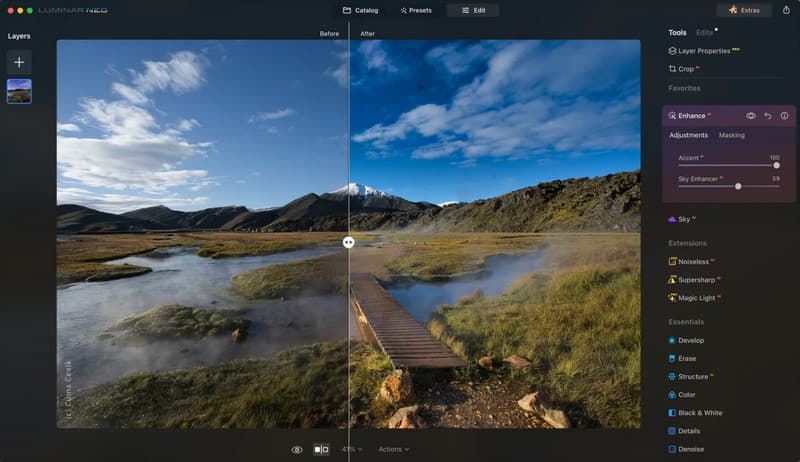
Luminar Neo is what I consider an embodiment of AI photo editing with image enhancement and upscaling. The AI Upscale feature is designed to increase the resolution of the image you have uploaded while enhancing details, making it useful for low-quality images, cropped photos, screenshots, and images you intend to print. As a photo upscaler, we can see that it is more appealing for editing than a dedicated enlargement app like the previous two. It is similar to Adobe Photoshop for upscaling, but its free photo enhancer is better.
- Pros
- It has an easy-to-understand interface, even though it is AI-powered.
- Upscaling and other editing tools are supported on Windows and Mac versions.
- It offers a 30-day trial with unlimited exports and plugin support.
- Cons
- Not a dedicated image upscaler compared to Gigapixel or Resize AI
- Some AI tools are tied to licensed plans
Pricing:
- $99 for desktop only
- $129 for all platforms
- $159 for a one-time payment
Part 3. Best Free & Online Upscalers
1. AVAide Image Upscaler
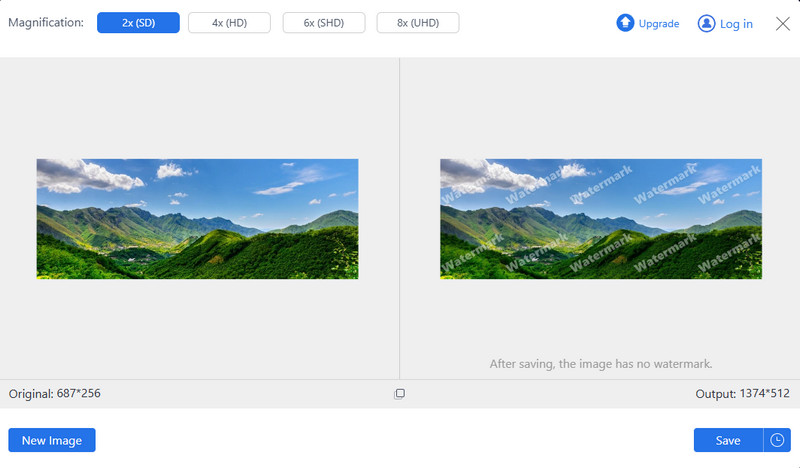
If you want an immediate result when upscaling an image, use the AVAide Image Upscaler, a browser-based tool that requires no installation. Though it is a web tool, it uses advanced AI to enlarge an image and process it with precision, so you get the image perfectly, with edges, textures, and important details still intact. The tool supports a wide range of image formats, and it is designed for quick processing. Based on my review, the best AI image upscaler for 2026 stands out for its very simple workflow. You just need to upload, select the enlargement level, view a quick preview, and download it.
- Pros
- It works in all browsers and requires no account or installation.
- Supports an 8x enlargement with advanced AI processing to preserve details.
- Quickly upscaling and ready to be used by beginners
- Cons
- Requires internet to function
- Does not have an advanced professional workflow
Pricing:
- Free to use
2. Upscale.media
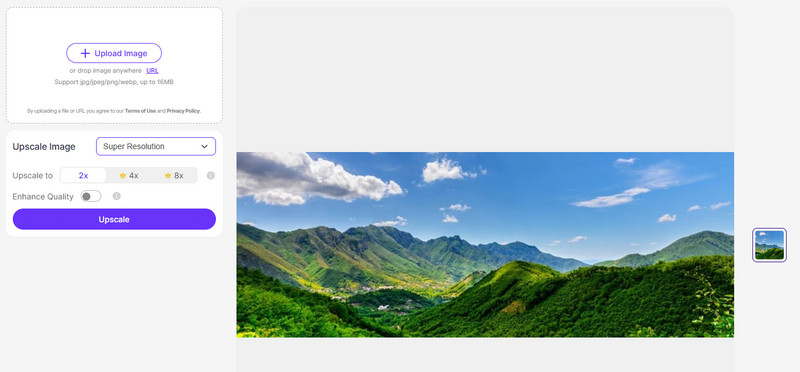
Another tool that you can use for upscaling is the Upscale.media. It can help you increase image resolution up to 4x, with different image formats supported. Just like the previous app, it runs directly in the browser, so there is no need to install, making it convenient for users who want a 4K image upscaler readily available. It has a simple interface and lets you see the before-and-after difference in the image preview, helping you compare the original image with the upscaled version.
- Pros
- Easy to use and available on any browser
- Supports 4x enlargement and has a preview screen to compare
- Works with common image formats to enhance them quickly
- Cons
- Limited freedom in editing
- Results depend heavily on the original image quality
- The advanced features that it supports are unavailable on the free version
- Not as powerful as the dedicated desktop software
Pricing:
- Free to use for three times
- Buy subscription plan credits to use them more
3. Let's Enhance
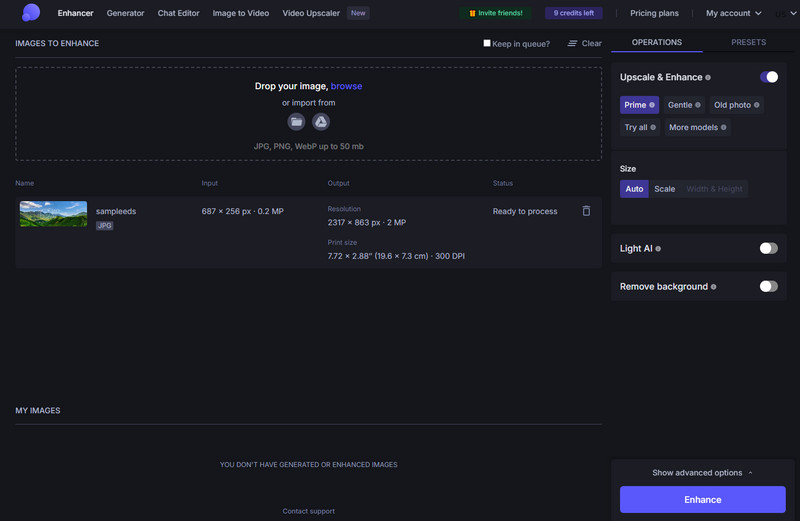
Let's Enhance combines AI upscaling with tools to improve overall image quality. It can help you enlarge an image while enhancing the details, sharpness, and clarity. The web tool is suited for individuals and businesses that need to process a larger number of images daily. One of the things it is best at is batch processing. You can upload multiple images here and process them together, making it a useful bulk image upscaler that streamlines your upscaling.
- Pros
- It uses AI to enlarge multiple images of products and marketing images
- Multiple enlargement options are available for individuals and businesses
- Supports large image outputs
- Cons
- The free version is limited
- Some features require you to have a credit card before you can access
- More advanced features it has might require you to understand it deeply
- Not completely free for regular high-volume upscaling use
Pricing:
- Free to use
- $12/monthly with 100 credits for a Starter plan
- $32/monthly with 300 credits for a Pro plan
- $45/monthly with 500 credits for a Max plan
4. Fotor Image Upscaler
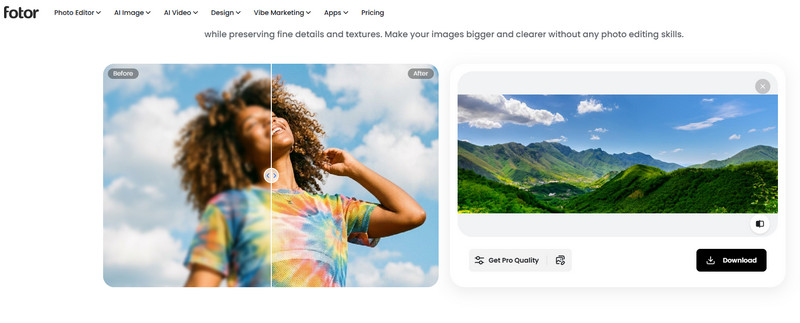
Fotor Image Upscaler is part of the Fotor platform, which offers online photo editing. Like the other tools, it uses an AI upscaling feature to increase resolution and improve every detail. Since Fotor is not limited to upscaling, you can also work the magic of editing it offers before you export, all in here. Though it is a good option for users who want image upscaling software, if you are looking for the highest-quality enlargement, you need to find a dedicated AI upscaler.
- Pros
- Simple AI-powered image enhancement workflow
- Includes a bunch of photo editing tools, which are beneficial for social media posts and more
- Supports common image formats with a beginner-friendly interface.
- Cons
- Some features require you to pay
- The free version is very limited
- Less specialized in upscaling the image
Pricing:
- Free to use
- The Pro version is $31.99 for a year
- Pro+ version is $62.99 for a year
Part 4. Traditional vs. AI Upscaling
| Upscaling Method | Traditional Upscaling | AI Upscaling |
| Best Used For | Handling small size changes | Predicting and reconstructing the missing details |
| Image Quality | When enlarged too much, it can lead to blurry | Produces much sharper and clearer results |
| Processing | Fast and simple | It takes too long for AI to process it |
| Ease of use | Easy to use | Easy because of the modern tools available |
Part 5. How to Choose the Right Image Upscaling Tool
When choosing the right image upscaling tool, you need to understand a few things before you can say that it is the perfect tool for you. To determine it, we listed things you need to consider:
- Best for Professional Upscaling with Editing: Topaz Gigapixel (AI-powered enlargement, high-quality detail recovery, and support for large images), and ON1 Resize AI (high-resolution enlargement, making print-ready output, and batch processing)
- Best for Creative Photo Editing: Adobe Photoshop (AI-powered tool with advanced photo editing, professional workspace, and Adobe Cloud integrated), Luminar Neo (AI-enhancement, creative editing features, and easy-to-use interface)
- Best Free Online Upscaler: AVAide Image Upscaler (free to use, upscale image to 2x or 8x, and no watermark)
- Best for AI Photo Enhancement Online: Let's Enhance (AI-integrated upscaler, noise reduction, and supports larger output sizes.)
With an image quality upscaler, you can easily enlarge an image without losing the details attached to the original; instead, it makes them much better. Though all the tools we have reviewed here do the same job, the results they provide differ from one another. If you are a beginner and want to try upscaling an image one time, we suggest using the AVAide Image Upscaler for free.
ABOUT THE AUTHOR


Our AI technology will automatically enhance the quality of your images, remove noise and fix blurry images online.
PROCESS NOW