Want the best PNG upscaler to sharpen the clarity of your photos? Various PNG upscalers use advanced AI algorithms to increase the resolution, deliver crisp results, and preserve fine details without any distortion. In this article, we will explore the best tools you can rely on to effectively upscale your PNG files, along with their pros, cons, rating, best for, and other parameters. Thus, read here and learn more about the topic.
Part 1. What is a PNG Upscaler
A PNG upscaler is an AI-powered tool designed to increase/enhance the resolution of PNG images without affecting the quality. Unlike traditional photo resizing, it enhances fine details, reduces pixelation, and sharpens edges to produce a clearer visual. In addition, PNG upscalers are ideal for designers, content creators, and photographers who need high-quality images for digital use and printing purposes.
How Does AI Upscaling Work?
The AI upscaling works by analyzing the existing pixels in a photo and intelligently predicting new ones to fill in the gaps when upscaling/enlarging. Using deep learning models trained on numerous high-quality photos, the AI recognizes textures, patterns, and edges to reconstruct missing details. This procedure can lead to sharper and more natural-looking photos compared to the traditional scaling process. To make it clear, AI upscaling is not just stretching a photo. It enhances it by attaching realistic details and reducing artifacts.
Part 2. Quick Comparison of the Best PNG Upscalers
See the table in this section and take a peek at the best PNG upscalers.
| PNG Upscaler | Platform Support | Ease of Use | Transparency Handling |
| AVAide Image Upscaler | Browser | Very Easy | Preserves transparency |
| Topaz Gigapixel AI | Windows and Mac | Advanced but requires a learning curve | Strong transparency support |
| Let’s Enhance | Browser | Simple drag-and-drop workflow | Maintains transparency |
| Upscayl | Windows and Mac | Straightforward, but technical setup for some users | Full transparency support |
| Upscale.media | Browser | Extremely easy, instant results | Preserves transparency |
| ImgUpscaler | Browser | Quick and lightweight | Transparency supported |
| Pixelcut | Browser | Optimized for creators, very intuitive | Transparency preserved |
Part 3. Top PNG Upscaler Tools
Want to explore the best PNG enhancers? Then, you can discover all the tools in this part.
1. AVAide Image Upscaler
Best for: Skilled and non-professional users.
Pricing: Free
Rating: 4.5 / 5
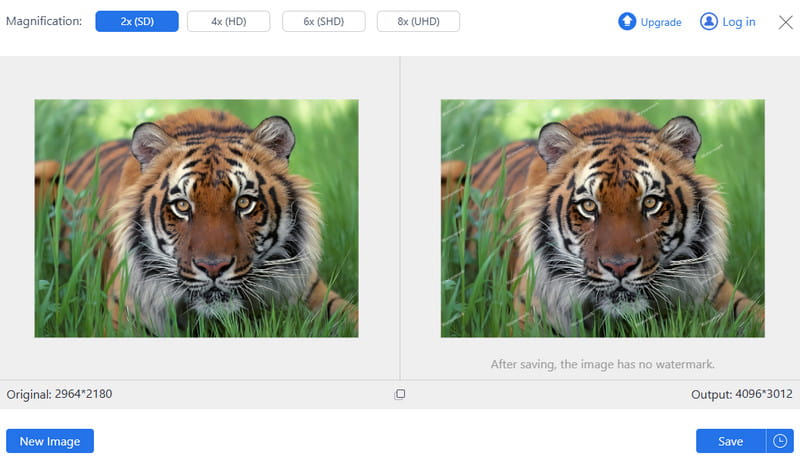
One of the best AI PNG upscalers you can access on your browser is AVAide Image Upscaler. This tool is ideal if you want to get a better version of your photos. It lets you upscale your PNG files up to 8× better than the original one. It is also easy to navigate, thanks to its comprehensive layout.
- Pros
- It has a smooth image-upscaling process.
- The tool supports batch processing.
- It is free to use.
- Cons
- It requires an internet connection for a better upscaling procedure.
2. Topaz GigaPixel AI
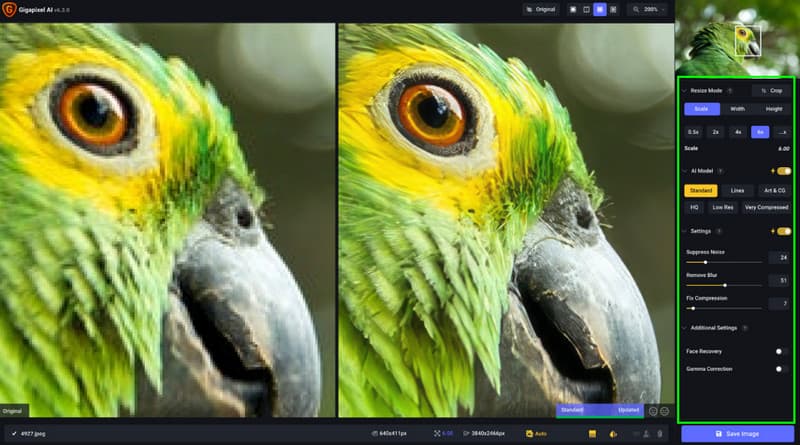
Best for: Print-quality enlargement.
Pricing: Starts at $12.00
Rating: 4.5 / 5
Topaz Gigapixel AI is a professional-grade AI image upscaler that uses advanced AI models. This tool can help you reduce image noise, sharpen edges, and restore detail, making it one of the best tools you can rely on.
- Pros
- It has excellent detail recovery.
- The tool can handle batch processing.
- Cons
- It requires a high-spec computer.
- The tool is expensive.
3. Let's Enhance
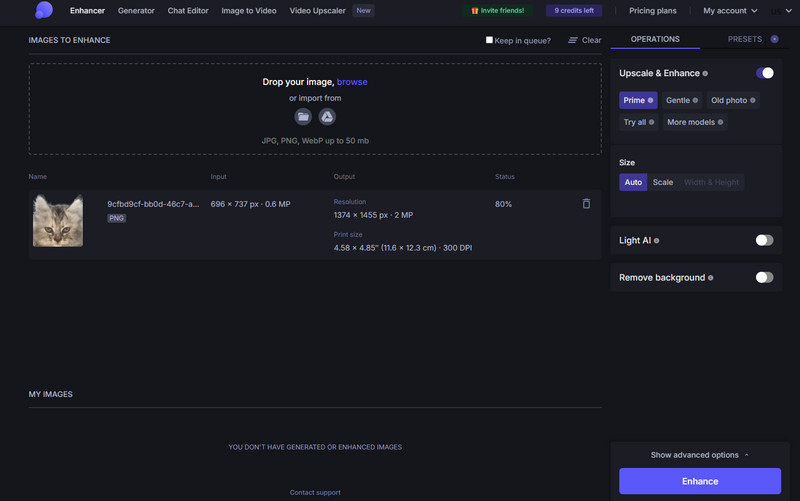
Best for: E-commerce and bulk product photos.
Pricing: Starts at $9.00
Rating: 4 / 5
Another tool you can use to upscale your PNG files is Let's Enhance. The tool can even adjust the tone, remove noise, and enhance colors. It is ideal for e-commerce sellers and marketers handling product photos.
- Pros
- The tool is easy to utilize.
- It is accessible to all web platforms.
- Cons
- The pricing is credit-based.
- The upscaling process is slower in large batches.
4. Upscayl
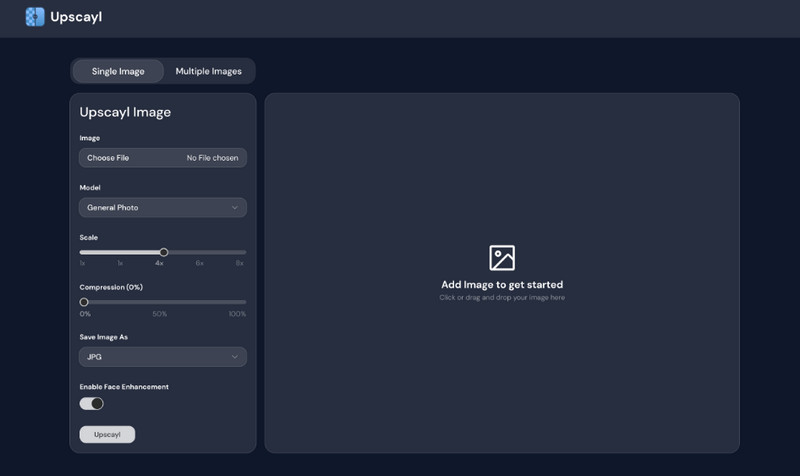
Best for: Smooth offline upscaling.
Pricing: Free
Rating: 4 / 5
Upscayl is an open-source desktop-based PNG upscaler. It can even offer multiple AI models for different image types. The best part here is that it is user-friendly and ideal for users who prefer local processing.
- Pros
- The tool has an intuitive UI.
- It supports various formats, such as WEBP and JPG.
- Cons
- It might perform poorly on the lower-end PCs
5. Upscale.media
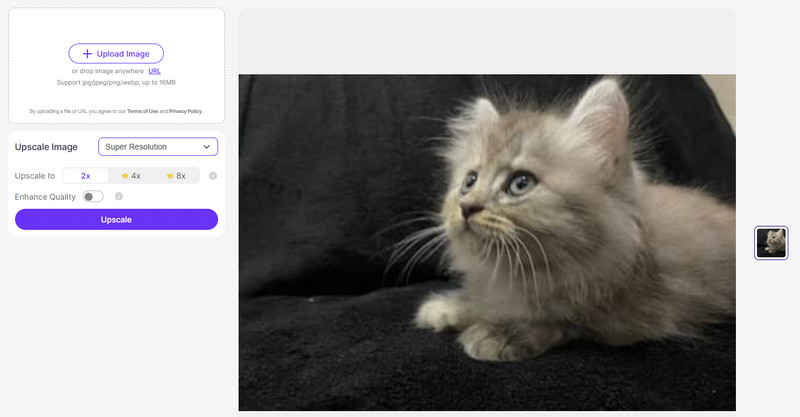
Best for: Instant PNG-upscaling process.
Pricing: Starts at $29.00
Rating: 3.5 / 5
Upscale.media is a web-based tool that can give you a fast PNG upscaling procedure. This tool can even offer its simple UI for a smoother process. What makes it more ideal is that it can give you the best image quality, leading to a better viewing experience.
- Pros
- It ensures an instant result.
- The tool is simple to access.
- Cons
- The tool has limited customization.
- The free version has various limitations.
6. ImgUpscaler
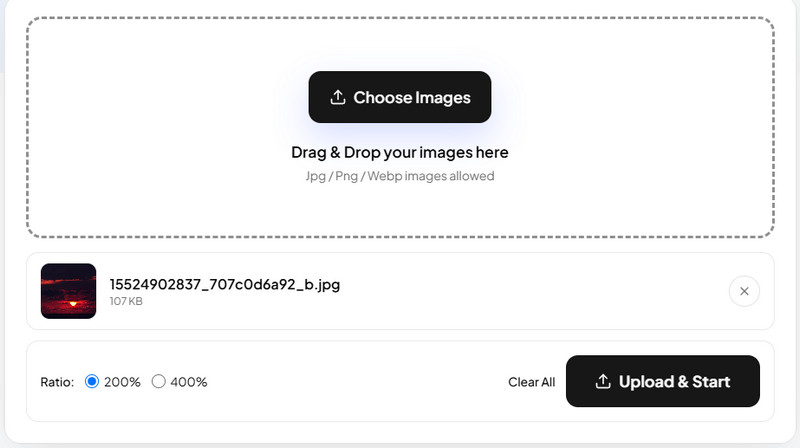
Best for: Ideal for casual users for everyday PNG upscaling.
Pricing: Starts at $19.00
Rating: 3 / 5
If you need a lightweight online tool designed for casual users who need an instant PNG enlargement, consider using ImgUpscaler. Accessing the tool is simple and ensures the production of high-quality photos.
- Pros
- The tool works offline, so there is no need for an internet connection.
- It can work properly on a low-spec computer.
- Cons
- To get all the features, you must use the paid version.
7. Pixelcut
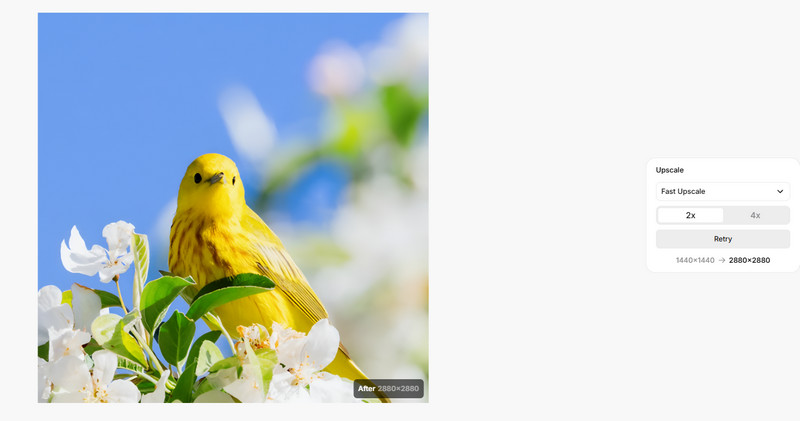
Best for: AI upscaler for social media and product photos.
Pricing: Starts at $10.00
Rating: 4 / 5
To enlarge PNG, you can also use Pixelcut. It is an ideal tool since it is creator-focused, which can enhance photos for social media and product listings. The tool is fast, simple, and designed for marketers who need a polished visual instantly.
- Pros
- It can offer a fast PNG upscaling process.
- The tool can offer a smooth saving process.
- Cons
- The tool is not ideal for large files.
Part 4. How to Choose the Right PNG Upscaler
Want to learn how to choose the right PNG upscaler? Read all the details below as we offer the best tips you can follow.
Transparency Support
PNG files often rely on transparent backgrounds. Ensure that the PNG upsampler can preserve that transparency without inserting unnecessary artifacts.
Platform
Always check if the tool is working well on various platforms. That way, you won't encounter any compatibility issues.
Use Case
You must always match the tools to your needs. Using the best PNG upscaler depends on your purposes, whether it is for e-commerce, professional photography, social media visuals, or more.
Budget
Some tools are free and open-source. If you are a casual user, you can look for a free tool. If you need a professional-grade PNG upscaler, you can pay for a premium version for more advanced features.
Privacy
Always ensure that you are using a PNG upcaler that can secure your files. If you want to deal with sensitive images, it would be better to access offline tools.
With these PNG enhancers, you can ensure that you can upscale and enhance your PNG files based on your preferences. You even learned their pros, cons, pricing, ratings, and how to choose the right PNG upscaler. Plus, if you want an ideal tool that can smoothly and easily upscale your PNG files, always use AVAide Image Upscaler. This tool can even upscale your PNG up to 8× better, making it a powerful tool for users.
ABOUT THE AUTHOR


Our AI technology will automatically enhance the quality of your images, remove noise and fix blurry images online.
PROCESS NOW