Nowadays, upscaling a photo is essential. It might be for commercial ad use, to preserve precious snapshots, or upscale your AI-generated photos. Through upscaling, it will enlarge and improve the clarity of your image. One web-based platform that offers solutions to upscale your photo is Pixelcut Image Upscaler, which we will tackle in this write-up. But that is not all; we will also introduce you to an alternative option. Without further discussion, please keep reading the following parts!
Part 1. What Is Pixelcut Image Upscaler?
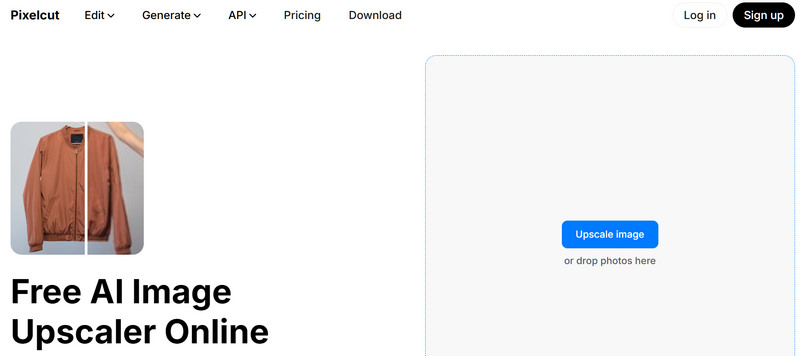
Pixelcut AI ImageUpscaler is an AI-powered photo enhancer that can improve your photo in seconds. It enhances your photo clarity by adding more pixels. This AI image upscaler can transform your photo into a sharp and high-resolutions image after being upscaled. This web-based image upscaler is recommended for individuals or businesses managing large portfolios of photos. These include photographers, designers, or e-commerce platforms.
Part 2. Key Features of Pixelcut Image Upscaler
What exactly are the features that Pixelcut AI can offer? In this section, the platform's standout built-in features are listed. These features are valuable and beneficial for your image upscaling task.
AI-Powered Upscaling: Pixelcut Image Upscaler uses advanced artificial intelligence to increase image resolution up to 4K without losing quality or causing blurriness.
Smart Detail Enhancement: Automatically analyzes image patterns, sharpens details, and adds new pixels to make low-resolution photos look crisp and professional.
Fast and Creative Modes: Pixelcut Image Upscaler offers a Fast Upscale mode for quick, high-quality results and a Creative Upscale mode to add artistic texture and details to photos.
Batch Upscaling: Allows users to upload and enhance multiple images at the same time, saving hours of manual work for e-commerce and marketing.
Cross-Platform Access: Works instantly online through web browsers and offers dedicated mobile apps for iOS and Android devices.
No Technical Skills Needed: Pixelcut Image Upscaler features a simple drag-and-drop interface that makes it easy for beginners, content creators, and sellers to use.
Wide File Support: Compatible with popular image formats including JPG, PNG, and HEIC files.
E-commerce Ready: Perfect for turning low-quality supplier photos into high-definition, professional product listings for online stores.
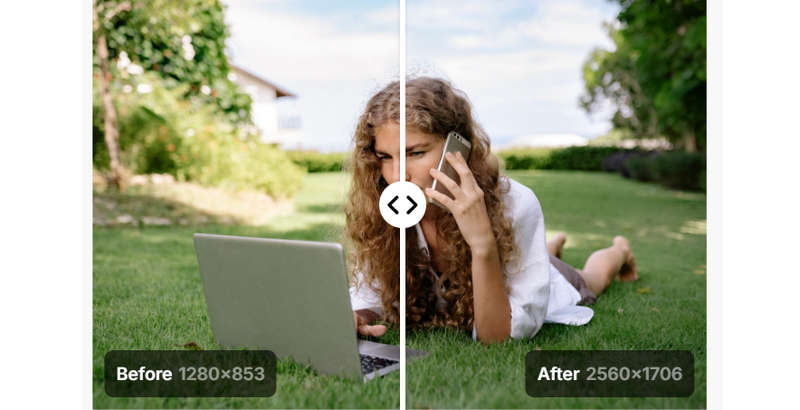
Pixels Preview: Pixelcut Image Upscaler lets you see the before-and-after pixels in your photos. It is beneficial to see or track the pixels added to your photo.
How to Use Pixelcut Image Upscaler
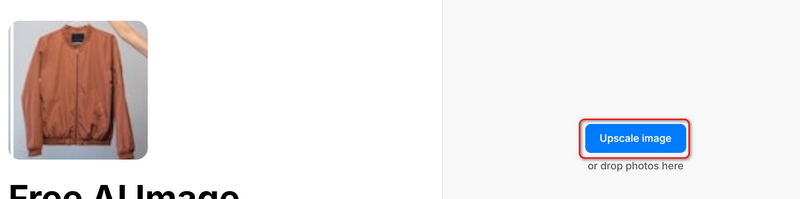
Step 1Go to its official webpage: pixelcut.ai/image-upscaler. Click the Upscale image button to upload and add your photo.
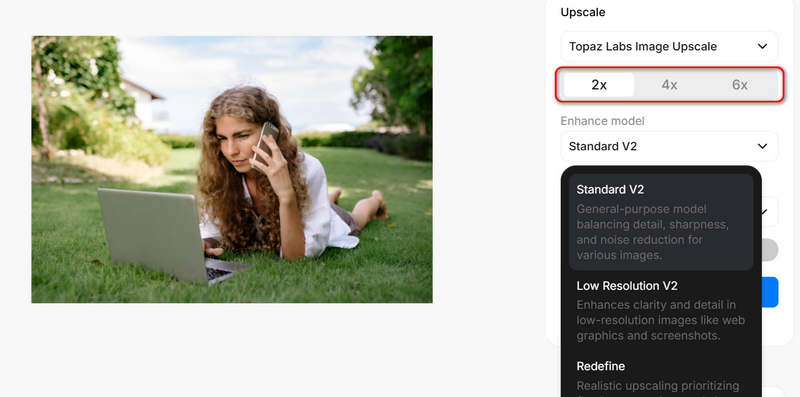
Step 2Your photo is added. You have three upscaling modes: Fast Upscale, Creative Upscale (use Topaz AI model), and SeedVR2 Upscale (use AI model from ByteDance). Whichever mode you select, what you need to do next is to select a magnification, like 2x or 4x.
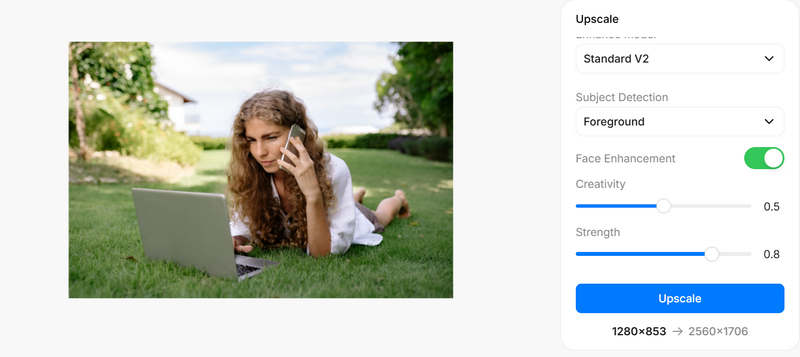
Step 3If you choose AI upscaling model from Topaz, you can also use the Face Enhancement feature. Finally, just click the Upscale button to upscale your photo with Pixelcut AI Image Upscaler.
Part 3. Detailed Review Pixelcut Image Upscaler
Pricing of Pixelcut AI Image Upscaler
Pixelcut AI Image Upscaler is not a free tool. It offer two types of monthly subscription plans: Pro plan with $10 per month and Business plan with $30 per month.
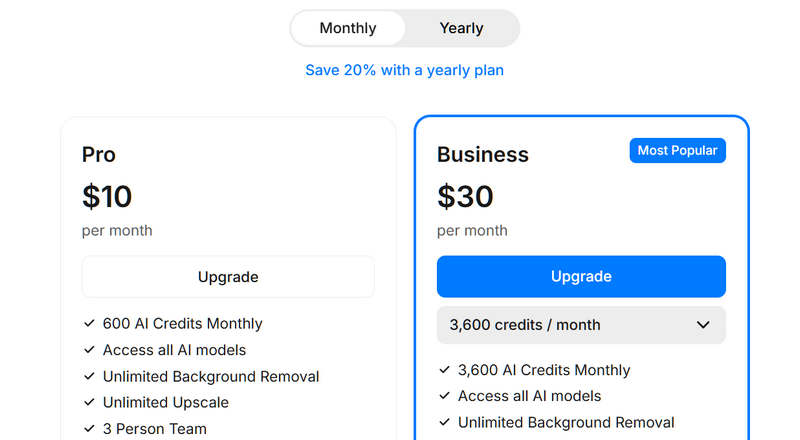
If you choose a yearly subscription plan, you get the same credits per month with 80% off in price.
Every time you upscale your photo with Pixelcut Image Upscaler, you'll spend credits. The Topaz upscaling model will require no lower than 20 credits per picture.
- Pros
- It can upscale photos in a matter of seconds.
- It offers an option to see the details in zoom mode.
- It offers a photo editor that is accessible on mobile devices.
- It offers a real-time preview screen to compare the original and upscale photos.
- Cons
- It only offers limited upscaling sizes.
- You must upgrade your plan to access the batch upscale feature.
- You must upgrade your plan to enable the 4× enlarging option.
Part 4. The Best Pixelcut Image Upscaler Alternative
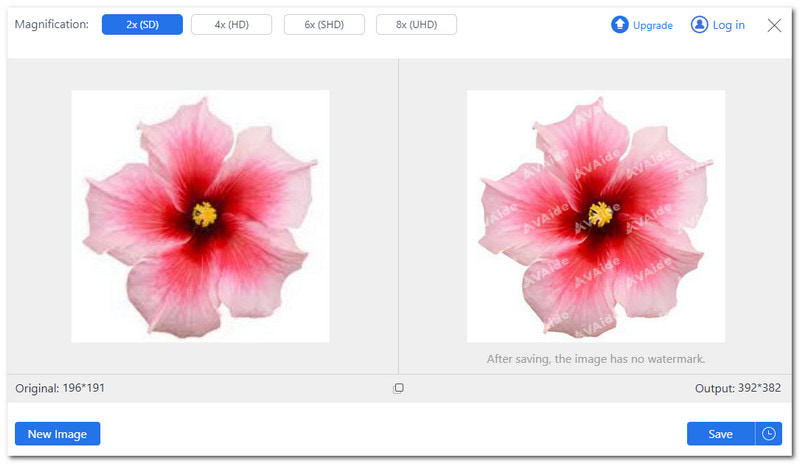
While Pixelcut AI Image Upscaler is a great tool, it only offers limited enlargement options, like 2x to 4x in the free plan. If you need more flexibility, AVAide Image Upscaler is the perfect free alternative.
Available completely online, AVAide uses powerful artificial intelligence to upscale your images and boost resolution. It automatically removes noise, clears up blurriness, corrects photo clarity, and sharpens details in portrait photos.
Key Features of AVAide Image Upscaler:
- One-Click Scaling: Easily enlarge small photos by 2x, 4x, 6x, and 8x, in just one click.
- Restores Lost Details: The 8× enlargement option brings out hidden textures and details in damaged or heavily pixelated photos.
- 100% Free to Use: You do not need to spend a single penny to fully enhance and upscale your images.
- No Watermarks: Download your high-resolution photos without any watermarks or usage restrictions.
| Feature | Pixelcut AI Image Upscaler | AVAide Image Upscaler |
| Price | 1 image starts from 20 credits | 1 image = 1 credit |
| Enlargement Options in Simple Subscription Plan | Limited (2× and 4× only) | Flexible (2×, 4×, 6×, and up to 8×) |
| Watermark | Yes (on the free version) | No Watermark (completely clean results) |
| Max Upscale Output | Up to 4K resolution | Up to 4K / High-Definition clarity |
| AI Enhancements | Basic details and sharpening | Removes noise, fixes blur, and sharpens portraits |
| Installation | Web browser, iOS, and Android apps | Web browser (runs online without downloads) |
| Best For | Quick social media or mobile editing | High-ratio, budget-friendly image upscaling |
Part 5. FAQs about Pixelcut Image Upscaler
Is Pixelcut Upscale beginner-friendly?
Yes! This platform offers an easy-to-navigate interface, which is recommendable for first-time users. It employs artificial intelligence technology, so it prevents the need for manual editing or upscaling.
Is Pixelcut free to use?
Pixelcut offers a free way to upscale photos. However, the free version has limitations. It does not support batch process and can only enlarge photos up to 2 times. If you want these features, you must upgrade your plan to pro.
Does Pixelcut Upscale improve old or low-quality pictures?
Yes! One of the types of photos that Pixelcut Upscale can enhance is those old or low-quality ones. This platform will transform these old or low-quality photos into clearer, sharper, and more detailed ones.
Can I use Pixelcut Upscale for commercial use?
Definitely! This platform can help businesses, marketers or casual users to edit pictures and create high-quality visual content.
Is Pixelcut AI legit?
Yes, Pixelcut AI is completely legit. It is a highly popular, well-established AI photo editing platform.
Exploring what Pixelcut AI Image Upscaler can do to your image is beneficial for learning what to expect from it. You will gain an understanding of how it works and its outstanding features, advantages, and disadvantages.
If you are looking for a Pixelcut free alternative, you can depend on AVAide Image Upscaler. This platform employs artificial intelligence technology to produce clear and high-quality outputs. It can also help you enlarge your small photo to get a crisper output. It works best with images containing people, nature, animals, cars, products, and other objects. AVAide Image Upscaler makes the image upscaling task easy for you!
ABOUT THE AUTHOR


Our AI technology will automatically enhance the quality of your images, remove noise and fix blurry images online.
PROCESS NOW