Since GIFs bring humor, emotion, and inventiveness to regular talks, they have become a mainstay of online communication. What occurs, though, if your preferred animated GIF appears pixelated or too small for the platform you're using? A GIF enlarger can help with that. A GIF enlarger is a device or program made to upsize and resize GIFs without significantly sacrificing quality or losing animation. So, if you want to learn more, see here as we give you all the information you need about the tool. You will also discover some of the best GIF enlargers you can access. Thus, read there and learn more about the GIF enlarger.
Part 1: What is a GIF Enlarger
A GIF enlarger is an excellent tool that is made to resize or upscale animated GIFs so that they are larger without losing their animation. A GIF enlarger must handle numerous frames while ensuring fluid playback, in contrast to static image resizers. These technologies frequently enhance/boost resolution while decreasing and removing pixelation, blur, or artifacts through interpolation techniques. To balance quality and file size, users can submit a GIF, establish new dimensions, and apply optimization filters on many online services, such as EZGIF, RedKetchup, and more.
In addition, a good GIF enlarger is helpful when small or low-resolution GIFs need to be adapted for modern digital environments. It includes high-DPI displays, presentations, social media posts, and more. By improving and enlarging GIFs, users can make visuals more engaging and appealing. Plus, some enlargers even insert noise reduction and sharpening to improve clarity, ensuring that enlarged GIFs look crisp rather than stretched. With that, this makes GIF enlargers an excellent and necessary tool for content creators, hobbyists, marketers, and other users who want to have appealing animated GIFs.
Part 2: Why Enlarging GIFs Is Challenging
Enlarging a GIF is challenging since it is composed of numerous frames rather than a single static image. To retain the smoothness of the animation GIF, you have to resize every frame consistently. This procedure takes more processing power and careful handling than enlarging a static image. Plus, Unstable playback may result from frames that are misaligned or deformed due to an imprecise resizing method. Moreover, GIFs already have limited pixel data because they are frequently compressed to reduce file size. Blur, blockiness, or apparent artifacts can be easily introduced while upscaling the restricted data.
Part 3: Best Tools for Enlarging GIFs
Are you looking for the best tools that can help you enlarge your GIFs? In that case, you can check the best GIF enlargers below.
1. Ezgif
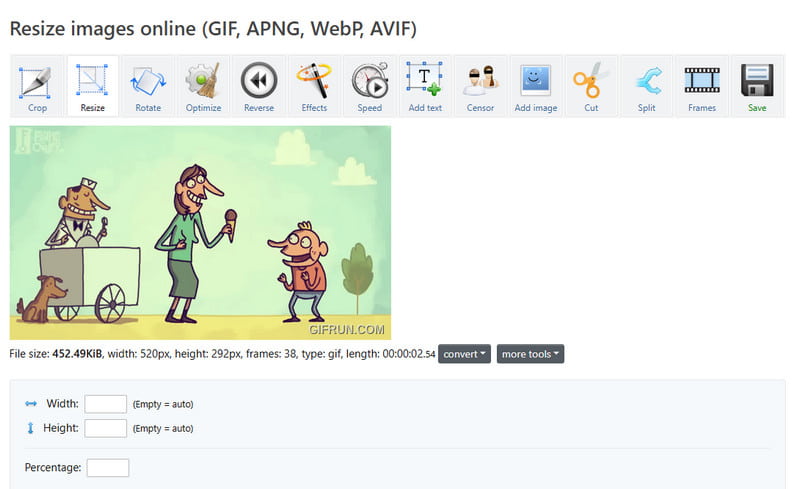
One of the best tools you can use to enlarge your GIF is Ezgif. With its GIF Resizer feature, you can enlarge your file based on your desired output. The best part here is that the tool is simple to use. It can also offer various editing tools that can improve your GIF. It includes cropper, filter, add text, rotator, and more. Aside from that, the tool is 100% free. You can also access it on various web platforms, like Google, Edge, Safari, and more. Thus, if you need an excellent tool that can deal with your GIFs, look no further than Ezgif.
2. RedKetchup
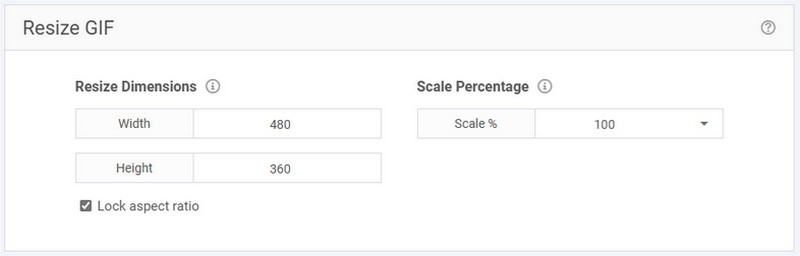
To enlarge GIFs online, you can also rely on RedKetchup. With this tool, you can get your desired size for your GIFs. What makes it more ideal is that it has a fast resizing procedure, allowing you to get the result in just a second. In addition, the tool has a simple layout, making it ideal for non-professional users. You can also access more editing functions. You can crop your GIFs, rotate, change aspect ratio, and more. You can even choose your preferred quality for a better viewing experience. With that, always consider using this tool for an effective enlarging process.
3. ONLINEGIFTOOLS
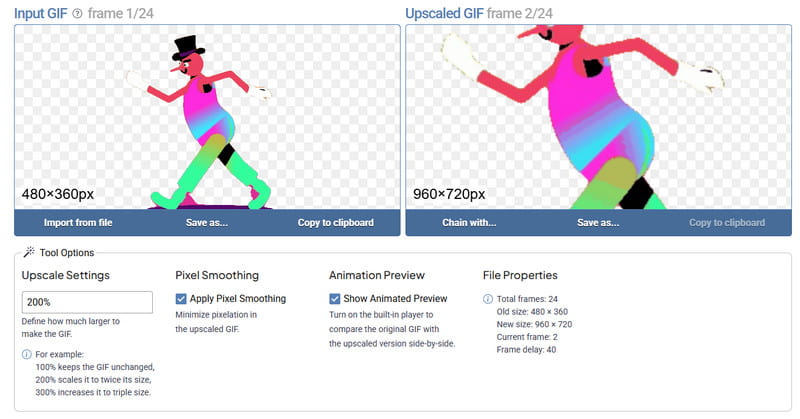
Another tool that can enlarge animated GIFs is ONLINEGIFTOOLS. This tool is designed to effectively enlarge and upscale your GIFs while giving the best quality. Moreover, the tool has a simple layout, allowing you to navigate all the functions without encountering any trouble. What we like here is that no disturbing ads are showing up on the screen. With that, ensure that you can enhance GIFs smoothly and instantly. You can also access it for free, which is good news for all users. Thus, if you want to get a better version of your GIFs, it would be better to try this tool right away.
With these GIF enlargers, there is no doubt that you can enlarge and improve your GIFs after the process. You can even access various editing functions, such as cropper, rotator, filter, adding text, and more, to beautify your files. With that, choose your preferred GIF enlarger and editor to make your GIFs better.
Bonus Tips: Enhance Static Images for Better Results
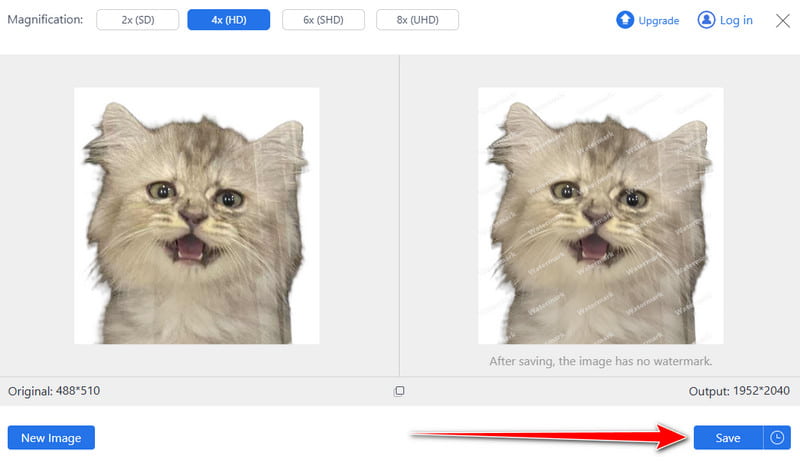
Are you also looking for the best tool that can enhance your static images for better results? In that case, we suggest using AVAide Image Upscaler. With this tool, you can get a better version of your static images. It is because you can upscale your images for up to 2×, 4×, 6×, and even 8× better than the original quality. Plus, the tool is easy to operate, making it suitable for both non-professional and skilled users. The best part here is that the tool can support various image formats, including JPG, JPEG, BMP, TIF, PNG, and TIFF. It ensures that you won't encounter any compatibility issues. What's more, AVAide Image Upscaler is free to use. You can enhance your static images without spending a penny. It also won't insert any watermark on your photo after the saving process. Thus, for a better result, always rely on this tool.
Check and follow the simple steps below and learn how to enhance your static images successfully.
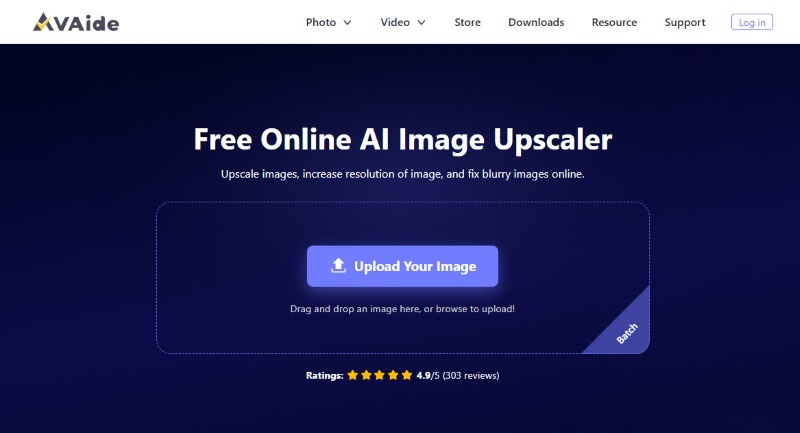
Step 1Launch your browser and visit the main website of AVAide Image Upscaler. After that, tap the Upload Your Image button to start adding the photo from your device.
Step 2After that, you can start upscaling your image. You can go to the top interface and select your preferred magnification option. You can improve your photo for up to 2×, 4×, 6×, and even 8×.
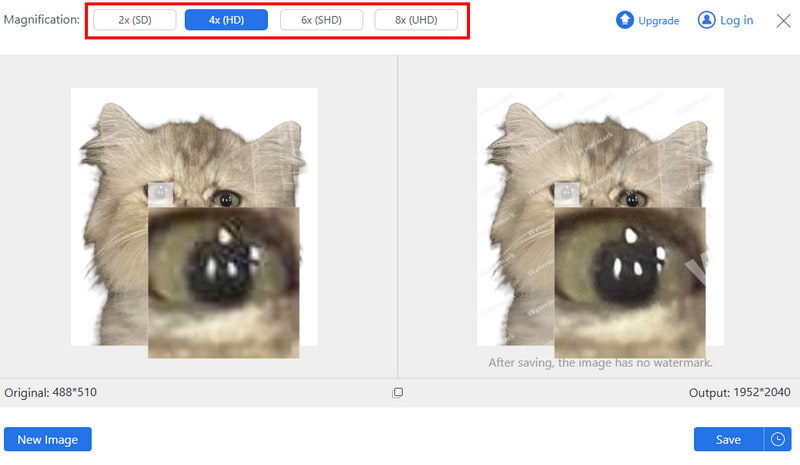
Step 3For the final process, you can hit the Save button below to start saving and keeping the enhanced photo on your device.
GIF enlarger is an excellent tool that can give you the best version of GIFs. With this kind of tool, you can ensure getting your preferred size after the enlargement process. Thanks to this post, you have learned everything about the discussion, including the best tools you can access to enlarge GIFs. In addition, if you also want to enhance your static images, you can rely on AVAide Image Upscaler. This tool ensures that you can upscale your images successfully for a satisfying viewing experience.
ABOUT THE AUTHOR


Our AI technology will automatically enhance the quality of your images, remove noise and fix blurry images online.
PROCESS NOW