If you sell online on platforms like Amazon, Etsy, Shopify, etc., you probably know how frustrating it is to clean backgrounds from a bunch of product photos. Doing them one by one is a time sink.
It'd be awesome if we could find an efficient bulk background remover. Luckily, we found six. Let's take a look at their pros and cons, so you can find the one that you need most.
Part 1. Quick Comparison: 6 Bulk Background Removers At a Glance
| Tool | Key Strengths | Batch Support | Free Tier | Best For |
| Pixelcut | Strong free tier; unlimited BG removal after upgrade | Very large (thousands on paid) | Bulk remover needs Pro | Regular sellers |
| Fotor | Full photo editor | Up to 50 images at once | Bulk remover needs Pro | Editing and cutout in one place |
| Cutout Pro | Decent quality; desktop batch support | 1000 images at once online | 5 free HD downloads | High quality |
| BG Eraser | Simple free option | Up to 20 at a time | Completely free | Basic and occasional use |
| PhotoRoom | Built for product photo editing | Up to 50 images per batch | Bulk remover needs Pro | E-commerce product photos |
| withoutBG | Open-source; images stay on device | Unlimited | Free and open-source | Privacy |
Part 2. Top 5 Bulk Background Removers Online
1. Pixelcut
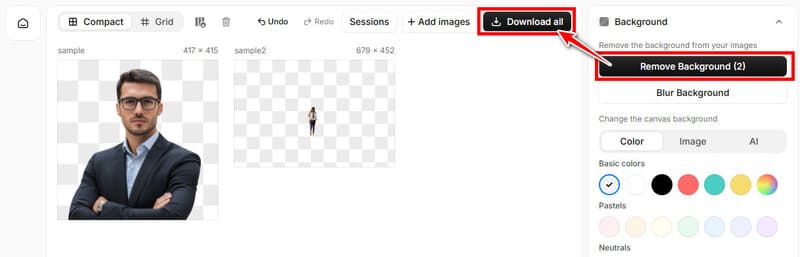
Pixelcut is one of the best options if you often work with a large number of product images. It's extremely powerful as a batch remover: up to 10000 photos at a time. The whole process is very smooth: upload the batch, erase the backgrounds, add a look to all of them if you want, customize download settings, and download.
- Pros
- It's watermark-free.
- Batch support is strong: up to 10000 images at once.
- It has AI shadows and basic studio-style backgrounds.
- Cons
- Sometimes struggles with hair and thin straps.
- Batch background removal needs the Pro version.
2. Fotor
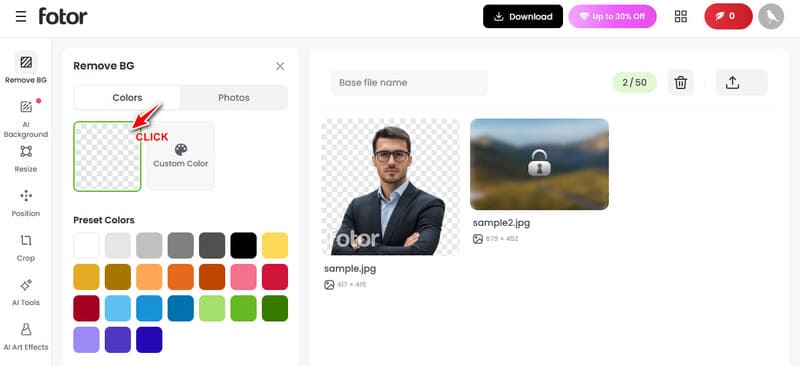
Fotor bulk background remover is part of a full photo editor. Because of that, after removing the backgrounds you can go on to do other edits for different platforms. You can upload up to 50 images at once.
- Pros
- Apart from background removal, it also has basic editing features.
- Up to 50 photos at a time.
- Cons
- You need a subscription to bulk-remove backgrounds.
3. Cutout Pro
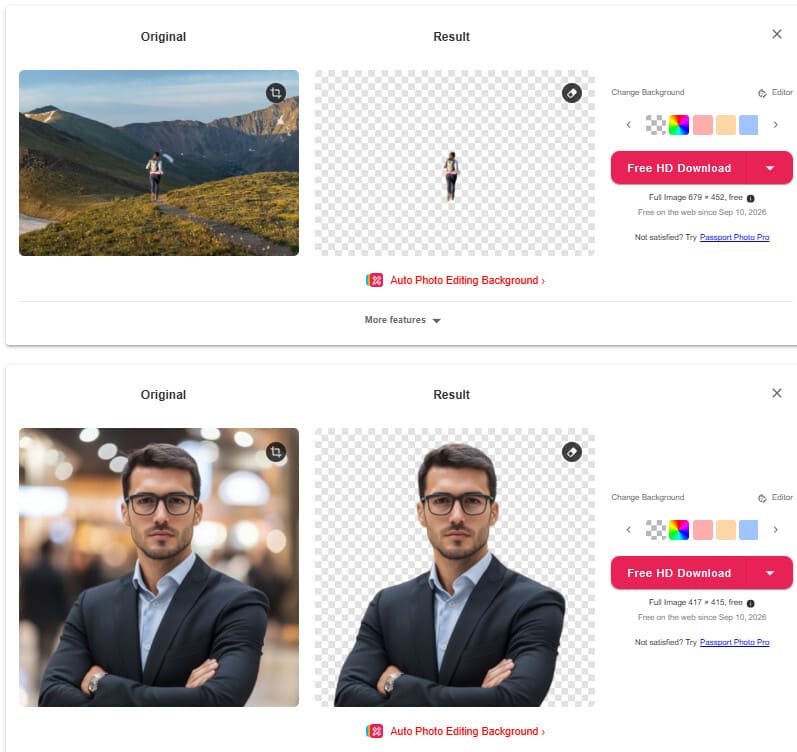
Cutout Pro works across many platforms: online, on PC, on Mac, and on phones. The results are usually clean, and in rare cases where the AI doesn't get it right, you can use the erase brush and the restore brush to refine it yourself.
- Pros
- Works on web, desktop, and mobile, so you can use it wherever.
- In the desktop version, you can batch remove backgrounds from a whole folder.
- Allows 5 free downloads in HD quality.
- Cons
- Though it removes backgrounds in bulk, you still have to download the files one by one.
4. BG Eraser
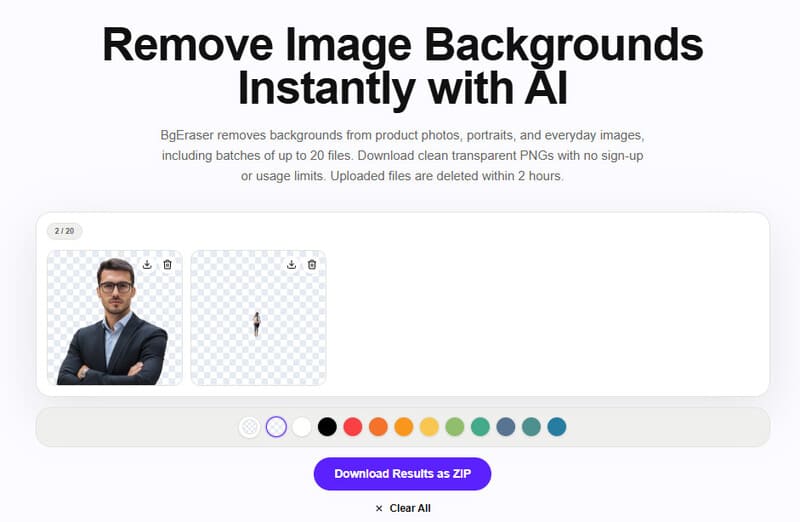
bgeraser.com is a completely free bulk background remover. You don't need any account; just open the website and start working. It can process 20 images at a time and produce a ZIP for you to download quickly. The result is clean, but the speed is rather slow, and there are quite a lot of ads – but since it's a free tool, that is understandable to me.
- Pros
- Completely free batch processing online with good quality.
- Batch-removes backgrounds from 20 photos at once and exports a ZIP.
- No account or watermark.
- Cons
- Processing speed is slower than other paid tools.
- Many ads on the webpage.
5. PhotoRoom
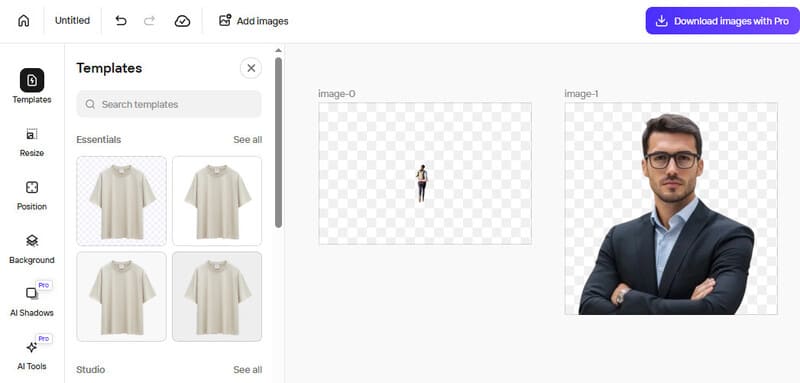
PhotoRoom handles edges well, especially clothing and accessories. The batch mode lets you apply the same changes across a collection of photos, including not only background removal, but also background editing, shadows, and templates that make your products stand out. But for batch, you'll need a paid plan.
- Pros
- Made specifically for product photos and listings.
- Works well on soft details.
- You can apply the same backgrounds across a whole set of images.
- Cons
- You have to buy a Pro for bulk removal.
Part 3. Best Bulk Image Background Remover on Desktop
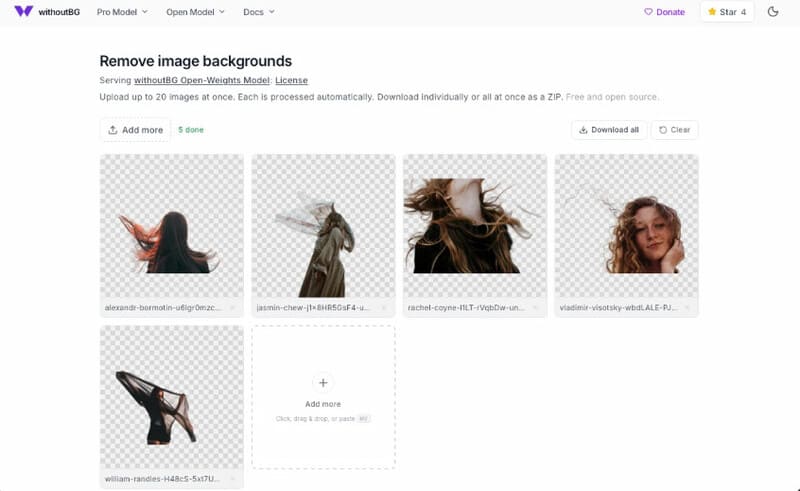
withoutBG has an open-weights model and a dedicated background editor app on Mac, both of which run locally. If your photos contain private or copyrighted information that concerns you, this feels the most secure. You can export transparent PNGs, and use a smart brush to fix mistakes by hand. There's also a local API if you want to plug it into scripts or GIMP.
- Pros
- Photos never leave your device.
- It's free and open-source.
- You can adjust the edges yourself.
- There's an API for scripts or GIMP if you need it.
- Cons
- Quality depends on your hardware.
- A bit more techy than just opening a website.
Part 4. When Bulk Isn't Enough: High-Accuracy Single Image Tools
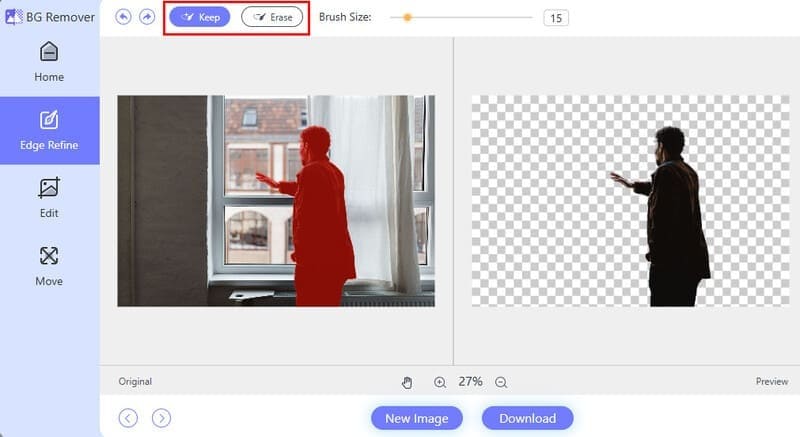
Sometimes you still need to clean up a few details by hand after removing in bulk. AVAide Background Eraser is an online tool for cleaning up a single image. It supports high resolutions up to 4K. And apart from AI removal and manual cleanup, it also lets you crop the image, change the aspect ratio, flip and rotate it, and free-transform. So for the one or two photos that need refinement after bulk removal, it's a useful backup. You have 10 free uses each day before it costs credits.
- Pros
- You can manually refine the selection if the auto isn't perfect.
- Crop, resize, free-transform, rotate, and flip the cutout.
- After removing the original background, you can drop in any new one you like.
- It supports 4K resolution.
- 10 free uses every day.
- Cons
- It's for refining one image only. It doesn't have a batch mode.
How to choose the best bulk bg remover? If you cut out product photos often, you can start with Pixelcut. PhotoRoom and Fotor are better for removal plus editing. And if you want to refine one or two cutouts, AVAide Background Eraser is the backup.
ABOUT THE AUTHOR


Uses AI and automated background removal technology to capture complex backgrounds from JPG, JPEG, PNG, and GIF.
PROCESS NOW