Cerchi il miglior registratore vocale gratuito che funzioni direttamente nel tuo browser? Sei nel posto giusto.
Questa guida rivela i più apprezzati registratori vocali online Disponibile nel 2026. Per aiutarti a trovare lo strumento perfetto, abbiamo testato decine di piattaforme basandoci su cinque fattori fondamentali: design intuitivo, qualità audio nitida, funzionalità di editing integrate, compatibilità con diversi dispositivi e sicurezza dei dati.
Che dobbiate registrare una breve nota vocale, un podcast o salvare una riunione online, questi 7 registratori audio basati sul web vi permetteranno di farlo all'istante. E soprattutto, non richiedono alcuna installazione di software, sono completamente gratuiti e funzionano perfettamente su qualsiasi dispositivo con una connessione internet.
Parte 1: Cosa cercare in un registratore vocale online
La scelta del registratore vocale online più adatto dipende interamente dalle tue esigenze. Che tu debba registrare una breve riunione di lavoro, un podcast o una lezione, ecco i 5 fattori fondamentali da considerare prima di avviare la registrazione:
Alta qualità audio: Supporta formati di alta qualità come MP3 (per file di dimensioni ridotte) e WAV (per una qualità senza perdita di dati) con bitrate elevati.
100% Privacy e sicurezza: Elabora l'audio localmente nel tuo browser, quindi i tuoi dati vocali privati non vengono mai caricati su un server cloud.
Nessuna installazione: Funziona istantaneamente su tutti i browser (Chrome, Safari, Edge) e dispositivi (PC, Mac, iPhone, Android) senza bisogno di download.
Strumenti di modifica integrati: Include semplici funzioni gratuite per tagliare i silenzi, regolare il volume o rimuovere il rumore di fondo con un solo clic.
Nessun limite nascosto: Offre tempo di registrazione illimitato e download gratuiti senza aggiungere fastidiose filigrane o tag audio.
Parte 2: I 7 migliori registratori vocali online in sintesi
Puoi dare una rapida occhiata alle informazioni sui 7 eccellenti registratori audio online che abbiamo testato. Puoi scegliere quello che preferisci qui.
| Registratore | Interfaccia utente pulita | Alta qualità audio | Modifica integrata | Piena compatibilità | Punto chiave da sottolineare |
| Rev registratore vocale online | sì | sì | No | sì | Anteprima della trascrizione in testo premium. |
| Vocaroo | sì | Di base | No | sì | Condivisione immediata tramite link diretto o codice QR. |
| Registratore audio online Apowersoft | sì | sì | No | sì | Cattura sia l'audio del microfono che quello di sistema. |
| BearRecord | No | sì | sì | sì | Taglio e modifica dell'audio in loco prima del salvataggio. |
| Veed.io | sì | sì | sì | sì | Funzionalità avanzate di editing e trascrizione basate sull'intelligenza artificiale (funzionalità a pagamento). |
| ParlarePipe | sì | sì | No | sì | Condivisione dei widget tramite link con un solo clic. |
| Scriba Felice | sì | sì | No | sì | Trascrizione automatica veloce e multilingue. |
Parte 3: Recensione dettagliata dei 7 migliori registratori vocali online
Ora passiamo all'analisi dettagliata di 7 eccellenti registratori audio online.
Top 1: Rev Online Voice Recorder
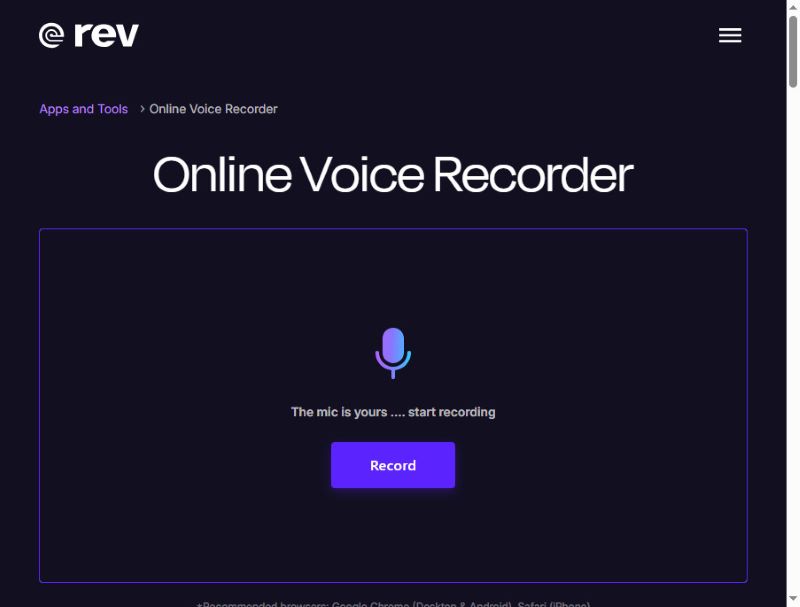
Rev Online Voice Recorder è un registratore vocale online molto elegante con un'interfaccia moderna nei colori nero e viola. Registra l'audio in alta qualità e lo salva in formato WAV. Inoltre, la registrazione rimane locale e non viene caricata sul server.
Cosa lo rende unico: Rev Online Voice Recorder è in grado di trascrivere la tua voce in sottotitoli durante la registrazione, sebbene si tratti di un servizio a pagamento. Ciononostante, questo registratore audio per browser rimane un'ottima alternativa gratuita.
- Professionisti
- Rev ha un'interfaccia chiara con un flusso di lavoro semplice.
- È possibile visualizzare in anteprima le registrazioni vocali.
- Questo registratore audio online non richiede l'accesso tramite login per iniziare la registrazione.
- contro
- Le funzionalità di editing audio sono piuttosto limitate.
- La trascrizione non è gratuita.
Top 2: Vocaroo
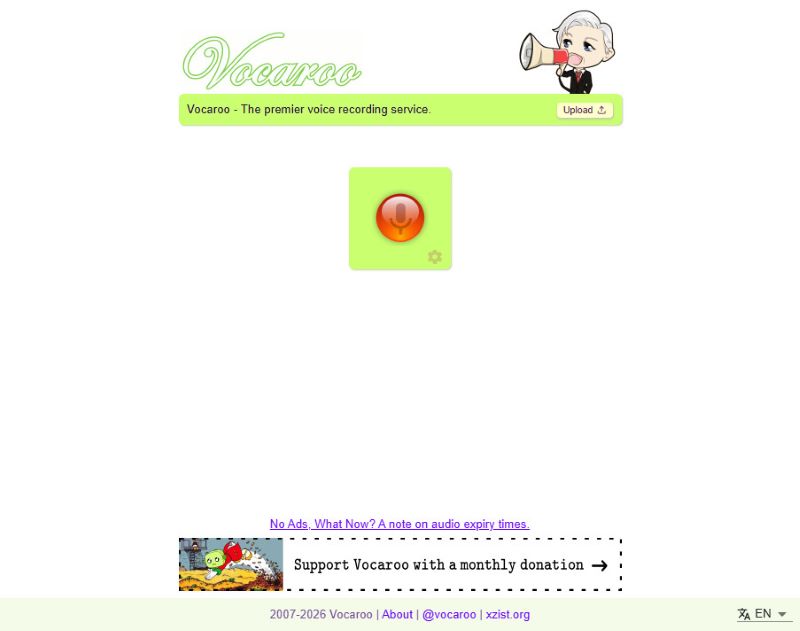
Vocaroo è un registratore vocale online gratuito noto per la sua semplicità. Basta cliccare sul pulsante rosso al centro per iniziare a registrare e cliccare di nuovo per interrompere. Certo, la semplicità può avere anche dei lati negativi, come ad esempio l'impossibilità di modificare le registrazioni direttamente sul sito.
Cosa lo rende unico: Una volta terminata la registrazione, è possibile condividere la voce direttamente sui propri social media, sia direttamente che tramite link e codici QR generati automaticamente.
- Professionisti
- Questo registratore audio per browser è estremamente semplice da usare.
- Funziona correttamente nella maggior parte dei browser.
- È possibile condividere direttamente le proprie registrazioni audio.
- Supporta la trascrizione multilingue.
- contro
- Questo registratore vocale online non dispone di funzioni di modifica.
Top 3: Registratore audio online Apowersoft
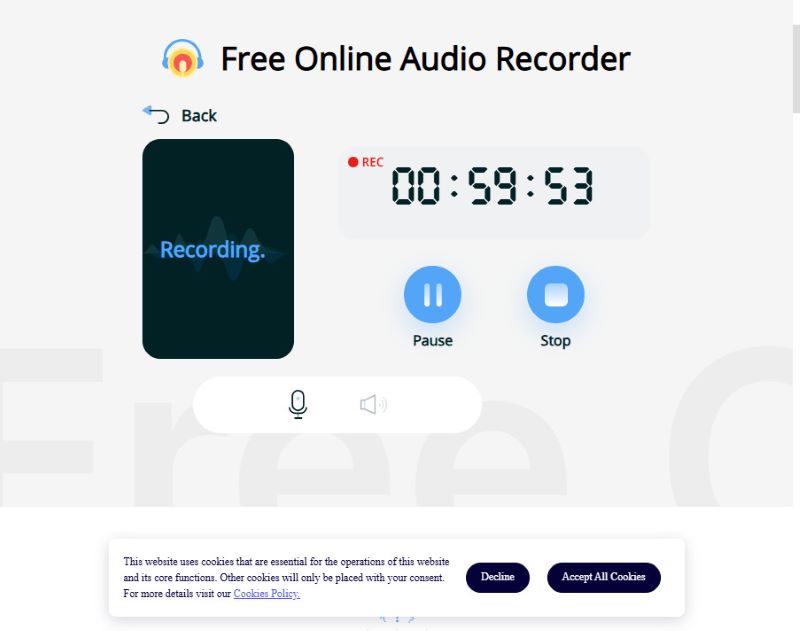
Apowersoft è in grado di catturare contemporaneamente la tua voce e l'audio di sistema, risultando ideale per registrare streaming o narrazioni. Tuttavia, molte funzionalità avanzate di questo registratore audio online sono disponibili solo previa registrazione o tramite l'app. Sebbene la versione online gratuita consenta di registrare per meno di un'ora, è comunque sufficiente per la maggior parte degli utenti.
Se il tempo di registrazione limitato non è un problema perché ti serve solo una registrazione rapida e singola, Apowersoft fa al caso tuo.
Cosa lo rende unico: Apowersoft Online Audio Recorder supporta la registrazione sia dell'audio del microfono che dell'audio di sistema.
- Professionisti
- Questo registratore audio online può registrare sia il suono del microfono che quello di sistema.
- Le registrazioni audio in uscita presentano una qualità del suono molto elevata.
- La versione online gratuita ha un limite di tempo molto ragionevole.
- contro
- Per condividere le tue registrazioni, devi registrarti e accedere al tuo account.
Top 4: BearRecord
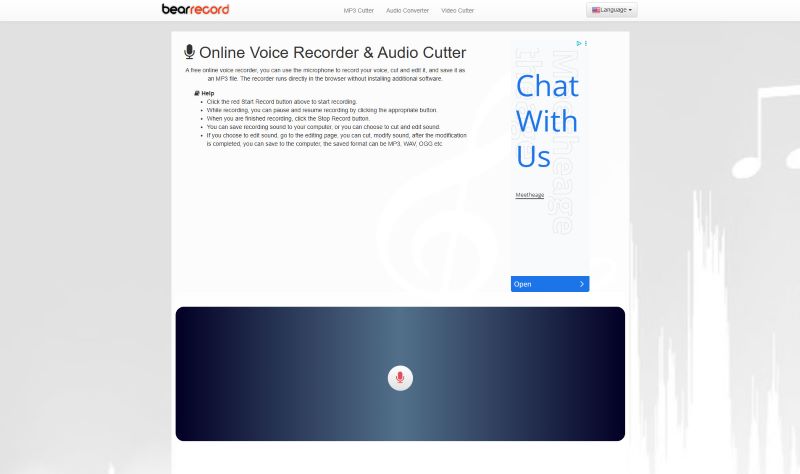
BearRecord è un registratore vocale online gratuito con strumenti basati su browser che consentono di apportare semplici modifiche prima di salvare la registrazione. Ha un'interfaccia molto semplice che permette di avviare e terminare rapidamente una registrazione audio. Tuttavia, questo registratore vocale online presenta un evidente svantaggio: la presenza di annunci pubblicitari fissi sulla pagina web.
Cosa lo rende unico: È possibile regolare l'intonazione e il volume, applicare effetti di dissolvenza in entrata e in uscita o modificare il formato di salvataggio, tutto direttamente sul sito web, senza installare nulla.
- Professionisti
- Questo registratore audio online offre strumenti di editing di base.
- Può fornire un'elevata qualità audio come registratore vocale gratuito.
- Non è necessario effettuare l'accesso.
- contro
- Sulla pagina web sono presenti dei popup pubblicitari.
Top 5: Veed.io
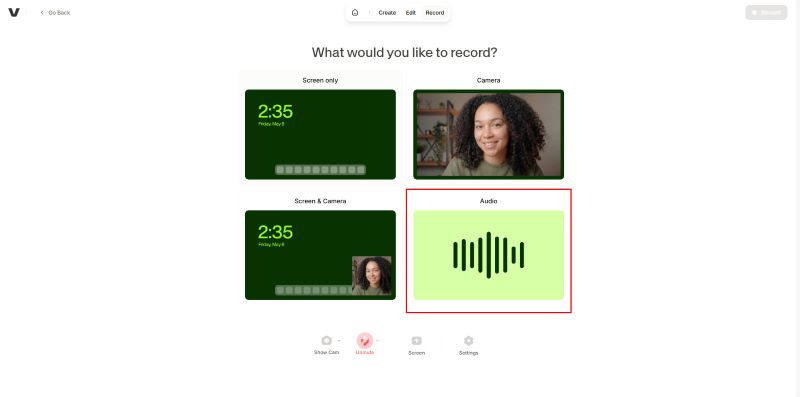
Veed è un registratore vocale online gratuito con una serie di strumenti di editing direttamente nel browser, adatto sia a un uso amatoriale che professionale. È possibile ripetere le registrazioni audio più volte senza limiti di tempo. Si può registrare solo l'audio (audio di sistema o il microfono) oppure anche lo schermo del desktop. La sovrapposizione è fluida e senza ritardi. Tuttavia, questo registratore audio online non consente di esportare le registrazioni in formati audio come MP3 o WAV. È possibile ottenere solo un video con l'audio registrato e una schermata nera.
Cosa lo rende unico: Veed, il registratore audio online gratuito, offre una prova gratuita di trascrizione e modifica tramite intelligenza artificiale. Tuttavia, per accedere a funzionalità più avanzate, è necessario sottoscrivere un abbonamento a pagamento.
- Professionisti
- Questo registratore audio online ha un'interfaccia utente intuitiva
- Offre numerosi strumenti di modifica integrati.
- Puoi provare la sua funzione di trascrizione basata sull'intelligenza artificiale.
- contro
- Sebbene sia possibile registrare solo l'audio, l'esportazione avverrà forzata in un video con schermo nero.
- Alcune funzioni di modifica richiedono l'accesso tramite login.
Top 6: SpeakPipe
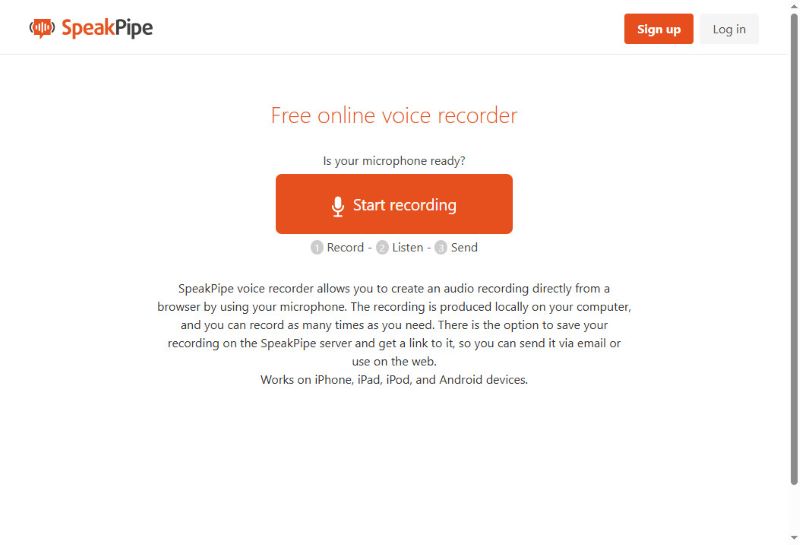
SpeakPipe è un registratore vocale basato su browser, progettato per la messaggistica audio rapida e senza limiti. Questo registratore vocale online è anche molto efficace per la registrazione vocale senza intoppi e la condivisione istantanea. Puoi salvare le tue registrazioni audio sul suo spazio di archiviazione cloud o condividerle direttamente sui social media. Puoi persino creare una landing page personalizzata e indipendente, che funge da casella vocale pubblica dove clienti, studenti o ascoltatori possono lasciare messaggi audio.
Cosa lo rende unico: Dopo aver registrato con questo registratore vocale online, puoi salvare il file audio sul server e inviarlo facilmente tramite un link generato automaticamente. È un'ottima soluzione per chi desidera creare brevi registrazioni audio da condividere con altri.
- Professionisti
- Puoi condividere facilmente le tue registrazioni audio.
- Questo registratore audio online funziona su tutti i dispositivi e browser.
- Non è necessario effettuare l'accesso per la registrazione audio immediata.
- contro
- Dispone di funzionalità di modifica molto limitate.
Top 7: HappyScribe
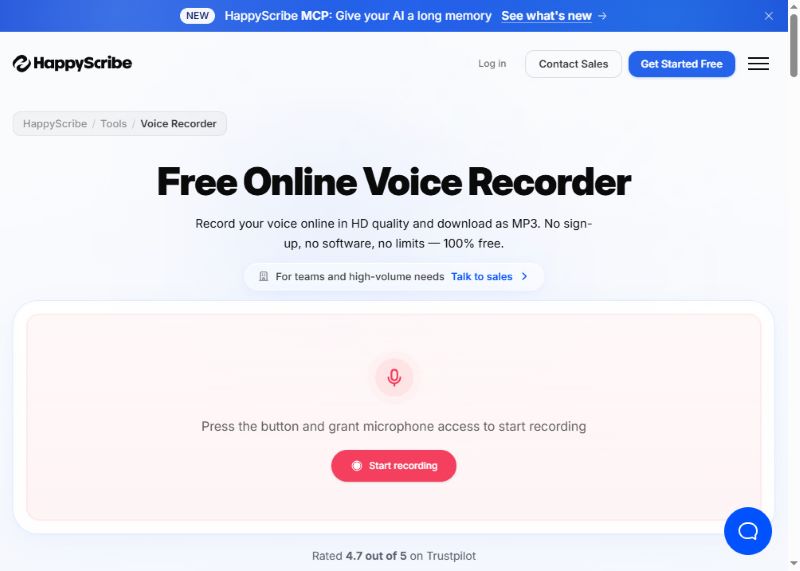
HappyScribe è semplice da usare per registrare la voce online in alta qualità e salvarla come file MP3. Offre anche la trascrizione automatica per diverse lingue. Ciò che mi ha colpito di più è la sua funzione di presa appunti. Supponiamo che tu stia registrando una riunione: questo registratore audio online ti aiuterà a prendere appunti automaticamente. Successivamente, potrai esportare il file audio registrato insieme a un documento.
Cosa lo rende unico: La tua voce verrà registrata in qualità HD e salvata in tempi rapidissimi. Il programma può anche trascrivere le tue registrazioni audio in testo, risultando utile per prendere appunti o annotare pensieri veloci.
- Professionisti
- Ha un'interfaccia utente semplice ma con molte potenti funzionalità avanzate.
- La funzione di trascrizione basata sull'intelligenza artificiale è molto potente e consente di esportare i file dei documenti.
- Funziona più come un assistente di registrazione audio basato sull'intelligenza artificiale.
- contro
- Molte funzionalità richiedono l'accesso.
Parte 4: Consigli sui migliori registratori vocali offline
Sebbene i registratori online siano veloci e pratici, solitamente offrono strumenti di modifica limitati e presentano potenziali problemi di privacy, poiché potrebbero salvare il file audio sui loro server. Per registratori più sicuri e con più funzionalità, si consigliano i registratori offline autonomi. Ecco alcuni ottimi registratori offline per diversi dispositivi.
1. AVAide Screen Recorder (Windows e Mac)
La modalità di registrazione audio di AVAide Screen Recorder È versatile e al tempo stesso semplice da usare. Il registratore supporta sia l'audio di sistema che l'ingresso microfonico e registra con una qualità nettamente superiore rispetto agli strumenti online.
Passo 1Scarica e installa il software.

DOWNLOAD GRATUITO Per Windows 7 o successivo
 Download sicuro
DOWNLOAD GRATUITO Per Mac OS X 10.13 o successivo
Download sicuroPer utilizzare questa modalità, fai clic su Registratore dello schermo pulsante nell'angolo in alto a sinistra e seleziona Registratore audio nel menu.
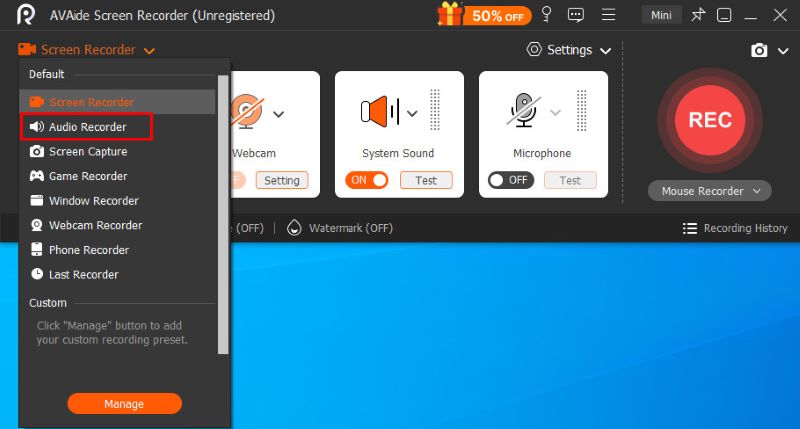
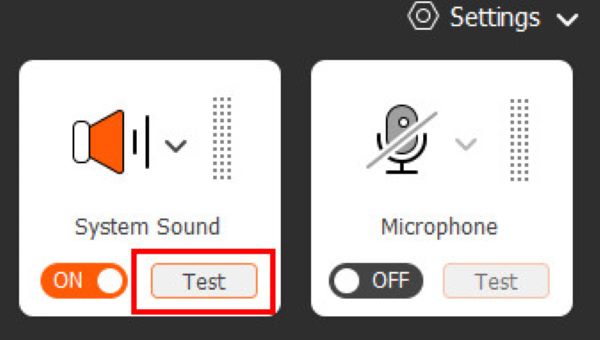
Passo 2Prima di iniziare la registrazione vera e propria, puoi cliccare sui due pulsanti Suono di sistema e Microfono Sulla destra è possibile modificare le impostazioni audio, mentre sulla sinistra è possibile visualizzare il livello del volume, verificando che tutto funzioni correttamente.
Passaggio 3Clicca il REC pulsante per avviare la registrazione. Durante la registrazione, è possibile mettere in pausa in qualsiasi momento o impostare una registrazione automatica programmata utilizzando la barra di controllo mobile. Una volta terminato, fare clic sul pulsante quadrato rosso per terminarlo e aprire la finestra di anteprima.
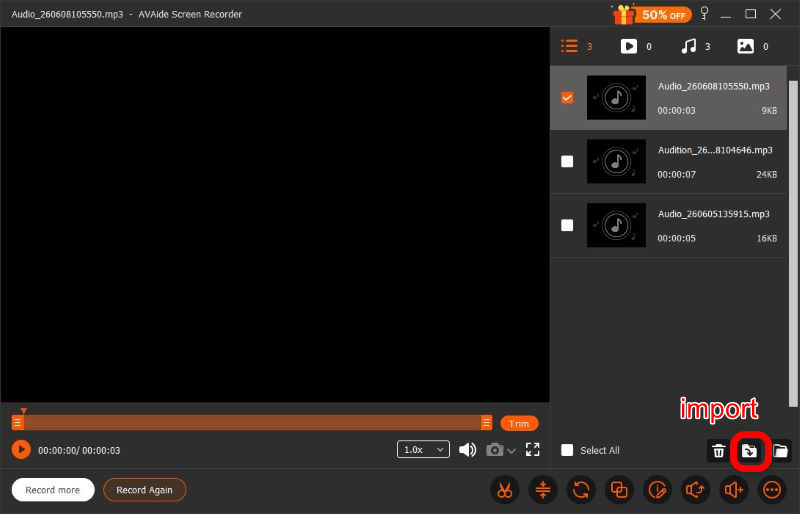
Passaggio 4Dopo aver terminato la registrazione, è possibile effettuare una serie di regolazioni nella finestra di anteprima, tra cui tagliare, comprimere, unire e modifica della registrazione vocale, prima di cliccare Importare In basso a destra, scarica il file nel formato che preferisci. AVAide Screen Recorder è progettato per soddisfare tutte le tue esigenze. Vale la pena provarlo.
- Professionisti
- Interfaccia utente semplice e chiara
- Qualità audio eccellente
- Riservato e sicuro
- Potenti funzioni di modifica
- Sistema e microfono supportati
- contro
- La modifica avanzata richiede un abbonamento
2. Audacity (Linux)
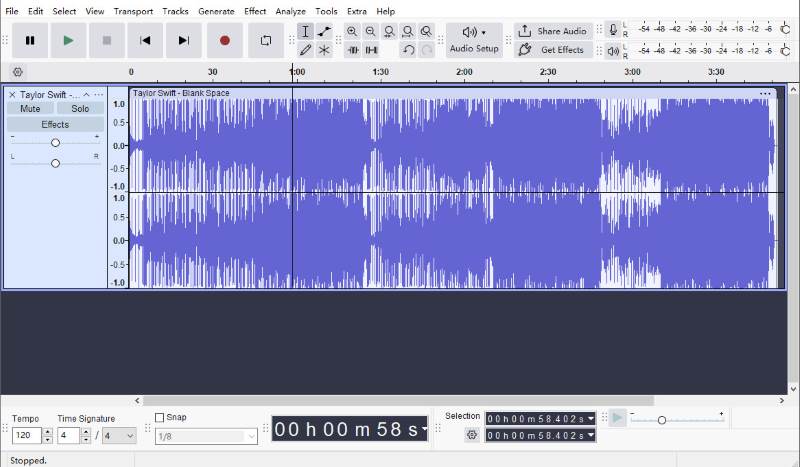
Audacity è uno dei registratori e editor audio open source più popolari disponibili per Linux. Offre molte più funzionalità di registrazione e modifica rispetto alla maggior parte degli strumenti online, pur rimanendo completamente gratuito.
È possibile tagliare le registrazioni, rimuovere il rumore di fondo, applica effetti audio e salva i file in diversi formati. Poiché tutto ciò avviene localmente, le tue registrazioni rimangono private e sotto il tuo controllo. Con la versione più recente, puoi condividere rapidamente l'audio tramite link.
Tuttavia, con così tante funzionalità, l'interfaccia utente di Audacity è un po' più complessa rispetto a quella di altri programmi, il che significa che probabilmente ci vorrà un po' di tempo per abituarsi.
- Professionisti
- Potenti funzioni di modifica
- Completamente gratuito
- Riservato e sicuro
- Facile da condividere
- contro
- Interfaccia utente complessa
3. Easy Voice Recorder (Dispositivi mobili)
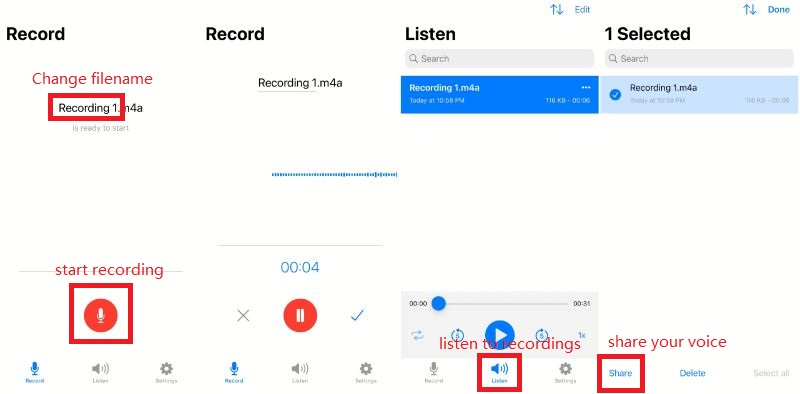
Come suggerisce il nome, Easy Voice Recorder è un registratore vocale facile da usare, progettato per registrare riunioni, appunti personali e lezioni in modo chiaro e senza limiti di tempo, in formati come AAC, PCM e AMR, per bilanciare qualità audio e dimensioni del file. È disponibile sia per iOS che per Android.
- Professionisti
- Interfaccia utente semplice e veloce
- Alta qualità
- Facile da condividere
- Riservato e sicuro
- contro
- È necessario un abbonamento a pagamento per accedere alle funzionalità avanzate.
Tra i 7 registratori vocali onlineOltre a 3 alternative offline, trovare quella giusta dipende dalle tue priorità: facilità d'uso, qualità audio, editing e compatibilità con i browser. Gli strumenti recensiti sopra sono tra le migliori opzioni del 2026 per registrare audio velocemente e senza sforzo.
INFORMAZIONI SULL'AUTORE

Registra schermo, audio, webcam, gameplay, riunioni online e schermo iPhone/Android sul tuo computer.
Registrazione audio