Watermarkremover.io has become one of the most popular AI tools for quickly erasing logos, text, and unwanted marks from images and videos. This review explores its main features, pricing, safety, performance, and ease of use to help you decide if it is the right tool for your workflow. You will also discover a powerful free alternative for clean, high-quality edits.
Part 1. Main Features of Watermarkremover.io
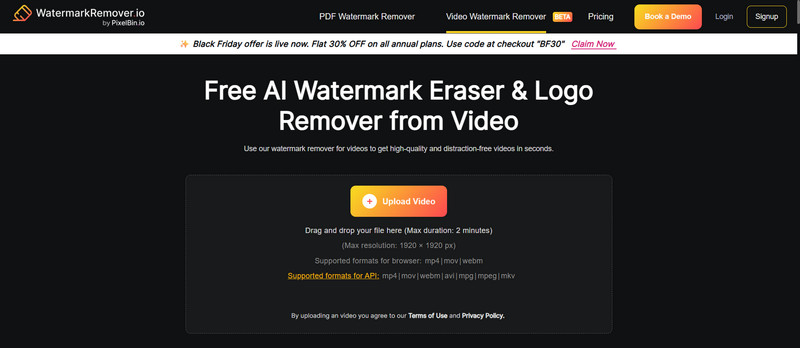
WatermarkRemover.io reviews state that the best feature of the AI tool is removing watermarks from pictures and videos efficiently and quickly. With little user involvement, the efficiency of the platform is top-notch; the tool automatically detects the watermark, details the deleted background, and outputs the edited picture. If you need to remove the watermark from an image or video, look no further; the features of the platform include valid reasoning.
1. Easy to use, especially for first-time users: It is very user-friendly. All options are present and clearly defined, meaning removing a watermark can take no longer than a few moments.
2. Highly advanced AI technology: Some of the newest AI technologies are used to examine files and remove watermarks, and in doing so, the content quality is kept intact.
3. Both pictures and videos are supported: In comparison to other content removal tools, WatermarkRemover.io can also remove watermarks from videos. This is helpful to users creating or editing content for social media.
4. Excellent output quality: The output will maintain the original quality and will not lose any detail.
5. Very efficient: Outputs watermarks removed in seconds, no matter what kind of watermark is imprinted.
Part 2. Detailed Review of Watermarkremover.io
Pricing
| Plan Type | Price | Credits Included | Best For |
| Free Plan | $0 | 3 credits/month | Occasional users |
| One-Time Credits (Pay-As-You-Go) | 50 credits: $7.99 200 credits: $24.99 500 credits: $54.99 1,000 credits: $84.99 | Valid for 1 year | Users who don’t want a subscription. |
| Annual Subscription | 100 credits/month: $44.99/year 200 credits/month: $69.99/year 500 credits/month: $99.99/year 1,000 credits/month: $139.99/year | Renews annually; monthly credits | Regular editors, freelancers, businesses. |
| Enterprise / Custom Plan | Custom pricing | Customized credits | Agencies, companies, and advanced workflows. |
Is WatermarkRemover.io Safe?
Yes, provided they use the application correctly. The service does not retain your documents and securely deletes them once they have processed your data.
Nevertheless, users have a responsibility to observe copyright laws, especially regarding the removal of watermarks on owned content, licensed documents, or personal media.
Who Is WatermarkRemover.io Best For?
WatermarkRemover.io is Best For Fast and efficient removal of watermarks and user-friendly editing programs. Automated software is perfect for:
- Content Creators want to prepare social media posters, thumbnails, and blog pictures.
- Online Sellers & E-Commerce Users need to delete logos and texts on product images.
- Students & Educators wish for a clean visual to be used on presentations and projects in school.
- Freelancers & Designers need quick edits and revisions for their clients.
- Photographers want to clear samples and drafts of their work.
- Businesses & Marketing Teams want to present and advertise their work using polished images.
- Pros
- Extremely user-friendly.
- Can remove watermarks from images and videos.
- Results are clean and of high quality.
- Wait times are very minimal, and processes are completed quickly.
- They work great on most text and logo watermarks.
- Ideal for creators, marketers, and business owners.
- Cons
- Certain watermarks may be too complex or deeply embedded to be removed.
- Generated outputs are not always perfect, and the quality of the background can affect this.
- For videos, payment or credits may be required, unlike manual options like Photoshop remove watermark, which give more control but take more time.
- If you do not understand commercial copyright laws, it may not be the best option for you to use it for commercial purposes.
Part 3. How to Use Watermarkremover.io
Follow these beginner-friendly steps:
Step 1Site to WatermarkRemover.io and log in to your account. For the most basic of removals, you can just use a free account.
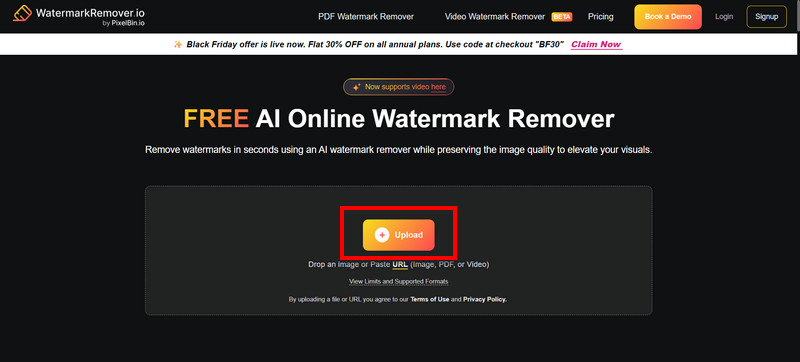
Step 2Hit the Upload button, and then select the file that has the watermark.
Common video and image file types (JPG and PNG) are supported.
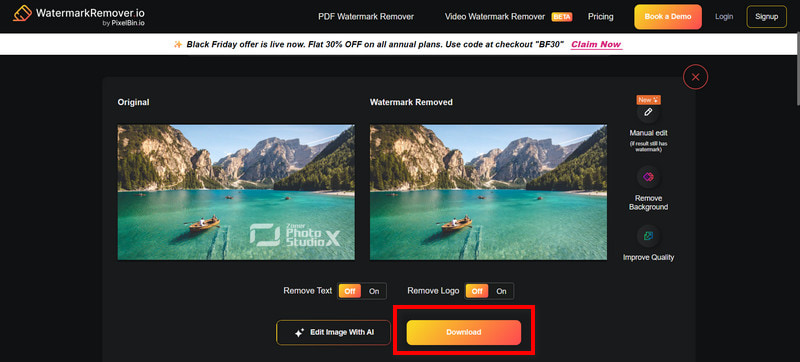
Step 3After the file is uploaded, the AI will assess it and remove watermarks.
No more manual edits! The AI will do everything and will finish in a few seconds.
Step 4When Watermark removal is done, you will have the option to click
Download, and then your file will be sent to your device.
This can be done for any number of images or video watermark removals as often as you want, whether you are cleaning regular photos or fixing a watermark meme.
Part 4. The Best Watermarkremover.io Alternative Free Online
AVAide Watermark Remover is a reliable free online alternative to WatermarkRemover.io, designed for fast, accurate, and user-friendly watermark removal. It effectively deletes logos, dates, text, stickers, and unwanted objects while preserving the original background. Powered by advanced AI, it analyzes colors and textures for natural results. With broad format support, secure encrypted uploads, and no installation required, it is ideal for personal, social media, and marketing photo editing.
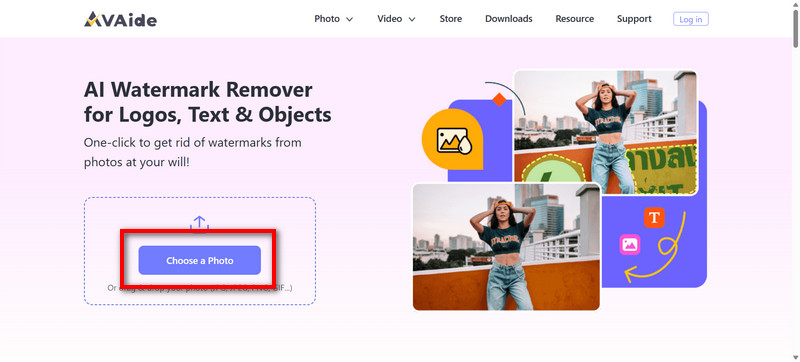
Step 1Upload Your Photo
The AVAide Watermark Remover webpage has a button labeled Choose a Photo. You can either drag and drop the desired photo to the window that opens or browse to it from your folder.
Step 2Highlight the Watermark Area
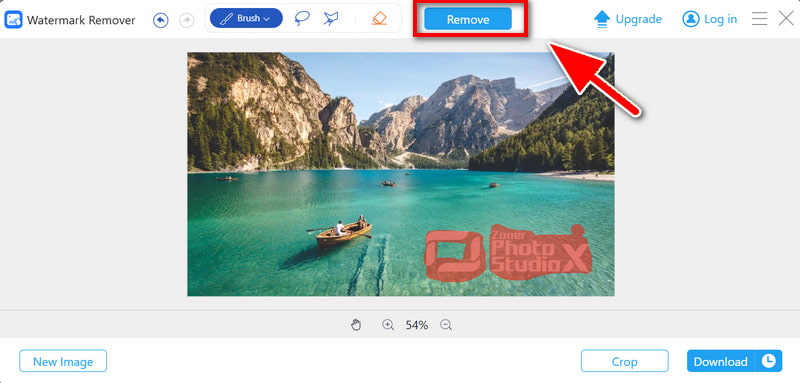
Take the smart selection Brush and mark the area of the watermark to be removed.
Step 3Apply AI Removal
Just hit the Remove button, and let the AI do the work as you wait. The tool focuses on merging the unmarked section surrounding the watermark and recreating the edges of the section that was removed.
Step 4Download Your Clean Image
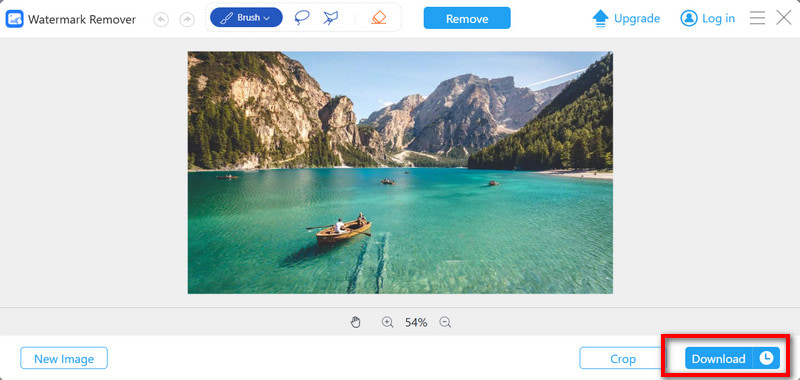
You will be able to see a preview of the work that was done. Once you see that it has a good, clean outcome, hit the Download button so you can receive your photo that no longer has any unwanted markings over it, and is of top quality.
Is watermarkremover.io safe is a common question, and this review shows it offers secure, fast, and reliable watermark removal. Its AI makes editing effortless, though alternatives exist for users needing more control or fully free, high-quality results.

Easily get rid of annoying watermarks and unwanted objects from your photos without quality loss.
PROCESS NOW