O identitate tipică pentru mulți utilizatori este pur și simplu să descarce extensie de înregistrare a ecranului pe care le întâlnesc, doar pentru a se întreba mai târziu după înregistrare: „De ce există o întârziere?” sau „De ce este dimensiunea fișierului atât de mare?” Cea mai bună înregistrare video implică rata de cadre, permisiuni, codec, asistență și controale ușoare pentru utilizatori. Știind acest lucru, nu va trebui să faceți nicio editare ulterior. În secțiunile pe care le-am evidențiat aici, veți învăța cum să evaluați și să alegeți cele mai bune instrumente pentru browserul dvs.
- Comparație rapidă: Cel mai bun înregistrator de ecran
- Partea 1. Cele mai bune extensii de înregistrare a ecranului pentru Chrome
- Partea 2. Cele mai bune extensii de înregistrare a ecranului pentru Firefox
- Partea 3. Cele mai bune extensii de înregistrare a ecranului pentru Safari
- Partea 4. Cele mai bune extensii de înregistrare a ecranului pentru Opera
- Bonus: Cel mai bun înregistrator de ecran pentru toate browserele
Comparație rapidă: Cele mai bune extensii de înregistrare a ecranului în funcție de browser
| Browser | Alegerea principală | Cel mai bun pentru |
| Crom | Război de ţesut | Este ideal pentru tutoriale rapide, comunicare în echipă și partajare instantanee de videoclipuri prin linkuri. |
| Firefox | Captură de ecran și înregistrare ecran Awesom | Este ideal pentru realizarea de capturi de ecran cu instrumente de adnotare și pentru înregistrare rapidă, bazată pe browser. |
| Safari | ScreenApp | Este ideal pentru înregistrări simple bazate pe browser, cu captură instantanee și suport audio pe Mac. |
| Operă | Înregistrator de ecran Scre.io | Este ideal pentru înregistrări ușoare de ecran cu microfon pentru demonstrații și tutoriale rapide. |
Partea 1. Cele mai bune extensii de înregistrare a ecranului pentru Chrome
Război de ţesut este o extensie populară pentru Chrome pentru înregistrarea rapidă a ecranului și partajarea videoclipurilor. Puteți înregistra fila browserului, întregul ecran, camera web sau microfonul cu acest instrument. Creează un link partajabil după înregistrare, care facilitează comunicarea rapidă, partajarea ideilor și colaborarea. Este frecvent utilizată la locul de muncă și în educație, deoarece reduce nevoia de transferuri de fișiere video mari, ceea ce o face fiabilă. Înregistrator de ecran ChromeCa instrument de înregistrare a ecranului de browser, Loom este apreciat pentru viteza, simplitatea și fluxul de lucru prietenos cu echipa.

- Pro
- Înregistrare rapidă cu un singur clic în Chrome
- Înregistrează ecranul, camera web și microfonul împreună
- Linkuri video partajabile instantaneu
- Interfață curată și ușor de utilizat
- Bun pentru comunicarea în echipă și tutoriale
- Contra
- Planul gratuit are limitări de funcții
- Necesită internet pentru partajare și acces la cloud
- Instrumentele avansate de editare se află în spatele unui paywall
- Stocarea în cloud s-ar putea să nu fie potrivită pentru utilizatorii preocupați de confidențialitate
Partea 2. Cele mai bune extensii de înregistrare a ecranului pentru Firefox
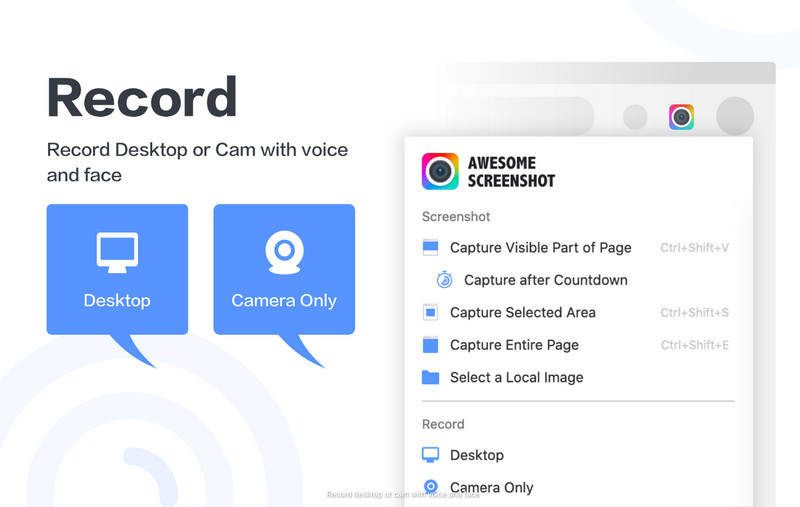
Utilizatorii Firefox care caută o singură extensie pentru a face capturi de ecran și a înregistra videoclipuri ar trebui să ia în considerare Awesome Screenshot & Screen Recorder. Puteți înregistra fila browserului, desktopul sau camera web, așa că este excelent pentru partajarea de tutoriale, actualizări, proiecte de lucru, demonstrații de produse și asistență pentru clienți. De asemenea, are funcții de captură de ecran și luare de notițe, permițându-vă să faceți o imagine și să adăugați comentarii fără a descărca o altă extensie de browser. Ca înregistrator de ecran Firefox, se remarcă prin combinarea mai multor instrumente într-un flux de lucru simplu și eficient.
- Pro
- Fila Înregistrări, ecranul desktopului și camera web
- Include instrumente de captură de ecran și adnotare
- Opțiuni ușoare de partajare după înregistrare
- Bun pentru tutoriale și muncă la distanță
- Interfață simplă pentru începători
- Contra
- Unele funcții avansate necesită un abonament plătit
- Poate solicita permisiuni extinse ale browserului
- Performanța poate varia pe dispozitivele mai vechi
- Stocarea în cloud s-ar putea să nu fie potrivită pentru utilizatorii preocupați de confidențialitate
Partea 3. Cele mai bune extensii de înregistrare a ecranului pentru Safari
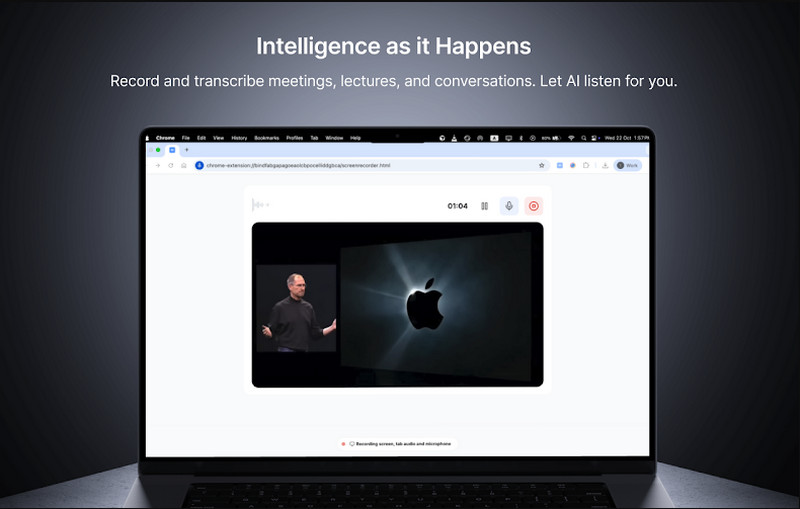
ScreenApp este o aplicație bazată pe browser care se integrează cu Safari și nu necesită nicio instalare. Utilizatorii pot captura filele browserului, ferestrele și sunetele sistemului într-o singură interfață, fiind ideală pentru crearea de tutoriale, lecții online și documentarea proceselor. Folosește browserul pentru a rula instrumentul de înregistrare, cu opțiuni de descărcare imediată pentru partajare sau partajare pe rețelele sociale. Ca înregistrator de ecran Safari, este conceput pentru utilizatorii care doresc o captură rapidă fără a se baza pe software desktop suplimentar.
- Pro
- Funcționează direct în Safari fără instalare completă
- Înregistrează filele browserului și sunetul sistemului
- Flux de lucru simplu de înregistrare cu un singur clic
- Acceptă descărcare instantanee MP4
- Potrivit pentru tutoriale și învățare online
- Contra
- Funcții avansate de editare limitate
- Necesită internet stabil pentru performanțe optime
- Planul gratuit poate avea limite de utilizare
- Mai puțin flexibil decât înregistratoarele de ecran complet pentru desktop
Partea 4. Cele mai bune extensii de înregistrare a ecranului pentru Opera
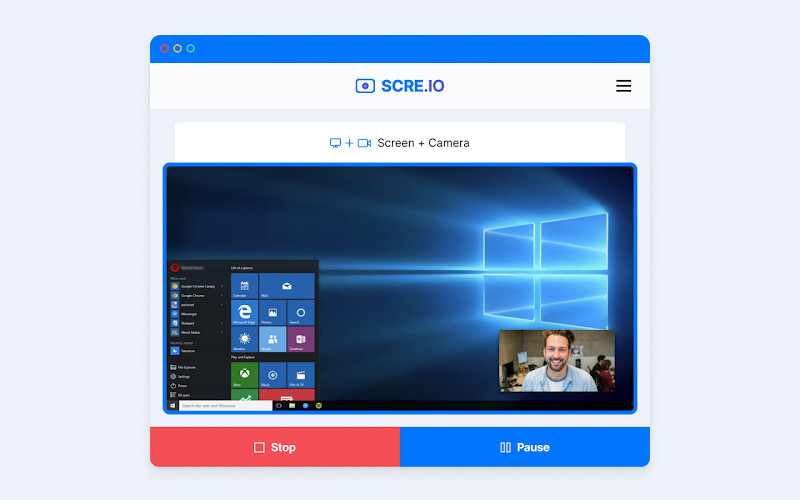
Înregistrator de ecran pentru Opera sau Scre.io este o extensie care vă permite să înregistrați rapid ecranul în Opera. Utilizatorii pot înregistra cu ușurință filele Opera, întregul desktop și chiar fluxul camerei web fără a fi nevoie de nicio configurare specială. Acest software este adesea folosit pentru a crea tutoriale, prezentări și demonstrații de produse, deoarece este rapid și ușor de utilizat. Ca extensie de înregistrare a ecranului cu audio, acceptă intrare pentru microfon, astfel încât utilizatorii pot adăuga o narațiune vocală clară în timp ce înregistrează acțiunile de pe ecran.
- Pro
- Înregistrare simplă cu un singur clic în Opera
- Înregistrează ecranul, fila și camera web
- Suportă înregistrare audio cu microfon
- Fără instalare sau configurare complexă
- Util pentru tutoriale și ghiduri rapide
- Contra
- Funcții avansate de editare limitate
- Necesită permisiuni de browser pentru a funcționa
- Versiunea gratuită poate include restricții
- Performanța poate varia pe dispozitivele de gamă inferioară
Bonus: Cel mai bun înregistrator de ecran pentru toate browserele
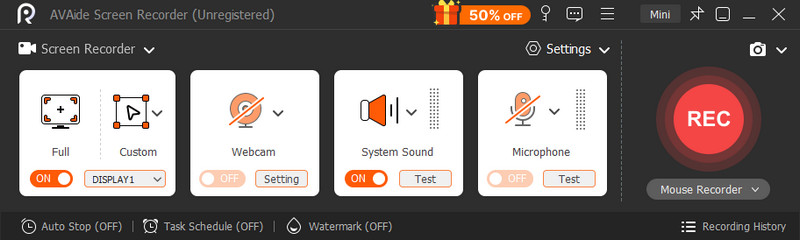
AVaide Screen Recorder este o aplicație desktop independentă, compatibilă cu toate browserele web majore, cum ar fi Chrome, Firefox, Opera și Safari. Capturează audio și video de pe computer fără a utiliza extensii sau permisiuni de browser. Acest lucru asigură o fiabilitate, o versatilitate și o capacitate mai mare pentru înregistrări extinse sau sofisticate ale tutorialelor, întâlnirilor, jocurilor și prezentărilor.

DESCĂRCARE GRATUITĂ Pentru Windows 7 sau o versiune ulterioară
 Descărcare sigură
DESCĂRCARE GRATUITĂ Pentru Mac OS X 10.13 sau o versiune ulterioară
Descărcare sigurăExtinderea browserului este excelentă, dar vine cu compromisuri, cum ar fi limite de timp pentru înregistrări, calitate redusă sau un browser mai lent. Acest tip de instrument, comparabil cu ScreenRec, este o aplicație independentă care evită aceste probleme. Permite înregistrarea simultană pe ecran complet, în ferestre, în regiune, audio de sistem, prin microfon și cameră web. De asemenea, oferă o personalizare mai amplă a formatului și calității videoclipului, ceea ce este esențial în scopuri comerciale.
- Pro
- Funcționează pe toate browserele fără extensii separate
- Fără restricții de browser sau probleme de permisiuni
- Mai stabil pentru înregistrări lungi și rezoluție înaltă
- Înregistrează simultan sunetul sistemului, microfonul și camera web
- Control mai bun al performanței și opțiuni de calitate a rezultatelor
- Potrivit pentru tutoriale profesionale, întâlniri și creare de conținut
- Contra
- Necesită instalare pe dispozitivul dvs.
- Puțin mai greu decât instrumentele rapide de browser cu un singur clic
- Poate dura mai mult timp de configurare inițial
Există multe motive pentru a înregistra, iar un instrument de înregistrare în browser este de obicei ales pentru confortul și eficiența sa atunci când se înregistrează un tutorial simplu, o demonstrație sau un ghid. A înregistrator de ecran al browserului este convenabil pentru sarcini simple, deoarece este ușor accesibil fără a fi nevoie de instalare de software, dar poate avea și limitări în ceea ce privește performanța, durata sau funcționalitatea.
Dar dacă se dorește o stabilitate, o calitate și un control sporite în cazul înregistrărilor tehnice mai lungi, este necesar un înregistrator de ecran independent, cum ar fi AVaide Screen Recorder oferă o alternativă mai eficientă. În cele din urmă, totul depinde de dacă aveți nevoie imediată de a înregistra în browser sau aveți nevoie de instrumente și funcții avansate de înregistrare.
DESPRE AUTOR

Capturați activități pe ecran cu sunet, întâlniri online, videoclipuri de joc, muzică, cameră web etc.
Înregistrare ecran
- Înregistrare ecran pe Windows
- Înregistrați live pe Instagram
- Extrage videoclipuri din Tubi
- Convertește videoclipuri YouTube în MP3
- Descarcă videoclipuri de la Fansly
- Descărcarea videoclipurilor JW Player
- Descărcați videoclipuri Bilibili
- Descarcă videoclipuri Patreon
- Descarcă videoclipuri SpankBang
- Descarcă videoclipuri Discord
- Descărcați videoclipul DoodSream