Upscayl is an AI-powered image upscaler capable of improving the clarity and detail of your pictures. It can offer various features, a simple user interface, and free accessibility, making it the best upscaler you can operate on your desktop. So, are you interested in learning more about the tool? In this post, we will give you a detailed review of Upscayl, its features, how to use it, and overall performance. Thus, read everything and learn more!
Part 1. What is Upscayl?
Upscayl AI is an open-source AI-driven upscaler created to enhance the quality of images and graphics by enlarging them without losing any details. The upscaler uses advanced machine learning models to enhance textures, sharpen edges, and restore clarity, making it helpful for photographers, digital artists, and casual users who want to deal with their low-resolution photos. The best part here is that it is free to use, making it more accessible to all users. With that, we can tell that Upscayl is an efficient and practical solution for transforming and enhancing images into high-quality results.
Part 2. Key Features of Upscayl
Do you want to learn more about the capabilities of this AI image upscaler? In that case, see everything in this section as we offer its key features.
AI-Powered Upscaling
The core feature of the tool is to upscale images with the help of AI-driven technology. It uses Real-ESRGAN models for enlarging photos up to 16× resolution without losing the quality. It can also enhance textures, colors, and edges for sharper, clearer output.
Batch Processing
What makes the upscaler powerful is that it can support batch processing. With this feature, you can deal with multiple files in a single go. It can even offer faster processing, unlimited storage, and accessibility across devices, like tablets, desktops, and mobiles.
Offers Various Upscaling Models
Upscayl AI Image Upscaler can also provide various upscaling models. This is ideal if you want to deal with various types of images. Some of the models are Upscale Standard, Upscale Lite, High Fidelity, Remacri, and more.
Intuitive User Interface
The good part about the program is that it can offer a simple user interface. It lets users upscale images without encountering any trouble, making it perfect for both advanced and non-professional users.
Part 3. How to Use Upscayl
Do you want to start upscaling your images using Upscayl? Then, you can check the simple steps below.
Step 1First, download and install Upscayl on your desktop. Then, run it to start the image-upscaling process.
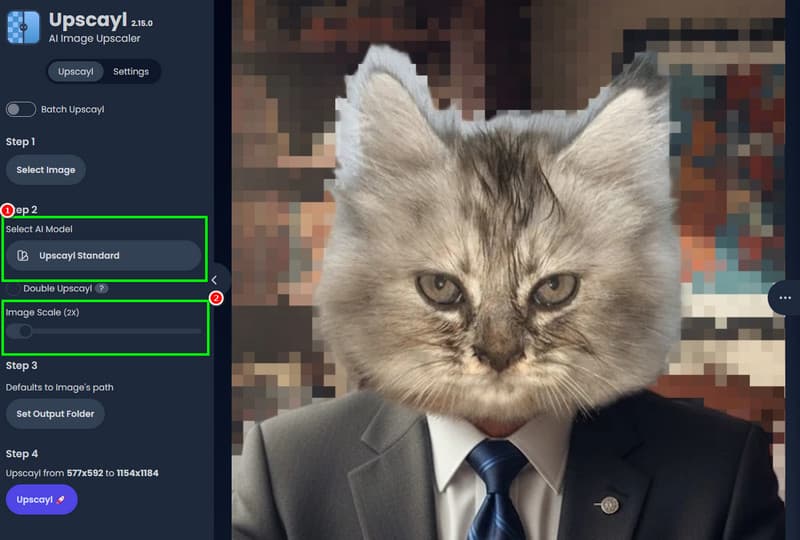
Step 2Click the Select an Image button to start adding the image you want to upscale.
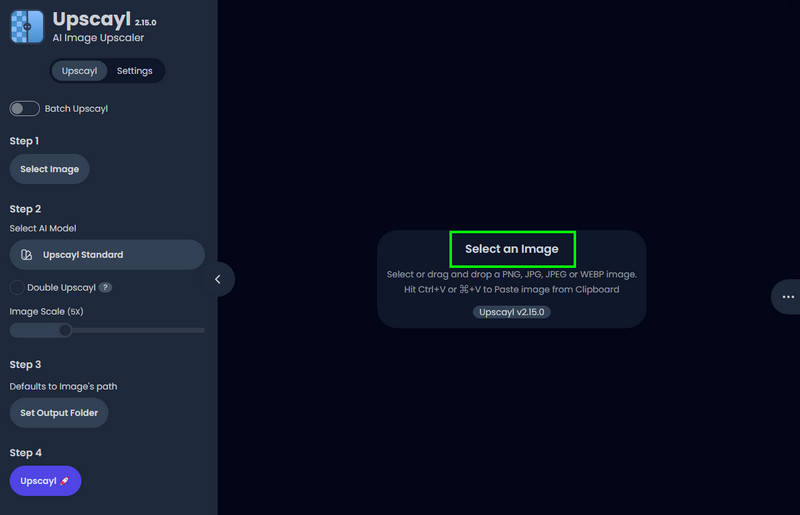
Step 3You can now start choosing your preferred upscaling model from the Select AI Model section. Then, start adjusting the slider from the Image Upscale section to upscale the image based on your preference.
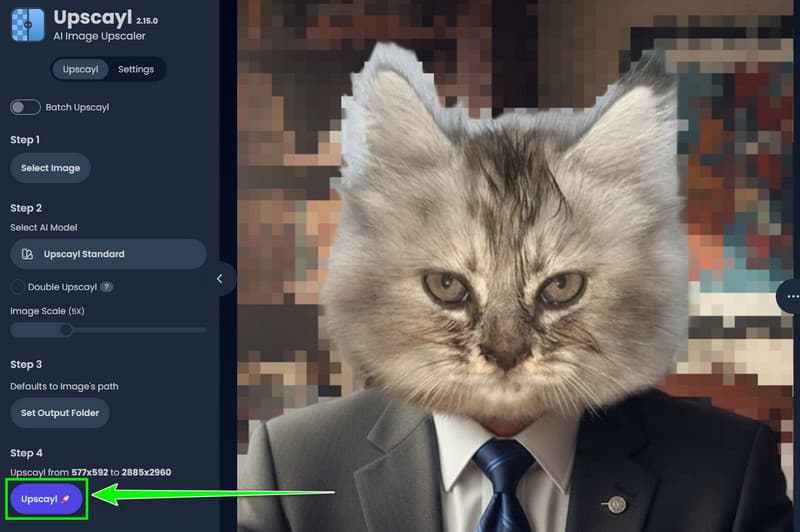
Step 4For the final upscaling process, click the Upscayl button below. After that, you can now check the enhanced image on your device.
Part 4. Performance & Image Quality: Our Honest Review
To get more information about the overall performance and quality of the tool, see all the details in this section.
Testing Environment
Hardware Specifications
- Processor (CPU) - AMD Ryzen 7 7800X3D (Stock, Liquid Cooled)
- RAM - 32GB DDR5-5600MHz (Dual Channel)
- Storage - 1TB NVMe M.2 SSD (Managing batch read/write paths)
- Graphics Card (GPU) - NVIDIA GeForce RTX 4070 Ti Super
Software and Test Assets
- OS - Windows 11
- Upscayl Version - v2.15
Image Quality and Model Fidelity
This PNG and JPG upscaler uses deep learning to intelligently reconstruct details perfect for cleaning up compression artifacts in images and sharpening edges of visuals.
Workflow and UI Experience
Upscayl AI offers a highly intuitive interface that features a real-time splitscreen slider for instant verification of upscaling results. Plus, the batch processing system can be frustrating since it delays error notification until the entire queue of photos is processed.
Speed and Hardware Load
By using the NCNN Vulcan framework, the program offloads all the processing to your GPU, enabling fast photo reconstruction that takes only seconds on modern hardware.
Part 5. Is Upscayl Safe
Is Upscayl safe to use? Well, after using the program, we can tell that it is safe to operate. You can upscale images up to 16× better without any problem. Plus, it ensures that all your images and information are safe and won't be shared with other users without your consent.
Part 6. Upscayl Pricing: Is It Really Free
Is Upscayl free? The answer is yes! You can upscale your images for free. You can even choose your desired AI enhancement model without spending a penny. With that, if you want to upscale numerous images smoothly and easily, using Upscayl is ideal.
Part 7. Upscayl vs. Competitors
Upscayl is an excellent image upscaler. However, it relies heavily on GPU acceleration, so a poor graphics card can affect its performance. So, if you are looking for an excellent alternative, you can check all the upscalers you can use in this section.
1. AVAide Image Upscaler
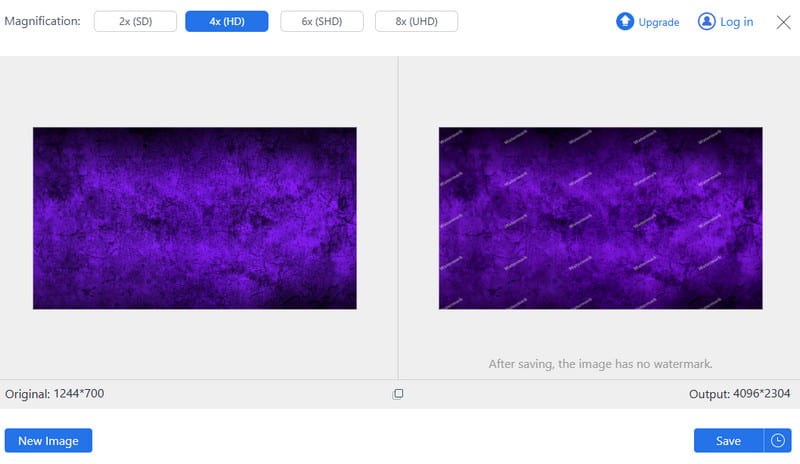
If you want to upscale your photos online, look no further than AVAide Image Upscaler. This tool is more accessible since you can use it on your browser, so there is no need for installation. The best part here is that it can upscale your images up to 8× better. You can also navigate all the necessary features with ease, thanks to its comprehensive UI. Not only that, AVAide ensures to give you a smoother and faster upselling process, making it superior to Upscayl.
2. iLoveImg
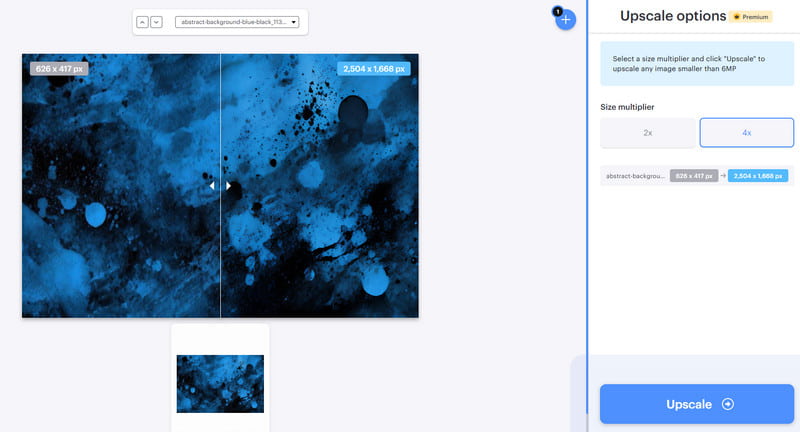
iLoveImg is another online-based tool you can rely on when it comes to upscaling your images. With this tool, you can upscale/enhance your images for up to 4× better than the original image. It can also offer an intuitive user interface, a smoother upscaling process, and ensure that there will be no annoying ads during the procedure. The only drawback here is that you must get the paid version to access its overall features.
If you want to get more insights about these best image upscalers, you can check the table below.
| Image Upscalers | AVAide Image Upscaler | Upscayl | iLoveImg |
| Output Quality | AI-powered upscaling up to 8x, good for photos and digital art; watermark-free results | ESRGAN-based AI, up to 4x; strong on anime/art, decent on photos | Basic upscaling, lower quality compared to AI tools; struggles with fine details |
| Platform Support | Web-based | Windows and Mac | Web-based |
| Ease of Use | Very Easy | Standard | Easy |
| Extra Features | • Supports multiple formats • Watermark-free • Batch processing • AI enhancement options | • Batch processing • Open-source privacy and offline use | Integrated with iLoveImg suite (compression, editing, watermarking) |
Upscayl Image Upscaler is among the most reliable programs you can use to upscale your photos effectively. It also has all the features you need to achieve the result you want. Thanks to this review, you have learned everything about the photo upscaler. Plus, if you want a better and more accessible image upscaler, we suggest using AVAide Image Upscaler. This online-based upscaler allows you to upscale your photos up to 8× better. You don't even need to undergo installation since you can access it on your browser, making it more ideal for all users.
ABOUT THE AUTHOR


Our AI technology will automatically enhance the quality of your images, remove noise and fix blurry images online.
PROCESS NOW