JPG upscalers are the most reliable tools if you want to make your images sharper and clearer. They can improve the quality by enlarging photos without losing too much detail. Plus, they are commonly helpful when dealing with social media posts, old photos, and any projects that require crisp visuals. If you want to explore the best tools that can upscaler your images, read this post. We will also teach you how to upscale images without losing the quality. Thus, read here and learn everything.
Part 1. What is JPG Upscaling
JPG upscaling is about the procedure of enlarging a JPEG file while trying to keep it clear and sharp. Normally, when you stretch an image, it can look pixelated and blurry. With the help of upscaling tools that use a smart algorithm, it can add details and smooth edges to the images while making them look natural. Additionally, the tools are perfect if you want to improve old photos, small images, and graphics you want to use in bigger formats. Thus, JPG upscaling helps transform low-quality photos into higher-quality versions without losing too much detail.
Part 2. Why JPG Compression Artifacts Become More Visible After Upscaling
After upscaling, JPG compression artifacts become more apparent. It is because the procedure enlarges both the image and its defects. These artifacts are minor distortions caused by file compression for storage space, such as blurriness or blockiness. These flaws are stretched by the algorithms along with the true details when the image is enlarged. The artifacts frequently stand out more against the sharper edges produced during upscaling rather than blending in seamlessly. Therefore, it becomes easier to identify the undesired patterns and distortions as the image size increases.
Part 3. Best JPG Upscalers
Looking for the best JPG image upscalers? Then, you can check this section as we introduce all the most reliable tools you can use to upscale your images successfully.
1. AVAide AI Image Upscaler
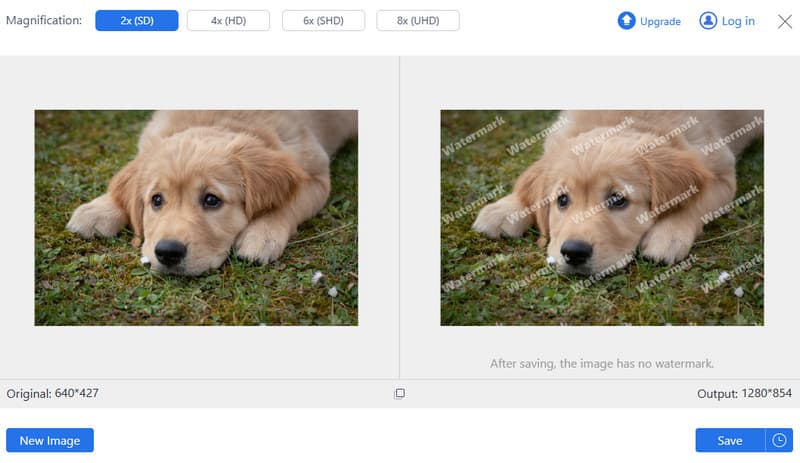
One of the most powerful image upscalers you can access on your browser is AVAide AI Image Upscaler. This tool is ideal if you want to get the 4K version of your photo. What we like here is that the process of upscaling your images is simple, thanks to its understandable layout. Plus, you can upscale your photo up to 2×, 4×, 6×, and even 8× better than the original image. The good part here is that the tool is powered by artificial intelligence (AI), allowing you to get the result instantly and accurately. It can also upscale various image types, such as old photos, blurry and pixelated photos, and more. You can also use it for free, making it good news for all users. Thus, if you need a reliable tool that can upscale models for JPG artifacts, use AVAide right away.
2. Upscayl
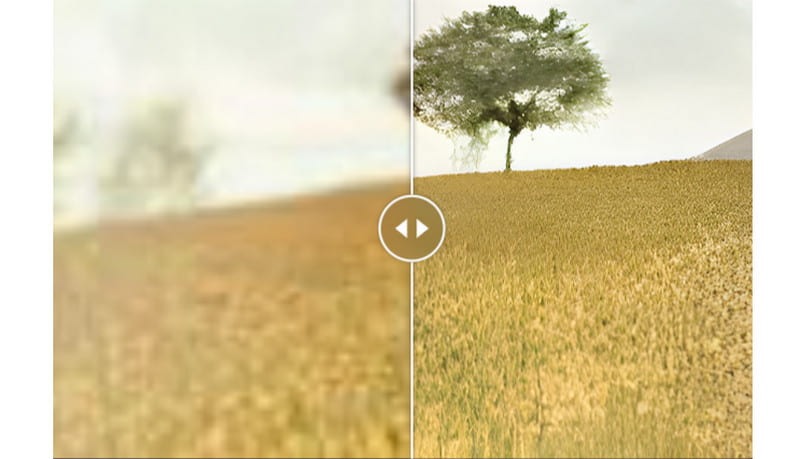
Upscayl is a desktop-based JPG upscaler you can access on your Windows and Mac computers. This software specializes in transforming pixelated, blurry, and low-resolution images into crisp, high-quality versions. One of the program's ideal features is its capability to upscale photos to 4K resolution while making them natural. Plus, this AI image upscaler has a user-friendly UI, making it suitable for non-professional users. It also has fast processing, allowing you to obtain the result you want after the upscaling procedure. The only drawback here is that it is resource-intensive. Always ensure that you have enough storage space when downloading it on your computer.
3. Upscale.media
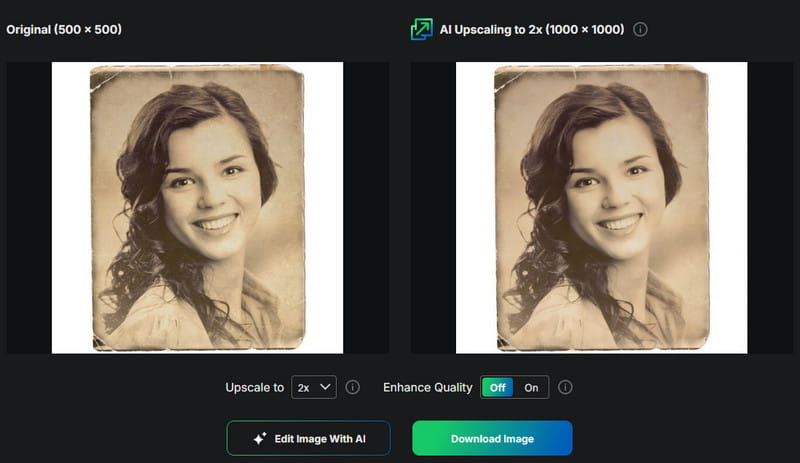
Do you need another free JPG image upscaler? Then, you can use Upscale.media. This tool is useful if you want to upscale blurry, pixelated, and old photos. What we like here is that it has a simple layout for an easy and instant upscaling process. Plus, this tool can improve your image up to 8 times better than the original version of the image.
What's more, it can support various input image formats. It includes JPG, JPEG, WebP, HEIC, PNG, and more. With that, if you want an excellent tool that can let you achieve your preferred output, look no further than Upscale Media.
To get more insights about these JPG upscalers, you can check the comparison table below.
| JPG Upscalers | AVAided AI Image Upscaler | Upscayl | Upscale.media |
| Face Detail | Sharpens portrait details for clearer facial features | Preserves face details with AI, but may vary depending on input quality | Enhances fine details and tones, keeping faces natural-looking |
| JPG Artifact | Reduces compression artifacts and blockiness effectively | Handles artifacts moderately well, but the focus is more on resolution enhancement | Strong artifact reduction, specifically designed to clean blurry patches and blocky textures |
| Noise | Removes noise and blur during upscaling | Reduce image noise with AI algorithms, though results depend on GPU performance | Lessen image noise and refine image clarity without over-editing |
| Free Limit | Free online use, no watermark, supports batch uploads | Completely free, open-source, unlimited use | Offers a free plan with limitations, and premium tiers available |
| Upscaling Process | Simple 3-step online process (upload, upscale, download) | Desktop app with AI-powered upscaling, requires a Vulkan-compatible GPU | Automated online process with batch support, up to 8× resolution |
| Compatibility | Web-platform | Windows and Mac | Web-platform |
With these JPG upscalers, you can ensure that upscaling your photos will be a possible task to accomplish. These tools can even give you all the features you need, including a fast upscaling process, comprehensive layout, quick download, and more. Thus, access the suitable image upscaler for you and start getting a better version of your image file.
Part 4. How to Upscaler JPG Without Losing Quality
Do you want to upscale a JPG image without losing the quality? Then, you can use AVAide AI Image Upscaler. This tool ensures that you can upscale your photo up to 8× while retaining the details. It can even give you a simple procedure, which is perfect for all users. Thus, you can follow the provided instructions below to start the JPG upscaling process.
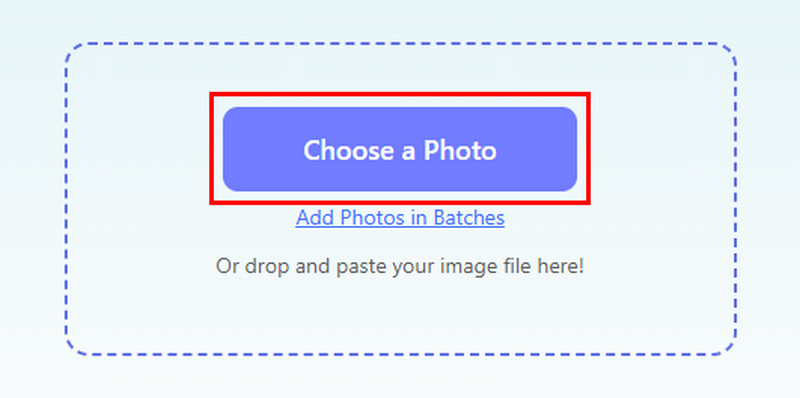
Step 1On your browser, start visiting the AVAide AI Image Upscaler website. Then, start uploading your JPG file by clicking the Choose a Photo button.
Step 2After the uploading process, navigate to the Magnification section and start upscaling your image up to 2×, 4×, 6×, and 8×.
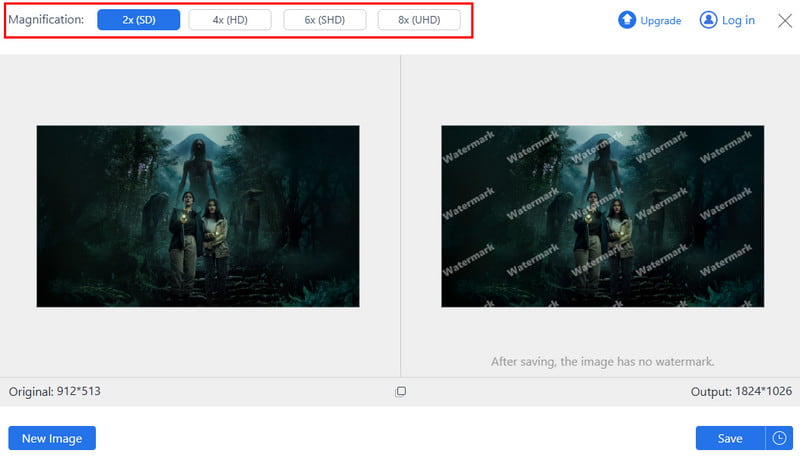
Step 3Once the JPG upscaling process is done, start downloading the image by clicking the Save function below.
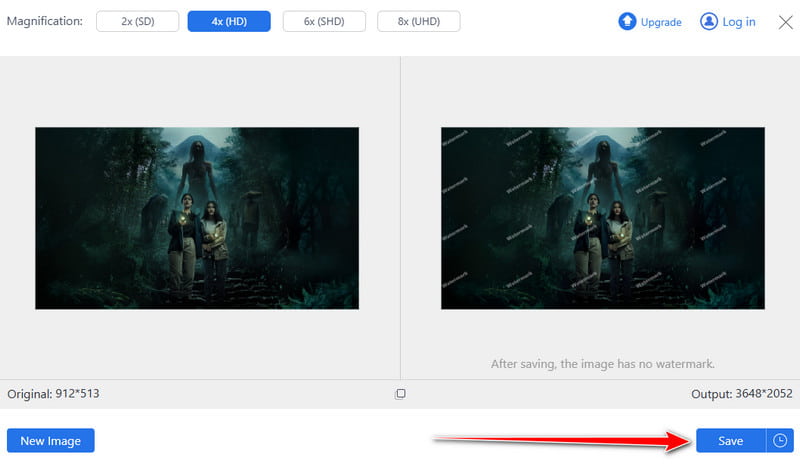
To upscale more images, you can just tap the New Image option below.
JPG Upscalers are excellent if you want to upscale and enhance your JPGs smoothly. They can help you enlarge your images, reduce the noise, and make your file satisfying to view. Thanks to this article, you have explored all the most reliable tools that can upscale your JPG files. Plus, if you want an easier and faster upscaling process, we suggest using AVAide AI Image Upscaler. This tool has a fast and smooth upscaling process, making it an ideal photo upscaler on your browser.

Our AI technology will automatically enhance the quality of your images, remove noise and fix blurry images online.
PROCESS NOW